
How do i install ssd on my laptop?

Just so you are clear:

You will make a disk image of your system reserved partition and your C: partition onto your other 500 gig hard drive.

You will then remove the hard drive that has windows installed (DISK 0).

You will then install your new ssd in it`s place.

You will then reimage windows to the ssd.

Do you understand ?

I have tried using windows built in imaging software to place an image back onto another hard drive in the same system and it has never worked. It always tells me it can`t find the original hard drive, have yet to sit down and figure that one out.
 

My Computer My Computer

At a glance

Windows 10 Pro x64Intel Core i7 6700KGSkill TridentZ RGB 16GB 3600 16-16-16-36EVGA GTX 980 Ti SC x2
Computer type
PC/Desktop
Computer Manufacturer/Model Number
Skylake Special #666
OS
Windows 10 Pro x64
CPU
Intel Core i7 6700K
Motherboard
Asus Sabertooth Z170 Mark 1
Memory
GSkill TridentZ RGB 16GB 3600 16-16-16-36
Graphics Card(s)
EVGA GTX 980 Ti SC x2
Sound Card
Realtek High Definition
Monitor(s) Displays
AOC G2460PG
Screen Resolution
1920 x 1080 144Hz
Hard Drives
Samsung 860 Pro 256GB, Seagate Barracuda 4TB x2
PSU
EVGA 1000 P2, EVGA White Custom Braided Cables
Case
Corsair Vengeance C70 Gunmetal Black
Cooling
Corsair H100i v2, Corsair ML120 x2, Thermal Grizzly Kryonaut
Keyboard
Logitech G910 Orion Spectrum
Mouse
Logitech G700s
Internet Speed
Verizon Fios Quantum Gateway 75/75
Antivirus
Windows Defender, Malwarebytes Free 3.8.3
Browser
Chrome
Other Info
Corsair SP120 x4, LG Blu-ray Drive, Durabrand HT-395 100 Watt Dolby Digital Amp, Corsair H2100 Wireless 7.1 Headset
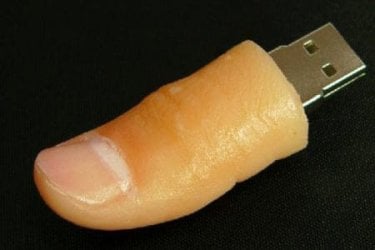
what is USB THUMB?
 

My Computer My Computer

At a glance

windows 7 home premium 64 bitintel quad core i7 2630qm 2ghz8 gb ddr3AMD Radeon HD 6490M
Computer Manufacturer/Model Number
hp dv 7t 6154ae
OS
windows 7 home premium 64 bit
CPU
intel quad core i7 2630qm 2ghz
Motherboard
hp
Memory
8 gb ddr3
Graphics Card(s)
AMD Radeon HD 6490M
Monitor(s) Displays
17'' led
Hard Drives
samsung 840 250gb ssd
toshiba 500gb 5400rpm hdd
Internet Speed
fiber optic 40mb
I completely Disagree with the post above. You should Image the COMPLETE Drive, Not just the System Reserve and the C partition.
The other partitions on the original drive are not taking up much space and in the future you may need the Tools partition and the Recovery partition

Also if you have never made a Set of System disc for that system you should before you start this process. There should be a Utility to create a set of System Re-Install disc.
 

My Computer My Computer

At a glance

7 x64
OS
7 x64
Here
 

Attachments

  • Thumb_usb_thumb_drive.jpg
    Thumb_usb_thumb_drive.jpg
    13.9 KB · Views: 2

My Computer My Computer

At a glance

Win7 Enterprise, Win7 x86 (Ult 7600), Win7 x6...AMD fx8350 4ghz, AMD-32 2400mhz, AMD-64 3200m...2gb, 4gb on the Ult 7600, 4gb on Technet RTM,...Draw my own Graphics, several nVidia cards
Computer type
PC/Desktop
Computer Manufacturer/Model Number
Built them myself, Science Experiments !
OS
Win7 Enterprise, Win7 x86 (Ult 7600), Win7 x64 Ult 7600, TechNet RTM on AMD x64 (2.8Ghz)
CPU
AMD fx8350 4ghz, AMD-32 2400mhz, AMD-64 3200mhz, AMDx64 2.8G
Motherboard
SIS 755, ECS-K8M890M-M (Ult 7600), GigaByte & others
Memory
2gb, 4gb on the Ult 7600, 4gb on Technet RTM, 32gb on FX8350
Graphics Card(s)
Draw my own Graphics, several nVidia cards
Sound Card
on motherboard
Monitor(s) Displays
19" flat scr, 28" I-Inc widescr,22" Emprex Widescr, 23" Acer
Screen Resolution
1280 x 1024, 1440 x 900, 1920 x 1080
Hard Drives
6 pata Ide HD's & 2 Sata HD's
added 80gb external on Ult 7600 computer,
numerous extra 1tb, 2TB, 3Tb SATA HD's
A collection of ext HD Docks w/ HDs
PSU
430w, 550w, 600w, 700, 800, etc
Case
All Generic Full Towers
Cooling
Open Air & a few fans, some w/ colored LEDs
Keyboard
Compaq & Dell recycled from GoodWill
Mouse
Made in China Optical Wired Mouse
Internet Speed
Fast Cable InterNet
Antivirus
AVG Free on 24 different Desktops, NO Problems!
Browser
IE 8 is preferred, but use FireFox sometimes
Other Info
Linksys Routers, switches, & Hubs
Too Many USB Flash Drives to count, Biggest is 64GB !
Eight computers in my home network.
Sixteen computers at my business network.
Linked via TeamViewer !
Lots of old used spare computer parts everywhere!
Just so you are clear:

You will make a disk image of your system reserved partition and your C: partition onto your other 500 gig hard drive.

You will then remove the hard drive that has windows installed (DISK 0).

You will then install your new ssd in it`s place.

You will then reimage windows to the ssd.

Do you understand ?

I have tried using windows built in imaging software to place an image back onto another hard drive in the same system and it has never worked. It always tells me it can`t find the original hard drive, have yet to sit down and figure that one out.

Yes I understand most of it now, I have instaled windows in past where I just chose the boot sequence and installed windows from bootable cd, in case of usb or HDD where i will save the image will it be same as if I was installing from bootable cd? will it be the same process like i will have to wait 20 minutes? do I need to make any partition in ssd ?
 

My Computer My Computer

At a glance

windows 7 home premium 64 bitintel quad core i7 2630qm 2ghz8 gb ddr3AMD Radeon HD 6490M
Computer Manufacturer/Model Number
hp dv 7t 6154ae
OS
windows 7 home premium 64 bit
CPU
intel quad core i7 2630qm 2ghz
Motherboard
hp
Memory
8 gb ddr3
Graphics Card(s)
AMD Radeon HD 6490M
Monitor(s) Displays
17'' led
Hard Drives
samsung 840 250gb ssd
toshiba 500gb 5400rpm hdd
Internet Speed
fiber optic 40mb

My Computer My Computer

At a glance

windows 7 home premium 64 bitintel quad core i7 2630qm 2ghz8 gb ddr3AMD Radeon HD 6490M
Computer Manufacturer/Model Number
hp dv 7t 6154ae
OS
windows 7 home premium 64 bit
CPU
intel quad core i7 2630qm 2ghz
Motherboard
hp
Memory
8 gb ddr3
Graphics Card(s)
AMD Radeon HD 6490M
Monitor(s) Displays
17'' led
Hard Drives
samsung 840 250gb ssd
toshiba 500gb 5400rpm hdd
Internet Speed
fiber optic 40mb
You are getting many replies with some conflicting information. Some of it is not the way I would continue so I am going to bow out of this thread.

Good Luck.
 

My Computer My Computer

At a glance

7 x64
OS
7 x64
I completely Disagree with the post above. You should Image the COMPLETE Drive, Not just the System Reserve and the C partition.
The other partitions on the original drive are not taking up much space and in the future you may need the Tools partition and the Recovery partition

Also if you have never made a Set of System disc for that system you should before you start this process. There should be a Utility to create a set of System Re-Install disc.

this is getting complicated now, its complicated than i thought it will be any ways. so you are saying that i have to make image of the whole c:, d:, f:, system and hp tools files?
 

My Computer My Computer

At a glance

windows 7 home premium 64 bitintel quad core i7 2630qm 2ghz8 gb ddr3AMD Radeon HD 6490M
Computer Manufacturer/Model Number
hp dv 7t 6154ae
OS
windows 7 home premium 64 bit
CPU
intel quad core i7 2630qm 2ghz
Motherboard
hp
Memory
8 gb ddr3
Graphics Card(s)
AMD Radeon HD 6490M
Monitor(s) Displays
17'' led
Hard Drives
samsung 840 250gb ssd
toshiba 500gb 5400rpm hdd
Internet Speed
fiber optic 40mb
That is what I am suggesting. Other may disagree but that is what I would do. Not sure why the word I used is not being understood. ,When I said Complete Drive that is exactly what I meant, IE the COMPLETE DRIVE. Not just selected partitions.

When imaging only selected partitions some basic Boot sections or files on the hard drive can be omitted from that image. When restoring that image the system won't boot without them. Yes there is a way to get the system to boot after making IMHO that mistake. You have to run the Recovery Repair 3 time, which is a real PITA. When all you had to do was image the complete drive and then restore that complete image.

Like I said above, and this time I will stick to it, I will bow out of this thread.
Again Good Luck.
 

My Computer My Computer

At a glance

7 x64
OS
7 x64
You are getting many replies with some conflicting information. Some of it is not the way I would continue so I am going to bow out of this thread.

Good Luck.
Good move edwar. I think the OP is confused enough. One reason I stayed out of it.
 

My Computer My Computer

At a glance

Vista, Windows7, Mint Mate, Zorin, Windows 8from 1.6GHz Duo to i7
Computer Manufacturer/Model Number
HP, Dell, Gateway, Toshiba - 4 laptops and 2 desktops
OS
Vista, Windows7, Mint Mate, Zorin, Windows 8
CPU
from 1.6GHz Duo to i7
Monitor(s) Displays
2x HP w2207
Hard Drives
5x HDD, 7x SSD, 12x Externals
Keyboard
with trackball - no mices
Mouse
Trackball mice
Internet Speed
DSL 6000
I completely Disagree with the post above. You should Image the COMPLETE Drive, Not just the System Reserve and the C partition.
The other partitions on the original drive are not taking up much space and in the future you may need the Tools partition and the Recovery partition

Also if you have never made a Set of System disc for that system you should before you start this process. There should be a Utility to create a set of System Re-Install disc.

I would agree also, on imaging the whole drive. But Greg sometimes says the tools and the recovery function may no longer work.
 

My Computer My Computer

At a glance

Windows 10 Pro x64Intel Core i7 6700KGSkill TridentZ RGB 16GB 3600 16-16-16-36EVGA GTX 980 Ti SC x2
Computer type
PC/Desktop
Computer Manufacturer/Model Number
Skylake Special #666
OS
Windows 10 Pro x64
CPU
Intel Core i7 6700K
Motherboard
Asus Sabertooth Z170 Mark 1
Memory
GSkill TridentZ RGB 16GB 3600 16-16-16-36
Graphics Card(s)
EVGA GTX 980 Ti SC x2
Sound Card
Realtek High Definition
Monitor(s) Displays
AOC G2460PG
Screen Resolution
1920 x 1080 144Hz
Hard Drives
Samsung 860 Pro 256GB, Seagate Barracuda 4TB x2
PSU
EVGA 1000 P2, EVGA White Custom Braided Cables
Case
Corsair Vengeance C70 Gunmetal Black
Cooling
Corsair H100i v2, Corsair ML120 x2, Thermal Grizzly Kryonaut
Keyboard
Logitech G910 Orion Spectrum
Mouse
Logitech G700s
Internet Speed
Verizon Fios Quantum Gateway 75/75
Antivirus
Windows Defender, Malwarebytes Free 3.8.3
Browser
Chrome
Other Info
Corsair SP120 x4, LG Blu-ray Drive, Durabrand HT-395 100 Watt Dolby Digital Amp, Corsair H2100 Wireless 7.1 Headset
umairarif

first defrag the drive
then
download
EZ Gig IV Cloning Software with Data Select for Windows

then go back into disk management

right click your c: partition and then it should come up with a menu, click shrink volume
then it will query for available space, then click next until it says finish
this way it will shrink the partition so the downloaded software above doesnt have any issues.

there will be unallocated space left at the end of the drive

do not worry about this

burn the iso file to a usb or a disk
switch your second hdd with the ssd
boot to the disk or usb
then follow on-screen instructions to mirror your ssd
then turn the computer off when completed
switch your first hdd for the ssd
then put the second hdd back in

there done.

happy computing
 

My Computer My Computer

At a glance

Windows 7 Ultimate x64AMD C-60 APU2GB DDR3/1066 Hyundai Electronics/ Soon to be...AMD HD6290
OS
Windows 7 Ultimate x64
CPU
AMD C-60 APU
Motherboard
HP 169A
Memory
2GB DDR3/1066 Hyundai Electronics/ Soon to be 8gb Crucial
Graphics Card(s)
AMD HD6290
Sound Card
IDT Internal Audio
Monitor(s) Displays
Sanyo 19" LCD
Hard Drives
320GB Hitachi Internal Drive
Soon to be 64GB Crucial M4 SSD with 750GB WD Scorpio Black
PSU
Battery
Case
Compaq CQ58-BF9WM Chassis
Cooling
Fans
Keyboard
Compaq CQ58-BF9WM Keyboard
Mouse
Synaptics Touchpad
Internet Speed
125 kb/s down
Yes, I agree, image the entire drive ( Disk 0 )
 

My Computer My Computer

At a glance

Windows 10 Pro x64Intel Core i7 6700KGSkill TridentZ RGB 16GB 3600 16-16-16-36EVGA GTX 980 Ti SC x2
Computer type
PC/Desktop
Computer Manufacturer/Model Number
Skylake Special #666
OS
Windows 10 Pro x64
CPU
Intel Core i7 6700K
Motherboard
Asus Sabertooth Z170 Mark 1
Memory
GSkill TridentZ RGB 16GB 3600 16-16-16-36
Graphics Card(s)
EVGA GTX 980 Ti SC x2
Sound Card
Realtek High Definition
Monitor(s) Displays
AOC G2460PG
Screen Resolution
1920 x 1080 144Hz
Hard Drives
Samsung 860 Pro 256GB, Seagate Barracuda 4TB x2
PSU
EVGA 1000 P2, EVGA White Custom Braided Cables
Case
Corsair Vengeance C70 Gunmetal Black
Cooling
Corsair H100i v2, Corsair ML120 x2, Thermal Grizzly Kryonaut
Keyboard
Logitech G910 Orion Spectrum
Mouse
Logitech G700s
Internet Speed
Verizon Fios Quantum Gateway 75/75
Antivirus
Windows Defender, Malwarebytes Free 3.8.3
Browser
Chrome
Other Info
Corsair SP120 x4, LG Blu-ray Drive, Durabrand HT-395 100 Watt Dolby Digital Amp, Corsair H2100 Wireless 7.1 Headset
yes but not to confuse him

i gave him a set of simple instructions

that will make sure nothing goes wrong in his ssd transfer

please do not say "scary" numbers and jargon he might not know
im just trying to help someone out that sounds stressed about this

thank your for your concern.
 

My Computer My Computer

At a glance

Windows 7 Ultimate x64AMD C-60 APU2GB DDR3/1066 Hyundai Electronics/ Soon to be...AMD HD6290
OS
Windows 7 Ultimate x64
CPU
AMD C-60 APU
Motherboard
HP 169A
Memory
2GB DDR3/1066 Hyundai Electronics/ Soon to be 8gb Crucial
Graphics Card(s)
AMD HD6290
Sound Card
IDT Internal Audio
Monitor(s) Displays
Sanyo 19" LCD
Hard Drives
320GB Hitachi Internal Drive
Soon to be 64GB Crucial M4 SSD with 750GB WD Scorpio Black
PSU
Battery
Case
Compaq CQ58-BF9WM Chassis
Cooling
Fans
Keyboard
Compaq CQ58-BF9WM Keyboard
Mouse
Synaptics Touchpad
Internet Speed
125 kb/s down
Then it`s all your`s. :)
 

My Computer My Computer

At a glance

Windows 10 Pro x64Intel Core i7 6700KGSkill TridentZ RGB 16GB 3600 16-16-16-36EVGA GTX 980 Ti SC x2
Computer type
PC/Desktop
Computer Manufacturer/Model Number
Skylake Special #666
OS
Windows 10 Pro x64
CPU
Intel Core i7 6700K
Motherboard
Asus Sabertooth Z170 Mark 1
Memory
GSkill TridentZ RGB 16GB 3600 16-16-16-36
Graphics Card(s)
EVGA GTX 980 Ti SC x2
Sound Card
Realtek High Definition
Monitor(s) Displays
AOC G2460PG
Screen Resolution
1920 x 1080 144Hz
Hard Drives
Samsung 860 Pro 256GB, Seagate Barracuda 4TB x2
PSU
EVGA 1000 P2, EVGA White Custom Braided Cables
Case
Corsair Vengeance C70 Gunmetal Black
Cooling
Corsair H100i v2, Corsair ML120 x2, Thermal Grizzly Kryonaut
Keyboard
Logitech G910 Orion Spectrum
Mouse
Logitech G700s
Internet Speed
Verizon Fios Quantum Gateway 75/75
Antivirus
Windows Defender, Malwarebytes Free 3.8.3
Browser
Chrome
Other Info
Corsair SP120 x4, LG Blu-ray Drive, Durabrand HT-395 100 Watt Dolby Digital Amp, Corsair H2100 Wireless 7.1 Headset
thank you

:p
 

My Computer My Computer

At a glance

Windows 7 Ultimate x64AMD C-60 APU2GB DDR3/1066 Hyundai Electronics/ Soon to be...AMD HD6290
OS
Windows 7 Ultimate x64
CPU
AMD C-60 APU
Motherboard
HP 169A
Memory
2GB DDR3/1066 Hyundai Electronics/ Soon to be 8gb Crucial
Graphics Card(s)
AMD HD6290
Sound Card
IDT Internal Audio
Monitor(s) Displays
Sanyo 19" LCD
Hard Drives
320GB Hitachi Internal Drive
Soon to be 64GB Crucial M4 SSD with 750GB WD Scorpio Black
PSU
Battery
Case
Compaq CQ58-BF9WM Chassis
Cooling
Fans
Keyboard
Compaq CQ58-BF9WM Keyboard
Mouse
Synaptics Touchpad
Internet Speed
125 kb/s down

My Computer My Computer

At a glance

Vista, Windows7, Mint Mate, Zorin, Windows 8from 1.6GHz Duo to i7
Computer Manufacturer/Model Number
HP, Dell, Gateway, Toshiba - 4 laptops and 2 desktops
OS
Vista, Windows7, Mint Mate, Zorin, Windows 8
CPU
from 1.6GHz Duo to i7
Monitor(s) Displays
2x HP w2207
Hard Drives
5x HDD, 7x SSD, 12x Externals
Keyboard
with trackball - no mices
Mouse
Trackball mice
Internet Speed
DSL 6000
bigmck

thank you for tagging/quoting me

i think this is the best way to do it... dont you?
 

My Computer My Computer

At a glance

Windows 7 Ultimate x64AMD C-60 APU2GB DDR3/1066 Hyundai Electronics/ Soon to be...AMD HD6290
OS
Windows 7 Ultimate x64
CPU
AMD C-60 APU
Motherboard
HP 169A
Memory
2GB DDR3/1066 Hyundai Electronics/ Soon to be 8gb Crucial
Graphics Card(s)
AMD HD6290
Sound Card
IDT Internal Audio
Monitor(s) Displays
Sanyo 19" LCD
Hard Drives
320GB Hitachi Internal Drive
Soon to be 64GB Crucial M4 SSD with 750GB WD Scorpio Black
PSU
Battery
Case
Compaq CQ58-BF9WM Chassis
Cooling
Fans
Keyboard
Compaq CQ58-BF9WM Keyboard
Mouse
Synaptics Touchpad
Internet Speed
125 kb/s down

My Computer My Computer

At a glance

Windows 7 Home Premium 32-Bit - Build 7600 SP1Intel Core i3-2120 3.30GhzKingston 4 GB DDR3 1333 mhzAMD Radeon HD6670
Computer type
PC/Desktop
Computer Manufacturer/Model Number
Custom Build
OS
Windows 7 Home Premium 32-Bit - Build 7600 SP1
CPU
Intel Core i3-2120 3.30Ghz
Motherboard
Asus P8Z68-V LX Intel Z68 Socket H2 ATX
Memory
Kingston 4 GB DDR3 1333 mhz
Graphics Card(s)
AMD Radeon HD6670
Sound Card
Sound Blaster Audigy SE 24-Bit
Monitor(s) Displays
Asus VE228
Screen Resolution
1440 X 900
Hard Drives
OCZ Vertex 3 120 GB Sata 3 SSD ==
Kingston SH103/S3 120 G Hyper X 120 GB SSD ==
Western Digital 500 GB Caviar Green 7200 RPM ==
PSU
Corsair CX600M == 600 Watt
Case
NZXT Apollo - Silver with Clear Side Panel
Cooling
Three 120 mm Fans
Keyboard
Microsoft Natural 4000
Mouse
Microsoft Custom Optical 3000
Internet Speed
AT&T Fiber Optic Wireless Network
Antivirus
Microsoft Security Essentials
Browser
Chrome
Other Info
120 mm Blue LED Fan -- Three Blue LED Lazer Light Sticks
Back
Top