whs, after getting my homeoffice-pc's system imaging needs squared-away with Macrium I moved on to my wife's Dell XPS M1330 laptop. It is now all set as well, and I have moved on again, this time to my daughters laptop (another Dell, XPS M1530).
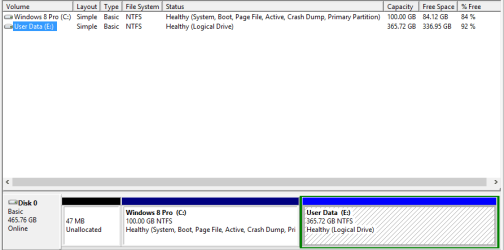
During my first look at her computer I found nearly 160GB of stuff (systems and user data); I used your tips from previous posts and turned off hibernation, adjusted the pagefile down to 2GB, etc. etc. With these changes and the deletion of some user data, I initally was able to reduce the size down to about 145GB. I plan on partitioning the hard drive and moving 24GB of remaining user data there. If your counting, that will get us down to approximately 121GB. She does have a couple of games, notably one that takes up 19GB of space. Excluding the game, that's still around 102GB of used space on C:, which seems really high to me.
When I look at the ShadowStorage (see snip), I see approx 67GB used of 69GB allocated. Would this be considered high (HDD is 462GB total), and is this possibly why the total used hdd space is more than 100GB?
I'd really like to tweak the size of her hdd down to the 45-55GB range (including the game), if possible before I image and store her system files.
Any insight or tips?
During my first look at her computer I found nearly 160GB of stuff (systems and user data); I used your tips from previous posts and turned off hibernation, adjusted the pagefile down to 2GB, etc. etc. With these changes and the deletion of some user data, I initally was able to reduce the size down to about 145GB. I plan on partitioning the hard drive and moving 24GB of remaining user data there. If your counting, that will get us down to approximately 121GB. She does have a couple of games, notably one that takes up 19GB of space. Excluding the game, that's still around 102GB of used space on C:, which seems really high to me.
When I look at the ShadowStorage (see snip), I see approx 67GB used of 69GB allocated. Would this be considered high (HDD is 462GB total), and is this possibly why the total used hdd space is more than 100GB?
I'd really like to tweak the size of her hdd down to the 45-55GB range (including the game), if possible before I image and store her system files.
Any insight or tips?
Attachments

My Computer
At a glance
Windows 8.1 Pro with Media CenterIntel Core i7-860 processor, (8MB Cache, 2.80...8GB DDR3 SDRAM at 1333MHz-4x2GBnVidia GeForce GTS240, 1024MB GDDR3
- Computer type
- PC/Desktop
- Computer Manufacturer/Model Number
- Dell Studio XPS 8100
- OS
- Windows 8.1 Pro with Media Center
- CPU
- Intel Core i7-860 processor, (8MB Cache, 2.80GHz)
- Motherboard
- Dell (Chicony - DH57M01)
- Memory
- 8GB DDR3 SDRAM at 1333MHz-4x2GB
- Graphics Card(s)
- nVidia GeForce GTS240, 1024MB GDDR3
- Sound Card
- OEM Integrated
- Monitor(s) Displays
- Dell ST2410, 24" Flat Panel Monitor
- Hard Drives
- 256GB Samsung SSD 840 Pro, MZ-7PD256BW
Western Digital 1TB Caviar Blue, WD10EALX
Seagate Baracuda 750GB, ST3750528AS (OEM)
Western Digital 2TB Black, WD2003FZEX
- PSU
- OEM - Max Output Power 350W
- Case
- OEM
- Cooling
- OEM