Identifying Which Windows 7 Build I have

JasonLee

New member
Member
Local time
11:15 AM
Messages
13
In the past, I've downloaded and burned several Windows 7 ISO builds, ranging from beta to rtm. Unfortunately, I didn't take the time to label them and all the DVDs I've used look the same.

Is there any way I can identify which DVD is Windows 7 64bit 7600.16385 RTM without having to install each OS disc just to check?

Thanks
Jason
 

My Computer My Computer

Computer Manufacturer/Model Number
HP Pavilion dv5-1099nr
OS
Windows 7 RTM 64-bit
CPU
2.00 GHz Intel Core2 Duo Processor T5800
Memory
4096MB
Graphics Card(s)
NVIDIA GeForce 9600M GT
Sound Card
Altec Lansing with SRS Premium Sound
Screen Resolution
1680 x 1050
Hard Drives
320GB (5400RPM)
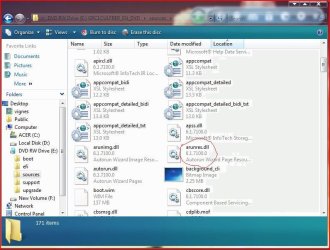
You can load the discs in DVD drive, right click and Explore.HTH..

EDIT: I realised this is not right,sorry
 

Attachments

  • Capture2.JPG
    Capture2.JPG
    78.7 KB · Views: 752

My Computer My Computer

Computer Manufacturer/Model Number
Acer Aspire 5750
OS
Windows 7 Home Premium 64bit
CPU
Intel Core i3-2310M
Motherboard
Acer OEM
Memory
8GB
Graphics Card(s)
Intel HD3000
Screen Resolution
1366x768
Hard Drives
320GB Toshiba
pop the disc in and find the setup.exe on the disc, right click and goto Details, it will show you the version number. Another way would be to pop the disc in and boot off it, when its loaded press Repair your computer, then Next and then Command Line and the version will be up the top.
 

My Computer My Computer

Computer Manufacturer/Model Number
EEE PC 701SD
OS
Windows 7 Ultimate x86 7600 RTM
CPU
Intel Celeron M 353 630-960mhz
Memory
512mb
Hard Drives
8GB SSD
Search this forum for HASH. Each ISO has a unique signature.

He said that it was already on dvd, i don't think any of the hash programs allow you to do a hash check on a dvd, and only work on singular files (like an ISO or a RAR or a TXT or w/e file).
 

My Computer My Computer

Computer Manufacturer/Model Number
EEE PC 701SD
OS
Windows 7 Ultimate x86 7600 RTM
CPU
Intel Celeron M 353 630-960mhz
Memory
512mb
Hard Drives
8GB SSD
pop the disc in and find the setup.exe on the disc, right click and goto Details, it will show you the version number. Another way would be to pop the disc in and boot off it, when its loaded press Repair your computer, then Next and then Command Line and the version will be up the top.

Sorry for the late response, but this works. Thanks Termana and everyone else who tried to help!
 

My Computer My Computer

Computer Manufacturer/Model Number
HP Pavilion dv5-1099nr
OS
Windows 7 RTM 64-bit
CPU
2.00 GHz Intel Core2 Duo Processor T5800
Memory
4096MB
Graphics Card(s)
NVIDIA GeForce 9600M GT
Sound Card
Altec Lansing with SRS Premium Sound
Screen Resolution
1680 x 1050
Hard Drives
320GB (5400RPM)
SOrry, I'm kinda gonna steal this thread.

How would I check if I DON'T have it on DVD, just installed on the computer.

And yes, I know if I go to System info it gives me info. All it gives me though is Windows 7 Ultimate, then system info rating etc (damn HD brings me down from a 6.9 to 5.9 =( and then the product ID. I don't see the specific version anywhere there...
 

My Computer My Computer

OS
Windows 7
CPU
i7 nehalem 2.66ghz
Motherboard
ASUS p6t6 WS revolution
Memory
6GB of mushkin 1666 mhz
Graphics Card(s)
evga gtx 275
Sound Card
X-fi titanium Fatality
Monitor(s) Displays
Dell Spw blah blah
Hard Drives
2 X 750GB WD blacks
PSU
antec true power quattro 1000 watt
Case
Antec 1200
Cooling
7 fans lol
SOrry, I'm kinda gonna steal this thread.

How would I check if I DON'T have it on DVD, just installed on the computer.

And yes, I know if I go to System info it gives me info. All it gives me though is Windows 7 Ultimate, then system info rating etc (damn HD brings me down from a 6.9 to 5.9 =( and then the product ID. I don't see the specific version anywhere there...

From the search box, type winver .. it contains all the information you are looking for..

PS.. Please dont highjack threads... start a new thread specific to your problem
 

My Computer My Computer

Computer type
PC/Desktop
Computer Manufacturer/Model Number
LENOVO K450 @3.0GHZ
OS
64-bit Windows 8.1 Pro
CPU
Core(TM) i5 CPU 4330 Haswell @ 3.20GHz
Motherboard
LENOVO
Memory
12.00 GB
Graphics Card(s)
Intel(R) HD Graphics
Sound Card
Intel HD integtrated
Monitor(s) Displays
HP 25' ISP Monitor
Screen Resolution
1900/1020
Hard Drives
(1) ST1000DM003-1CH162 (2) Generic STORAGE DEVICE USB Device (3) Generic STORAGE DEVICE USB Device
Internet Speed
100mb down/10mb up
From the search box, type winver .. it contains all the information you are looking for..

PS.. Please dont highjack threads... start a new thread specific to your problem

Sorry :cry:, I just knew it was something simple and didn't want to create a thread that would be solved in 5 minutes. It won't happen again :D
 

My Computer My Computer

OS
Windows 7
CPU
i7 nehalem 2.66ghz
Motherboard
ASUS p6t6 WS revolution
Memory
6GB of mushkin 1666 mhz
Graphics Card(s)
evga gtx 275
Sound Card
X-fi titanium Fatality
Monitor(s) Displays
Dell Spw blah blah
Hard Drives
2 X 750GB WD blacks
PSU
antec true power quattro 1000 watt
Case
Antec 1200
Cooling
7 fans lol
Another question about hash files

Are the hash files from regular store bought dvds different than the hash files on the technet site. The reason I'm asking is someone I know has a hash file of:
SHA-1: 2874F721BBFC83C071F4D7F569BAE1A7C38A62E7
and technet's, as listed on the FAQS on this site, say for windows ultimate 86 the hash shoiuld be:
SHA-1: 5395dc4b38f7bdb1e005ff414deedfdb16dbf610

I also have this one as well -
SHA-1: 4fb88ed0e763a0cd82d388e7fdaabd10fc0846d1

can someone explain the difference to me? or if it even matters - I was guessing that the retail get different hashes than technet's depending on date of release due to updates etc. can this be confirmed?

thanks for help
 
Last edited:

My Computer My Computer

Computer Manufacturer/Model Number
dell optiplex - 2003
OS
windows7 7600 x86
CPU
itel pentium 4
Memory
3.00 GB
Graphics Card(s)
diamond radion x1050
Sound Card
SoundMax
Monitor(s) Displays
dell 2408wfp dell e172fp
Screen Resolution
1920 x 1200 1280 x 1024
Hard Drives
2 - 80 GB internals WD
1 - 01 TB ext
2 - 750 GB ext
1- 500 GB ext
all running on system no problems
Keyboard
old logitech cordless
Mouse
logitech wireless
Internet Speed
16 / 4
Other Info
networked into my sbs2003 server running sp1 still
it's a wonder I could even get windows 7 to connect to it
Find Windows 7 installation disc Build version using

Open a command prompt as an administrator
Start, cmd, Ctrl+Shift+Enter
Insert the Windows 7 DVD, and close any autoplay popup.

Type dism /Get-WimInfo /WimFile:X:\sources\boot.wim

-where X is your DVD drive's letter.
 

My Computer My Computer

Computer Manufacturer/Model Number
Dell XPS L502x
OS
Windows 7 Home Premium 64bit
CPU
Intel core i7-Q2630M 2nd generation
Motherboard
dell
Memory
4 gb ddr3
Graphics Card(s)
nvdia geforce 525m 1 gb
Screen Resolution
1366 x 768
Hard Drives
750 gb
Back
Top