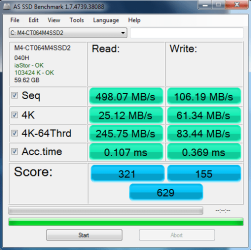
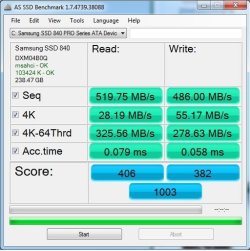
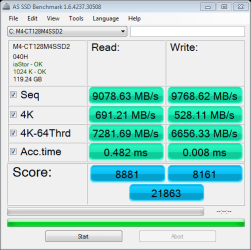
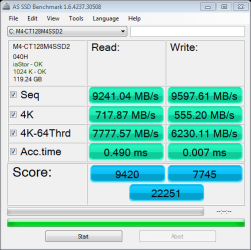
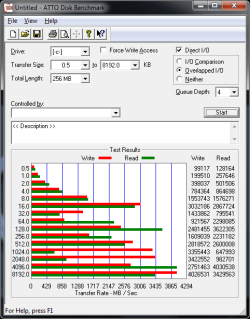
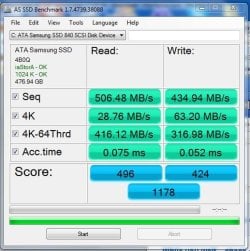
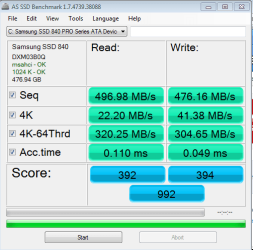
Download a program called "FancyCache". Its still in Beta, so keep that in mind.
Download FancyCache for Disk 0.8.0 Beta Free - Virtual Cache for Disks - Softpedia
This program once installed definitely needs a system reboot to access your drive.
You can configure multiple options including how much memory the program uses in RAM, block size, ect.
Mainly need to play around with settings to see what works best. Obviously, the faster RAM you have the better the results. Also more RAM is clearly better as you can allocate more to the program without sacrificing programs loading in the background.
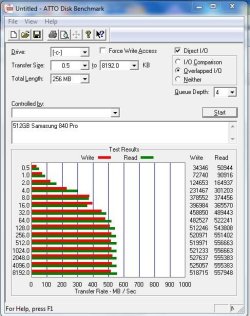
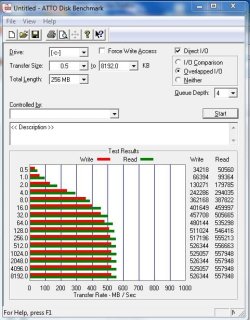
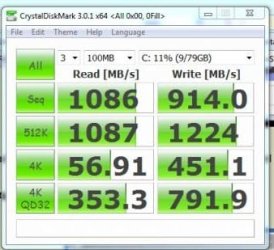
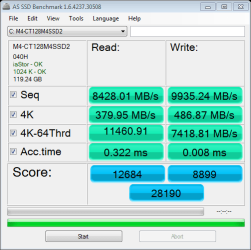
There is a section about Fancycache, and the settings they used (and which I replicated, which is the results you are seeing in the SS to the right) here :
Speed Up SSD & Optimize For Performance with 9 Quality Tweaks
Very critical you have battery backup or are doing non essential things, because when you've set it to cache to RAM...Any power interruptions, unexpected reboots, power spikes, ect could very well ruin your day data wise.