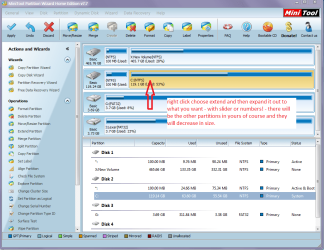
I am trying to clean up a messy disk configuration by deleting two volumes from a disk and then extending the C: drive to occupy the entire disk.
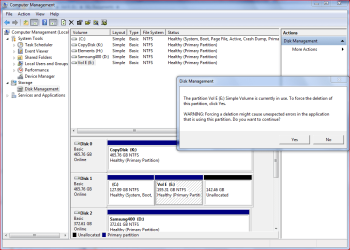
I have deleted the first volume successfully but when I try to delete Vol E I get the error message that "The partition Vol E (E Simple Volume is currently in use."
At one stage there was music and video on there but that is long gone.
I can't figure out what is trying to use Vol E. How do I go about tracking down what is looking at it?
Any guidance would be useful.
Ian
I have deleted the first volume successfully but when I try to delete Vol E I get the error message that "The partition Vol E (E
Simple Volume is currently in use."At one stage there was music and video on there but that is long gone.
I can't figure out what is trying to use Vol E. How do I go about tracking down what is looking at it?
Any guidance would be useful.
Ian
My Computer
- Computer Manufacturer/Model Number
- custom build
- OS
- Windows 7 Pro 64 SP1
- CPU
- i5 750
- Motherboard
- Gigabyte GA-P55A-UD3P
- Memory
- 4* 2GB 1333 DDR3 Kingston (8GB)
- Graphics Card(s)
- Radeon HD5850 XFX
- Sound Card
- Realtek HDAudio
- Monitor(s) Displays
- CMV CT-722A
- Hard Drives
- seagate 80GB sata system
seagate 1.5TB sata user data
- PSU
- Zalman ZM-750HP
- Case
- Centurion 5 II
- Keyboard
- PS2 generic
- Mouse
- HP USB
- Other Info
- Samsung SH-B083 BD-ROM/DVD