- Local time
- 3:41 PM
- Messages
- 124
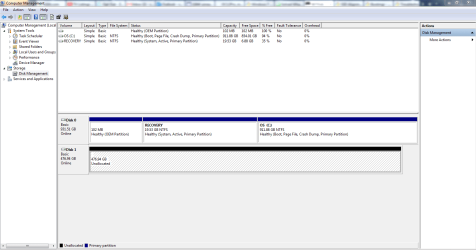
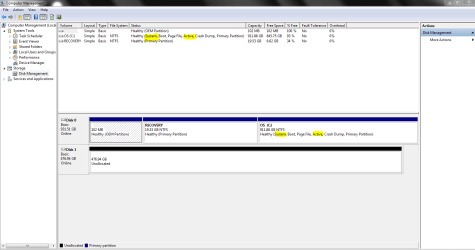
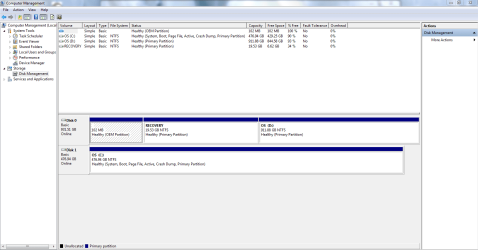
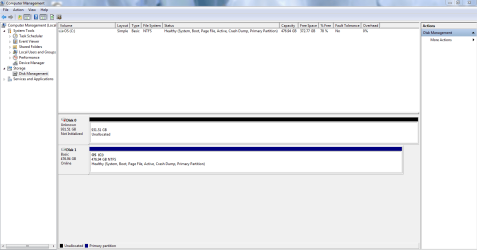
I'm installing a SSD in a Dell laptop using a caddy to mount the SSD in the DVD's location. I am not able to remove the stock HDD or disconnect the HHD's SATA cable.
Using easyBCD, will I be able to move the "System" files in the Recovery partition to the C partition on the HDD? In the Disk Management snip above, Disk 0 is the HDD and Disk 1 is the SSD>
After this, should the C partition be the only active partition then? Shouldn't easyBCD mark it active or do I change it using an elevated command prompt?
When I migrate the C partition to the SSD using Paragon's Migrate OS to SSD, do I then mark the HDD inactive or do I do this before migrating? I'm confused?
The HDD is a fresh install back to the laptop's original state. The 102 MB partition's information has been deleted and not recovered. It was a Fat 16 partition originally. The recovery partition has not been tampered with, I believe.
I've been trying to do this for a while using different cloning/migration tools, but I keep having boot problems mainly caused by the fact the I can't remove or disconnect the stock HDD. Can you help me get around this problem?
EDIT: There is also a problem in BIOS with the SSD showing up too. In the main BIOS screen, both the HHD and SSD are shown. But in the boot order screen in BIOS, the SSD isn't listed. The HHD and all the other selections are shown. The SSD is mounted where the DVD usually goes using a caddy.
EDIT: There is also a problem in BIOS with the SSD showing up too. In the main BIOS screen, both the HHD and SSD are shown. But in the boot order screen in BIOS, the SSD isn't listed. The HHD and all the other selections are shown. The SSD is mounted where the DVD usually goes using a caddy.
Last edited:
My Computer
At a glance
Windows 7 Ultimate (x64) Service Pack 1 (buil...Intel(R) Core(TM) i5-2450M CPU @ 2.50GHz8 GBIntel HD Graphics 3000 with up to 1.6GB dynam...
- Computer Manufacturer/Model Number
- Dell 17R N7110 Inspiron laptop
- OS
- Windows 7 Ultimate (x64) Service Pack 1 (build 7601)
- CPU
- Intel(R) Core(TM) i5-2450M CPU @ 2.50GHz
- Motherboard
- Dell Inc. 0YH79Y A00
- Memory
- 8 GB
- Graphics Card(s)
- Intel HD Graphics 3000 with up to 1.6GB dynamic video memory
- Sound Card
- SRS Premium Sound - (1) Realtek High Definition Audio
- Monitor(s) Displays
- 17.3" diagonal HD+ TrueLife LED display
- Screen Resolution
- 1600x900 resolution
- Hard Drives
- 1 TB HD #ST1000LM024 HN-M101MBB,
512 GB Samsung 840 Pro SSD
- PSU
- stock
- Case
- stock
- Cooling
- stock
- Keyboard
- stock
- Mouse
- stock
- Internet Speed
- WiFi
- Other Info
- Printer: HP Photosmart C3180