
Annoying Volume Control Pop-up

DeltaEnergy5

New member
Local time
12:55 AM
Messages
4
For whatever reason the Pop-up that appears when pressing the Volume-up button on my keyboard has changed. Previously, it was a cool-looking blue bar with a nice picture of a speaker icon. It really made adjusting the volume a big show. I'm not sure what caused this, but now it has changed to this!-

VolPic1.PNG

I was really shocked by what I was seeing! Okay, I'm a little bit nit-picky, a wild example being the fact that I have changed almost everything about my computer to something I can accept, but really, I have problems with it!

Just take a good look at it, is that the Windows XP speaker icon!? Does the word "Volume" really need to have a presence there? And let's just add a gray border to top it all off. :sick:

Again, nit-picky, but I just want it gone! I checked all the services running on my computer but nothing said "│Ugly Volume Pop-up │ Publisher: toy's R us │" Eventually I went and looked for a better third-party software and came up with this cool thing:

GoodVolPic1.PNG

Great program! you can get it here!: Matthew Malensek 's website

But now, However, They BOTH show up at the same time!
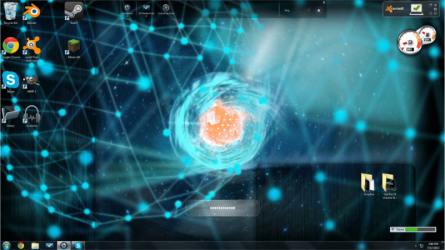
ScaleDesktop.PNG

Straight to the point, How do I get rid of the thing!?


.

.

.

Gee... Thanks for actually reading this whole thing XD
 

My Computer My Computer

OS
Windows 7 Home Premium 64bit
None of your screenshots have posted. Try uploading them and selcting insert attachment rather than trying to paste the pictures into the post. We are likely to need a shot of startups as shown in MSCONFIG or similar
 

My Computer My Computer

Computer type
PC/Desktop
Computer Manufacturer/Model Number
Self Build
OS
Windows 7 Ultimate x64
CPU
Intel Core2 Quad Q8300 2.5Ghz
Motherboard
Asus P5QD Turbo
Memory
Kingston HyperX 4x1GB DDR2 1066Mhz
Graphics Card(s)
Asus/Nvidia 9500GT 1GB
Sound Card
On-Board HD
Monitor(s) Displays
22" Widescreen TFT
Screen Resolution
1920x1080
Hard Drives
2x 320Gb Seagate SATAII RAID 0
2x 80Gb Seagate SATAII RAID 0
1x 1tb hybrid (8gb ssd)
PSU
650w
Case
ATX
Cooling
140mm front, 120mm Rear, 80mm Chipset + stock CPU and GPU
Keyboard
Plastic one
Mouse
Plastic one
Internet Speed
4Mbps
Other Info
Laptop: HP Elitebook 2560p
i5 @2.7Ghz 4GB DDR3
None of your screenshots have posted. Try uploading them and selcting insert attachment rather than trying to paste the pictures into the post. We are likely to need a shot of startups as shown in MSCONFIG or similar

Strange... I actually used a link from imgur, but i'll try it :)
 

My Computer My Computer

OS
Windows 7 Home Premium 64bit
It's probably a program that provides this functionality, but be warned that it may be providing other functionalities that would go away if you uninstalled it. So, I recommend looking through the Programs and Features control panel to see if there's anything in there that could possibly be related to this or something that might have to do with the keyboard or hot keys, etc.

If all else fails, post a screenshot of your Programs and Features control panel in such a way that shows absolutely all of your installed programs (you may need to change the View setting). Also, if you do this, then save it in the .PNG format for the highest image quality.

Edit: I am seeing the screenshots on my end.
 

My Computer My Computer

Computer type
PC/Desktop
It's probably a program that provides this functionality, but be warned that it may be providing other functionalities that would go away if you uninstalled it. So, I recommend looking through the Programs and Features control panel to see if there's anything in there that could possibly be related to this or something that might have to do with the keyboard or hot keys, etc.

If all else fails, post a screenshot of your Programs and Features control panel in such a way that shows absolutely all of your installed programs (you may need to change the View setting). Also, if you do this, then save it in the .PNG format for the highest image quality.

Edit: I am seeing the screenshots on my end.

You may be right... I found a program called "Realtek High Definition Audio Driver" and seems to have been made for Windows XP, which would Explain the XP-like icon. So i'm not sure I should delete it. A solution that comes to mind is getting a new, better, driver. Any recommendations from anyone? Ill be doing more google searches it seems...
 

My Computer My Computer

OS
Windows 7 Home Premium 64bit
It's probably a program that provides this functionality, but be warned that it may be providing other functionalities that would go away if you uninstalled it. So, I recommend looking through the Programs and Features control panel to see if there's anything in there that could possibly be related to this or something that might have to do with the keyboard or hot keys, etc.

If all else fails, post a screenshot of your Programs and Features control panel in such a way that shows absolutely all of your installed programs (you may need to change the View setting). Also, if you do this, then save it in the .PNG format for the highest image quality.

Edit: I am seeing the screenshots on my end.

You may be right... I found a program called "Realtek High Definition Audio Driver" and seems to have been made for Windows XP, which would Explain the XP-like icon. So i'm not sure I should delete it. A solution that comes to mind is getting a new, better, driver. Any recommendations from anyone? Ill be doing more google searches it seems...

I don't think that this is related to the Realtek driver. If you uninstall this, then you won't have any audio. I say, keep looking. Don't only look for audio-related things.

Can you post a screenshot of your Programs and Features control panel?
 

My Computer My Computer

Computer type
PC/Desktop
I am getting screenshots too.

AFAIK The Realtek HD audio "Driver" will run at startup but does not provide a volume pop-up as standard, there may be a setting in the config for this program but I cannot check at present as on a work computer.

Also this startup "Driver" is actually an application and stopping the system startup entry for it will not cause loss of audio. The Driver .sys files are loaded seperately and will still load without the realtek app. Depending on the version and the hardware it can provide usefull features such as Jack Switching.
 

My Computer My Computer

Computer type
PC/Desktop
Computer Manufacturer/Model Number
Self Build
OS
Windows 7 Ultimate x64
CPU
Intel Core2 Quad Q8300 2.5Ghz
Motherboard
Asus P5QD Turbo
Memory
Kingston HyperX 4x1GB DDR2 1066Mhz
Graphics Card(s)
Asus/Nvidia 9500GT 1GB
Sound Card
On-Board HD
Monitor(s) Displays
22" Widescreen TFT
Screen Resolution
1920x1080
Hard Drives
2x 320Gb Seagate SATAII RAID 0
2x 80Gb Seagate SATAII RAID 0
1x 1tb hybrid (8gb ssd)
PSU
650w
Case
ATX
Cooling
140mm front, 120mm Rear, 80mm Chipset + stock CPU and GPU
Keyboard
Plastic one
Mouse
Plastic one
Internet Speed
4Mbps
Other Info
Laptop: HP Elitebook 2560p
i5 @2.7Ghz 4GB DDR3
Did you ever find a solution to this?
 

My Computer My Computer

Computer type
PC/Desktop
OS
Windows 7 Home Premium x64
IS that a laptop, it normally is controlled by a hotkey driver?

rvcjew
 

My Computer My Computer

Computer type
PC/Desktop
Computer Manufacturer/Model Number
Custom
OS
10 Pro x64
CPU
Ryzen 9 3900X
Motherboard
Asrock x370 Tachi
Memory
64GB(4x16GB) DDR4
Graphics Card(s)
EVGA 1080ti FTW3
Sound Card
ASUS Xonar Essence STX (V4 Bursons), ODAC rev B, NFB-11, O2
Monitor(s) Displays
3xASUS PB278Q/R, Optoma HD142X
Screen Resolution
3x1440p, 1080p
Hard Drives
512GB 850 EVO(OS, Programs)
4TB (Movies)
3TB (Downloads)
3TB (Programs)
1TB HDD (Games)
2x6TB R1 (videos)
PSU
AX760
Case
Fractal Define R5
Cooling
NH-D15S
Keyboard
Massdrop Ctrl with Box Navy's
Mouse
G903, Alioth XXL Mat
Internet Speed
280/40
Antivirus
MBAM, ESET
Browser
Canary 64 Bit
Other Info
I also own a Thinkpad P50 Xeon 4K, X220T, X1C5
I actually discovered what it is, upon further research (and wandering a German forum, with the help of Google Translate)- it's called IntelliType, and it's by Microsoft.
For anyone that wishes to get rid of this (Or obtain this, depending), just search for Microsoft IntelliType in your Control Panel, and you should be able to find it.
 

My Computer My Computer

Computer type
PC/Desktop
OS
Windows 7 Home Premium x64
Back
Top