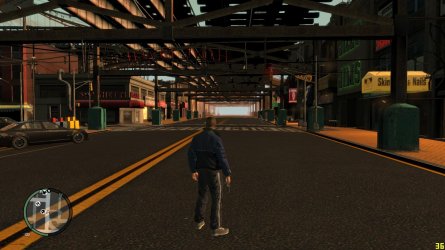
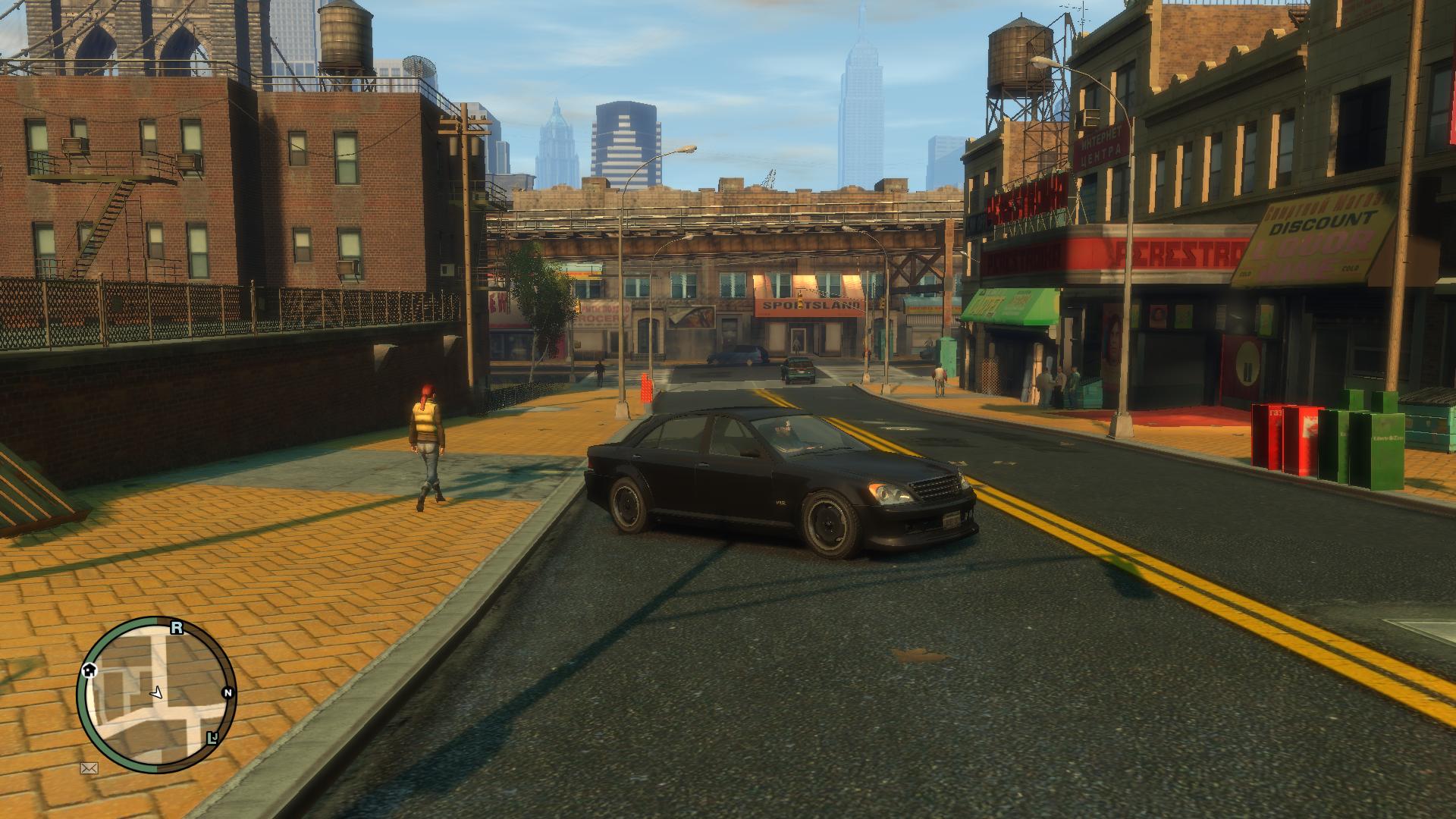
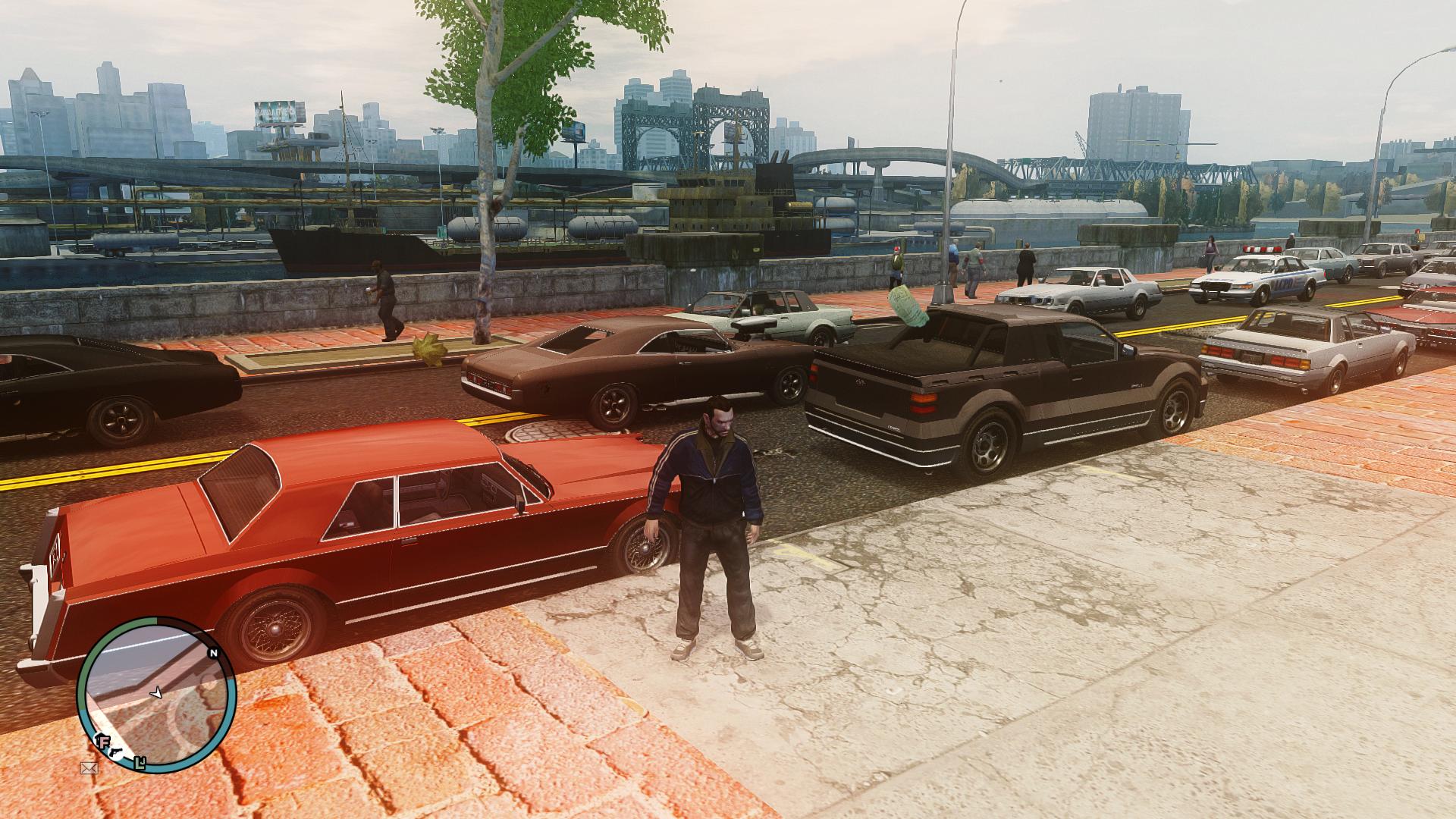
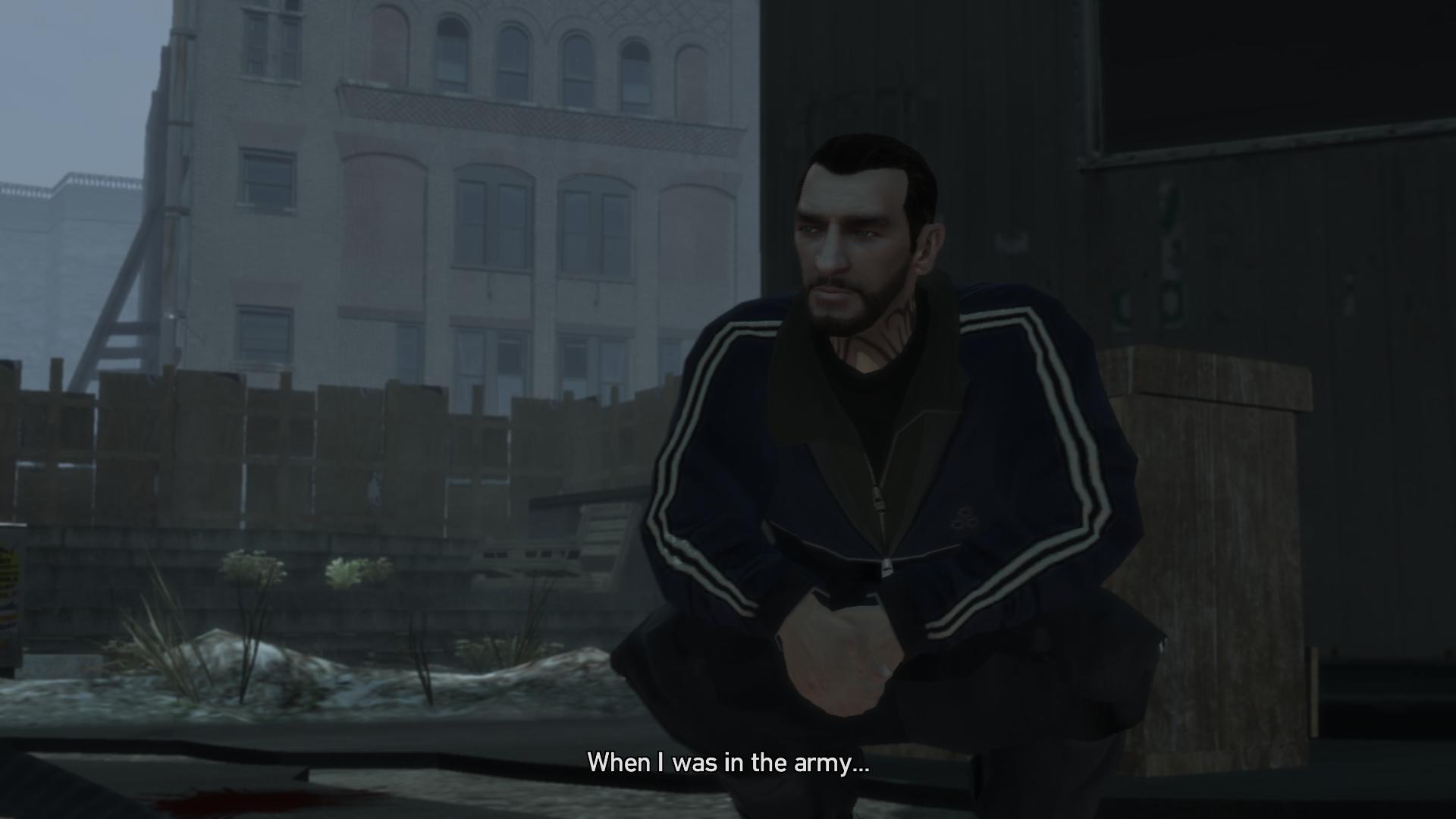
Post your game screenshots.

@M1GU31 Contrabardus : You know the game was running so fine no missing texters no problems after i did a fresh copy of the game using the same mods and updated my Video card there it was the damn nightmare missing texters are back what is the deal with this game ?

M1GU31: did you mod your IV ?
 

My Computer My Computer

Computer type
PC/Desktop
Computer Manufacturer/Model Number
AlienWare x51
OS
Windows 7 Home Premium 64bit SP1
CPU
Intel Core i7-3770 3.4GHz (8MB Cache)
Memory
8GB Dual Channel DDR3 at 1600MHz
Graphics Card(s)
Nvidia GeForce GTX 660 1.5GB
Sound Card
Realtek High Definiton Audio
Monitor(s) Displays
LG 3D HDTV 1080p
Screen Resolution
1920 x 1080
Hard Drives
1 TB
@M1GU31 Contrabardus : You know the game was running so fine no missing texters no problems after i did a fresh copy of the game using the same mods and updated my Video card there it was the damn nightmare missing texters are back what is the deal with this game ?

M1GU31: did you mod your IV ?
About to, just my download speeds are really slow for the retexture of the city and don't want to slow down the iternet for everyone during the day when they use itbut trying sweetfx settings from radeon pro, really good for games . Will upload some pics once I got the game how I want it.
 

My Computer My Computer

Computer type
PC/Desktop
Computer Manufacturer/Model Number
custom build
OS
Windows 10 64bit
CPU
AMD Phenom II X4 925 (Deneb)(2.8GHz) OC 3.4GHz
Motherboard
M5A78L-MLX Plus
Memory
Corsair Vengeance DDR3 4GBX2 (8192MB)
Graphics Card(s)
XFX HD 6870 1GB (OC)- 940MHz core, mem 1150MHz
Monitor(s) Displays
Vizio 26' 1920x1080 / Acer 1336x768
Screen Resolution
1920x1080 60Hz /1336x768
Hard Drives
Kingston Digital 60GB SSDNow V300/500gb HDD Western Digital 7200rpm (/WD 160GB HDD 7200rpm
PSU
CORSAIR CX600 600w
Case
AZZA Orion 202 EVO
Cooling
cooler master hyper TX3 cpu cooler
Keyboard
Razer DeathStalker
Mouse
Logitech Optical Gaming Mouse G400
Antivirus
Defualt on win 10
Browser
Firefox
Other Info
cpu is overclocked in bios
sounds good if u need any help with modding it let me know
 

My Computer My Computer

Computer type
PC/Desktop
Computer Manufacturer/Model Number
AlienWare x51
OS
Windows 7 Home Premium 64bit SP1
CPU
Intel Core i7-3770 3.4GHz (8MB Cache)
Memory
8GB Dual Channel DDR3 at 1600MHz
Graphics Card(s)
Nvidia GeForce GTX 660 1.5GB
Sound Card
Realtek High Definiton Audio
Monitor(s) Displays
LG 3D HDTV 1080p
Screen Resolution
1920 x 1080
Hard Drives
1 TB
@M1GU31 Contrabardus : You know the game was running so fine no missing texters no problems after i did a fresh copy of the game using the same mods and updated my Video card there it was the damn nightmare missing texters are back what is the deal with this game ?

M1GU31: did you mod your IV ?
About to, just my download speeds are really slow for the retexture of the city and don't want to slow down the iternet for everyone during the day when they use itbut trying sweetfx settings from radeon pro, really good for games . Will upload some pics once I got the game how I want it.

Be aware that with a 1GB 6850 you're not going to be able to amp everything to max. I'd keep view distance at or below 30 and detail distance at around 25. That's right around where the console settings are so it's not as bad as it sounds. Also, turn off night shadows and lower your other shadows settings. It's going to run like crap otherwise especially since ENB is intensive on a GPU.

It'll run, but you're going to need to tweak the settings to get it running smoothly. If you overshoot your GPU settings and it starts eating up lots of memory, you're going to end up with a jerky unplayable framerate.

I like Icenhancer, but I slapped another ENB on top of that called Project X as Icenhancer 2.1 is a bit too much blue for my taste. It looks epic now. If you're using ENB be sure to get the bright cutscene fix. ENB makes the lighting go nuts and wash out the cutscenes if you don't. Make sure you pick up the Red Sky fix for ENB as well. It's a small file and you may not need it, but you should have it on hand just in case as the red sky bug is really ugly and jarring. Also, make sure to have the taxi bug fix if you mod any cars at all. Again, it's a small file and you should have it on hand just in case.

I'm running at maxed out settings. My cards can handle it. It used to be that GTA IV didn't like multi GPU setups, but apparently AMD has since patched that and I get a better framerate with three cards than one now. The first time I modded it a year or so ago the opposite was true hence my earlier comments about it. Experimentation has shown me that the multi-GPU issue has been addressed sometime in the past year or so.

Anyway, it's very pretty, and runs at around 65 FPS solid and doesn't slow down with running around town. With a single 7970 I get about 45-30 FPS and it gets choppy and difficult to control if I ride around for a while at totally maxed settings. When I cranked things down to about 30 and 25 FPS and killed night shadows it settled down and ran smoothly. It's also probably a good idea to turn down density to about 40 or so.

Check my screens with the settings as maxed out as they can be, ENB, and various texture mods in place. I've modded EFLC this way and this is LAD still. I'll be playing BoGT next and it will look the same. I'm satisfied with it now and I think I'm done modding for this playthrough:

trtd.jpg


1xg7.jpg


jdw3.jpg


3hyu.jpg


v93w.jpg


qsdd.jpg


gko8.jpg


5v6d.jpg


uqsu.jpg


qc24.jpg
 
Last edited:

My Computer My Computer

Computer type
PC/Desktop
Computer Manufacturer/Model Number
Home built
OS
Windows 7 Home premium
CPU
I7 3770 3.4
Motherboard
Republic of Gamers Maximus V
Memory
Corsair Vengance ddr3 8gb x2 1600 [@ 2400]
Graphics Card(s)
AMD 7970 6GB x3 [currently x2 until x3 is actually useful]
Sound Card
N/A
Monitor(s) Displays
Visio 47" 3D/Acer 27" 3D
Screen Resolution
1920x1080 120mhz Passive 3D
Hard Drives
Samsung 830 series SSD 512gb x2
Seagate 2tb x2
Segate 750 Gb
PSU
1500w
Case
Coolermaster
Cooling
Noctua D14
Keyboard
Logitech g10
Mouse
Naga Razer
Internet Speed
30mb Cable
Antivirus
Like I'd tell.
Browser
Waterfox mostly.
Its Working Fine Now :D Contrabardus: For the settings i have everything maxed just for the distance its 45 % plus i have SSAO On And it runs smooth i just get sometimes slow texter loading thats it AND Yes i did tweak the settings for the game it self and from NVIDIA control panel, Iv tested almost all the Enb Versions so i would say that the best settings, colors, realistic looking is icenhancer, same here i get from 26-32 FPS never more.
I never got satisfied until i replaced the last vehicle :cool:

ice_by_moe8909-d6fwufa.png

ice_by_moe8909-d6fwuxz.png

iv_by_moe8909-d6fwvff.png

ice_iv_by_moe8909-d6fwvvs.png

ice____by_moe8909-d6fwwl2.png

iv_ice_by_moe8909-d6fwx1w.png

afternoon_ice_by_moe8909-d6fwxkb.png

rr_iv_by_moe8909-d6fwy1d.png
 
Last edited:

My Computer My Computer

Computer type
PC/Desktop
Computer Manufacturer/Model Number
AlienWare x51
OS
Windows 7 Home Premium 64bit SP1
CPU
Intel Core i7-3770 3.4GHz (8MB Cache)
Memory
8GB Dual Channel DDR3 at 1600MHz
Graphics Card(s)
Nvidia GeForce GTX 660 1.5GB
Sound Card
Realtek High Definiton Audio
Monitor(s) Displays
LG 3D HDTV 1080p
Screen Resolution
1920 x 1080
Hard Drives
1 TB
Its Working Fine Now :D Contrabardus: For the setting i have everything maxed just for the distance its 45 % plus i have SSAO On And it runs smooth i just get sometimes slow texter loading thats it AND Yes i did tweak the settings for the game it self and from NVIDIA control panel, Iv tested almost all the Enb Versions so i would say that the best settings, colors, realistic looking is icenhancer, same here i get from 26-32 FPS never more.
I never got satisfied until i replaced the last vehicle :cool:

Did you also change the commandline.txt file in your GTA IV Root folder? If not make sure these lines are present.

-nomemrestrict
-noswapdelay
-notimefix
-novblank
-noprecache
-availablevidmem [see below about what number to put here.]
-norestrict
-percentvidmem 100

It helps a lot with keeping texture pop in and other issues at bay and may clear up your texture issues.

Here's my commandline.txt settings:

-nomemrestrict
-forcehighqualitymirrors
-noswapdelay
-notimefix
-novblank
-noprecache
-availablevidmem 2.4
-norestrict
-percentvidmem 100
-DX11
-detailquality 100
-renderquality 3
-shadowdensity 16
-texturequality 2

"-availablevidmem" The number that should follow this line is a multiplier, so if your settings show 512 mb available and you have a 1.5gb card, you should probably set it as 2.3 or so. After tweaking this go into GTA and make sure you're not overshooting your available Vram. It should be less than the total available, so if you have a 1.5 gb card you actually want it to use around 1.2-3 gb of Vram.

I tweaked this and my texture pop in issues went away.
 
Last edited:

My Computer My Computer

Computer type
PC/Desktop
Computer Manufacturer/Model Number
Home built
OS
Windows 7 Home premium
CPU
I7 3770 3.4
Motherboard
Republic of Gamers Maximus V
Memory
Corsair Vengance ddr3 8gb x2 1600 [@ 2400]
Graphics Card(s)
AMD 7970 6GB x3 [currently x2 until x3 is actually useful]
Sound Card
N/A
Monitor(s) Displays
Visio 47" 3D/Acer 27" 3D
Screen Resolution
1920x1080 120mhz Passive 3D
Hard Drives
Samsung 830 series SSD 512gb x2
Seagate 2tb x2
Segate 750 Gb
PSU
1500w
Case
Coolermaster
Cooling
Noctua D14
Keyboard
Logitech g10
Mouse
Naga Razer
Internet Speed
30mb Cable
Antivirus
Like I'd tell.
Browser
Waterfox mostly.
useful info, this is what i have in my commandline.txt :

-availablevidmem 2
-noprecache
-nomemrestrict
-norestrictions
-novblank


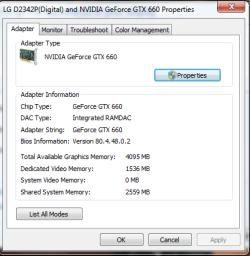
this is my vram so what should i set the -availablevidmem ?
 

Attachments

  • Untitled.png
    Untitled.png
    14.6 KB · Views: 5

My Computer My Computer

Computer type
PC/Desktop
Computer Manufacturer/Model Number
AlienWare x51
OS
Windows 7 Home Premium 64bit SP1
CPU
Intel Core i7-3770 3.4GHz (8MB Cache)
Memory
8GB Dual Channel DDR3 at 1600MHz
Graphics Card(s)
Nvidia GeForce GTX 660 1.5GB
Sound Card
Realtek High Definiton Audio
Monitor(s) Displays
LG 3D HDTV 1080p
Screen Resolution
1920 x 1080
Hard Drives
1 TB
useful info, this is what i have in my commandline.txt :

-availablevidmem 2
-noprecache
-nomemrestrict
-norestrictions
-novblank


this is my vram so what should i set the -availablevidmem ?

That depends on what the game says your available memory is. Go to the graphics menu and look at the bottom of the screen. The right hand number will tell you how much available Vram you have, and the left number tells you how much the game is currently using. If the right hand number already matches your available Vram, then your current settings are fine, otherwise multiply the number it tells you is available and use whatever you multiply it by to match your available Vram.

If you've got a 1.5 gb card then the number should be around 1536 or close to it.

If it's at 1024, try adjusting the variable in your commandline.txt to say, 2.4 and see where that puts you. Adjust until you're close to your GPU Vram with the game running smoothly.
 

My Computer My Computer

Computer type
PC/Desktop
Computer Manufacturer/Model Number
Home built
OS
Windows 7 Home premium
CPU
I7 3770 3.4
Motherboard
Republic of Gamers Maximus V
Memory
Corsair Vengance ddr3 8gb x2 1600 [@ 2400]
Graphics Card(s)
AMD 7970 6GB x3 [currently x2 until x3 is actually useful]
Sound Card
N/A
Monitor(s) Displays
Visio 47" 3D/Acer 27" 3D
Screen Resolution
1920x1080 120mhz Passive 3D
Hard Drives
Samsung 830 series SSD 512gb x2
Seagate 2tb x2
Segate 750 Gb
PSU
1500w
Case
Coolermaster
Cooling
Noctua D14
Keyboard
Logitech g10
Mouse
Naga Razer
Internet Speed
30mb Cable
Antivirus
Like I'd tell.
Browser
Waterfox mostly.
you know,if i wasnt a total noob about these mods,would have totally tried them,they look epic. Keep up the good work guys :D
 

My Computer My Computer

Computer type
PC/Desktop
Computer Manufacturer/Model Number
Custom
OS
Windows 7 Ultimate 64bit
CPU
I5 4670k @3.4Ghz
Motherboard
Asus Maximus VI Hero Z87
Memory
Corsair Vengeance PRO 8GB (2x4GB) @1600Mhz
Graphics Card(s)
EVGA GTX 970 FTW Edition!
Sound Card
Supreme FX
Monitor(s) Displays
ASUS MS228H 22' 2MS/1080p
Screen Resolution
1920x1080
Hard Drives
Intel 730 240gb SSD
Barracuda Seagate 2TB Sata 6GB/s 64MB cache
PSU
Silverstone 850w 80+ silver Efficiency
Case
Corsair Carbide Air 540 White!
Cooling
CM Hyper D92
Keyboard
Razer DeathStalker!
Mouse
Razer Taipan Battlefield 4 Collectors Edition
Internet Speed
Broadband 8MB
Antivirus
MS essentials.
Browser
Chrome and firefox.
Other Info
Headsets: Steelseries Neckband for Gaming and JVC RX-500 for movies
Learned something new. Apparently you don't want to use -nomemrestrict because it causes stuttering.

Instead what you want to do is take the value of your Vram, so a 1.5gb card would be 1536 and multiply it by 1024 twice.

So, 1536 x 1024 x1024= 1610612736.

The line you want in your commandline.txt with a 1.5 gb card is actually -memrestrict 1610612736, and not -nomemrestrict or -norestrict. Apparently the -nomemrestrict causes GTA to eventually overshoot and creates stuttering no matter how powerful a system is. It just takes a bit longer to happen on more powerful systems. This should clear it up.

Also be aware that if you do this and your settings are defaulted to low, and your Vram exceeds the amount used, try turning down your -availablevidram multiplier a little. If you've got it set to 2.5 and your available and used resources are red and you can't change anything, crank it down to 2.4, see if it's changed and then 2.3, etc. Eventually it should even out and you'll get a green available and used resources and will be able to change your settings to whatever your system can handle. If you're overshooting it won't take any settings changes.

Once you find your upper limit, turn it down even more. It causes performance issues if you have it set too close to the upper limit, you should tweak it and find the sweet spot for your system.

For example I can put my setting on 3.0, not overshoot my available Vram and have it in the green where I can adjust my settings. If I launch the game and play for a bit it runs but gets choppy and is prone to freezing. The game runs much smoother and is much more stable if I put it at 2.4 with the same settings otherwise. It's one of those things that varies and you'll have to experiment to figure out where it should be on your particular setup.

In other words you still want your -availablevidmem setting to be -below- your Vram max, if you're getting freezes or still stuttering and you've got it set close to your max Vram try lowering it a bit and it should help smooth things up.

Another way to increase performance is to trick the game into running at a higher resolution than the settings. This trick is good for lower end PCs that have difficulty running the game at decent settings and can give quite a boost with some systems. It will lower reflection quality, but the game will perform better overall at better quality than adjusting the in game settings would. Be aware that this won't work with the above method so it's one or the other, but not both.

Launch GTA IV or EFLC and make sure no commandline.txt parameters are set. Set the resolution to 800x600 and turn all the other options up to where you want them. Once you do that, divide the remaining video ram [left side] by your total Vram on your GPU. Say you end up with 899 and have a 1 gb GPU, you'd divide 899/1024. You'd end up with 0.88 [round up].

Either create a shortcut or go to launch options if you're on steam. Add this to either the shortcut properties tab or the launch parameters in the properties window from GTA IV or EFLC. -availablevidmem 0.88 -height 1080 -width 1920

Launch the game and reflections will be at 800 x 600 while the rest of the game is in 1080 giving a nice performance boost at the expense of a small graphical downgrade in one of the effects.

Be aware this may cause issues with the options menu. The game may not let you out of the graphics menu if you go to it in game while it is tweaked this way because it still thinks that you are at a low resolution and beyond your GPU capacity.

I'm not using the shortcut tweak as my GPU can handle the game without it, but I've confirmed that it works.
 
Last edited:

My Computer My Computer

Computer type
PC/Desktop
Computer Manufacturer/Model Number
Home built
OS
Windows 7 Home premium
CPU
I7 3770 3.4
Motherboard
Republic of Gamers Maximus V
Memory
Corsair Vengance ddr3 8gb x2 1600 [@ 2400]
Graphics Card(s)
AMD 7970 6GB x3 [currently x2 until x3 is actually useful]
Sound Card
N/A
Monitor(s) Displays
Visio 47" 3D/Acer 27" 3D
Screen Resolution
1920x1080 120mhz Passive 3D
Hard Drives
Samsung 830 series SSD 512gb x2
Seagate 2tb x2
Segate 750 Gb
PSU
1500w
Case
Coolermaster
Cooling
Noctua D14
Keyboard
Logitech g10
Mouse
Naga Razer
Internet Speed
30mb Cable
Antivirus
Like I'd tell.
Browser
Waterfox mostly.
Well I got some nice texture mods and now I can't fix this texture loading issues. Tried some commandlines but same thing.
-availablevidmem 2

-noprecache

-nomemrestrict

-norestrictions

-novblank


Oh btw I have a 6870 not 6850, just felt like clarifying that.
 

Attachments

  • GTAIV 2013-07-31 15-54-58-48.jpg
    GTAIV 2013-07-31 15-54-58-48.jpg
    231.4 KB · Views: 8

My Computer My Computer

Computer type
PC/Desktop
Computer Manufacturer/Model Number
custom build
OS
Windows 10 64bit
CPU
AMD Phenom II X4 925 (Deneb)(2.8GHz) OC 3.4GHz
Motherboard
M5A78L-MLX Plus
Memory
Corsair Vengeance DDR3 4GBX2 (8192MB)
Graphics Card(s)
XFX HD 6870 1GB (OC)- 940MHz core, mem 1150MHz
Monitor(s) Displays
Vizio 26' 1920x1080 / Acer 1336x768
Screen Resolution
1920x1080 60Hz /1336x768
Hard Drives
Kingston Digital 60GB SSDNow V300/500gb HDD Western Digital 7200rpm (/WD 160GB HDD 7200rpm
PSU
CORSAIR CX600 600w
Case
AZZA Orion 202 EVO
Cooling
cooler master hyper TX3 cpu cooler
Keyboard
Razer DeathStalker
Mouse
Logitech Optical Gaming Mouse G400
Antivirus
Defualt on win 10
Browser
Firefox
Other Info
cpu is overclocked in bios
See my previous post about -norestrictions and -nomemrestrict. I found out they aren't a good thing. They're a fix for some issues, but cause problems of their own. There is a better method that I detailed in my last post.

You might try removing -noprecache. It will use more of your Vram to have it on, but textures should load faster with it not disabled.
 

My Computer My Computer

Computer type
PC/Desktop
Computer Manufacturer/Model Number
Home built
OS
Windows 7 Home premium
CPU
I7 3770 3.4
Motherboard
Republic of Gamers Maximus V
Memory
Corsair Vengance ddr3 8gb x2 1600 [@ 2400]
Graphics Card(s)
AMD 7970 6GB x3 [currently x2 until x3 is actually useful]
Sound Card
N/A
Monitor(s) Displays
Visio 47" 3D/Acer 27" 3D
Screen Resolution
1920x1080 120mhz Passive 3D
Hard Drives
Samsung 830 series SSD 512gb x2
Seagate 2tb x2
Segate 750 Gb
PSU
1500w
Case
Coolermaster
Cooling
Noctua D14
Keyboard
Logitech g10
Mouse
Naga Razer
Internet Speed
30mb Cable
Antivirus
Like I'd tell.
Browser
Waterfox mostly.
Well I had to redo my mods to fix it, had a backup clean version. Did the fps tweaks in the previous post, works. Must of been some other mod that was messing up my game. Anyways screenies, just need to find a decent enb mod but without changing stuff like timecys ect because i think that's what messed up my game last time, somthing did. Tried 1.0.0.4 patch but i lose fps in that version, i get the most fps on patch 1.0.0.7 on my rig oddly but doesn't matter since even the shadows look better on that version.

All i have installed atm is lords texture pack, some road texture i found though might snoop around to see if there is better. Mellinas weapons, bf3 weapon sound mod and a texture mod of niko.


My Computer My Computer

Computer type
PC/Desktop
Computer Manufacturer/Model Number
custom build
OS
Windows 10 64bit
CPU
AMD Phenom II X4 925 (Deneb)(2.8GHz) OC 3.4GHz
Motherboard
M5A78L-MLX Plus
Memory
Corsair Vengeance DDR3 4GBX2 (8192MB)
Graphics Card(s)
XFX HD 6870 1GB (OC)- 940MHz core, mem 1150MHz
Monitor(s) Displays
Vizio 26' 1920x1080 / Acer 1336x768
Screen Resolution
1920x1080 60Hz /1336x768
Hard Drives
Kingston Digital 60GB SSDNow V300/500gb HDD Western Digital 7200rpm (/WD 160GB HDD 7200rpm
PSU
CORSAIR CX600 600w
Case
AZZA Orion 202 EVO
Cooling
cooler master hyper TX3 cpu cooler
Keyboard
Razer DeathStalker
Mouse
Logitech Optical Gaming Mouse G400
Antivirus
Defualt on win 10
Browser
Firefox
Other Info
cpu is overclocked in bios
Another thing that you should do for GTA IV regardless of whether you mod it or not is to uncheck Windows Event Log and Windows Event Collector by going to the start menu, typing Msconfig and going to the services tab. Scroll down and uncheck these two things and it smooths gameplay out even more.

GTA is a pretty crappy port and requires a lot of maintenance to run well on PC apparently. Those two things cause lag no matter how far above specs your PC is and they should be disabled.
 

My Computer My Computer

Computer type
PC/Desktop
Computer Manufacturer/Model Number
Home built
OS
Windows 7 Home premium
CPU
I7 3770 3.4
Motherboard
Republic of Gamers Maximus V
Memory
Corsair Vengance ddr3 8gb x2 1600 [@ 2400]
Graphics Card(s)
AMD 7970 6GB x3 [currently x2 until x3 is actually useful]
Sound Card
N/A
Monitor(s) Displays
Visio 47" 3D/Acer 27" 3D
Screen Resolution
1920x1080 120mhz Passive 3D
Hard Drives
Samsung 830 series SSD 512gb x2
Seagate 2tb x2
Segate 750 Gb
PSU
1500w
Case
Coolermaster
Cooling
Noctua D14
Keyboard
Logitech g10
Mouse
Naga Razer
Internet Speed
30mb Cable
Antivirus
Like I'd tell.
Browser
Waterfox mostly.
It's a temperamental game. It seems like every time I play I have to do something to get it to run smoothly again. It's gone back to screwing up in crossfire, but going back to a single GPU with my commandlines.txt tweaked, Windows Event Log and Windows Event Collector disabled, and maxed settings is running smoothly...for now.

It really is a crappy port and most of its problems stem from that. It's a heavy load even without the porting issues, but from what I've been reading it's hard to get it to run smoothly because of various coding issues even with uber hardware.

Still, I've managed to get it running smoothly a couple of times, but it seems like every time I boot it up again I've got to tweak or adjust something else to keep it going that way.

I was able to finish LAD with a decent framerate and it ran smoothly. Then I started BOGT and had to mess with it again and tweak a bit more to get rid of lag issues and a couple of freezes. I think I've got it running about as well as it's going to and everything is still maxed out as far as in game settings go. Every one of the tweaks I mentioned in this thread has helped at least a little so I recommend trying them out if you're still having issues with the game.
 

My Computer My Computer

Computer type
PC/Desktop
Computer Manufacturer/Model Number
Home built
OS
Windows 7 Home premium
CPU
I7 3770 3.4
Motherboard
Republic of Gamers Maximus V
Memory
Corsair Vengance ddr3 8gb x2 1600 [@ 2400]
Graphics Card(s)
AMD 7970 6GB x3 [currently x2 until x3 is actually useful]
Sound Card
N/A
Monitor(s) Displays
Visio 47" 3D/Acer 27" 3D
Screen Resolution
1920x1080 120mhz Passive 3D
Hard Drives
Samsung 830 series SSD 512gb x2
Seagate 2tb x2
Segate 750 Gb
PSU
1500w
Case
Coolermaster
Cooling
Noctua D14
Keyboard
Logitech g10
Mouse
Naga Razer
Internet Speed
30mb Cable
Antivirus
Like I'd tell.
Browser
Waterfox mostly.
Yea only thing with turning off event log is that it can make windows unstable. Anyways i got it to a stable average of 30fps with enbs and all the mods. Runs 50fps vanilla but kind of worth the fps loss for the way it looks, runs pretty decent.

link to enb being used, if you do happen to use it remeber to go in the enbseries.ini and set ForceAntialiasing=true to false or else it's gonna scale the resloution a lot with enbs and make a bunch of lag. Enb made specific for patch 1.0.0.7 for the original gta iv.
GTA4-Mods.com - Grand Theft Auto 4 car mods, tools, and more!

rFBMDv3.jpg

BnWuL3e.jpg

g2ZXU0W.jpg
 

My Computer My Computer

Computer type
PC/Desktop
Computer Manufacturer/Model Number
custom build
OS
Windows 10 64bit
CPU
AMD Phenom II X4 925 (Deneb)(2.8GHz) OC 3.4GHz
Motherboard
M5A78L-MLX Plus
Memory
Corsair Vengeance DDR3 4GBX2 (8192MB)
Graphics Card(s)
XFX HD 6870 1GB (OC)- 940MHz core, mem 1150MHz
Monitor(s) Displays
Vizio 26' 1920x1080 / Acer 1336x768
Screen Resolution
1920x1080 60Hz /1336x768
Hard Drives
Kingston Digital 60GB SSDNow V300/500gb HDD Western Digital 7200rpm (/WD 160GB HDD 7200rpm
PSU
CORSAIR CX600 600w
Case
AZZA Orion 202 EVO
Cooling
cooler master hyper TX3 cpu cooler
Keyboard
Razer DeathStalker
Mouse
Logitech Optical Gaming Mouse G400
Antivirus
Defualt on win 10
Browser
Firefox
Other Info
cpu is overclocked in bios
Yeah. I don't leave Windows Event Log or Windows Event Collector off. I just undo them to play the game and put them back once I've finished. I have to restart to do it, but it's no big deal. It does help with the framerate on GTA and makes it run more stable. Like I said, crappy coding makes GTA IV and WEL and WEC not play nice together for some reason.

I probably should have mentioned that it's a good idea to turn it back on once you've finished playing. It requires a restart, but it's worth it if you're going to be playing GTA for a while.

If you're having framerate issues I suggest trying it. My game runs smoothly for a short while, but if I don't disable them it runs worse and worse until it crashes or freezes within an hour or so of playing. It stays stable and runs pretty smoothly with them disabled though. It's a weird fix, but effective.
 

My Computer My Computer

Computer type
PC/Desktop
Computer Manufacturer/Model Number
Home built
OS
Windows 7 Home premium
CPU
I7 3770 3.4
Motherboard
Republic of Gamers Maximus V
Memory
Corsair Vengance ddr3 8gb x2 1600 [@ 2400]
Graphics Card(s)
AMD 7970 6GB x3 [currently x2 until x3 is actually useful]
Sound Card
N/A
Monitor(s) Displays
Visio 47" 3D/Acer 27" 3D
Screen Resolution
1920x1080 120mhz Passive 3D
Hard Drives
Samsung 830 series SSD 512gb x2
Seagate 2tb x2
Segate 750 Gb
PSU
1500w
Case
Coolermaster
Cooling
Noctua D14
Keyboard
Logitech g10
Mouse
Naga Razer
Internet Speed
30mb Cable
Antivirus
Like I'd tell.
Browser
Waterfox mostly.
Contrabardus: thanks alot for the -memrestrict 1610612736 it kinda fixed it but i had some problems with the -availablevidmem no mater what i set it from 1 till 2.5 i get missing texters so what i a did was i just didnt use the availablevidmem this is what i used :

-memrestrict 1610612736
-noprecache
-novblank
-norestrictions

And without the -norestrictions the game gets kinda laggy so with these codes the game runs really good no missing texters so far

actually the - availablevidmem f**ks the whole game up, running now on -memrestrict 1887436800 can see the farthest bullding with no missing texterS WITH HIGHT SETTINGS

GTAIV_2013_08_04_02_25_25_236.jpg
 
Last edited:

My Computer My Computer

Computer type
PC/Desktop
Computer Manufacturer/Model Number
AlienWare x51
OS
Windows 7 Home Premium 64bit SP1
CPU
Intel Core i7-3770 3.4GHz (8MB Cache)
Memory
8GB Dual Channel DDR3 at 1600MHz
Graphics Card(s)
Nvidia GeForce GTX 660 1.5GB
Sound Card
Realtek High Definiton Audio
Monitor(s) Displays
LG 3D HDTV 1080p
Screen Resolution
1920 x 1080
Hard Drives
1 TB
ny_traffic_by_moe8909-d6gim25.png

pavlow_by_moe8909-d6giiyc.png

b_iv_by_moe8909-d6gijg2.png

iv__5__by_moe8909-d6gikfc.png

rang_rover_iv_by_moe8909-d6gimf3.png

Night-Ice-390535584
night_ice_by_moe8909-d6gij6o.png

jeep_by_moe8909-d6g2dzz.png
 

My Computer My Computer

Computer type
PC/Desktop
Computer Manufacturer/Model Number
AlienWare x51
OS
Windows 7 Home Premium 64bit SP1
CPU
Intel Core i7-3770 3.4GHz (8MB Cache)
Memory
8GB Dual Channel DDR3 at 1600MHz
Graphics Card(s)
Nvidia GeForce GTX 660 1.5GB
Sound Card
Realtek High Definiton Audio
Monitor(s) Displays
LG 3D HDTV 1080p
Screen Resolution
1920 x 1080
Hard Drives
1 TB
Some more MW3 :D

iw5sp 2013-08-03 20-52-06-67.jpg iw5sp 2013-08-03 20-54-47-82.jpg

This is the part where you call in for fire and the A-10's come in. it actually sounded kinda real as I have done that, thought that was cool!
 

My Computer My Computer

Computer type
PC/Desktop
Computer Manufacturer/Model Number
Dude Build
OS
Windows 10 Pro X64
CPU
Intel(R) Core(TM) i5-3570K CPU OC@ 4.5GHZ Turbo
Motherboard
MSI Z77A-G45 Gaming
Memory
8.00 GB DDR3 1600Mhz
Graphics Card(s)
MSI Gaming X GTX 1070
Sound Card
Realtek High Definition
Monitor(s) Displays
Dell S23O9W, HP L1710
Screen Resolution
DELL-1920 x 1080 HP-1280 x1024
Hard Drives
Crucial m4 256 SSD, WD 7200RPM 500GB WD 1TB
PSU
Seasonic X650 GOLD
Case
Zalman Z12
Cooling
Antec Kuhler 920
Keyboard
Logitech
Mouse
MSI DS100 Interceptor
Internet Speed
50 down and 5 up
Antivirus
MSE
Browser
Chrome, IE 11
Other Info
Logitech X-620 Speakers
Back
Top