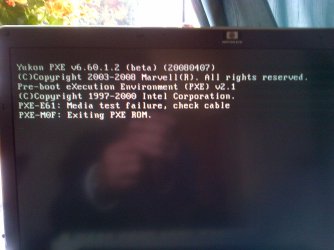
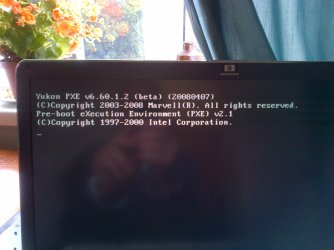
My Sony laptop is behaving strange

Contact Samsung tech support to find out what tool is used to test the SSD's. They may still be under warranty and they can go bad. Try to disable it also to see if it resolves the problem. Maybe you can physically pull it out.

Check also for a firmware update for the SSD's. The diagnostics tool may be nearby on that downloads page. I would ask them directly if not. If less than a year old the SSD's must be made right or replaced by Samsung Tech Support.

I would test the RAM for 5-6 passes to stress it following the steps in http://www.sevenforums.com/tutorials/105647-ram-test-memtest86.html.
You can also carefully remove a stick to see if it resolves, then check in slot for debris to blow out with compressed air. Then try the other stick.
 
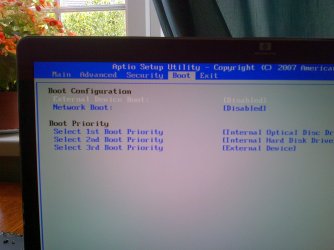
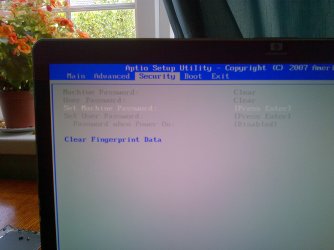
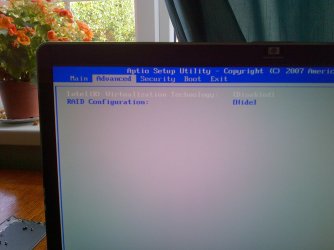
There should be a SATA controller setting somewhere in the BIOS. Can you post back camera snaps of each BIOS tab so we can try to spot it?

Were there no other options for RAID but on or off?

Look also in BIOS setup for the keyboard as you might be able to disable it.

Have you run the HD diagnostics yet on both HD's? It will tell you in Device Manager what is their model - google if it's a string and that will tell you. Since the RAID controller said the second HD was in error, it needs to be tested to see if it might be interfering. Bad code could even be causing the problem, which is why I asked you to disable it if you can find that setting in BIOS.

Win7 doesn't much like RAID as all we see here are problems with it, so the attempt was to see if that solved your issue and try an install to one HD saving the other for storage and backup perhaps even another OS. But after that it does start to point more directly to the keyboard so I would try to disable it in BIOS, disable it in Device Manager, or google for a disassembly or replacement video for your exact model to see how you would access it's wire to unplug.
Greg when I managed to get the BIOS to show RAID and it only had hide or show as options. It brought up a screen with the following - Port Drive Model Serial # Size Type/Status (Vol ID)
0 SAMSUNG MMCRE64G 00S913SY913A0644 59.6GB Member Disk (0)
5 SAMSUNG MMCRE64G 00S913SY913A0600 59.6GB Error Occurred (0)
Press <CTRL-I> to enter Configuration Utility..................
when I pressed CTRL and I the menu below appeared. I only wanted to get into option 3, but I can only assume the other options if selected would take me to another menu
MAIN MENU
1. Create RAID Volume 3. Reset Discs to Non-RAID
2. Delete RAID Volume 4. Recovery Volume Options
5. Exit
 

My Computer My Computer

At a glance

Windows 7 Ultimate x648gig
Computer type
Laptop
Computer Manufacturer/Model Number
Sony PCG-8152M
OS
Windows 7 Ultimate x64
Memory
8gig
Hard Drives
500gb HDD
128gb SSD
Antivirus
AVG free
Browser
Chrome,IE 10
Cannock Chase-20130908-00079.jpg

Cannock Chase-20130908-00078.jpg

Cannock Chase-20130908-00077.jpg

Cannock Chase-20130908-00076.jpg

Cannock Chase-20130908-00075.jpg
Screen shots as requested will post more when I can get into the screens as it not behaving again
 

My Computer My Computer

At a glance

Windows 7 Ultimate x648gig
Computer type
Laptop
Computer Manufacturer/Model Number
Sony PCG-8152M
OS
Windows 7 Ultimate x64
Memory
8gig
Hard Drives
500gb HDD
128gb SSD
Antivirus
AVG free
Browser
Chrome,IE 10

My Computer My Computer

At a glance

Windows 7 Ultimate x648gig
Computer type
Laptop
Computer Manufacturer/Model Number
Sony PCG-8152M
OS
Windows 7 Ultimate x64
Memory
8gig
Hard Drives
500gb HDD
128gb SSD
Antivirus
AVG free
Browser
Chrome,IE 10
Cannock Chase-20130908-00087.jpg
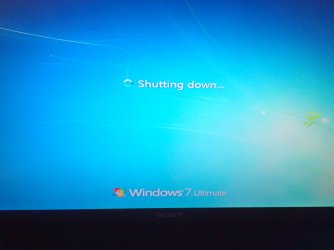
it froze like this and I left for about 10 mins before using my circular motion trick to force shutdown

Cannock Chase-20130908-00086.jpg
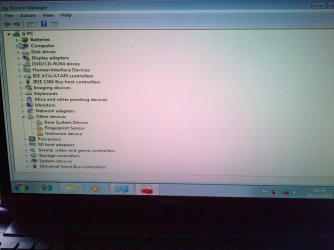
Device Manager in the windows 7 that I got into a profile

Cannock Chase-20130908-00085.jpg

Cannock Chase-20130908-00084.jpg
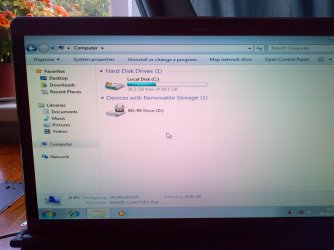
Showing the only SSD installed

Cannock Chase-20130908-00082.jpg
 

My Computer My Computer

At a glance

Windows 7 Ultimate x648gig
Computer type
Laptop
Computer Manufacturer/Model Number
Sony PCG-8152M
OS
Windows 7 Ultimate x64
Memory
8gig
Hard Drives
500gb HDD
128gb SSD
Antivirus
AVG free
Browser
Chrome,IE 10
Cannock Chase-20130908-00081.jpg
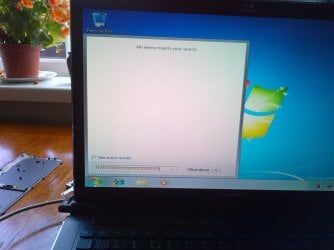
See the row of 7s in the search box they appear on there own 1 at a time and fill the box generally its 7s but it can be different things

Cannock Chase-20130908-00080.jpg
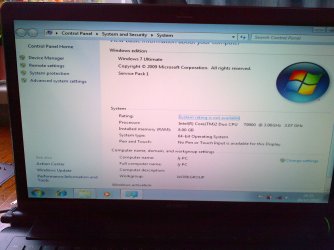
This shows bottom right of screen that it doesnt thing this version is genuine yet its the ISO from the site this forum sent me to.
 

My Computer My Computer

At a glance

Windows 7 Ultimate x648gig
Computer type
Laptop
Computer Manufacturer/Model Number
Sony PCG-8152M
OS
Windows 7 Ultimate x64
Memory
8gig
Hard Drives
500gb HDD
128gb SSD
Antivirus
AVG free
Browser
Chrome,IE 10
When I tried to install the BIOS it refused saying the BIOS is currently up to date. Yet a new brick wall. Its a shame I cant video whats happening as its so weird. Another symptom happened when I tried to shut down it stalled so I waited about 10mins still no joy so did my circular trick and it shut down big time with even the green on light going off. Nothing would get it to boot for ages. Then doing my circular trick the numbers lock light lit up without the power light being on, then it went dead again. So I left it with the power lead disconnected for about 10 mins. Now its bk to the way it was needing the circular motion trick to move the system along each step of loading
 

My Computer My Computer

At a glance

Windows 7 Ultimate x648gig
Computer type
Laptop
Computer Manufacturer/Model Number
Sony PCG-8152M
OS
Windows 7 Ultimate x64
Memory
8gig
Hard Drives
500gb HDD
128gb SSD
Antivirus
AVG free
Browser
Chrome,IE 10
I was unable to run the RAM test possibly because of the values I cant seem to change in BIOS to boot from ext drive to load from the usb. So ive tried all possible RAM removal and swap over tests including both removed or 1 in only. When I get into BIOS the ghost alters my choices before I can save. I cant eliminate BIOS infection without being able to reflash it and I cant do that as its the latest version. Talk about going round in circles.
 

My Computer My Computer

At a glance

Windows 7 Ultimate x648gig
Computer type
Laptop
Computer Manufacturer/Model Number
Sony PCG-8152M
OS
Windows 7 Ultimate x64
Memory
8gig
Hard Drives
500gb HDD
128gb SSD
Antivirus
AVG free
Browser
Chrome,IE 10
Cannock Chase-20130908-00088.jpg
these are the screen shots after I selected external drive for boot in the hope it would go to the usb drive to run the memory test

Cannock Chase-20130908-00089.jpg
I try to boot with usb plugged in and no matter what I try it wont move on. the numbers lock light is on, the usb is lit and the laptop power light is on but thats it.
 

My Computer My Computer

At a glance

Windows 7 Ultimate x648gig
Computer type
Laptop
Computer Manufacturer/Model Number
Sony PCG-8152M
OS
Windows 7 Ultimate x64
Memory
8gig
Hard Drives
500gb HDD
128gb SSD
Antivirus
AVG free
Browser
Chrome,IE 10
Is a key stuck, like literally glued down into the keyboard?

Did something spill into the computer when you had used it last?
 

My Computer My Computer

At a glance

Microsoft Windows 7 Home Premium 64-bit Servi...AMD A10-6800K APU with Radeon(tm)™ HD Graphic...(2) G.Skill F3-12800CL10-8GBXLASUS R7 250 Series (0x6610)
Computer type
PC/Desktop
Computer Manufacturer/Model Number
Custom
OS
Microsoft Windows 7 Home Premium 64-bit Service Pack 1
CPU
AMD A10-6800K APU with Radeon(tm)™ HD Graphics 4100
Motherboard
ASRock FM2A85X Extreme4-M
Memory
(2) G.Skill F3-12800CL10-8GBXL
Graphics Card(s)
ASUS R7 250 Series (0x6610)
Sound Card
Realtek High Definition Audio
Monitor(s) Displays
Acer X213H LCD monitor, 21"
Screen Resolution
1920 x 1080 x 32 bits @ 60 Hz
Hard Drives
WD Black, 1.0TB, WDC WD1002FAEX-00Z3A0
PSU
Rosewill Quark-650
Case
Raidmax Comet SECC Steel ATX Mid Tower Computer Case
Cooling
1 x 80mm + 2 x 120mm + Stock cooler
Mouse
Gear Head Wireless Optical 5-button mouse
Internet Speed
FTTx 6000 / 1000
Antivirus
Avast! Free Antivirus 2015.10.0.2208
Browser
Google Chrome Version 40.0.2214.115
Other Info
*AMD Dual-Graphics
*Uses OpenDNS
*Uses Folding@Home
*HP 16x Super-Multi DVD Writer
*Superspeed 74-in-1 Card Reader
*Maximum overclock has not been determined.
Is a key stuck, like literally glued down into the keyboard?

Did something spill into the computer when you had used it last?
Nothing feels sticky and I'm the only user and havnt spilled anything on it. If it was always the same a damaged or stuck key could have been a possibility but it changes in no particular order from letters,numbers and symbols. Quite often its the last key ive managed to make work. I am going to try to take the keyboard out of the equation as soon as i can figure out how to remove it though.
 

My Computer My Computer

At a glance

Windows 7 Ultimate x648gig
Computer type
Laptop
Computer Manufacturer/Model Number
Sony PCG-8152M
OS
Windows 7 Ultimate x64
Memory
8gig
Hard Drives
500gb HDD
128gb SSD
Antivirus
AVG free
Browser
Chrome,IE 10
You may need Boot External Device enabled to boot the flash stick. Can we also see the RAID controller settings?

You cannot boot from the external, it needs to be a USB stick with HDD set first to boot in BIOS, then trigger stick by name using Sony F12 one-time BIOS Boot Menu key.

What is this stick for? Did you write memtest to it? Using what method? It would not have said to write it to an external HD so that's just wasting time. Why not ask if in doubt?

The keyboard needs to be disabled to use a USB one. Did you try disabling in Device Manager after loading the USB keyboard's driver? Then try the USB keyboard and the on-screen keyboard to compare.

I would also want to know what the 3 devices in error in Dev Mgr are. It's possible the Fingerprint sensor sets things haywire until it is installed, so install it from the Sony Support Downloads webpage. Then trace the other two devices using http://www.sevenforums.com/tutorials/73420-hardware-identification.html to provide their drivers from the same place.

The non-genuine error can be triggered by problems with re-imaging, drive letter slippage which may be similar to RAID issues.

Is this install the one you did to the single HD after disabling RAID and the other HD? Is it at all stable. Please again describe the symptoms perfectly.

Get a reading on the HD now by installing http://crystalmark.info/software/CrystalDiskInfo/index-e.html. Enable the other HD to see if it reads it too showing tabs for each.
 
You may need Boot External Device enabled to boot the flash stick.

You cannot boot from the external, it needs to be a USB stick with HDD set first to boot in BIOS, then trigger stick by name using Sony F12 one-time BIOS Boot Menu key.

What is this stick for? Did you write memtest to it? Using what method?

The keyboard needs to be disabled to use a USB one. Did you find a setting in BIOS for it, or try disabling in Device Manager. By now I would be familar with what disassembly videos are available for your model or line. I will search that now for you.
Thanks Greg, but I have now removed the laptop keyboard and hey presto everything is back to normal. Ive looked closely at the keyboard and there is no signs of damage or spillage of any kind. I was able to run the command line diagnostic as suggest in post 2 with the keyboard removed and the test found nothing see pic below
Cannock Chase-20130908-00090.jpg
I know I'm jumping for joy but although removing the keyboard has solved the issue I'm wandering if the keyboard itself is the issue. Would that cmd test have found anything if it had been an interface inside the laptop.
 

My Computer My Computer

At a glance

Windows 7 Ultimate x648gig
Computer type
Laptop
Computer Manufacturer/Model Number
Sony PCG-8152M
OS
Windows 7 Ultimate x64
Memory
8gig
Hard Drives
500gb HDD
128gb SSD
Antivirus
AVG free
Browser
Chrome,IE 10
May I ask how exactly you removed the keyboard? Was it easy, intuitive or did you follow a video? Did you try reseating and replugging it to see if that resolves it. If not try cleaning it with compressed air, check the wiring closely.

You can normally google to find a replacement, cross-checking it with all available sites including Sony's which if typical will be twice as expensive. You may want to instead turn it into a desktop by adding a screen and using the USB keyboard.

Note that I rewrote my post as I discovered your other posts above the last one, but most of that is moot now except to note. The keyboard was likely indeed your problem. How is overall performance otherwise?

Re-read the steps again to focus now on finishing setting up a perfect http://www.sevenforums.com/tutorials/219487-clean-reinstall-factory-oem-windows-7-a.html#post1839164. You still need the drivers I wrote about in my last post. Have you actually run all rounds of IMportant and Optional Windows Updates.

Reactivate Win7 now at Computer>Properties to overcome the Non_genuine glitch.

Would you like to put your data on the other HD, or just use it for storage. If so I recommend this method: http://www.sevenforums.com/tutorials/18629-user-folders-change-default-location.html. You will need to use another imaging app however like free http://www.sevenforums.com/software/43219-image-your-system-free-macrium.html since Win7 will want to include it as a System drive.
 
Because of all the problems I had whilst doing the last and all previous installs with the laptop keyboard still attached I have now started a new clean install with it removed so fingers crossed.now I could do with a good supplier for the OEM keyboard please
 

My Computer My Computer

At a glance

Windows 7 Ultimate x648gig
Computer type
Laptop
Computer Manufacturer/Model Number
Sony PCG-8152M
OS
Windows 7 Ultimate x64
Memory
8gig
Hard Drives
500gb HDD
128gb SSD
Antivirus
AVG free
Browser
Chrome,IE 10
Confirm the model number and extension are correct, then google it + keyboard replacement.

I'm not finding that exact model available even on Sony UK website, so it may require more of a parts number off the keyboard itself.

If you get stuck contact Sony Tech Support. Even if you are not under warranty they should tell you how to buy a replacement.

Did you try cleaning it up and check for frayed wiring using a magnifier and powerful light?
 
May I ask how exactly you removed the keyboard? Was it easy, intuitive or did you follow a video? Did you try reseating and replugging it to see if that resolves it. If not try cleaning it with compressed air, check the wiring closely.

You can normally google to find a replacement, cross-checking it with all available sites including Sony's which if typical will be twice as expensive. You may want to instead turn it into a desktop by adding a screen and using the USB keyboard.

Note that I rewrote my post as I discovered your other posts above the last one, but most of that is moot now except to note. The keyboard was likely indeed your problem. How is overall performance otherwise?

Re-read the steps again to focus now on finishing setting up a perfect http://www.sevenforums.com/tutorials/219487-clean-reinstall-factory-oem-windows-7-a.html#post1839164. You still need the drivers I wrote about in my last post. Have you actually run all rounds of IMportant and Optional Windows Updates.

Reactivate Win7 now at Computer>Properties to overcome the Non_genuine glitch.

Would you like to put your data on the other HD, or just use it for storage. If so I recommend this method: http://www.sevenforums.com/tutorials/18629-user-folders-change-default-location.html. You will need to use another imaging app however like free http://www.sevenforums.com/software/43219-image-your-system-free-macrium.html since Win7 will want to include it as a System drive.
I googled how to remove my keyboard including my make and model and got quite a few hits but nothing an exact match but I found a similar model on utube. To be fair it gave me some starting pointers but wasnt that close. You need to be delicate as some bits have srews and overs just clip together. The cover round the keyboard clips on but its almost impossible to get off without breaking some of the tabs. The tolerances are so tight I dont think you could even get a thin scrapper blade in to help help removal. The clip that holds the ribbon in is a little tricky and I did actually break one end retainer which will probably hold. This link was correct for the ribbon removal. www.youtube.com/watch?v=8BEcX_0KYIE‎. Being a mechanic / engineer who specialized in auto electrics I know how to be careful and mindful of what goes where especially where there is screw length differences.
I will blow it out with air and then refit it to see if it rights itself once I've fully updated it through windows update. Then I will check device manager and see if there is any drivers needed from Sony.
I used the Upgrade disc from Sony in the end but only the 2nd disc which appears to be the same as the ISO disc I made and as I thought it accepted the key that came with it. It hasnt put any Sony stuff on at all so I'm still on for the clean install.

I use it on my lap alot so will need to get a replacement keyboard if it is no good, are the aftermarket ones any good I know in my trade some of the aftermarket spares are from the same source as the manufacturer as they buy in some parts.

I will add the other SSD which showed an error and scan it with a disc check utility you mentioned earlier and the same for the HDD. I will want to just have programs on the SSD's as they are only 128gb and keep all the libraries on the 500gb HDD. My original set up defaults to filling the SSD's and forgets about the larger D drive which will probably become E now as RAID is off when I reconnect the other SSD it will possibly get assigned a letter of its own.
With all the things I did I think my HDD will have been wiped and reformatted as I could see no further than a virus. I burned discs of my docs etc and copies on this laptop as back ups.
As my laptop was a premium model it came with some top notch programs fully licensed which I will have lost as the Sony site say they do not keep these programs on there update site due to copy write. Im sure there is a leaflet I had with the machine with the licences on.
Thanks for all the help its really appreciated and to all the others who have added their input. This forum has a wealth of useful info, so much in fact people need steering in the right direction which you and others have done.
 

My Computer My Computer

At a glance

Windows 7 Ultimate x648gig
Computer type
Laptop
Computer Manufacturer/Model Number
Sony PCG-8152M
OS
Windows 7 Ultimate x64
Memory
8gig
Hard Drives
500gb HDD
128gb SSD
Antivirus
AVG free
Browser
Chrome,IE 10
I'd also perform partition surface test with Partition Wizard. in addition to Check File System - Partition Wizard Video Help. or http://www.sevenforums.com/tutorials/433-disk-check.html on both HD's.

Be sure to scan the data disks with Malwarebytes, your AV and Super Anti Spyware before importing any data.

Didyou have a chance to audit the previous install so you have the premium software Product Keys? Normally when you buy those with the PC they provide a disk with Product Key for reinstall purposes. We can help you find the installers if you only have the Keys.

Don't forget to enable Automatically deliver drivers via Windows Update (Step 3)
then run all rounds of Important and Optional Updates to completion. After all updates are completed I've shown you how to find any missing drivers if they are not clearly labeled to be found on the Sony Support Downloads page. Do not use the driver disk.
 
Confirm the model number and extension are correct, then google it + keyboard replacement.

I'm not finding that exact model available even on Sony UK website, so it may require more of a parts number off the keyboard itself.

If you get stuck contact Sony Tech Support. Even if you are not under warranty they should tell you how to buy a replacement.

Did you try cleaning it up and check for frayed wiring using a magnifier and powerful light?
Did a quick search with the full model No. but no exact model joy so far. but they seem around £70 which sounds expensive.But I will try to salvage the old one if possible so will check it closely as you suggest.
I'm still in the process of updating at the moment but so far so good and its lightning fast. Its always been fast even against more modern laptops but without all the bloatware its faster still.
I bought this one as it won PCPRO mag review award but have been very disappointed with its speed and load times its a Sony Vaio VPCSB1V9E. Its a 2nd generation i5-2410M Processor so I expected to be impressed as its several years newer teck than my older laptop. Its alot more portable and battery life is good, but you cant beet the screen size of the AW31 18inches.
 

My Computer My Computer

At a glance

Windows 7 Ultimate x648gig
Computer type
Laptop
Computer Manufacturer/Model Number
Sony PCG-8152M
OS
Windows 7 Ultimate x64
Memory
8gig
Hard Drives
500gb HDD
128gb SSD
Antivirus
AVG free
Browser
Chrome,IE 10
Back
Top