I've had Win 7 Pro on my laptop for over a year. I installed a 2nd hard drive to it recently and today I installed Windows 8 Pro on the 2nd hard drive. It's been a roller coaster of good & bad luck.
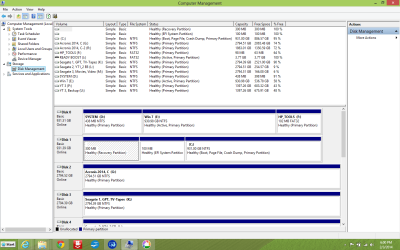
The first install went fine, until I tried to install the Windows 8.1 upgrade from the Windows store, then things went bad and I had to go into Windows 7 and eventually delete the Windows 8 volume and change it from MBR to GPT because of UEFI (no secure boot enabled thankfully). Gawd what a stretch of error messages telling me I can't install Windows 8 on the blank hard drive because it was or wasn't MBR or GPT, or the automagically made partitions weren't in the right order.
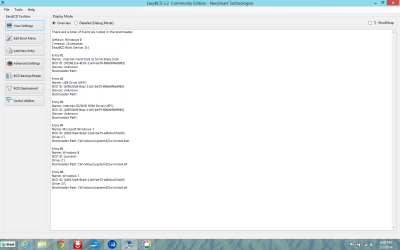
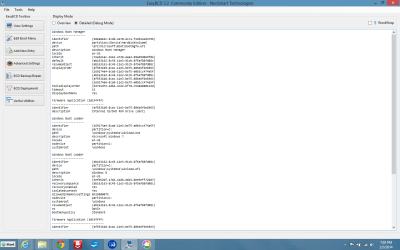
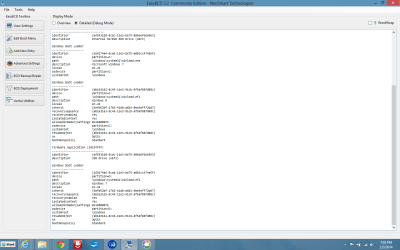
After spending over 7 hours twice in a row installing Windows 8, I finally find out that there's no boot option for Windows 7 anymore.
The only clue I have is to use a Windows 7 repair disk and use diskpart.exe and make the Win 7 drive "active" but that's a little foreign to me at this point.
The first install went fine, until I tried to install the Windows 8.1 upgrade from the Windows store, then things went bad and I had to go into Windows 7 and eventually delete the Windows 8 volume and change it from MBR to GPT because of UEFI (no secure boot enabled thankfully). Gawd what a stretch of error messages telling me I can't install Windows 8 on the blank hard drive because it was or wasn't MBR or GPT, or the automagically made partitions weren't in the right order.
After spending over 7 hours twice in a row installing Windows 8, I finally find out that there's no boot option for Windows 7 anymore.
The only clue I have is to use a Windows 7 repair disk and use diskpart.exe and make the Win 7 drive "active" but that's a little foreign to me at this point.
My Computer
At a glance
Windows 7 Professional x648 GB
- Computer type
- Laptop
- Computer Manufacturer/Model Number
- HP
- OS
- Windows 7 Professional x64
- Memory
- 8 GB
- Screen Resolution
- 1024x768 External monitor
- Hard Drives
- 1 TB
- Keyboard
- External USB
- Mouse
- Wireless external mouse
- Internet Speed
- 10 Mbps/1 Mbps
- Antivirus
- Avast! 8
- Browser
- Chrome