qcddoc2012
New member
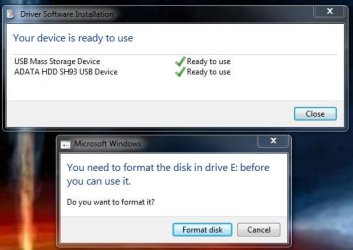
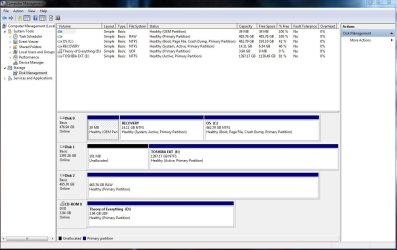
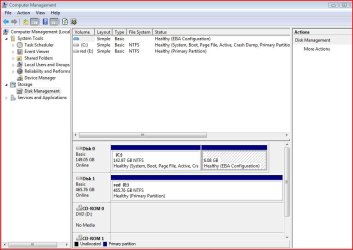
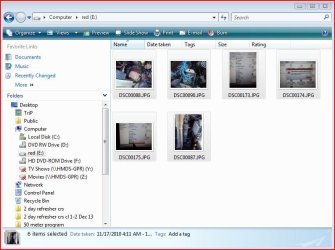
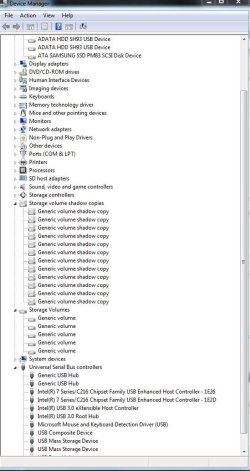
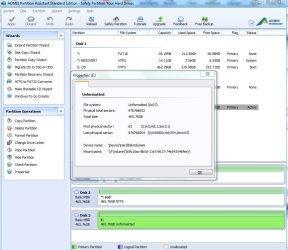
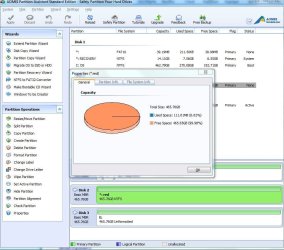
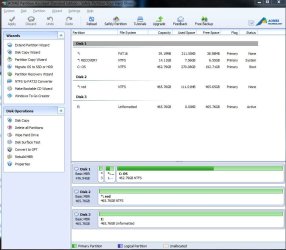
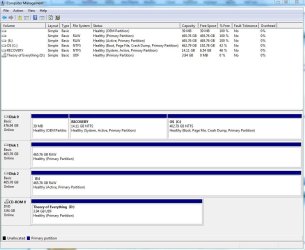
I have 2 ADATA 500 GB external hard drives. I plugged them into the USB port and the computer recognized them by name and installed the driver files. It assigned both of them a drive letter but then gave me a message saying that they needed to be formatted. I clicked ok since they are brand new drives and do not have any data on them, but the format failed to complete on both drives. I took both drives to another PC running Windows Vista and they were recognized and accessible. I even transferred a few files to them for testing purposes; however, when I plugged them back into my Alienware laptop running Windows 7 Ultimate x64, then I got the same error. If I go to the disk manager, then I can see the drives by their drive letter and they are listed as healthy with a primary partition but the file format shows as RAW. I tried to use the device manager and uninstall the USB Mass Storage Device drivers for each drive and then I unplugged them and plugged them in again and I would get a device driver installation message that identifies the drives by name and tells me that the device drivers were installed correctly and that my devices are ready for use but then a few minutes later I will get a message telling me to format the drives. Please help. I've run out of things to try. I can still access my iPhone via USB and my USB wireless mouse still works so I know my USB ports are good.
My Computer
At a glance
windows 7 ultimate x64Intel Core i7-3920XM16 GBDual GeForce GTX 680M
- Computer type
- PC/Desktop
- Computer Manufacturer/Model Number
- Alienware M18XR2
- OS
- windows 7 ultimate x64
- CPU
- Intel Core i7-3920XM
- Memory
- 16 GB
- Graphics Card(s)
- Dual GeForce GTX 680M
- Hard Drives
- Internal ATA Samsung SSD PM83 SCSI 500 GB
2 External SATA ADATA SH93 USB drive 500 GB
- Antivirus
- McAfee
- Browser
- IE 11




 .
.