Solved Need help in moving the System partition to a different Hard disk

Mahmoud was in the forums about six months ago and I asked him about it, but haven't heard that EasyBCD will now rewrite the F8 WinRE link. If you use EasyBCD to move the boot files please let us know if F8 Advanced Boot Options work afterwards.
 
Greg: easybcd keeps most bcd settings the same as they were before moving. Afaik only bootmgr and memtest.exe are copied to new volume. Of course bcd settings are updated accordingly.

All other settings like: linux boot entry, a winpe entry, winxp entry ..... those entries will all be copied to new volume untouched.
 

My Computer My Computer

At a glance

Microsoft Windows 7 Home Premium 64-bits 7601...Intel(R) Core(TM) i3 CPU M 370 @ 2.40GHz4,00 GBATI Mobility Radeon HD 5400 Series
Computer type
Laptop
Computer Manufacturer/Model Number
ACER ASPIRE 5742G
OS
Microsoft Windows 7 Home Premium 64-bits 7601 Multiprocessor Free Service Pack 1
CPU
Intel(R) Core(TM) i3 CPU M 370 @ 2.40GHz
Motherboard
Acer Aspire 5742G
Memory
4,00 GB
Graphics Card(s)
ATI Mobility Radeon HD 5400 Series
Sound Card
(1) AMD High Definition Audio Device (2) Realtek High Defi
Screen Resolution
1366 x 768 x 32 bits (4294967296 colors) @ 60 Hz
Hard Drives
WDC WD5000BEVT-22ZAT0
I would not have advised that using EasyBCD does not rewrite the hotlink to WinRE if this hasn't come up countless times before. In fact it was discussed in a thread with the author of Easy awhile back who said he would try to update it, since it cannot be a best practice to advise consumers to use a method which leaves out the ability to repair from the PC itself. So there is a reason why marking Active to run Startup Repair x3 has been the Best Practice for doing this since beta, at least until Mahmoud updates Easy.
 
I just tested it myself. I moved (actually it copies) bootmgr with easybcd to another primary partition. bcd store still has code to load recovery environment and it still works with F8. Let's wait for OP if it works.
 

My Computer My Computer

At a glance

Microsoft Windows 7 Home Premium 64-bits 7601...Intel(R) Core(TM) i3 CPU M 370 @ 2.40GHz4,00 GBATI Mobility Radeon HD 5400 Series
Computer type
Laptop
Computer Manufacturer/Model Number
ACER ASPIRE 5742G
OS
Microsoft Windows 7 Home Premium 64-bits 7601 Multiprocessor Free Service Pack 1
CPU
Intel(R) Core(TM) i3 CPU M 370 @ 2.40GHz
Motherboard
Acer Aspire 5742G
Memory
4,00 GB
Graphics Card(s)
ATI Mobility Radeon HD 5400 Series
Sound Card
(1) AMD High Definition Audio Device (2) Realtek High Defi
Screen Resolution
1366 x 768 x 32 bits (4294967296 colors) @ 60 Hz
Hard Drives
WDC WD5000BEVT-22ZAT0
I did all the steps (#12) but without rebooting the System the diskmanagement screen shot doesn't show D: as System partition. I did it from EasyBCD. Is it fine for the reboot?
 

My Computer My Computer

At a glance

Win Xp prfessional and Windows 7 UltimateIntel Core2Duo4GB
Computer type
PC/Desktop
Computer Manufacturer/Model Number
custom build
OS
Win Xp prfessional and Windows 7 Ultimate
CPU
Intel Core2Duo
Motherboard
GA-G41M
Memory
4GB
Hard Drives
Samsung
Seagate
Western Digital
Antivirus
AVG
Browser
IE, Mozilla
I did all the steps (#12) but without rebooting the System the diskmanagement screen shot doesn't show D: as System partition. I did it from EasyBCD. Is it fine for the reboot?
Post screenshot of dsik management as it is now please.
D has been marked active automatically?
 

My Computer My Computer

At a glance

Microsoft Windows 7 Home Premium 64-bits 7601...Intel(R) Core(TM) i3 CPU M 370 @ 2.40GHz4,00 GBATI Mobility Radeon HD 5400 Series
Computer type
Laptop
Computer Manufacturer/Model Number
ACER ASPIRE 5742G
OS
Microsoft Windows 7 Home Premium 64-bits 7601 Multiprocessor Free Service Pack 1
CPU
Intel(R) Core(TM) i3 CPU M 370 @ 2.40GHz
Motherboard
Acer Aspire 5742G
Memory
4,00 GB
Graphics Card(s)
ATI Mobility Radeon HD 5400 Series
Sound Card
(1) AMD High Definition Audio Device (2) Realtek High Defi
Screen Resolution
1366 x 768 x 32 bits (4294967296 colors) @ 60 Hz
Hard Drives
WDC WD5000BEVT-22ZAT0
Reboot and check Disk Mgmt for System flag.

Then reboot again and tap F8. Is Repair My Computer listed at top? When you select it does it detect a Win7 installation?
 
Reboot and check Disk Mgmt for System flag.

Then reboot again and tap F8. Is Repair My Computer listed at top? When you select it does it detect a Win7 installation?
Then reboot again, select windows 7 in the list, and tap F8
 

My Computer My Computer

At a glance

Microsoft Windows 7 Home Premium 64-bits 7601...Intel(R) Core(TM) i3 CPU M 370 @ 2.40GHz4,00 GBATI Mobility Radeon HD 5400 Series
Computer type
Laptop
Computer Manufacturer/Model Number
ACER ASPIRE 5742G
OS
Microsoft Windows 7 Home Premium 64-bits 7601 Multiprocessor Free Service Pack 1
CPU
Intel(R) Core(TM) i3 CPU M 370 @ 2.40GHz
Motherboard
Acer Aspire 5742G
Memory
4,00 GB
Graphics Card(s)
ATI Mobility Radeon HD 5400 Series
Sound Card
(1) AMD High Definition Audio Device (2) Realtek High Defi
Screen Resolution
1366 x 768 x 32 bits (4294967296 colors) @ 60 Hz
Hard Drives
WDC WD5000BEVT-22ZAT0
Unfortunately Disk management was not refreshed and I didn't check by listing volume in Diskpart. I am attaching the screenshot before reboot (all the steps mentioned are completed by now), I need to reboot and change the Boot order to the Disk1.
 

Attachments

  • Screenshot.jpg
    Screenshot.jpg
    61.7 KB · Views: 8

My Computer My Computer

At a glance

Win Xp prfessional and Windows 7 UltimateIntel Core2Duo4GB
Computer type
PC/Desktop
Computer Manufacturer/Model Number
custom build
OS
Win Xp prfessional and Windows 7 Ultimate
CPU
Intel Core2Duo
Motherboard
GA-G41M
Memory
4GB
Hard Drives
Samsung
Seagate
Western Digital
Antivirus
AVG
Browser
IE, Mozilla
Wonderful, I am able to boot into Win7 without any issues and also D drive is showing the System partition. I will check the F8 option. Windows XP also shows in the dual boot options, not sure it will boot into XP or I need to do something in the EasyBCD to make it work.
 

My Computer My Computer

At a glance

Win Xp prfessional and Windows 7 UltimateIntel Core2Duo4GB
Computer type
PC/Desktop
Computer Manufacturer/Model Number
custom build
OS
Win Xp prfessional and Windows 7 Ultimate
CPU
Intel Core2Duo
Motherboard
GA-G41M
Memory
4GB
Hard Drives
Samsung
Seagate
Western Digital
Antivirus
AVG
Browser
IE, Mozilla

My Computer My Computer

At a glance

Microsoft Windows 7 Home Premium 64-bits 7601...Intel(R) Core(TM) i3 CPU M 370 @ 2.40GHz4,00 GBATI Mobility Radeon HD 5400 Series
Computer type
Laptop
Computer Manufacturer/Model Number
ACER ASPIRE 5742G
OS
Microsoft Windows 7 Home Premium 64-bits 7601 Multiprocessor Free Service Pack 1
CPU
Intel(R) Core(TM) i3 CPU M 370 @ 2.40GHz
Motherboard
Acer Aspire 5742G
Memory
4,00 GB
Graphics Card(s)
ATI Mobility Radeon HD 5400 Series
Sound Card
(1) AMD High Definition Audio Device (2) Realtek High Defi
Screen Resolution
1366 x 768 x 32 bits (4294967296 colors) @ 60 Hz
Hard Drives
WDC WD5000BEVT-22ZAT0
I didn't realize that before, but you made it very clear. As C drive is no more active is there the possibility that WinXP uses (file ntldr and boot.ini) to load from C, little surprised.

But I made all the changes now as suggested. Tapping f8 on Win7 shows the repair option on the top. I have to select it to see if it recognizes the window 7 installation.
 

My Computer My Computer

At a glance

Win Xp prfessional and Windows 7 UltimateIntel Core2Duo4GB
Computer type
PC/Desktop
Computer Manufacturer/Model Number
custom build
OS
Win Xp prfessional and Windows 7 Ultimate
CPU
Intel Core2Duo
Motherboard
GA-G41M
Memory
4GB
Hard Drives
Samsung
Seagate
Western Digital
Antivirus
AVG
Browser
IE, Mozilla
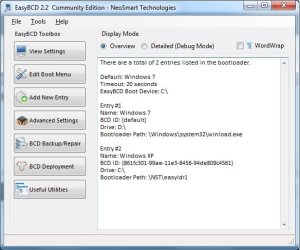
This is the definiton in bcd:

identifier {ntldr}
device partition=C:
path \ntldr
description Earlier Version of Windows

So it loads ntldr from C (which loads boot.ini)
 

My Computer My Computer

At a glance

Microsoft Windows 7 Home Premium 64-bits 7601...Intel(R) Core(TM) i3 CPU M 370 @ 2.40GHz4,00 GBATI Mobility Radeon HD 5400 Series
Computer type
Laptop
Computer Manufacturer/Model Number
ACER ASPIRE 5742G
OS
Microsoft Windows 7 Home Premium 64-bits 7601 Multiprocessor Free Service Pack 1
CPU
Intel(R) Core(TM) i3 CPU M 370 @ 2.40GHz
Motherboard
Acer Aspire 5742G
Memory
4,00 GB
Graphics Card(s)
ATI Mobility Radeon HD 5400 Series
Sound Card
(1) AMD High Definition Audio Device (2) Realtek High Defi
Screen Resolution
1366 x 768 x 32 bits (4294967296 colors) @ 60 Hz
Hard Drives
WDC WD5000BEVT-22ZAT0
win7 , win7 f8, winxp all work with disk0 detached from system? Mark thread solved
 

My Computer My Computer

At a glance

Microsoft Windows 7 Home Premium 64-bits 7601...Intel(R) Core(TM) i3 CPU M 370 @ 2.40GHz4,00 GBATI Mobility Radeon HD 5400 Series
Computer type
Laptop
Computer Manufacturer/Model Number
ACER ASPIRE 5742G
OS
Microsoft Windows 7 Home Premium 64-bits 7601 Multiprocessor Free Service Pack 1
CPU
Intel(R) Core(TM) i3 CPU M 370 @ 2.40GHz
Motherboard
Acer Aspire 5742G
Memory
4,00 GB
Graphics Card(s)
ATI Mobility Radeon HD 5400 Series
Sound Card
(1) AMD High Definition Audio Device (2) Realtek High Defi
Screen Resolution
1366 x 768 x 32 bits (4294967296 colors) @ 60 Hz
Hard Drives
WDC WD5000BEVT-22ZAT0
@Greg I am able to see the repair option and selecting it recognizes my installation
@Kaktu I am able to boot in to XP but when booting it is asking to select C or F drive. If I select F I am able to boot into XP. Selecting C may not work as the C drive has a corrupted winXP installation(very old installation).
Why I am getting this option did I miss any thing , though I did exactly whatever you have suggested. Please advice how I can directly boot to XP from F drive without asking me the option to choose.
 

My Computer My Computer

At a glance

Win Xp prfessional and Windows 7 UltimateIntel Core2Duo4GB
Computer type
PC/Desktop
Computer Manufacturer/Model Number
custom build
OS
Win Xp prfessional and Windows 7 Ultimate
CPU
Intel Core2Duo
Motherboard
GA-G41M
Memory
4GB
Hard Drives
Samsung
Seagate
Western Digital
Antivirus
AVG
Browser
IE, Mozilla
I have the plan to use the Disk0 with my current System for Data. Do you want me to check the booting functions by detaching it and later again attach it to use, may be repartition it by backing up the data
 

My Computer My Computer

At a glance

Win Xp prfessional and Windows 7 UltimateIntel Core2Duo4GB
Computer type
PC/Desktop
Computer Manufacturer/Model Number
custom build
OS
Win Xp prfessional and Windows 7 Ultimate
CPU
Intel Core2Duo
Motherboard
GA-G41M
Memory
4GB
Hard Drives
Samsung
Seagate
Western Digital
Antivirus
AVG
Browser
IE, Mozilla
@Greg I am able to see the repair option and selecting it recognizes my installation
@Kaktu I am able to boot in to XP but when booting it is asking to select C or F drive. If I select F I am able to boot into XP. Selecting C may not work as the C drive has a corrupted winXP installation(very old installation).
Why I am getting this option did I miss any thing , though I did exactly whatever you have suggested. Please advice how I can directly boot to XP from F drive without asking me the option to choose.
C and F both have winxp.... at least easybcd thinks so.

Delete the windowsXP boot entry agin using easybcd. Then add it again, but don't tick "automatically detect correct drive" . Fill in the winxp drive (so F) yourself.

http://www.sevenforums.com/attachme...al-boot-installation-windows-7-xp-w7-xp-7.jpg
 

My Computer My Computer

At a glance

Microsoft Windows 7 Home Premium 64-bits 7601...Intel(R) Core(TM) i3 CPU M 370 @ 2.40GHz4,00 GBATI Mobility Radeon HD 5400 Series
Computer type
Laptop
Computer Manufacturer/Model Number
ACER ASPIRE 5742G
OS
Microsoft Windows 7 Home Premium 64-bits 7601 Multiprocessor Free Service Pack 1
CPU
Intel(R) Core(TM) i3 CPU M 370 @ 2.40GHz
Motherboard
Acer Aspire 5742G
Memory
4,00 GB
Graphics Card(s)
ATI Mobility Radeon HD 5400 Series
Sound Card
(1) AMD High Definition Audio Device (2) Realtek High Defi
Screen Resolution
1366 x 768 x 32 bits (4294967296 colors) @ 60 Hz
Hard Drives
WDC WD5000BEVT-22ZAT0
I have the plan to use the Disk0 with my current System for Data. Do you want me to check the booting functions by detaching it and later again attach it to use, may be repartition it by backing up the data
I just want you to detach it from system (temporary) to prove disk0 is not involved in boot process whatsoever.
 

My Computer My Computer

At a glance

Microsoft Windows 7 Home Premium 64-bits 7601...Intel(R) Core(TM) i3 CPU M 370 @ 2.40GHz4,00 GBATI Mobility Radeon HD 5400 Series
Computer type
Laptop
Computer Manufacturer/Model Number
ACER ASPIRE 5742G
OS
Microsoft Windows 7 Home Premium 64-bits 7601 Multiprocessor Free Service Pack 1
CPU
Intel(R) Core(TM) i3 CPU M 370 @ 2.40GHz
Motherboard
Acer Aspire 5742G
Memory
4,00 GB
Graphics Card(s)
ATI Mobility Radeon HD 5400 Series
Sound Card
(1) AMD High Definition Audio Device (2) Realtek High Defi
Screen Resolution
1366 x 768 x 32 bits (4294967296 colors) @ 60 Hz
Hard Drives
WDC WD5000BEVT-22ZAT0
I explicitly selected F drive for XP installation but it still showing C drive for XP
 

Attachments

  • EasyBCD.jpg
    EasyBCD.jpg
    39.5 KB · Views: 11

My Computer My Computer

At a glance

Win Xp prfessional and Windows 7 UltimateIntel Core2Duo4GB
Computer type
PC/Desktop
Computer Manufacturer/Model Number
custom build
OS
Win Xp prfessional and Windows 7 Ultimate
CPU
Intel Core2Duo
Motherboard
GA-G41M
Memory
4GB
Hard Drives
Samsung
Seagate
Western Digital
Antivirus
AVG
Browser
IE, Mozilla
Generate and post bcd output again.
Post screenshot of disk management
 

My Computer My Computer

At a glance

Microsoft Windows 7 Home Premium 64-bits 7601...Intel(R) Core(TM) i3 CPU M 370 @ 2.40GHz4,00 GBATI Mobility Radeon HD 5400 Series
Computer type
Laptop
Computer Manufacturer/Model Number
ACER ASPIRE 5742G
OS
Microsoft Windows 7 Home Premium 64-bits 7601 Multiprocessor Free Service Pack 1
CPU
Intel(R) Core(TM) i3 CPU M 370 @ 2.40GHz
Motherboard
Acer Aspire 5742G
Memory
4,00 GB
Graphics Card(s)
ATI Mobility Radeon HD 5400 Series
Sound Card
(1) AMD High Definition Audio Device (2) Realtek High Defi
Screen Resolution
1366 x 768 x 32 bits (4294967296 colors) @ 60 Hz
Hard Drives
WDC WD5000BEVT-22ZAT0
Back
Top