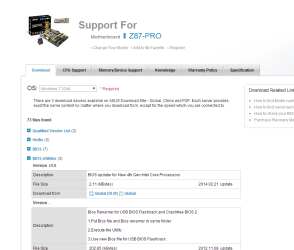
Building my PC

Im getting the SM bus controller missing driver. anyone knows what is that?
 

My Computer My Computer

Computer type
PC/Desktop
Computer Manufacturer/Model Number
Custom Build
OS
Windows 8.1 PRO
CPU
Intel Core i7 - 4770k
Motherboard
Asus Z87 - PRO LGA 1150
Memory
8 GB Corsair
Graphics Card(s)
EVGA GTX - 760 SC 4GB
Screen Resolution
1440x900
Hard Drives
Samsung PRO 128GB
PSU
Seasonic G - Series 650 Watts
Case
Cooler Master Storm Trooper
Cooling
Corsair H105

My Computer My Computer

Computer type
PC/Desktop
Computer Manufacturer/Model Number
Dude Build
OS
Windows 10 Pro X64
CPU
Intel(R) Core(TM) i5-3570K CPU OC@ 4.5GHZ Turbo
Motherboard
MSI Z77A-G45 Gaming
Memory
8.00 GB DDR3 1600Mhz
Graphics Card(s)
MSI Gaming X GTX 1070
Sound Card
Realtek High Definition
Monitor(s) Displays
Dell S23O9W, HP L1710
Screen Resolution
DELL-1920 x 1080 HP-1280 x1024
Hard Drives
Crucial m4 256 SSD, WD 7200RPM 500GB WD 1TB
PSU
Seasonic X650 GOLD
Case
Zalman Z12
Cooling
Antec Kuhler 920
Keyboard
Logitech
Mouse
MSI DS100 Interceptor
Internet Speed
50 down and 5 up
Antivirus
MSE
Browser
Chrome, IE 11
Other Info
Logitech X-620 Speakers

My Computer My Computer

Computer type
PC/Desktop
Computer Manufacturer/Model Number
Custom Build
OS
Windows 8.1 PRO
CPU
Intel Core i7 - 4770k
Motherboard
Asus Z87 - PRO LGA 1150
Memory
8 GB Corsair
Graphics Card(s)
EVGA GTX - 760 SC 4GB
Screen Resolution
1440x900
Hard Drives
Samsung PRO 128GB
PSU
Seasonic G - Series 650 Watts
Case
Cooler Master Storm Trooper
Cooling
Corsair H105
okay, I edited my above post to add to updating the BIOS as mentioned by others here
 

My Computer My Computer

Computer type
PC/Desktop
Computer Manufacturer/Model Number
Dude Build
OS
Windows 10 Pro X64
CPU
Intel(R) Core(TM) i5-3570K CPU OC@ 4.5GHZ Turbo
Motherboard
MSI Z77A-G45 Gaming
Memory
8.00 GB DDR3 1600Mhz
Graphics Card(s)
MSI Gaming X GTX 1070
Sound Card
Realtek High Definition
Monitor(s) Displays
Dell S23O9W, HP L1710
Screen Resolution
DELL-1920 x 1080 HP-1280 x1024
Hard Drives
Crucial m4 256 SSD, WD 7200RPM 500GB WD 1TB
PSU
Seasonic X650 GOLD
Case
Zalman Z12
Cooling
Antec Kuhler 920
Keyboard
Logitech
Mouse
MSI DS100 Interceptor
Internet Speed
50 down and 5 up
Antivirus
MSE
Browser
Chrome, IE 11
Other Info
Logitech X-620 Speakers
okay, I edited my above post to add to updating the BIOS as mentioned by others here

Ok. did the one you said and still missing driver there
 

My Computer My Computer

Computer type
PC/Desktop
Computer Manufacturer/Model Number
Custom Build
OS
Windows 8.1 PRO
CPU
Intel Core i7 - 4770k
Motherboard
Asus Z87 - PRO LGA 1150
Memory
8 GB Corsair
Graphics Card(s)
EVGA GTX - 760 SC 4GB
Screen Resolution
1440x900
Hard Drives
Samsung PRO 128GB
PSU
Seasonic G - Series 650 Watts
Case
Cooler Master Storm Trooper
Cooling
Corsair H105
Installed the one in the CD and still give me that driver missing
 

My Computer My Computer

Computer type
PC/Desktop
Computer Manufacturer/Model Number
Custom Build
OS
Windows 8.1 PRO
CPU
Intel Core i7 - 4770k
Motherboard
Asus Z87 - PRO LGA 1150
Memory
8 GB Corsair
Graphics Card(s)
EVGA GTX - 760 SC 4GB
Screen Resolution
1440x900
Hard Drives
Samsung PRO 128GB
PSU
Seasonic G - Series 650 Watts
Case
Cooler Master Storm Trooper
Cooling
Corsair H105
Installed the one in the CD and still give me that driver missing

I found this, looking around for you,

Thanks for the reply. It appears to be a conflict with ASUS. The following is the procedure suggested for another ASUS-re;ated query.

a. Press Windows Key + R, type devmgmt.msc.
b. Expand the Universal Serial Bus Controllers section by clicking on the"+" sign.
c. Uninstall each of the devices under theUSB Controller section by right-clicking on each one, and then clicking Uninstall.
d. Close the Device Manager and restart your computer. Windows will automatically re-install the USB controllers in your computer, without you having to do anything further. Your computer will now run USB devices properly.

I tried the above and it solved the problem, but not permanently. On a subsequent boot-up the problem was back.

Response to another ASUS-related query suggested the following:

1. Open Add or remove programs.
2. Choose ASUS' AI Suite II and click on Uninstall.
You are given an option to change the configuration of the utility.
3. Select the option to delete USB 3.0 Boost and restart the system.
After the system restarts, all SuperSpeed ports will be functional. Please note, the USB 3.0 Boost utility is not required on Windows 8/8.1 because the operating system has a Microsoft-provided UASP driver (uaspstor.sys)

Although my mouse is plugged into one of the USB 2 ports, I will definately do the above, next.

Win 8.1 missing SM Bus Controller driver - Microsoft Community
 

My Computer My Computer

Computer type
PC/Desktop
Computer Manufacturer/Model Number
Self Built
OS
Win 10 Pro x64
CPU
Intel I5-2500K @3.3GHz
Motherboard
Asrock P67 Extreme4
Memory
16GB G.Skill Ripjaws X (4x4GB)
Graphics Card(s)
EVGA GeForce 750 Ti SC 2GB
Sound Card
ASUS Xonar DG 5.1 Channels 24-bit 96KHz PCI Interface Sound
Monitor(s) Displays
auria eq2367
Screen Resolution
1920 x 1080
Hard Drives
250GB Samsung 850 EVO SSD
1TB WD Blue
1TB Hitachi
PSU
SeaSonic X 650W 80 Plus Gold
Case
Corsair Obsidian 750D
Cooling
Corsair H60, Three 140mm case fans
Keyboard
Logitech Wireless Keyboard K520
Mouse
Logitech Wireless Mouse M310
Internet Speed
Wave Broadband ~ 100 dn 5 up
Antivirus
Windows Defender, Malwarebytes Premium
Browser
Edge, IE11, Chrome
Other Info
Laptop specs: HP g7-1365dx /
CPU: AMD A6-3420M APU with Radeon(tm) HD Graphics /
RAM: Crucial 8Gb (2x4Gb) /
SSD: Crucial M4-CT128M4SSD2 ATA Device/ FW 000F /
GFX: AMD Radeon HD 6520G /
OS: Windows 10 Pro x64
Installed the one in the CD and still give me that driver missing

I found this, looking around for you,

Thanks for the reply. It appears to be a conflict with ASUS. The following is the procedure suggested for another ASUS-re;ated query.

a. Press Windows Key + R, type devmgmt.msc.
b. Expand the Universal Serial Bus Controllers section by clicking on the"+" sign.
c. Uninstall each of the devices under theUSB Controller section by right-clicking on each one, and then clicking Uninstall.
d. Close the Device Manager and restart your computer. Windows will automatically re-install the USB controllers in your computer, without you having to do anything further. Your computer will now run USB devices properly.

I tried the above and it solved the problem, but not permanently. On a subsequent boot-up the problem was back.

Response to another ASUS-related query suggested the following:

1. Open Add or remove programs.
2. Choose ASUS' AI Suite II and click on Uninstall.
You are given an option to change the configuration of the utility.
3. Select the option to delete USB 3.0 Boost and restart the system.
After the system restarts, all SuperSpeed ports will be functional. Please note, the USB 3.0 Boost utility is not required on Windows 8/8.1 because the operating system has a Microsoft-provided UASP driver (uaspstor.sys)

Although my mouse is plugged into one of the USB 2 ports, I will definately do the above, next.

Win 8.1 missing SM Bus Controller driver - Microsoft Community

I just did this but still missing driver
 

My Computer My Computer

Computer type
PC/Desktop
Computer Manufacturer/Model Number
Custom Build
OS
Windows 8.1 PRO
CPU
Intel Core i7 - 4770k
Motherboard
Asus Z87 - PRO LGA 1150
Memory
8 GB Corsair
Graphics Card(s)
EVGA GTX - 760 SC 4GB
Screen Resolution
1440x900
Hard Drives
Samsung PRO 128GB
PSU
Seasonic G - Series 650 Watts
Case
Cooler Master Storm Trooper
Cooling
Corsair H105

My Computer My Computer

Computer type
PC/Desktop
Computer Manufacturer/Model Number
Custom Build
OS
Windows 8.1 PRO
CPU
Intel Core i7 - 4770k
Motherboard
Asus Z87 - PRO LGA 1150
Memory
8 GB Corsair
Graphics Card(s)
EVGA GTX - 760 SC 4GB
Screen Resolution
1440x900
Hard Drives
Samsung PRO 128GB
PSU
Seasonic G - Series 650 Watts
Case
Cooler Master Storm Trooper
Cooling
Corsair H105

My Computer My Computer

Computer type
PC/Desktop
Computer Manufacturer/Model Number
Self Built
OS
Win 10 Pro x64
CPU
Intel I5-2500K @3.3GHz
Motherboard
Asrock P67 Extreme4
Memory
16GB G.Skill Ripjaws X (4x4GB)
Graphics Card(s)
EVGA GeForce 750 Ti SC 2GB
Sound Card
ASUS Xonar DG 5.1 Channels 24-bit 96KHz PCI Interface Sound
Monitor(s) Displays
auria eq2367
Screen Resolution
1920 x 1080
Hard Drives
250GB Samsung 850 EVO SSD
1TB WD Blue
1TB Hitachi
PSU
SeaSonic X 650W 80 Plus Gold
Case
Corsair Obsidian 750D
Cooling
Corsair H60, Three 140mm case fans
Keyboard
Logitech Wireless Keyboard K520
Mouse
Logitech Wireless Mouse M310
Internet Speed
Wave Broadband ~ 100 dn 5 up
Antivirus
Windows Defender, Malwarebytes Premium
Browser
Edge, IE11, Chrome
Other Info
Laptop specs: HP g7-1365dx /
CPU: AMD A6-3420M APU with Radeon(tm) HD Graphics /
RAM: Crucial 8Gb (2x4Gb) /
SSD: Crucial M4-CT128M4SSD2 ATA Device/ FW 000F /
GFX: AMD Radeon HD 6520G /
OS: Windows 10 Pro x64

My Computer My Computer

Computer type
PC/Desktop
Computer Manufacturer/Model Number
Custom Build
OS
Windows 8.1 PRO
CPU
Intel Core i7 - 4770k
Motherboard
Asus Z87 - PRO LGA 1150
Memory
8 GB Corsair
Graphics Card(s)
EVGA GTX - 760 SC 4GB
Screen Resolution
1440x900
Hard Drives
Samsung PRO 128GB
PSU
Seasonic G - Series 650 Watts
Case
Cooler Master Storm Trooper
Cooling
Corsair H105
Back
Top