RoadkillSD
New member
- Local time
- 12:43 PM
- Messages
- 9
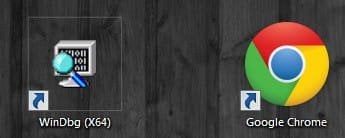
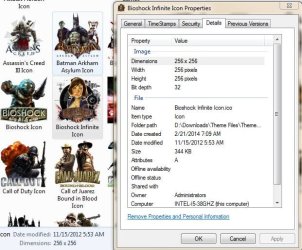
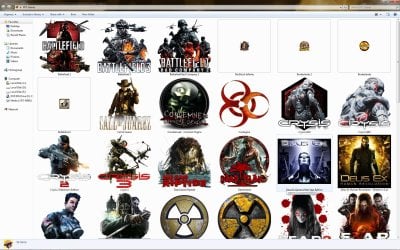
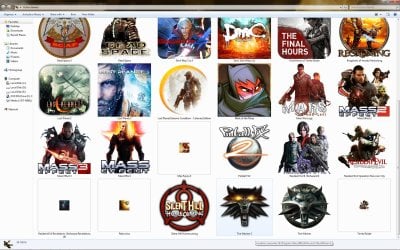
I've seen multiple posts here and other forums and I have tried all of the steps provided in those posts but it is not resolving my issue. I have the exact same issue as the user in THIS THREAD. I have tried the icon database rebuild (both manually and using the bat file HERE), I have tried ie4uinit.exe - ClearIconCache from command prompt, I have tried Disk Cleanup and checked the box to delete icon cache and I have tried different cache size amounts using the steps HERE. I've tried these all from normal boot and safe mode. I don't know what else to do. The icons that have the problem keep changing every time I restart the PC. I can change them to another icon, rename the icon the shortcut had previously been using and reapply that icon and it shows normal at that time but as soon as I restart the PC, icons change to the smaller size on random shortcuts again. What other steps are there?
Thanks in advance.
Thanks in advance.
My Computer
At a glance
Windows 7 Pro x64Intel i5-3570k 3.4Ghz32Gb G.Skill DDR3 1600 PC3-10700EVGA GeForce GTX 980Ti Classified
- Computer type
- PC/Desktop
- Computer Manufacturer/Model Number
- Self built
- OS
- Windows 7 Pro x64
- CPU
- Intel i5-3570k 3.4Ghz
- Motherboard
- ASUS P8Z77-V LK
- Memory
- 32Gb G.Skill DDR3 1600 PC3-10700
- Graphics Card(s)
- EVGA GeForce GTX 980Ti Classified
- Sound Card
- SB X-Fi Titanium Fatal1ty Pro
- Hard Drives
- 250Gb Samsung Evo 840 (Primary)
- PSU
- Corsair RM750X 750W
- Keyboard
- MS Ergonomic 4000
- Internet Speed
- 300Mbps
- Antivirus
- Microsoft Security Essentials, MalwareBytes AM Premium
- Browser
- IE, Firefox & Chrome