[FONT="] [Dell Inspiron 560 desktop; MS Windows 7 Home Premium SP1 64bit; Windows Live Mail 2012; MS Word Pro 2003; Mozilla Firefox 22.0]
After I reinstalled WLMail2011 and upgraded to WLMail2012; and after a techy made a Windows clean install...I still get some annoying glitches. Could someone help please?:
1. No auto-complete function.
2. The undo function from the little “Undo” arrow function doesn’t work!
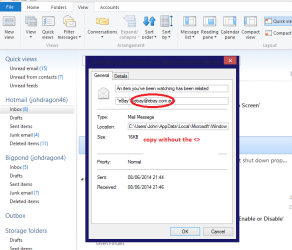
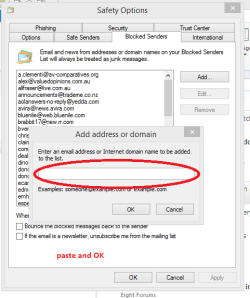
3. There’s nothing ever in the “Junk” folders. Only the ones I send to them. How to train it to dump the spam?
4. Files in Sent and in Inbox arrive in multiple sub-files i.e.: each time there’s an answer it lands under the original name of file. How can I have it as before, one by one where sent files go to the Sent folder and not to the Inbox. Confusing!!!
[/FONT]Thanks ever so much for any ideas to fix these. Adela
Adela
After I reinstalled WLMail2011 and upgraded to WLMail2012; and after a techy made a Windows clean install...I still get some annoying glitches. Could someone help please?:
1. No auto-complete function.
2. The undo function from the little “Undo” arrow function doesn’t work!
3. There’s nothing ever in the “Junk” folders. Only the ones I send to them. How to train it to dump the spam?
4. Files in Sent and in Inbox arrive in multiple sub-files i.e.: each time there’s an answer it lands under the original name of file. How can I have it as before, one by one where sent files go to the Sent folder and not to the Inbox. Confusing!!!
[/FONT]Thanks ever so much for any ideas to fix these.
Adela
Last edited:
My Computer
- Computer Manufacturer/Model Number
- Dell Inspiron 560 Desktop
- OS
- Windows 7 Home, 64 bit.
- Monitor(s) Displays
- LCD


 )
)