New, couple questions

Tygerrr

New member
Local time
3:50 AM
Messages
18
I'm working through a couple laptops and reinstalling operating systems. I decided to use W7 on a few of them, including a unit that I am using on my own. I've been fiddling around with it for an hour or so and have some questions, a list which I'm sure will be added to later:

1) I have firefox 'pinned' to the taskbar, but when I have a FF window open, the icon in the lower left disappears and is replaced by the firefox window bar. I would like to keep the small icon there as a quick way to open an entirely new window. Can/How do I do this?

2) Again in firefox, when the window is maximized, there is still a small gap between the taskbar and the bottom of the FF browser window. Can/How do I fix this?

Thanks
 

My Computer

OS
Windows 7
I'm working through a couple laptops and reinstalling operating systems. I decided to use W7 on a few of them, including a unit that I am using on my own. I've been fiddling around with it for an hour or so and have some questions, a list which I'm sure will be added to later:

1) I have firefox 'pinned' to the taskbar, but when I have a FF window open, the icon in the lower left disappears and is replaced by the firefox window bar. I would like to keep the small icon there as a quick way to open an entirely new window. Can/How do I do this?

2) Again in firefox, when the window is maximized, there is still a small gap between the taskbar and the bottom of the FF browser window. Can/How do I fix this?

Thanks

1-If firefox is one of the first five buttons on the taskbar (from the let) win key + # key launches a second instance of it.

1-Screenshot please

thanks

ken
 

My Computer

Computer Manufacturer/Model Number
HP Pavillion dv-7 1005 Tx
OS
Win 8 Release candidate 8400
CPU
[email protected]
Memory
4 gigs
Graphics Card(s)
Nvidia 9600M
Sound Card
HD built-in
Monitor(s) Displays
17" Wxga
Screen Resolution
1440x900
Cooling
none
Internet Speed
45Mb down 5Mb up
I'm working through a couple laptops and reinstalling operating systems. I decided to use W7 on a few of them, including a unit that I am using on my own. I've been fiddling around with it for an hour or so and have some questions, a list which I'm sure will be added to later:

1) I have firefox 'pinned' to the taskbar, but when I have a FF window open, the icon in the lower left disappears and is replaced by the firefox window bar. I would like to keep the small icon there as a quick way to open an entirely new window. Can/How do I do this?

2) Again in firefox, when the window is maximized, there is still a small gap between the taskbar and the bottom of the FF browser window. Can/How do I fix this?

Thanks

1. press ctrl + N fastest way to open new window.

2. press the maximize icon on the top right?
(maybe I don't get it. :D. screenshot?)
 

My Computer

OS
Win7 Build 7600 x86
CPU
Pentium II 300MHz
Motherboard
Asus
Memory
32mb EDO RAM
Graphics Card(s)
Diamond Viper
Sound Card
Soundblaster 16
Monitor(s) Displays
14" AOC CRT 16K color
Screen Resolution
800x600
Hard Drives
300mb Quantum fireball
PSU
110 Watts
Cooling
Passive
Keyboard
Trust Ergonomic
Mouse
Generic
Internet Speed
256K u 128K d
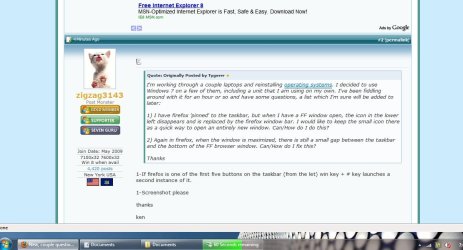
Here's a screen shot if I did it right. You'll notice that there's a clear strip of the background image in between the taskbar and the firefox window even though the firefox window is maximized.

You will also notice that in the lower left near the start menu there is no small firefox icon because there is already a firefox window open. I would like to make it so the firefox icon remains there regardless or whether or not there is a firefox window open. I'm just used to it that way from vista and I'd like it to remain that way if at all possible.
 

Attachments

  • Untitled.jpg
    Untitled.jpg
    88 KB · Views: 63

My Computer

OS
Windows 7
thanks I see exactly what you mean.

what resolution?

It look like you have icons and passwords to the right corredct?
 

My Computer

Computer Manufacturer/Model Number
HP Pavillion dv-7 1005 Tx
OS
Win 8 Release candidate 8400
CPU
[email protected]
Memory
4 gigs
Graphics Card(s)
Nvidia 9600M
Sound Card
HD built-in
Monitor(s) Displays
17" Wxga
Screen Resolution
1440x900
Cooling
none
Internet Speed
45Mb down 5Mb up
Here's a screen shot if I did it right. You'll notice that there's a clear strip of the background image in between the taskbar and the firefox window even though the firefox window is maximized.

You will also notice that in the lower left near the start menu there is no small firefox icon because there is already a firefox window open. I would like to make it so the firefox icon remains there regardless or whether or not there is a firefox window open. I'm just used to it that way from vista and I'd like it to remain that way if at all possible.

I think you mean like pic 1 or 2. which?
 
Last edited:

My Computer

Computer Manufacturer/Model Number
HP Pavillion dv-7 1005 Tx
OS
Win 8 Release candidate 8400
CPU
[email protected]
Memory
4 gigs
Graphics Card(s)
Nvidia 9600M
Sound Card
HD built-in
Monitor(s) Displays
17" Wxga
Screen Resolution
1440x900
Cooling
none
Internet Speed
45Mb down 5Mb up
The icon issue is because he has it to "Not Combine Windows" under Start Menu settings

As far as the maximize problem I am not sure...
 

My Computer

Computer Manufacturer/Model Number
Compal JFT02 (Custom Build Laptop)
OS
Windows 7 Home Premium x64 - Mac OS X 10.6.4 x64
CPU
Intel Core 2 Duo T9300 2.5 GHz
Motherboard
JFT02
Memory
4GB Kingston DDR2-800
Graphics Card(s)
NVIDIA Geforce 8600M GT (512MB Model)
Sound Card
Realtek HD Audio
Monitor(s) Displays
WUXGA Standard Laptop Display
Screen Resolution
1680*1050
Hard Drives
Toshiba 320GB 5400RPM Laptop HD
PSU
Standard Laptop Power Supply
Case
Standard Laptop Case
Cooling
Standard Laptop Cooling
Keyboard
Standard Laptop 105 Key-Keyboard
Mouse
Synaptics Touchpad
Internet Speed
Verizion Online DSL 3360/864 kbs (dl/up)
You can also set up the quick launch toolbar for another little icon (I use quicklaunch EVERY day).

As for 2, does this still occur if you extend the taskbar up another space? As in unlock it and drag it bigger, then maximize it.

~Lordbob
 

My Computer

Computer Manufacturer/Model Number
Hera
OS
Windows 7 Ultimate x64, Mint 9
CPU
Intel i5-2500k
Motherboard
ASUS P8P67 Pro
Memory
2x 4Gb Corsair VENGEANCE DDR3-1600
Graphics Card(s)
NVidia GeForce N260GTX Twin Frozr
Sound Card
Realtek HD OnBoard Audio
Monitor(s) Displays
ASUS 24" Monitor
Screen Resolution
1920x1080
Hard Drives
G.SKILL Phoenix Series 60GB SATA II MLC Internal Solid State Drive (SSD)
SAMSUNG Spinpoint F3R 1TB 7200 RPM 32MB Cache SATA II
PSU
Cooler Master Real Power Pro 750W
Case
Cooler Master Haf 932
Cooling
Fans
Keyboard
Razer Tarantula
Mouse
Razer Lachesis
Internet Speed
not fast enough
when you are not in maximize but in a small window can you stretch it to cover your space?
 

My Computer

Computer Manufacturer/Model Number
Gateway GT5692
OS
Windows 7 Ulti. x64
CPU
AMD Phenom 8450 triple-core 2.10 ghz
Memory
4GB
Graphics Card(s)
ATI Radion HD 3200
Monitor(s) Displays
Gateway FPD1775W
Screen Resolution
1280x720
Hard Drives
465.6613 Gibibytes
You can also set up the quick launch toolbar for another little icon (I use quicklaunch EVERY day).

As for 2, does this still occur if you extend the taskbar up another space? As in unlock it and drag it bigger, then maximize it.

~Lordbob

OK that was weird. The instant I unlocked the toolbar the window jumped to actually maximized. I guess that takes care of that problem.

What do I do to set up the quick launch toolbar?
 

My Computer

OS
Windows 7

My Computer

Computer Manufacturer/Model Number
Hera
OS
Windows 7 Ultimate x64, Mint 9
CPU
Intel i5-2500k
Motherboard
ASUS P8P67 Pro
Memory
2x 4Gb Corsair VENGEANCE DDR3-1600
Graphics Card(s)
NVidia GeForce N260GTX Twin Frozr
Sound Card
Realtek HD OnBoard Audio
Monitor(s) Displays
ASUS 24" Monitor
Screen Resolution
1920x1080
Hard Drives
G.SKILL Phoenix Series 60GB SATA II MLC Internal Solid State Drive (SSD)
SAMSUNG Spinpoint F3R 1TB 7200 RPM 32MB Cache SATA II
PSU
Cooler Master Real Power Pro 750W
Case
Cooler Master Haf 932
Cooling
Fans
Keyboard
Razer Tarantula
Mouse
Razer Lachesis
Internet Speed
not fast enough
Simply unlocking and then relocking the taskbar seems to have done the trick. Thanks for the tips on the quicklaunch too.

Any other tips for general awesomeness?
 

My Computer

OS
Windows 7

My Computer

Computer Manufacturer/Model Number
Hera
OS
Windows 7 Ultimate x64, Mint 9
CPU
Intel i5-2500k
Motherboard
ASUS P8P67 Pro
Memory
2x 4Gb Corsair VENGEANCE DDR3-1600
Graphics Card(s)
NVidia GeForce N260GTX Twin Frozr
Sound Card
Realtek HD OnBoard Audio
Monitor(s) Displays
ASUS 24" Monitor
Screen Resolution
1920x1080
Hard Drives
G.SKILL Phoenix Series 60GB SATA II MLC Internal Solid State Drive (SSD)
SAMSUNG Spinpoint F3R 1TB 7200 RPM 32MB Cache SATA II
PSU
Cooler Master Real Power Pro 750W
Case
Cooler Master Haf 932
Cooling
Fans
Keyboard
Razer Tarantula
Mouse
Razer Lachesis
Internet Speed
not fast enough
Lots of apps I'm downloading are installing in the x86 folder, for obvious reasons, but how do I get them to appear in the start or application menu?
 

My Computer

OS
Windows 7
Lots of apps I'm downloading are installing in the x86 folder, for obvious reasons, but how do I get them to appear in the start or application menu?
That is where they will automatically install. Otherwise they will not work correctly.

They should automatically appear there.

~Lordbob
 

My Computer

Computer Manufacturer/Model Number
Hera
OS
Windows 7 Ultimate x64, Mint 9
CPU
Intel i5-2500k
Motherboard
ASUS P8P67 Pro
Memory
2x 4Gb Corsair VENGEANCE DDR3-1600
Graphics Card(s)
NVidia GeForce N260GTX Twin Frozr
Sound Card
Realtek HD OnBoard Audio
Monitor(s) Displays
ASUS 24" Monitor
Screen Resolution
1920x1080
Hard Drives
G.SKILL Phoenix Series 60GB SATA II MLC Internal Solid State Drive (SSD)
SAMSUNG Spinpoint F3R 1TB 7200 RPM 32MB Cache SATA II
PSU
Cooler Master Real Power Pro 750W
Case
Cooler Master Haf 932
Cooling
Fans
Keyboard
Razer Tarantula
Mouse
Razer Lachesis
Internet Speed
not fast enough
The links should appear there automatically. What program is not?

uTorrent, firefox, Nero to name a few
When using other OSs, sometimes when installing various programs, you're offered
an option as to what you'd like where.

For example, "Would you like?" An icon on:
1. Desktop
2. Quick Launch,
3. Start menu,
4. Single/All user mode,
5. etc..
Depending upon what the program is, sometimes I want DT icon only.
Sometimes Start menu only.
Never any on Quick Launch, etc.

This is usually offered during 'Custom' install.
If using 'Automatic', you get what the sw author thinks is right, for most users.

This may or may not be the case here, with w7. :o
 

My Computer

Computer Manufacturer/Model Number
Gateway GT5056
OS
XP_Pro, W7_7201, W7RC.vhd, SciLinux5.3, Fedora12, Fedora9_2x, OpenSolaris_09-06
CPU
AMD 64x2
Motherboard
Yes
Memory
1 gig
Graphics Card(s)
Dunno
Sound Card
Realtek something
Monitor(s) Displays
Samsung SyncMaster 940MW w/TV
Screen Resolution
1280x1024
Hard Drives
250 GB WD, USB Seagate Freedesk 1.5 T
Internet Speed
Cable modem
Other Info
1 + 1 = 10b,
7 + 7 = 16o,
a + b = 15h.
Hold SHIFT then clicking on one of the taskbar icons also opens a new instance.
 

My Computer

Computer type
PC/Desktop
Computer Manufacturer/Model Number
Alienware Aurora ALX R4
OS
Windows 10 Pro (x64)
CPU
Intel Core i7-3930K (3.2GHz - 4.5GHz)
Motherboard
Alienware Aurora-R4 x79
Memory
4x Samsung 4GB PC3-12800 DDR3 (16GB 1600MHz)
Graphics Card(s)
Nvidia Geforce GTX 690
Sound Card
SteelSeries Siberia Elite
Monitor(s) Displays
Dell UltraSharp U3011
Screen Resolution
2560x1600
Hard Drives
Samsung 850 Pro 256 GB, Seagate 1TB Desktop Hybrid HDD, 2x Western Digital 4TB Green HDD
PSU
875W Some Dell PSU <.<
Case
Alienware Aurora ALX
Cooling
Custom Liquid Cooling (EK CPU & GPU blocks) dual EK 480RAD
Keyboard
Logitech G710+ Mechanical
Mouse
Logitech G700s
Internet Speed
Verizon Fios (50 mbps average)
Other Info
Server: Intel NUC D54250WYK: i5-4250U, 16GB, 256 GB mSATA, Windows Server 2012 R2
Back
Top