Solved ASUS X55A Windows Install + UEFI Confusion

CYPER

New member
Local time
10:32 PM
Messages
21
Can someone elaborate on this UEFI thing as I am totally confused.
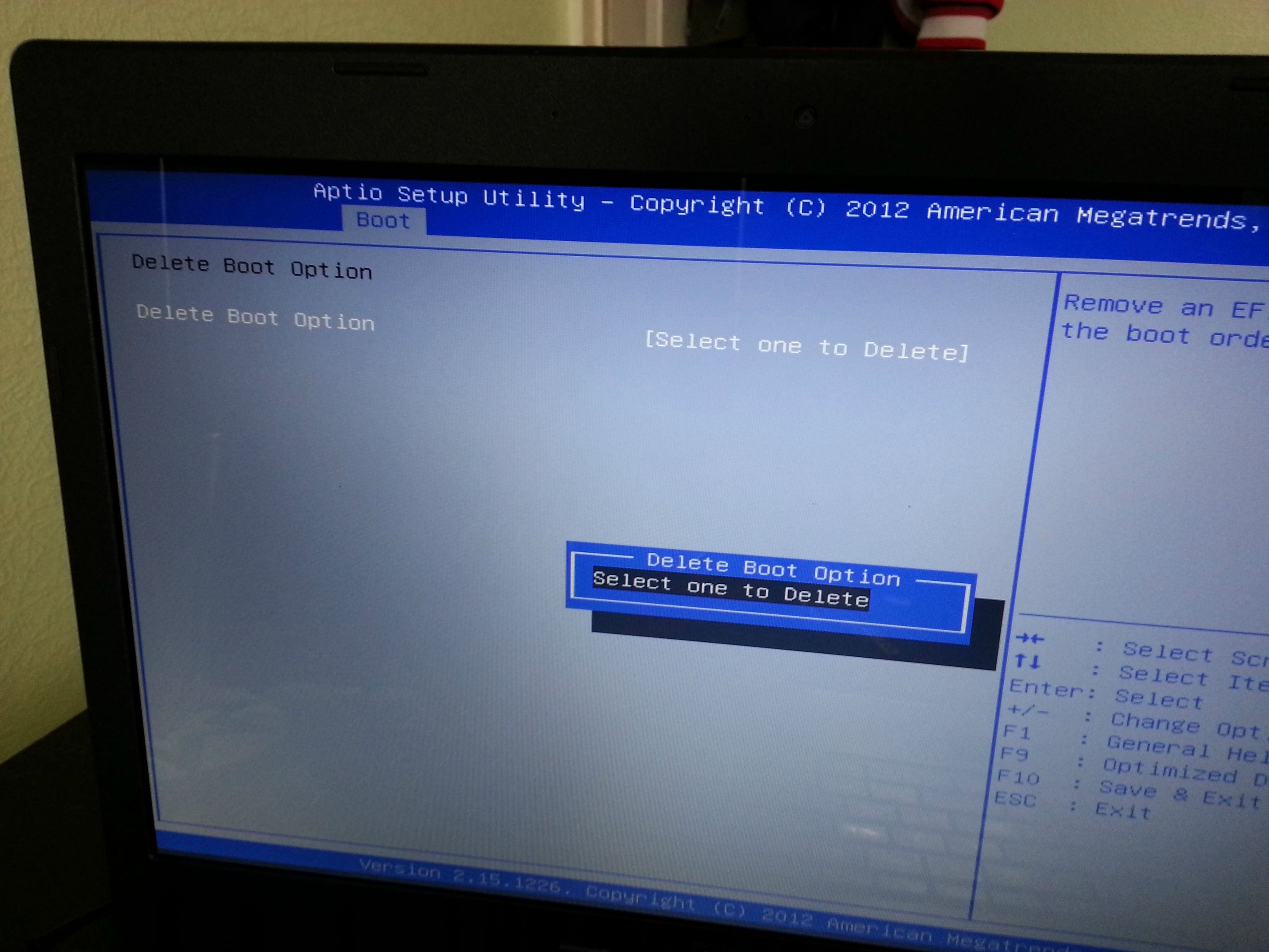
There is an option in the BIOS that says: Delete Boot Option, but there is nothing to delete. There is also no Add Boot Option.
Also there are supposed to be other options such as Launch CSM or Secure Boot Control, but they are missing too.
There is no UEFI option too. There was one with BIOS version 302, but I updated to latest BIOS 417 and it was gone.

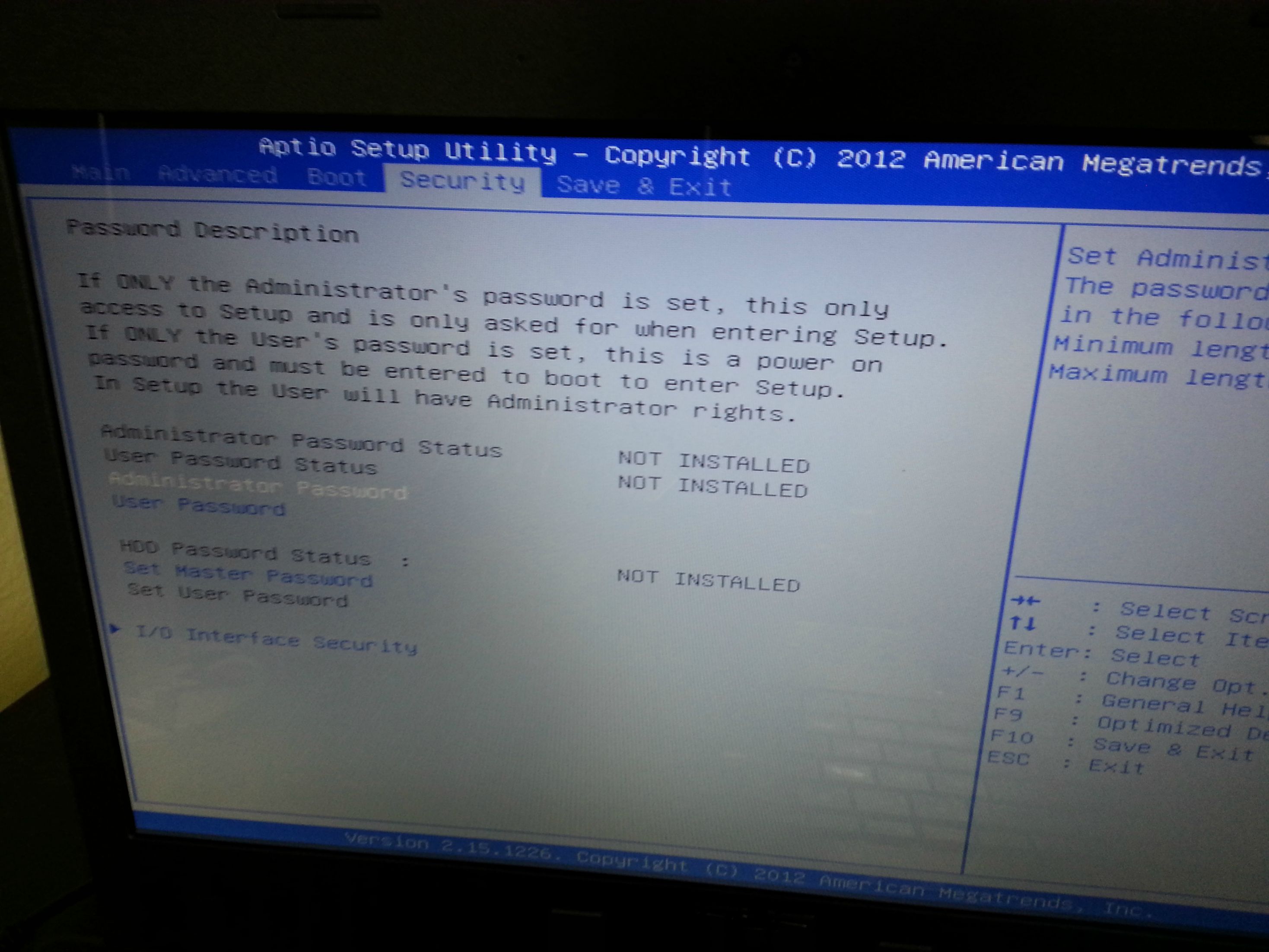
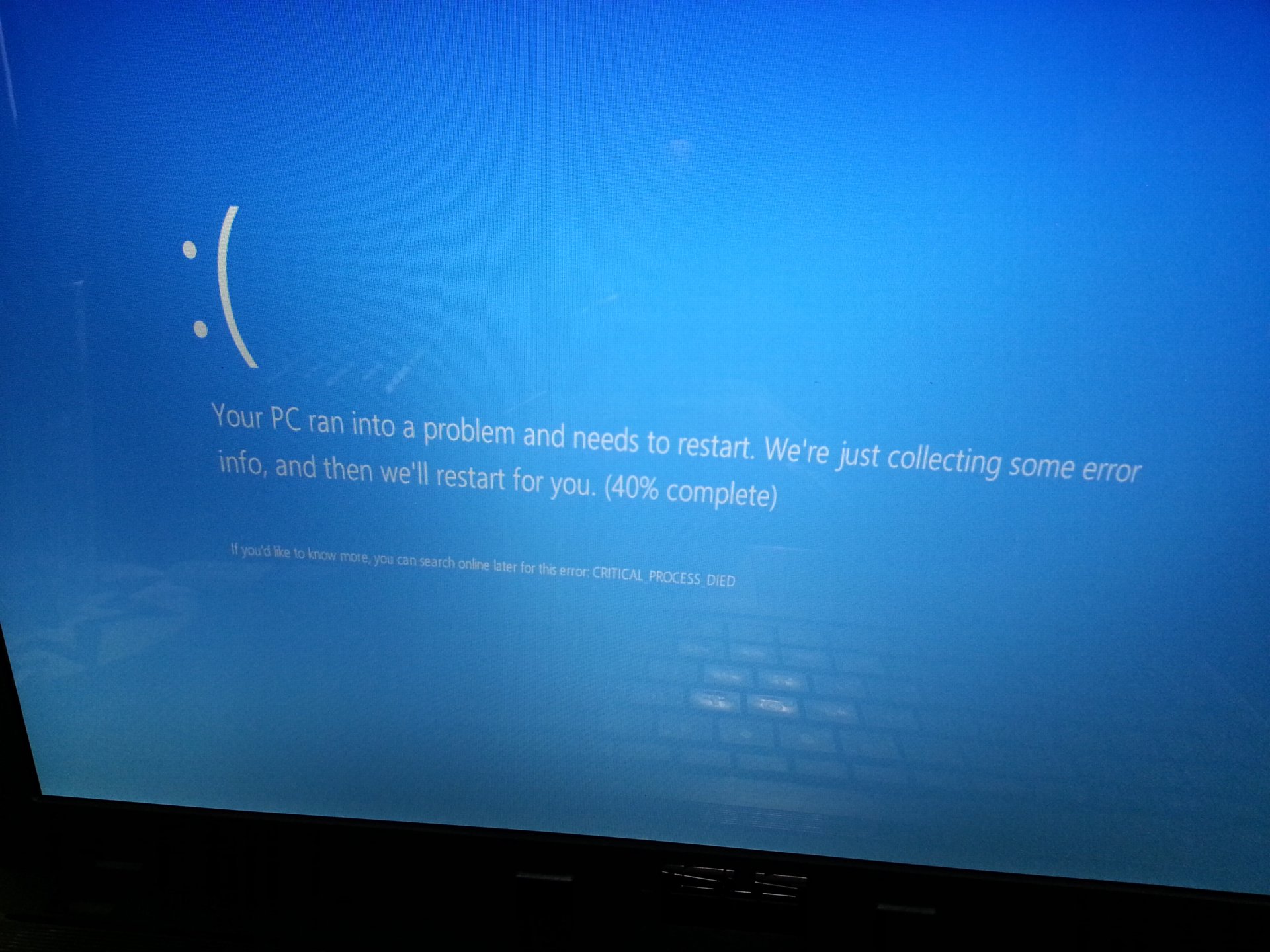
My attempts to install Windows 7 fail miserably and I don't know why. The weird thing is that if I disable USB via I/O Interface Security then Windows 7 loads after a fresh installation, but if they are enabled it gives me a BSOD with 0x000007E error. Tried to install Windows 8 and at one point it was working, but then I installed a bunch of drivers and it started giving me a fancier BSOD. I think the Intel Rapid Storage Technology driver was to blame?

So what is this UEFI thing and how do I use it to install Windows 7 or 8 properly? What options do I disable/enable in BIOS and at what point?

Thank you.
 

My Computer My Computer

At a glance

Windows 7 Professional x64Intel Core i7 950 3.06GhzG.Skill Ripjaws 6GB (3x2GB) DDR3 1600MHz 8-8-...2x MSI GTX 460 Cyclone Overclocked Edition 1GB
OS
Windows 7 Professional x64
CPU
Intel Core i7 950 3.06Ghz
Motherboard
Gigabyte GA-X58A-UD5 (rev. 2.0)
Memory
G.Skill Ripjaws 6GB (3x2GB) DDR3 1600MHz 8-8-8-24
Graphics Card(s)
2x MSI GTX 460 Cyclone Overclocked Edition 1GB
Sound Card
Asus Xonar DX
Monitor(s) Displays
Samsung XL2370HD
Screen Resolution
1920x1080
Hard Drives
OCZ Vertex 2 Series 60 GB
Samsung SpinPoint F3 1TB
PSU
Corsair HX Series 850W Modular Power Supply
Case
Coolermaster CM 690 II Advanced
Hi CYPER.

I am not very aware of the UEFI because when I got it and had a real hard time to install windows, I straight disabled it.

I think some other people will explain you about the UEFI, but my concern is the BSODs, stop 0x7E, caused by Intel Rapid Storage?

You may boot into the BIOS, and then disable Intel Rapid Storage and/or Intel Smart Response. Also if there is a xTreme Hard Drive (Gigabyte XHD) option, keep it disabled.

One more vital question is ..... you have two discs. Definitely you are installing windows on the OCZ SSD? When UEFI is on, the disc will be formatted as GPT during install. But what is the format of the Samsung HDD? If it is MBR, windows will never load. If you know about it, let us know.

But if you dont know, download Partition wizard Bootable CD (the last one in the link). Burn it in a blank CD or in a USB flash stick.

Boot into Partition Wizards GUI following this instructions. When you are on the last screen, take a camera snap of the screen and upload the snap here.
Screenshots and Files - Upload and Post in Seven Forums

We need to see the partitions and parameters. It will tell us the answers.

Frankly speaking, the first attempt with UEFI was very hard with me, too.
 

My Computer My Computer

At a glance

Microsoft Windows 10 Pro Insider Preview 64-bitIntel(R) Core(TM) i3-4130 CPU @ 3.40GHzCorsair Vengence 4GB x2 (8.00GB Dual-Channel ...2047MB GeForce GTS 450 (ZOTAC International)
Computer type
PC/Desktop
Computer Manufacturer/Model Number
Self Assembled
OS
Microsoft Windows 10 Pro Insider Preview 64-bit
CPU
Intel(R) Core(TM) i3-4130 CPU @ 3.40GHz
Motherboard
Gigabyte Technology Co., Ltd. B85M-D3H
Memory
Corsair Vengence 4GB x2 (8.00GB Dual-Channel DDR3 @ 798MHz)
Graphics Card(s)
2047MB GeForce GTS 450 (ZOTAC International)
Sound Card
Onboard (Realtek High Definition Audio)
Monitor(s) Displays
LG Flatron E2040T
Screen Resolution
1600x900
Hard Drives
Western Digital 1 TB
Seagate 500 GB
PSU
Corsair VS550
Case
Cooler Master K380
Cooling
Cooler Master Seidon 120V Plus
Keyboard
Logitech MK260r
Mouse
Logitech MK260r
Internet Speed
PMPL Broadband
Antivirus
Windows Defender + MBAM
Browser
Firefox
Other Info
Dell Studio 15" Laptop
Hi and thank you for your reply.

The laptop has only one hard disk (500GB).
Right at the beginning I updated the BIOS to the latest 417 version.
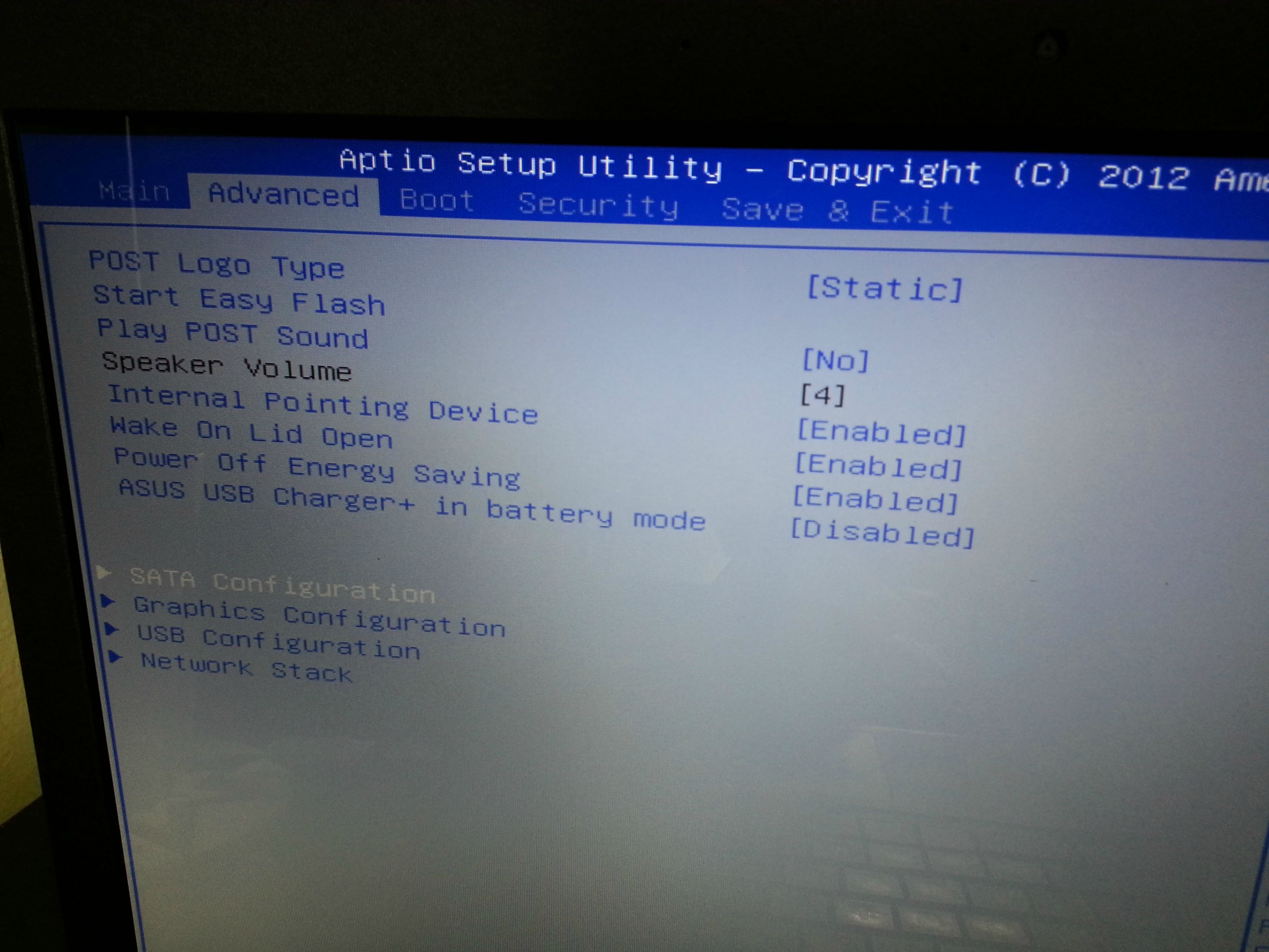
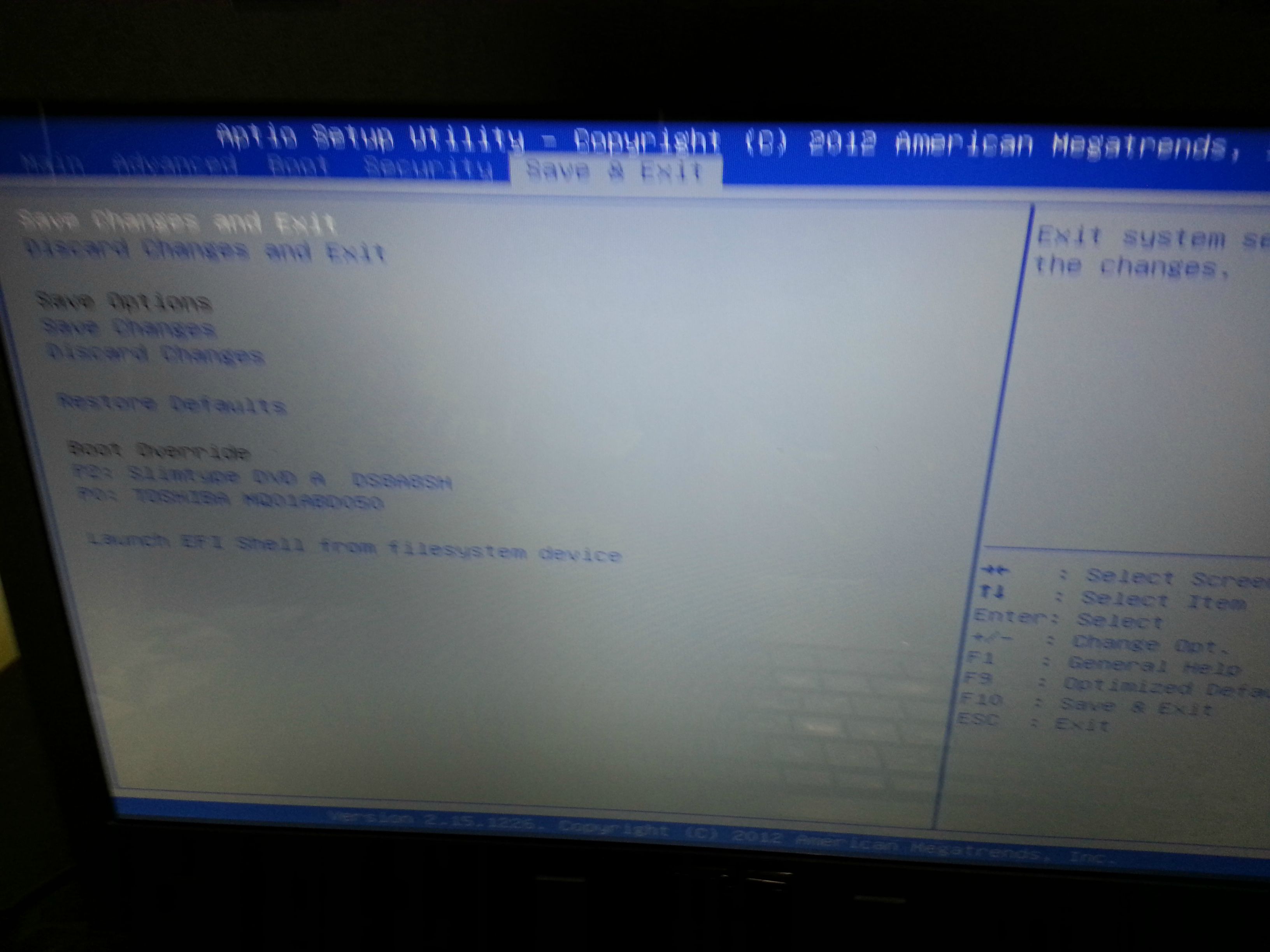
I've read that options like UEFI Control, Secure Boot and CMS should be available in the BIOS, yet I don't have them. There is an option "Remove Boot Option" with nothing to remove in the list. There is no "Add Boot Option" and I think there should be one.
Also there is no Intel Rapid Storage and/or Intel Smart Response in the BIOS. The only options that I think are somehow related are Launch PXE OpROM and Delete Boot Option (Empty List).

I have no problems booting and installing Windows 7 x64 or Windows 8.1 x64 from a USB drive. The problems appear after successful installation.

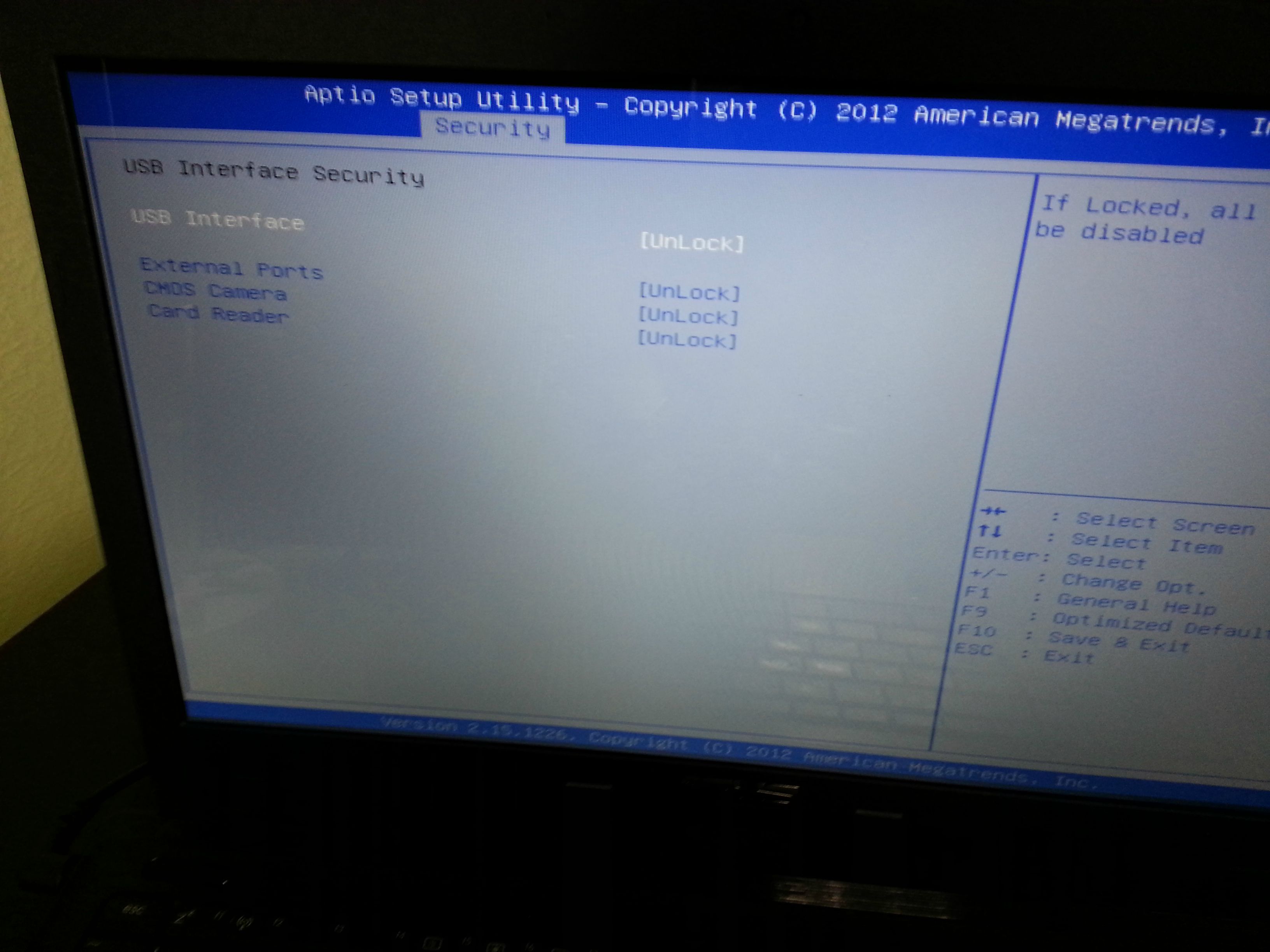
Windows 7: Not sure at what point exactly I get the first BSOD, but disabling USB hardware in the BIOS under Security/IO Interface Security/USB Interface Security/Lock gets rid of the BSOD and Windows works from there on. Basically disabling external USB Ports, CMOS Camera and Card Reader fixes the problem, but I need this.

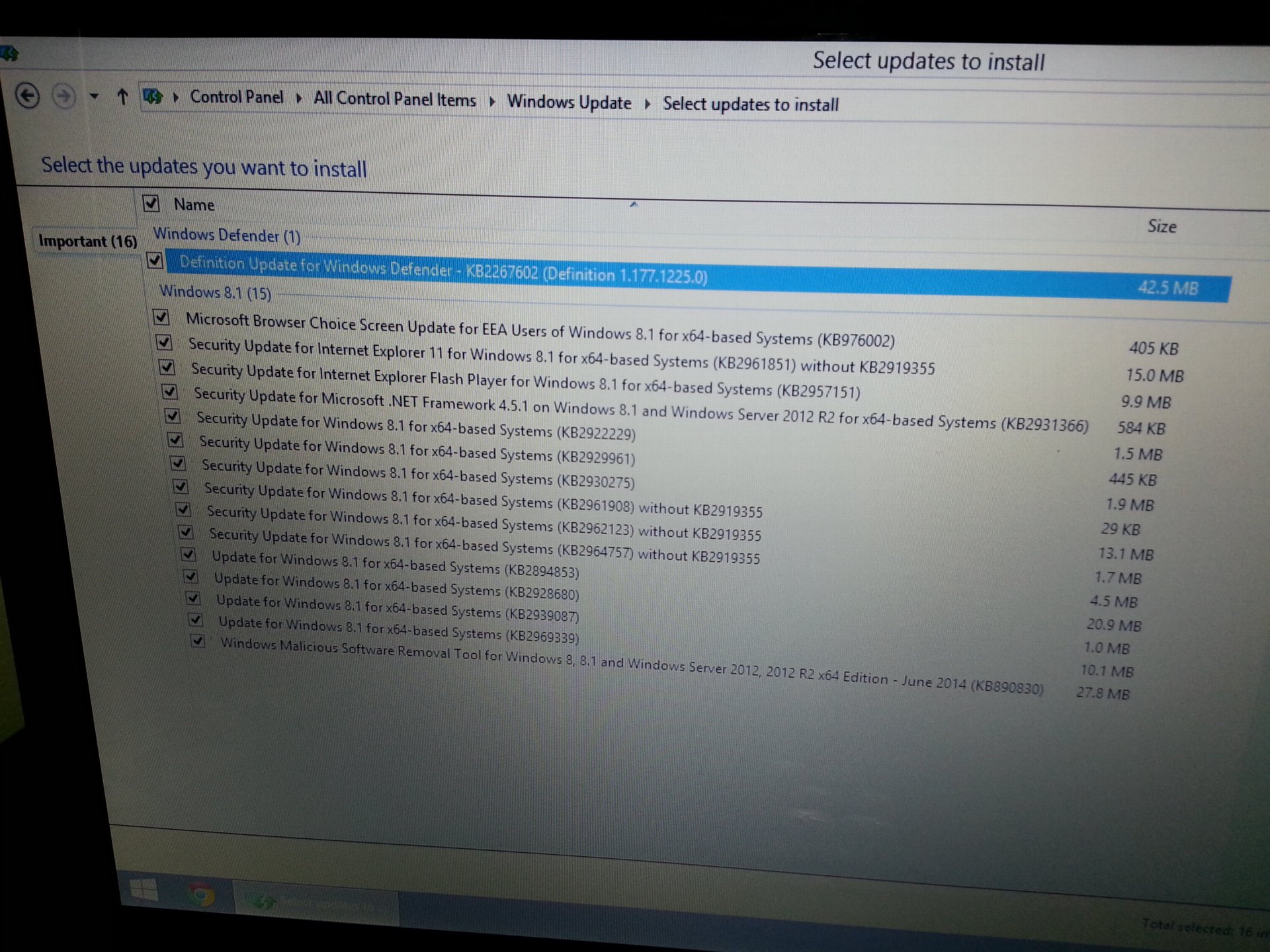
Windows 8 - After the very first Windows Update (16 Updates) and the restart after installing them I start to get the fancier Windows 8 BSOD every time. Then after 2 failed boots it gives me the Repair option, which is basically a System Restore I think and it works again, because it removes the 16 Updates. If I install them again = boom same BSOD.

I think the HDD is formatted with MBR with both Windows 7 and 8.1
I see no traces of UEFI anywhere - not sure how to check though, but I think if it was UEFI then I wouldn't be able to boot from the USB stick to install Windows, right?

A few photos from BIOS:

yLY5XFm.jpg

SojV3I0.jpg

o0a1ETj.jpg

LFqTfGB.jpg

0x0XDGX.jpg

EgCEtoH.jpg

ZRdtKKr.jpg
 

My Computer My Computer

At a glance

Windows 7 Professional x64Intel Core i7 950 3.06GhzG.Skill Ripjaws 6GB (3x2GB) DDR3 1600MHz 8-8-...2x MSI GTX 460 Cyclone Overclocked Edition 1GB
OS
Windows 7 Professional x64
CPU
Intel Core i7 950 3.06Ghz
Motherboard
Gigabyte GA-X58A-UD5 (rev. 2.0)
Memory
G.Skill Ripjaws 6GB (3x2GB) DDR3 1600MHz 8-8-8-24
Graphics Card(s)
2x MSI GTX 460 Cyclone Overclocked Edition 1GB
Sound Card
Asus Xonar DX
Monitor(s) Displays
Samsung XL2370HD
Screen Resolution
1920x1080
Hard Drives
OCZ Vertex 2 Series 60 GB
Samsung SpinPoint F3 1TB
PSU
Corsair HX Series 850W Modular Power Supply
Case
Coolermaster CM 690 II Advanced
Just did the Restore on the latest Windows 8.1 installation and it worked, albeit it is loading the OS quite slowly. The 16 updates are gone and I can install them again, which I am 100% sure will lead to the BSOD again. Windows 8.1 is working normally now and I can restart the laptop without BSOD, but can't update it :(

mydIJSU.jpg


These are the updates:

L5aR9Gf.jpg


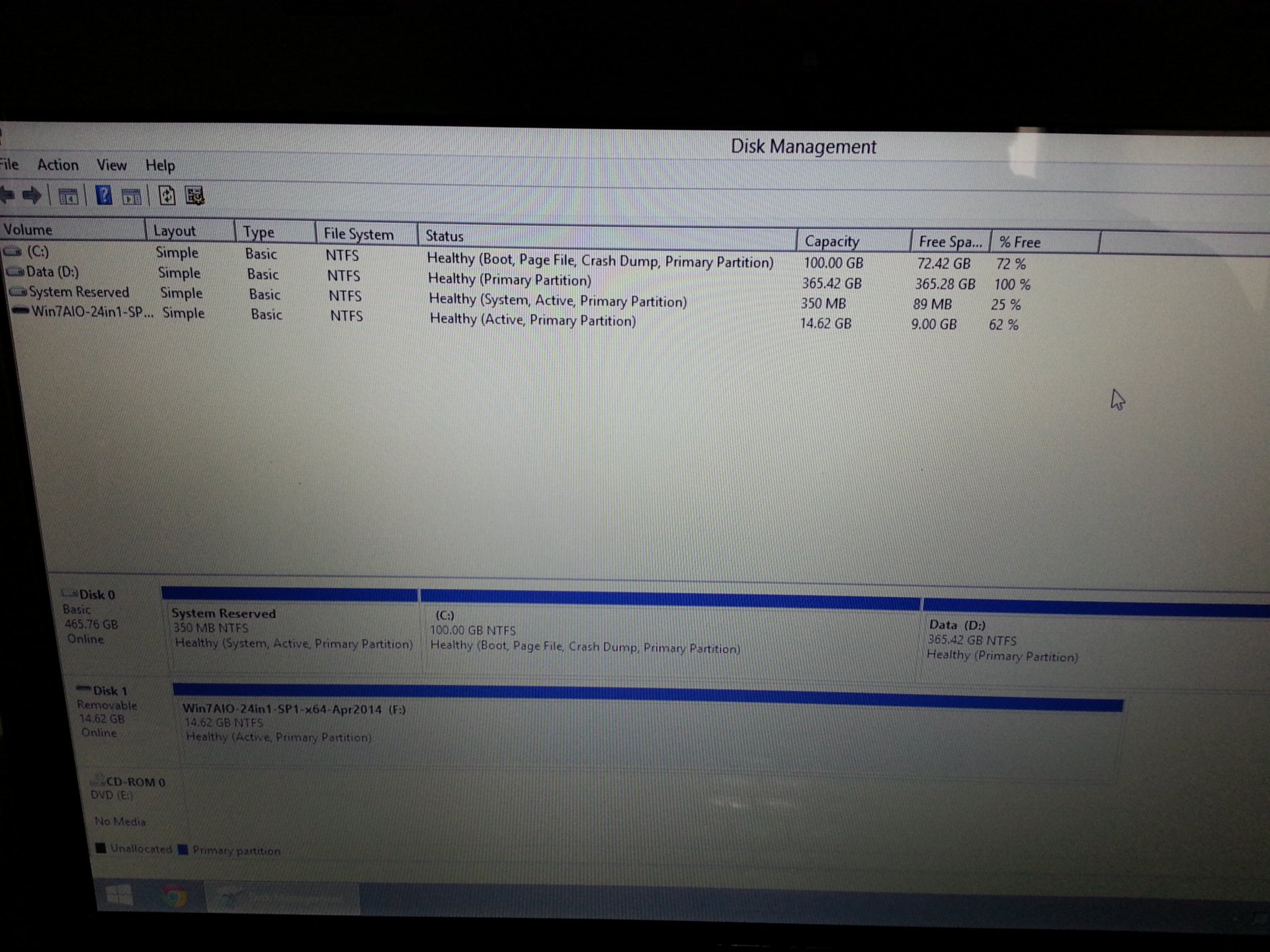
And these are the HDD partitions:

XAYSiEr.jpg
 

My Computer My Computer

At a glance

Windows 7 Professional x64Intel Core i7 950 3.06GhzG.Skill Ripjaws 6GB (3x2GB) DDR3 1600MHz 8-8-...2x MSI GTX 460 Cyclone Overclocked Edition 1GB
OS
Windows 7 Professional x64
CPU
Intel Core i7 950 3.06Ghz
Motherboard
Gigabyte GA-X58A-UD5 (rev. 2.0)
Memory
G.Skill Ripjaws 6GB (3x2GB) DDR3 1600MHz 8-8-8-24
Graphics Card(s)
2x MSI GTX 460 Cyclone Overclocked Edition 1GB
Sound Card
Asus Xonar DX
Monitor(s) Displays
Samsung XL2370HD
Screen Resolution
1920x1080
Hard Drives
OCZ Vertex 2 Series 60 GB
Samsung SpinPoint F3 1TB
PSU
Corsair HX Series 850W Modular Power Supply
Case
Coolermaster CM 690 II Advanced
OK, you boot into the BIOS.

Search in tabs "Main", "Advanced" and "Boot". Expand each and every item there. Wherever there is an UEFI option, set it to "legacy". Also, under Advanced > Sata Configuration, set the storage controller to AHCI. If there is any option named with Intel there, disable it.

Then do a quick install of windows 7. Have at least two restarts after the installation is finished. Do the BSODs still occur? Let us know.
 

My Computer My Computer

At a glance

Microsoft Windows 10 Pro Insider Preview 64-bitIntel(R) Core(TM) i3-4130 CPU @ 3.40GHzCorsair Vengence 4GB x2 (8.00GB Dual-Channel ...2047MB GeForce GTS 450 (ZOTAC International)
Computer type
PC/Desktop
Computer Manufacturer/Model Number
Self Assembled
OS
Microsoft Windows 10 Pro Insider Preview 64-bit
CPU
Intel(R) Core(TM) i3-4130 CPU @ 3.40GHz
Motherboard
Gigabyte Technology Co., Ltd. B85M-D3H
Memory
Corsair Vengence 4GB x2 (8.00GB Dual-Channel DDR3 @ 798MHz)
Graphics Card(s)
2047MB GeForce GTS 450 (ZOTAC International)
Sound Card
Onboard (Realtek High Definition Audio)
Monitor(s) Displays
LG Flatron E2040T
Screen Resolution
1600x900
Hard Drives
Western Digital 1 TB
Seagate 500 GB
PSU
Corsair VS550
Case
Cooler Master K380
Cooling
Cooler Master Seidon 120V Plus
Keyboard
Logitech MK260r
Mouse
Logitech MK260r
Internet Speed
PMPL Broadband
Antivirus
Windows Defender + MBAM
Browser
Firefox
Other Info
Dell Studio 15" Laptop
There is no UEFI option of any kind in this BIOS version. I think there was one in version 302 before I updated the BIOS, but I don't remember.

SATA Mode has always been AHCI.
The only legacy option is in Advanced/Legacy USB Support which is Enabled by default. Next to it there is XHCI Pre-Boot Mode = Auto (default).
Under Boot, Launch PXE OpROM = Disabled by default.

Just did a fresh install of Windows 7 with 3 reboots after the installayion just to test for BSOD and it is working. Now my guess is if I start installing drivers and Updates it will start to give me BSOD at some point.

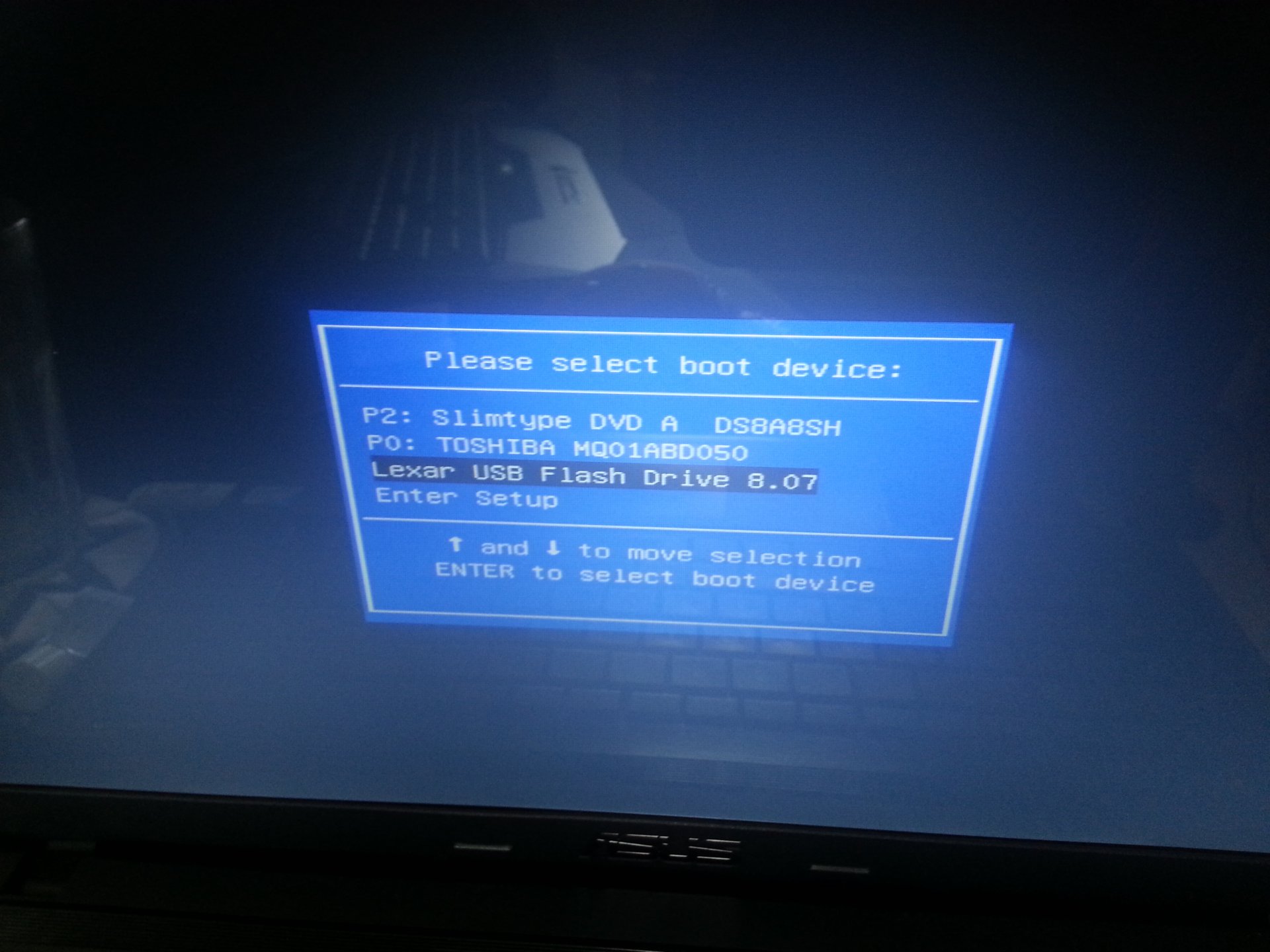
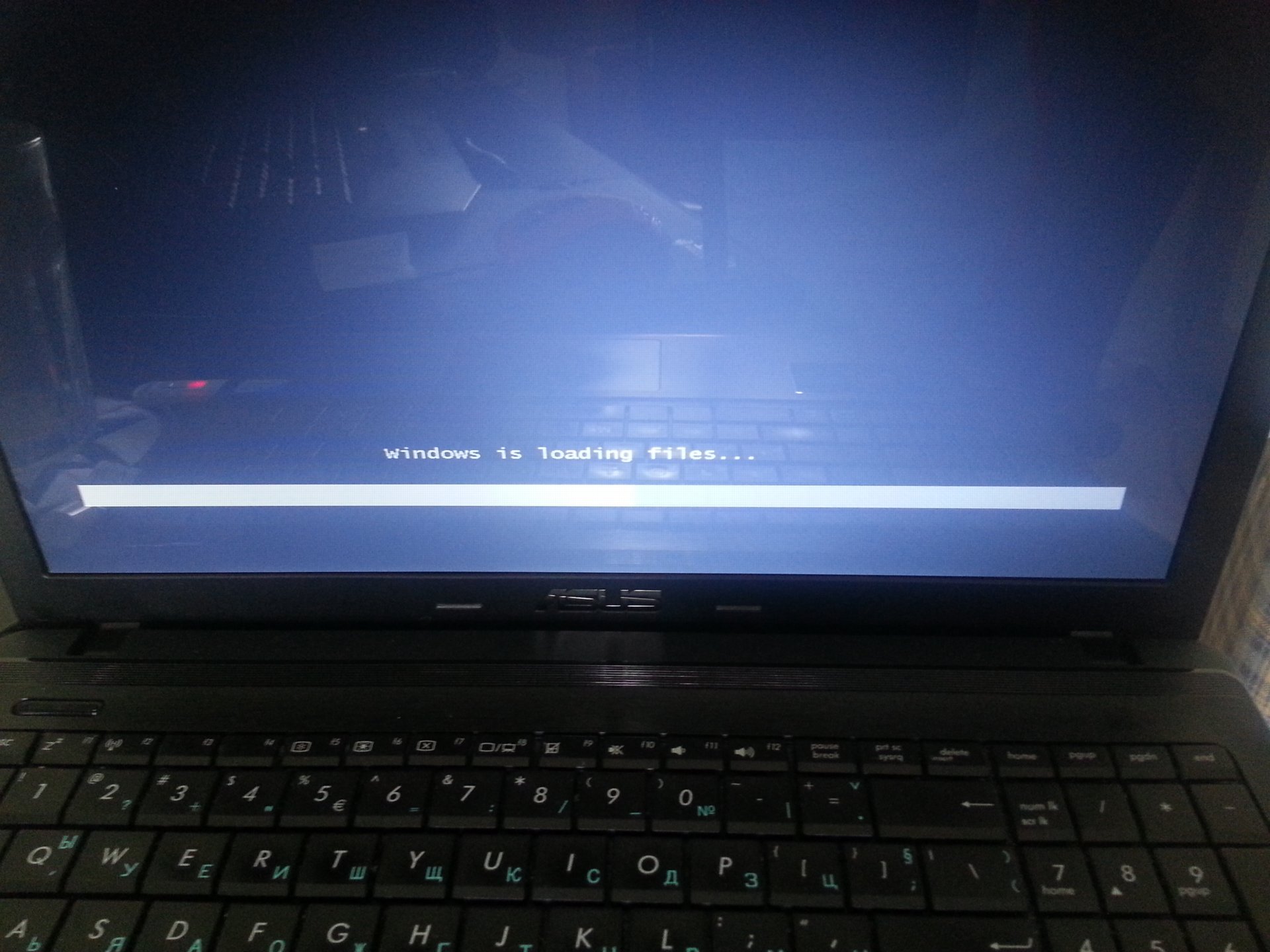
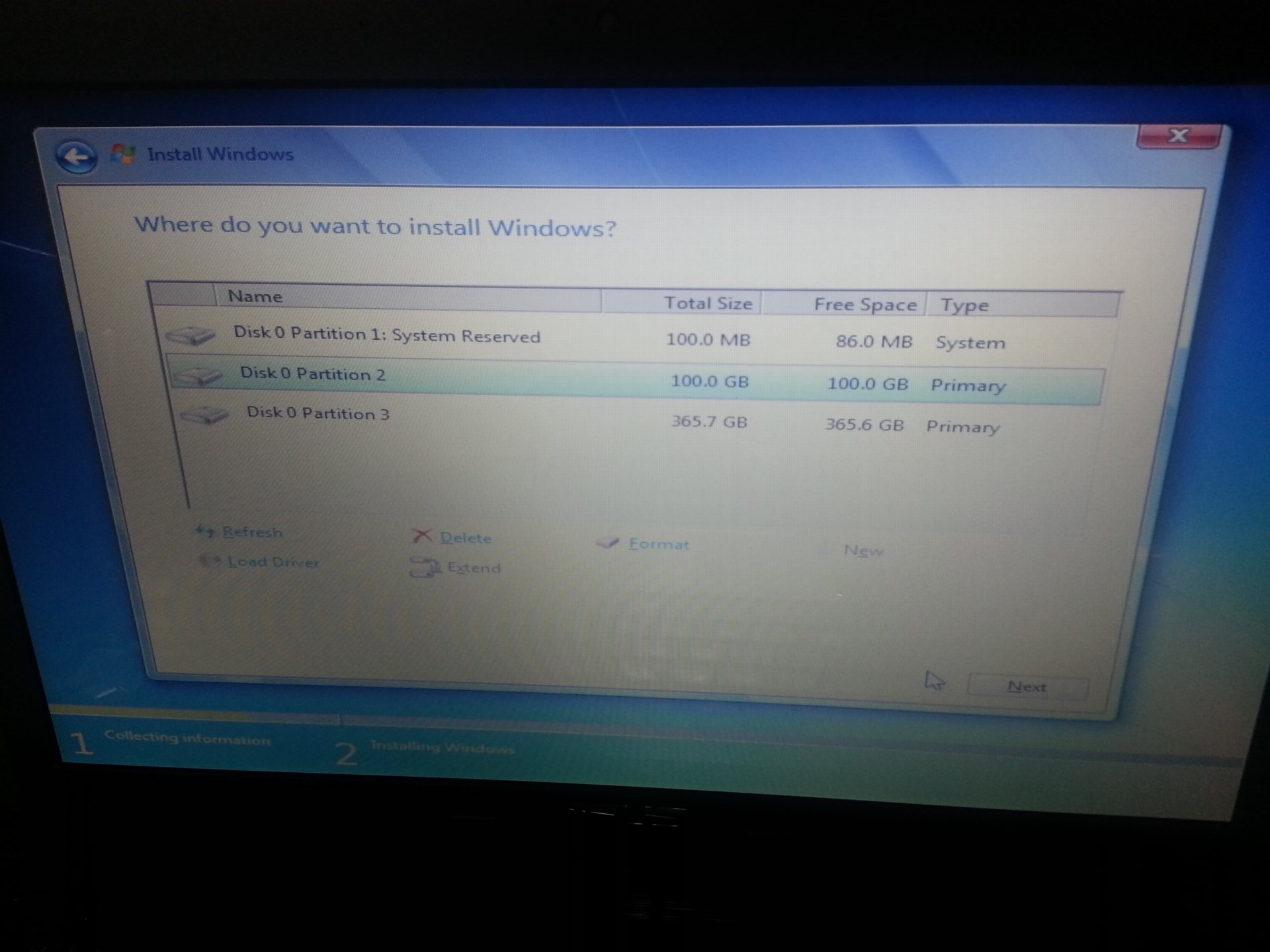
Here are 3 photos from the installation:

E2DzieU.jpg


I1Grq5W.jpg


lVyxVJz.jpg


What should I do next?
 

My Computer My Computer

At a glance

Windows 7 Professional x64Intel Core i7 950 3.06GhzG.Skill Ripjaws 6GB (3x2GB) DDR3 1600MHz 8-8-...2x MSI GTX 460 Cyclone Overclocked Edition 1GB
OS
Windows 7 Professional x64
CPU
Intel Core i7 950 3.06Ghz
Motherboard
Gigabyte GA-X58A-UD5 (rev. 2.0)
Memory
G.Skill Ripjaws 6GB (3x2GB) DDR3 1600MHz 8-8-8-24
Graphics Card(s)
2x MSI GTX 460 Cyclone Overclocked Edition 1GB
Sound Card
Asus Xonar DX
Monitor(s) Displays
Samsung XL2370HD
Screen Resolution
1920x1080
Hard Drives
OCZ Vertex 2 Series 60 GB
Samsung SpinPoint F3 1TB
PSU
Corsair HX Series 850W Modular Power Supply
Case
Coolermaster CM 690 II Advanced
I have asked for some more help. Let us hope we will get it soon. :)
 

My Computer My Computer

At a glance

Microsoft Windows 10 Pro Insider Preview 64-bitIntel(R) Core(TM) i3-4130 CPU @ 3.40GHzCorsair Vengence 4GB x2 (8.00GB Dual-Channel ...2047MB GeForce GTS 450 (ZOTAC International)
Computer type
PC/Desktop
Computer Manufacturer/Model Number
Self Assembled
OS
Microsoft Windows 10 Pro Insider Preview 64-bit
CPU
Intel(R) Core(TM) i3-4130 CPU @ 3.40GHz
Motherboard
Gigabyte Technology Co., Ltd. B85M-D3H
Memory
Corsair Vengence 4GB x2 (8.00GB Dual-Channel DDR3 @ 798MHz)
Graphics Card(s)
2047MB GeForce GTS 450 (ZOTAC International)
Sound Card
Onboard (Realtek High Definition Audio)
Monitor(s) Displays
LG Flatron E2040T
Screen Resolution
1600x900
Hard Drives
Western Digital 1 TB
Seagate 500 GB
PSU
Corsair VS550
Case
Cooler Master K380
Cooling
Cooler Master Seidon 120V Plus
Keyboard
Logitech MK260r
Mouse
Logitech MK260r
Internet Speed
PMPL Broadband
Antivirus
Windows Defender + MBAM
Browser
Firefox
Other Info
Dell Studio 15" Laptop
Reference post only - no actionable items.

Gigabyte pages: GA-X58A-UD5 (rev. 2.0)
The BIOS versions you state don't seem to match those available for the board at all.
Please double check that I am looking at the correct gigabyte Mobo and that you have the correct BIOS.

If you're installing with a USB thumbdrive - follow these instructions
UEFI Bootable USB Flash Drive - Create in Windows

Note: Pay close attention to the Rufus options in step# 4.
edit: You cannot use the Win7 USB/DVD download tool to create UEFI install media on a USB thumbdrive - it formats NTFS which doesn't work with USB UEFI installs for some reason.

I see that you are switching between Win8 and Win7 - is this a downgrade install?
 

My Computer My Computer

At a glance

x64 (6.3.9600) Win8.1 Pro & soon dual boot x6...AMD A6-3420M APU with Radeon(tm) HD Graphics6.00 GBAMD Radeon(TM) HD 6520G
Computer type
Laptop
Computer Manufacturer/Model Number
HP Pavilion dv6-6c10us
OS
x64 (6.3.9600) Win8.1 Pro & soon dual boot x64 (6.1.7601) Win7_SP1 HomePrem
CPU
AMD A6-3420M APU with Radeon(tm) HD Graphics
Motherboard
Hewlett-Packard 1805
Memory
6.00 GB
Graphics Card(s)
AMD Radeon(TM) HD 6520G
Sound Card
(1) AMD High Definition Audio Device (2) IDT High Definiti
Monitor(s) Displays
HP W2072a 20" LCD (1600 x 900) @ 60 Hz
Screen Resolution
1366 x 768 x 32 bits (4294967296 colors) @ 60 Hz
Hard Drives
ST640LM0 00 HM641JI SATA Disk Device
Keyboard
Logitech k520 wireless KB
Mouse
Logitech m320 wireless mouse (bundled with KB)
Internet Speed
15/5 | 54 MB Wireless 'n'
Antivirus
Realtime: Defender or Avast | On-demand: Malwarebytes, ESET
Browser
IE 11 on Win8, IE 10 on win 7
Other Info
Media: [Gimp, Audacity, VLC] || Comm: [WEmail 2012, Skype] || Productivity: [OpenOffice,| Textpad] || Utils: [Sysinternals, cCleaner, Speccy, Defraggler]
Reference post only - no actionable items.

Gigabyte pages: GA-X58A-UD5 (rev. 2.0)
The BIOS version you state don't seem to match those available for the board at all. Please double check that I am looking at the correct gigabyte Mobo and that you have the correct BIOS.

If you're installing with a USB thumbdrive - follow these instructions
UEFI Bootable USB Flash Drive - Create in Windows

Note: Pay close attention to the Rufus options in step# 4.

I see that you are switching between Win8 and Win7 - is this a downgrade install?

Please read the topic title ;) - Asus X55A

I tried the UEFI Bootable USB guide, but it made no difference.
 

My Computer My Computer

At a glance

Windows 7 Professional x64Intel Core i7 950 3.06GhzG.Skill Ripjaws 6GB (3x2GB) DDR3 1600MHz 8-8-...2x MSI GTX 460 Cyclone Overclocked Edition 1GB
OS
Windows 7 Professional x64
CPU
Intel Core i7 950 3.06Ghz
Motherboard
Gigabyte GA-X58A-UD5 (rev. 2.0)
Memory
G.Skill Ripjaws 6GB (3x2GB) DDR3 1600MHz 8-8-8-24
Graphics Card(s)
2x MSI GTX 460 Cyclone Overclocked Edition 1GB
Sound Card
Asus Xonar DX
Monitor(s) Displays
Samsung XL2370HD
Screen Resolution
1920x1080
Hard Drives
OCZ Vertex 2 Series 60 GB
Samsung SpinPoint F3 1TB
PSU
Corsair HX Series 850W Modular Power Supply
Case
Coolermaster CM 690 II Advanced
Please read the topic title ;) - Asus X55A

I tried the UEFI Bootable USB guide, but it made no difference.

Ok, fair enough.... thanks for checking my references.

IF BIOS 302 gave you the options, I'd go back to that version or the base version 301
There are some updates such as
413: Fix the issue that SecureBoot will be disabled if BIOS is updated by EzFlash or WinFlash

that indicate the flashing of BIOS is causing you consternation.

I think I got the correct board machine this time :)

Please update your System Specs for the you are working on. Out of habit, members look at the specs, not the title of the thread.

Now about my other question... is this a Win8 downgrade install?
 
Last edited:

My Computer My Computer

At a glance

x64 (6.3.9600) Win8.1 Pro & soon dual boot x6...AMD A6-3420M APU with Radeon(tm) HD Graphics6.00 GBAMD Radeon(TM) HD 6520G
Computer type
Laptop
Computer Manufacturer/Model Number
HP Pavilion dv6-6c10us
OS
x64 (6.3.9600) Win8.1 Pro & soon dual boot x64 (6.1.7601) Win7_SP1 HomePrem
CPU
AMD A6-3420M APU with Radeon(tm) HD Graphics
Motherboard
Hewlett-Packard 1805
Memory
6.00 GB
Graphics Card(s)
AMD Radeon(TM) HD 6520G
Sound Card
(1) AMD High Definition Audio Device (2) IDT High Definiti
Monitor(s) Displays
HP W2072a 20" LCD (1600 x 900) @ 60 Hz
Screen Resolution
1366 x 768 x 32 bits (4294967296 colors) @ 60 Hz
Hard Drives
ST640LM0 00 HM641JI SATA Disk Device
Keyboard
Logitech k520 wireless KB
Mouse
Logitech m320 wireless mouse (bundled with KB)
Internet Speed
15/5 | 54 MB Wireless 'n'
Antivirus
Realtime: Defender or Avast | On-demand: Malwarebytes, ESET
Browser
IE 11 on Win8, IE 10 on win 7
Other Info
Media: [Gimp, Audacity, VLC] || Comm: [WEmail 2012, Skype] || Productivity: [OpenOffice,| Textpad] || Utils: [Sysinternals, cCleaner, Speccy, Defraggler]
Please read the topic title ;) - Asus X55A

I tried the UEFI Bootable USB guide, but it made no difference.

Ok, fair enough.... thanks for checking my references.

IF BIOS 302 gave you the options, I'd go back to that version or the base version 301
There are some updates such as
413: Fix the issue that SecureBoot will be disabled if BIOS is updated by EzFlash or WinFlash

that indicate the flashing of BIOS is causing you consternation.

I think I got the correct board this time :)

Please update your System Specs for the you are working on. Out of habit, members look at the specs, not the title of the thread.

Now about my other question... is this a Win8 downgrade install?

It's a friend's laptop, not mine, that is why I haven't changed my System Specs.
BIOS downgrade is impossible at least not through the BIOS interface - that is where I updated it originally. I tried to flash 302 after the update it it tells me it is too old.

As far as I can see the laptop came originally with DOS, at least the sticker on the palm rest says OS: Free DOS.
My friend had Windows 7 on it and one day it stopped working with the error being some files are corrupt or missing. System Repair didn't help, so I decided to reinstall and I've been trying ever since.
 

My Computer My Computer

At a glance

Windows 7 Professional x64Intel Core i7 950 3.06GhzG.Skill Ripjaws 6GB (3x2GB) DDR3 1600MHz 8-8-...2x MSI GTX 460 Cyclone Overclocked Edition 1GB
OS
Windows 7 Professional x64
CPU
Intel Core i7 950 3.06Ghz
Motherboard
Gigabyte GA-X58A-UD5 (rev. 2.0)
Memory
G.Skill Ripjaws 6GB (3x2GB) DDR3 1600MHz 8-8-8-24
Graphics Card(s)
2x MSI GTX 460 Cyclone Overclocked Edition 1GB
Sound Card
Asus Xonar DX
Monitor(s) Displays
Samsung XL2370HD
Screen Resolution
1920x1080
Hard Drives
OCZ Vertex 2 Series 60 GB
Samsung SpinPoint F3 1TB
PSU
Corsair HX Series 850W Modular Power Supply
Case
Coolermaster CM 690 II Advanced
I see, the box came with a free dos OS and your friend loaded Win7 and you've been trying Win8.

Where did the install media come from? Are they retail versions?

I'm going to step back on the UEFI, because it isn't necessary to install Windows. The fact that you're having difficulties with BIOS tells me that you should skip the fancy Unified Extensible Firmware Interface (UEFI) and try installing with legacy BIOS. (I should have paid more attention to Arc's post# 2).

I'm looking at the specs for the Asus X55A (right machine this time? ;)) and there are two processors.
Notebooks & Ultrabooks - X55A - ASUS

User manual

I'm going to need more information on the machine. Is it up and running?

Please follow this tutorial to provide the current operating environment of your machine.
http://www.sevenforums.com/tutorials/311593-speccy-publish-snapshot-your-system-specs.html


Thanks
 

My Computer My Computer

At a glance

x64 (6.3.9600) Win8.1 Pro & soon dual boot x6...AMD A6-3420M APU with Radeon(tm) HD Graphics6.00 GBAMD Radeon(TM) HD 6520G
Computer type
Laptop
Computer Manufacturer/Model Number
HP Pavilion dv6-6c10us
OS
x64 (6.3.9600) Win8.1 Pro & soon dual boot x64 (6.1.7601) Win7_SP1 HomePrem
CPU
AMD A6-3420M APU with Radeon(tm) HD Graphics
Motherboard
Hewlett-Packard 1805
Memory
6.00 GB
Graphics Card(s)
AMD Radeon(TM) HD 6520G
Sound Card
(1) AMD High Definition Audio Device (2) IDT High Definiti
Monitor(s) Displays
HP W2072a 20" LCD (1600 x 900) @ 60 Hz
Screen Resolution
1366 x 768 x 32 bits (4294967296 colors) @ 60 Hz
Hard Drives
ST640LM0 00 HM641JI SATA Disk Device
Keyboard
Logitech k520 wireless KB
Mouse
Logitech m320 wireless mouse (bundled with KB)
Internet Speed
15/5 | 54 MB Wireless 'n'
Antivirus
Realtime: Defender or Avast | On-demand: Malwarebytes, ESET
Browser
IE 11 on Win8, IE 10 on win 7
Other Info
Media: [Gimp, Audacity, VLC] || Comm: [WEmail 2012, Skype] || Productivity: [OpenOffice,| Textpad] || Utils: [Sysinternals, cCleaner, Speccy, Defraggler]

My Computer My Computer

At a glance

x64 (6.3.9600) Win8.1 Pro & soon dual boot x6...AMD A6-3420M APU with Radeon(tm) HD Graphics6.00 GBAMD Radeon(TM) HD 6520G
Computer type
Laptop
Computer Manufacturer/Model Number
HP Pavilion dv6-6c10us
OS
x64 (6.3.9600) Win8.1 Pro & soon dual boot x64 (6.1.7601) Win7_SP1 HomePrem
CPU
AMD A6-3420M APU with Radeon(tm) HD Graphics
Motherboard
Hewlett-Packard 1805
Memory
6.00 GB
Graphics Card(s)
AMD Radeon(TM) HD 6520G
Sound Card
(1) AMD High Definition Audio Device (2) IDT High Definiti
Monitor(s) Displays
HP W2072a 20" LCD (1600 x 900) @ 60 Hz
Screen Resolution
1366 x 768 x 32 bits (4294967296 colors) @ 60 Hz
Hard Drives
ST640LM0 00 HM641JI SATA Disk Device
Keyboard
Logitech k520 wireless KB
Mouse
Logitech m320 wireless mouse (bundled with KB)
Internet Speed
15/5 | 54 MB Wireless 'n'
Antivirus
Realtime: Defender or Avast | On-demand: Malwarebytes, ESET
Browser
IE 11 on Win8, IE 10 on win 7
Other Info
Media: [Gimp, Audacity, VLC] || Comm: [WEmail 2012, Skype] || Productivity: [OpenOffice,| Textpad] || Utils: [Sysinternals, cCleaner, Speccy, Defraggler]
Take a look at this post on notebookreview. The author prescribes a method to downgrade the BIOS using DOS Aflash utility.

BIOS update guide for ASUS notebooks - READ THIS BEFORE YOU BRICK YOUR MACHINE!

I am not familiar with the forum or the utility, so the call is yours to make. It's a "think about it first" reference., then think about it some more.

Scroll down to: Step 2 option B. Updating BIOS with AFLASH for DOS
In step 6 of that option it states Also, if the BIOS is older than what you currently have, you will be asked for confirmation that you really wish to write the older version. Confirm in order to downgrade the BIOS

This might get BIOS 302 flashed, or it might brick the system. I've upgraded and downgraded BIOS on many systems many times and never had an issue... still the caution is real - every machine is different.
 

My Computer My Computer

At a glance

x64 (6.3.9600) Win8.1 Pro & soon dual boot x6...AMD A6-3420M APU with Radeon(tm) HD Graphics6.00 GBAMD Radeon(TM) HD 6520G
Computer type
Laptop
Computer Manufacturer/Model Number
HP Pavilion dv6-6c10us
OS
x64 (6.3.9600) Win8.1 Pro & soon dual boot x64 (6.1.7601) Win7_SP1 HomePrem
CPU
AMD A6-3420M APU with Radeon(tm) HD Graphics
Motherboard
Hewlett-Packard 1805
Memory
6.00 GB
Graphics Card(s)
AMD Radeon(TM) HD 6520G
Sound Card
(1) AMD High Definition Audio Device (2) IDT High Definiti
Monitor(s) Displays
HP W2072a 20" LCD (1600 x 900) @ 60 Hz
Screen Resolution
1366 x 768 x 32 bits (4294967296 colors) @ 60 Hz
Hard Drives
ST640LM0 00 HM641JI SATA Disk Device
Keyboard
Logitech k520 wireless KB
Mouse
Logitech m320 wireless mouse (bundled with KB)
Internet Speed
15/5 | 54 MB Wireless 'n'
Antivirus
Realtime: Defender or Avast | On-demand: Malwarebytes, ESET
Browser
IE 11 on Win8, IE 10 on win 7
Other Info
Media: [Gimp, Audacity, VLC] || Comm: [WEmail 2012, Skype] || Productivity: [OpenOffice,| Textpad] || Utils: [Sysinternals, cCleaner, Speccy, Defraggler]
I see, the box came with a free dos OS and your friend loaded Win7 and you've been trying Win8.

Where did the install media come from? Are they retail versions?

I'm going to step back on the UEFI, because it isn't necessary to install Windows. The fact that you're having difficulties with BIOS tells me that you should skip the fancy Unified Extensible Firmware Interface (UEFI) and try installing with legacy BIOS. (I should have paid more attention to Arc's post# 2).

I'm looking at the specs for the Asus X55A (right machine this time? ;)) and there are two processors.
Notebooks & Ultrabooks - X55A - ASUS

User manual

I'm going to need more information on the machine. Is it up and running?

Please follow this tutorial to provide the current operating environment of your machine.
http://www.sevenforums.com/tutorials/311593-speccy-publish-snapshot-your-system-specs.html


Thanks

I've tried Windows 7 first and after I realized there is some inherent problem I tried Windows 8.1.
Btw the latest attempt of Windows 7 installation is so far successful with 2 rounds of updates installed and a couple of restarts. So far the laptop is running OK.
I will proceed to install any missing drivers and I expect a BSOD. I think it can be related to the Chipset driver - I will install this one:
Version - V9.3.0.1020
Description - Intel INF Update Driver
File Size - 2,94 (MBytes)
Date - 2012.03.02

Media is ISO that I used before and I know it works.

In Regards to UEFI - there is no such option in BIOS and I don't think it is active in any way. Please check my previous posts - there are photos from BIOS with all the options.

So machine is up and running now after a fresh install and 2 rounds of updates. Let's see if that Chipset driver will bring the BSOD.


Few posts back ;)
 

My Computer My Computer

At a glance

Windows 7 Professional x64Intel Core i7 950 3.06GhzG.Skill Ripjaws 6GB (3x2GB) DDR3 1600MHz 8-8-...2x MSI GTX 460 Cyclone Overclocked Edition 1GB
OS
Windows 7 Professional x64
CPU
Intel Core i7 950 3.06Ghz
Motherboard
Gigabyte GA-X58A-UD5 (rev. 2.0)
Memory
G.Skill Ripjaws 6GB (3x2GB) DDR3 1600MHz 8-8-8-24
Graphics Card(s)
2x MSI GTX 460 Cyclone Overclocked Edition 1GB
Sound Card
Asus Xonar DX
Monitor(s) Displays
Samsung XL2370HD
Screen Resolution
1920x1080
Hard Drives
OCZ Vertex 2 Series 60 GB
Samsung SpinPoint F3 1TB
PSU
Corsair HX Series 850W Modular Power Supply
Case
Coolermaster CM 690 II Advanced
Take a look at this post on notebookreview. The author prescribes a method to downgrade the BIOS using DOS Aflash utility.

BIOS update guide for ASUS notebooks - READ THIS BEFORE YOU BRICK YOUR MACHINE!

I am not familiar with the forum or the utility, so the call is yours to make. It's a "think about it first" reference., then think about it some more.

Scroll down to: Step 2 option B. Updating BIOS with AFLASH for DOS
In step 6 of that option it states Also, if the BIOS is older than what you currently have, you will be asked for confirmation that you really wish to write the older version. Confirm in order to downgrade the BIOS

This might get BIOS 302 flashed, or it might brick the system. I've upgraded and downgraded BIOS on many systems many times and never had an issue... still the caution is real - every machine is different.

I will skip that for now as Windows is running.
Let's install things step by step and see what causes the problem. If I'm lucky it might actually not happen this time :)

Speccy: http://speccy.piriform.com/results/08PCxg6B2w1pxlCuPVncmcm
 

My Computer My Computer

At a glance

Windows 7 Professional x64Intel Core i7 950 3.06GhzG.Skill Ripjaws 6GB (3x2GB) DDR3 1600MHz 8-8-...2x MSI GTX 460 Cyclone Overclocked Edition 1GB
OS
Windows 7 Professional x64
CPU
Intel Core i7 950 3.06Ghz
Motherboard
Gigabyte GA-X58A-UD5 (rev. 2.0)
Memory
G.Skill Ripjaws 6GB (3x2GB) DDR3 1600MHz 8-8-8-24
Graphics Card(s)
2x MSI GTX 460 Cyclone Overclocked Edition 1GB
Sound Card
Asus Xonar DX
Monitor(s) Displays
Samsung XL2370HD
Screen Resolution
1920x1080
Hard Drives
OCZ Vertex 2 Series 60 GB
Samsung SpinPoint F3 1TB
PSU
Corsair HX Series 850W Modular Power Supply
Case
Coolermaster CM 690 II Advanced
I've tried Windows 7 first and after I realized there is some inherent problem I tried Windows 8.1.
Btw the latest attempt of Windows 7 installation is so far successful with 2 rounds of updates installed and a couple of restarts. So far the laptop is running OK.

I will proceed to install any missing drivers and I expect a BSOD. I think it can be related to the Chipset driver - I will install this one:
Version - V9.3.0.1020
Description - Intel INF Update Driver
File Size - 2,94 (MBytes)
Date - 2012.03.02

Media is ISO that I used before and I know it works.

In Regards to UEFI - there is no such option in BIOS and I don't think it is active in any way. Please check my previous posts - there are photos from BIOS with all the options.

So machine is up and running now after a fresh install and 2 rounds of updates. Let's see if that Chipset driver will bring the BSOD.

Ok thanks... the manual says differently, but I did read your post that said the updated BISO removed the options. That just very odd.

I skipped past the Disk Mgmt shot (expected screen cap, not photo) - thanks for pointing me to it.

Let me ask about Win7 a different way, then. You said you think the machine came with free DOS, and that you installed Win7 / Win8 from an ISO that you know works. Did you activate Windows 7 using the key on the COA (bottom of machine or in battery compartment). DO NOT post the COA product key.

The manual references a recovery partition, but the Disk Mgmt shows no such animal. The manual also references recovery disks - any chance they're around?

I'm not sure what you want to do at this point. My take is to baseline a machine when it starts acting up.

It sounds as though the UEFI question was a bit of a red herring, and you were trying to resolve a BSOD. I'm easily confused though.

You'll be continuing with the machine as is - applying updates and drivers waiting for a BSOD. Is that a fair assessment of your plan?

I'm not sure I'll be more help on this, I might pop back in to see any progress you're making. Hopefully I've given you some references that might help.

Good luck.

Bill
.
 

My Computer My Computer

At a glance

x64 (6.3.9600) Win8.1 Pro & soon dual boot x6...AMD A6-3420M APU with Radeon(tm) HD Graphics6.00 GBAMD Radeon(TM) HD 6520G
Computer type
Laptop
Computer Manufacturer/Model Number
HP Pavilion dv6-6c10us
OS
x64 (6.3.9600) Win8.1 Pro & soon dual boot x64 (6.1.7601) Win7_SP1 HomePrem
CPU
AMD A6-3420M APU with Radeon(tm) HD Graphics
Motherboard
Hewlett-Packard 1805
Memory
6.00 GB
Graphics Card(s)
AMD Radeon(TM) HD 6520G
Sound Card
(1) AMD High Definition Audio Device (2) IDT High Definiti
Monitor(s) Displays
HP W2072a 20" LCD (1600 x 900) @ 60 Hz
Screen Resolution
1366 x 768 x 32 bits (4294967296 colors) @ 60 Hz
Hard Drives
ST640LM0 00 HM641JI SATA Disk Device
Keyboard
Logitech k520 wireless KB
Mouse
Logitech m320 wireless mouse (bundled with KB)
Internet Speed
15/5 | 54 MB Wireless 'n'
Antivirus
Realtime: Defender or Avast | On-demand: Malwarebytes, ESET
Browser
IE 11 on Win8, IE 10 on win 7
Other Info
Media: [Gimp, Audacity, VLC] || Comm: [WEmail 2012, Skype] || Productivity: [OpenOffice,| Textpad] || Utils: [Sysinternals, cCleaner, Speccy, Defraggler]
See, I popped back in - thanks for posting the Speccy.

edit: You said that you followed the UEFI USB instructions - is the flash drive in the machine now the one you used?

I don't want to go back into the UEFI mess, especially since your BIOS doesn't have the settings. But..... the file system on that Flash drive is NTFS- that will NOT work for a UEFI USB install.

Just a note in case you ever think about UEFI again.
 

My Computer My Computer

At a glance

x64 (6.3.9600) Win8.1 Pro & soon dual boot x6...AMD A6-3420M APU with Radeon(tm) HD Graphics6.00 GBAMD Radeon(TM) HD 6520G
Computer type
Laptop
Computer Manufacturer/Model Number
HP Pavilion dv6-6c10us
OS
x64 (6.3.9600) Win8.1 Pro & soon dual boot x64 (6.1.7601) Win7_SP1 HomePrem
CPU
AMD A6-3420M APU with Radeon(tm) HD Graphics
Motherboard
Hewlett-Packard 1805
Memory
6.00 GB
Graphics Card(s)
AMD Radeon(TM) HD 6520G
Sound Card
(1) AMD High Definition Audio Device (2) IDT High Definiti
Monitor(s) Displays
HP W2072a 20" LCD (1600 x 900) @ 60 Hz
Screen Resolution
1366 x 768 x 32 bits (4294967296 colors) @ 60 Hz
Hard Drives
ST640LM0 00 HM641JI SATA Disk Device
Keyboard
Logitech k520 wireless KB
Mouse
Logitech m320 wireless mouse (bundled with KB)
Internet Speed
15/5 | 54 MB Wireless 'n'
Antivirus
Realtime: Defender or Avast | On-demand: Malwarebytes, ESET
Browser
IE 11 on Win8, IE 10 on win 7
Other Info
Media: [Gimp, Audacity, VLC] || Comm: [WEmail 2012, Skype] || Productivity: [OpenOffice,| Textpad] || Utils: [Sysinternals, cCleaner, Speccy, Defraggler]
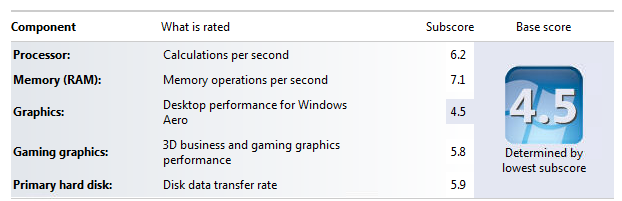
Great Success - I managed to install all updates + a few drivers and so far the Laptop seems OK even after a few restarts. Nothing is lagging and Windows Experience Index looks OK:

HiXVvOW.png


This time though I only installed drivers which are either missing or too old in this order:
Chipset driver
USB 3.0 Drivers
ATKP Package
SmartGesture (touchpad)
Card Reader

Windows 7 installed the latest Graphics, Ethernet and WiFi drivers. No drivers missing in Device Manager.

I think skipping the Intel Management Engine Interface and Intel Rapid Storage Technology driver might be the reason I am not seeing any BSODs. Maybe...

Thanks you very much for your help guys. I still have no idea why I was getting BSOD before and I hope I don't get any more.
 

My Computer My Computer

At a glance

Windows 7 Professional x64Intel Core i7 950 3.06GhzG.Skill Ripjaws 6GB (3x2GB) DDR3 1600MHz 8-8-...2x MSI GTX 460 Cyclone Overclocked Edition 1GB
OS
Windows 7 Professional x64
CPU
Intel Core i7 950 3.06Ghz
Motherboard
Gigabyte GA-X58A-UD5 (rev. 2.0)
Memory
G.Skill Ripjaws 6GB (3x2GB) DDR3 1600MHz 8-8-8-24
Graphics Card(s)
2x MSI GTX 460 Cyclone Overclocked Edition 1GB
Sound Card
Asus Xonar DX
Monitor(s) Displays
Samsung XL2370HD
Screen Resolution
1920x1080
Hard Drives
OCZ Vertex 2 Series 60 GB
Samsung SpinPoint F3 1TB
PSU
Corsair HX Series 850W Modular Power Supply
Case
Coolermaster CM 690 II Advanced
IRST has been know to cause BSODs, I'm not sure about IMEI

Glad you got it all sorted out. you really did all of the work. Keep an eye on it for a few days and if it's still running well, please mark the thread solved.

Bill
.
 

My Computer My Computer

At a glance

x64 (6.3.9600) Win8.1 Pro & soon dual boot x6...AMD A6-3420M APU with Radeon(tm) HD Graphics6.00 GBAMD Radeon(TM) HD 6520G
Computer type
Laptop
Computer Manufacturer/Model Number
HP Pavilion dv6-6c10us
OS
x64 (6.3.9600) Win8.1 Pro & soon dual boot x64 (6.1.7601) Win7_SP1 HomePrem
CPU
AMD A6-3420M APU with Radeon(tm) HD Graphics
Motherboard
Hewlett-Packard 1805
Memory
6.00 GB
Graphics Card(s)
AMD Radeon(TM) HD 6520G
Sound Card
(1) AMD High Definition Audio Device (2) IDT High Definiti
Monitor(s) Displays
HP W2072a 20" LCD (1600 x 900) @ 60 Hz
Screen Resolution
1366 x 768 x 32 bits (4294967296 colors) @ 60 Hz
Hard Drives
ST640LM0 00 HM641JI SATA Disk Device
Keyboard
Logitech k520 wireless KB
Mouse
Logitech m320 wireless mouse (bundled with KB)
Internet Speed
15/5 | 54 MB Wireless 'n'
Antivirus
Realtime: Defender or Avast | On-demand: Malwarebytes, ESET
Browser
IE 11 on Win8, IE 10 on win 7
Other Info
Media: [Gimp, Audacity, VLC] || Comm: [WEmail 2012, Skype] || Productivity: [OpenOffice,| Textpad] || Utils: [Sysinternals, cCleaner, Speccy, Defraggler]
Back
Top