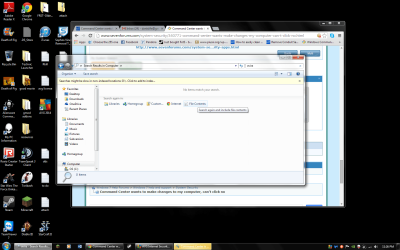
Command Center wants to make changes to my computer, can't click no

uapaul

New member
Local time
1:11 AM
Messages
36
A few seconds after logging into my computer, I receive this message:

Do you want the following program to make changes to you computer?

It's from Command Center and the file origin is from my Hard Drive. When I show info about the pubisher's certificate it says that it's "ok" and show that it came from microsoft root authority. The validity of it expired in 2011. If I click on yes the message goes away until the next time i log onto my computer.

However, if I click on no instead of yes the message almost instantly pops up again. If I click on the x in the corner, the message goes away for about 2 seconds and comes right back. I can ctrl alt delete and open task manager, which get's rid of a message for few seconds only for it to come back in the taskbar. It stays there until I click yes.

I'm afraid that this is malware and that it's affecting my computer a lot. For example my CPU and network usage spikes randomly and it seems like my computer is slower than usual. Recently I've been having a lot of trouble with malware infection and I have been following these steps to delete it however I am wary about JUnkware Removal Tool. How to easily clean an infected computer (Malware Removal Guide)

If I anyone is able to help me with this, it would be greatly appreciated.
 

My Computer My Computer

At a glance

Windows 7 Home Premium 64bit8.00 GBNvidia GeForce GTX 555
Computer type
PC/Desktop
Computer Manufacturer/Model Number
Dell (Alienware)
OS
Windows 7 Home Premium 64bit
Memory
8.00 GB
Graphics Card(s)
Nvidia GeForce GTX 555
Download DDS from one of these links:
DDS.com
DDS.pif
  • Disable any script blocking protection
  • Double click the dds icon to run the tool.
  • When done, DDS will open two (2) logs:
    1. DDS.txt
    2. Attach.txt <--- will be minimized in the task tray
  • Save both reports to your desktop.

****Include the contents of both logs in your next post.
The scan will instruct you to post Attach.txt as an attachment.
 

My Computer My Computer

At a glance

Windows 7 Ultimate 32bit SP1Intel(R) Core(TM)2 Quad CPU @ 2.40GHz, 2400 MHz4 GBATI Radeon HD 2600 Pro
Computer type
PC/Desktop
Computer Manufacturer/Model Number
Bruce ... somewhere in his 40's
OS
Windows 7 Ultimate 32bit SP1
CPU
Intel(R) Core(TM)2 Quad CPU @ 2.40GHz, 2400 MHz
Motherboard
INTEL/D975XBX2
Memory
4 GB
Graphics Card(s)
ATI Radeon HD 2600 Pro
Monitor(s) Displays
Samsung SyncMaster 914v
Screen Resolution
1280 x 1024
Hard Drives
2/500GB each ... ST3500630AS ATA Device.
One is not connected
PSU
Rocketfish 700 W
Case
G.Skill Gigabyte Chassis
Keyboard
Standard PS/2 Keyboard
Mouse
Microsoft PS/2 Mouse
Internet Speed
DSL
Antivirus
Avira Internet Security
Browser
IE 11
Other Info
ATI HDMI Audio
Sorry, I'm a bit new to this. What exactly is script blocking protection and how do I disable it?
 

My Computer My Computer

At a glance

Windows 7 Home Premium 64bit8.00 GBNvidia GeForce GTX 555
Computer type
PC/Desktop
Computer Manufacturer/Model Number
Dell (Alienware)
OS
Windows 7 Home Premium 64bit
Memory
8.00 GB
Graphics Card(s)
Nvidia GeForce GTX 555
I scanned with dds, here is the dds notepad and the zipped attach file
 

Attachments

My Computer My Computer

At a glance

Windows 7 Home Premium 64bit8.00 GBNvidia GeForce GTX 555
Computer type
PC/Desktop
Computer Manufacturer/Model Number
Dell (Alienware)
OS
Windows 7 Home Premium 64bit
Memory
8.00 GB
Graphics Card(s)
Nvidia GeForce GTX 555
I see three antivirus programs running ... Avira, Avast and AVG.


Please uninstall two of those programs. These programs run on your systems resources, and most likely are fighting each other for those resources. They could also be fighting each other's virus definitions.


Only run one Antivirus program.


Download AVAST Software Uninstall Utility
Special Note: Needs to be started from Safe Mode, the program will offer to reboot you into Safe Mode on launch. If you did not install the Avast product to the default install location, you need to point to it in the box.


Download AVG Remover
Supports all AVG products. The Remover Tool is usually the top two links on the page. Make sure to download the correct 32-bit or 64-bit version. Currently there are separate removers AVG 2012 and 2013 products.


Download Avira RegistryCleaner
Avira’s removal tool is more of a registry cleaner to clean any left over keys the software has created. It scans HKEY_CURRENT_USER and HKEY_LOCAL_MACHINE by default. If you need to expand the search, click the Configuration button and select the other keys.


After you have removed any two of the above, Please download AdwCleaner by Xplode and save to your Desktop.
Step #1.
  • Double click on AdwCleaner.exe to run the tool.
    Vista/Windows 7/8 users right-click and select Run As Administrator.
  • Click on the Scan button.
  • AdwCleaner will begin...be patient as the scan may take some time to complete.
  • After the scan has finished, click on the Report button...a logfile (AdwCleaner[R#].txt) will open in Notepad for review (where the largest value of # represents the most recent report).
  • The contents of the log file may be confusing. Unless you see a program name that you know should not be removed, don't worry about it. If you see an entry you want to keep, let me know about it.
  • Copy and paste the contents of that logfile in your next reply.
  • A copy of all logfiles are saved in the C:\AdwCleaner folder which was created when running the tool.


Step #2.
Using AdwCleaner v3: Scan & Clean:
This time click on the Clean button.
Press OK when asked to close all programs and follow the onscreen prompts.
Press OK again to allow AdwCleaner to restart the computer and complete the removal process.
After rebooting, a logfile report (AdwCleaner[S#].txt) will open automatically (where the largest value of # represents the most recent report).
Copy and paste the contents of that logfile in your next reply.
A copy of that logfile will also be saved in the C:\AdwCleaner folder


******Post both .txt logs
 

My Computer My Computer

At a glance

Windows 7 Ultimate 32bit SP1Intel(R) Core(TM)2 Quad CPU @ 2.40GHz, 2400 MHz4 GBATI Radeon HD 2600 Pro
Computer type
PC/Desktop
Computer Manufacturer/Model Number
Bruce ... somewhere in his 40's
OS
Windows 7 Ultimate 32bit SP1
CPU
Intel(R) Core(TM)2 Quad CPU @ 2.40GHz, 2400 MHz
Motherboard
INTEL/D975XBX2
Memory
4 GB
Graphics Card(s)
ATI Radeon HD 2600 Pro
Monitor(s) Displays
Samsung SyncMaster 914v
Screen Resolution
1280 x 1024
Hard Drives
2/500GB each ... ST3500630AS ATA Device.
One is not connected
PSU
Rocketfish 700 W
Case
G.Skill Gigabyte Chassis
Keyboard
Standard PS/2 Keyboard
Mouse
Microsoft PS/2 Mouse
Internet Speed
DSL
Antivirus
Avira Internet Security
Browser
IE 11
Other Info
ATI HDMI Audio
I uninstalled avast, however to my knowledge I never downloaded avira. I searched my computer for "avira" and nothing came up. Is it possible Sophos Virus Remover or another malware remover is being recognized as avira or could a virus be masking itself as avira?
 

Attachments

  • avira hiding.png
    avira hiding.png
    118.8 KB · Views: 5

My Computer My Computer

At a glance

Windows 7 Home Premium 64bit8.00 GBNvidia GeForce GTX 555
Computer type
PC/Desktop
Computer Manufacturer/Model Number
Dell (Alienware)
OS
Windows 7 Home Premium 64bit
Memory
8.00 GB
Graphics Card(s)
Nvidia GeForce GTX 555
Good job. Could you take screenshots of the uac prompt and the info of the file?

Please continue with the adwcleaner instructions jacee advised.

While you wait for jacee, I was wondering if you could also post this log for me?

1.) Download herdprotect: (choose the portable version)

Download herdProtect - Free Anti-Malware Platform

2.) Run the scan.

3.) When the scan finishes, save the results per the screenshot below. Then upload the log here.

DO NOT REMOVE ANYTHING.

Attached Images
313957d1397626709-degrading-windows-performance-save-results.png
 

My Computer My Computer

At a glance

Windows 10 ProAMD Ryzen 5 2400G Processor with Radeon RX Ve...G.SKILL Ripjaws V Series 16GB (2 x 8GB) 288-P...2047MB NVIDIA GeForce GTX 1060 6GB (EVGA)
Computer type
PC/Desktop
Computer Manufacturer/Model Number
Custom Built
OS
Windows 10 Pro
CPU
AMD Ryzen 5 2400G Processor with Radeon RX Vega 11 Graphics
Motherboard
ASRock X470 Master SLI/AC AM4 AMD Promontory X470 SATA 6Gb/s
Memory
G.SKILL Ripjaws V Series 16GB (2 x 8GB) 288-Pin DDR4 SDRAM D
Graphics Card(s)
2047MB NVIDIA GeForce GTX 1060 6GB (EVGA)
Sound Card
Motherboard Built in
Monitor(s) Displays
Acer R240HY bidx 23.8-Inch IPS HDMI DVI VGA (1920 x 1080) Wi
Screen Resolution
1920 x 1080
Hard Drives
1TB Sandisk SSD PLUS (Main drive)
500 GB Seagate 7200 RPM (Games)
500 GB Western Digital 7200 RPM (Virtual Machines)
PSU
CORSAIR TX Series TX650M 650W 80+ Gold Modular Power Supply
Case
CORSAIR CARBIDE SPEC-02 Mid-Tower Gaming Case, Red LED Fan
Cooling
220mm, two 120mm, and four 60mm fans
Keyboard
Wired Dell keyboard
Mouse
Wireless Logitech mouse
Internet Speed
250mb down, 30mb up
Antivirus
Panda Cloud Antivirus
Browser
Chrome-ish x64
Other Info
Your awesome for reading this.
I'm not able to take a screenshot of the uac prompt because it greys out the rest of the screen and I tried pressing ctrl printscreen and pasting it into paint, however when I click paste nothing appears.
 

Attachments

My Computer My Computer

At a glance

Windows 7 Home Premium 64bit8.00 GBNvidia GeForce GTX 555
Computer type
PC/Desktop
Computer Manufacturer/Model Number
Dell (Alienware)
OS
Windows 7 Home Premium 64bit
Memory
8.00 GB
Graphics Card(s)
Nvidia GeForce GTX 555
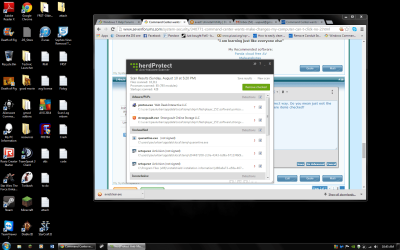
Here is the herdprotect log
 

Attachments

My Computer My Computer

At a glance

Windows 7 Home Premium 64bit8.00 GBNvidia GeForce GTX 555
Computer type
PC/Desktop
Computer Manufacturer/Model Number
Dell (Alienware)
OS
Windows 7 Home Premium 64bit
Memory
8.00 GB
Graphics Card(s)
Nvidia GeForce GTX 555
:o I feel dumb. My apologies. I knew that wouldn't work. I wasn't thinking. Sorry. UAC when the prompts happen creates a secure desktop, so no programs can run or screenshots can be taken. Whoops.
Please answer this question: Did you run the removal tools for avast and avira since you have avg?

Adwcleaner logs show your clean, nothing found. Herdprotect tells a different story...
You have some malware hiding in your temp folders and appdata.


Code:
---------------------------------------------------------------------------------

File path: 		c:\users\paulurban\appdata\local\temp\quarantine.exe
Publisher: 		
MD5: 			d1b8356365d58b249b8e9e883e115b6a
SHA-1: 			4bb8bdc6dd4f5de70ebaa9e065847b29716bb295
Created: 		8/6/2014 10:48:25 AM
Detections: 		3
Determination: 		UndefinedMalware
			- Jiangmin as TrojanDropper.FrauDrop.uic (Undefined)
			- Antiy Labs AVL as Trojan/Win32.Scar (Undefined)
			- Reason Heuristics as Threat.Win.Reputation.IMP (Undefined)

---------------------------------------------------------------------------------

File path: 		c:\users\paulurban\appdata\local\temp\{04487208-2c0e-4343-bd9a-6711f49c9607}\setup.exe
Publisher: 		Activision                                                
MD5: 			cec7e6472df1f863cf77902759f4a0f2
SHA-1: 			e5e80275d3a7210d70cc9671e861676b40c213fc
Created: 		1/18/2014 4:59:55 PM
Detections: 		3
Determination: 		UndefinedMalware
			- Agnitum Outpost as Trojan.Genome (Undefined)
			- VIPRE Antivirus as Trojan.Win32.Generic (Undefined)
			- Sunbelt AntiMalware as Porn-Dialer.Win32.CapreDeam.N (Undefined)

---------------------------------------------------------------------------------

File path: 		c:\users\paulurban\appdata\local\temp\diqm\flashplayer_151\software\strongvault.exe
Publisher: 		Strongvault
Signer: 		Strongvault Online Storage LLC
MD5: 			245dbd87a3e22ec610c823d38443a630
SHA-1: 			cdf66b8c6cc63352b760b29c4edcaec1ddceaa26
Created: 		5/13/2013 8:56:36 PM
Detections: 		3
Determination: 		Adware
			- ESET NOD32 as MSIL/Adware.StrongVault (Adware)
			- Comodo Security as ApplicUnwnt (Undefined)
			- Reason Heuristics as PUP.Optional.Installer.StrongvaultOnlineStorage.L (Adware)

---------------------------------------------------------------------------------

File path: 		c:\users\paulurban\appdata\local\temp\diqm\flashplayer_151\software\yontoo.exe
Publisher: 		Web Deals Interactive LLC
Signer: 		Web Deals Interactive LLC
MD5: 			067becafd5f884ceb2e86f766f965b5d
SHA-1: 			da602313ec344e31f340105c29df699267f73b84
Created: 		5/13/2013 8:55:47 PM
Detections: 		7
Determination: 		Adware
			- Reason Heuristics as PUP.Installer.WebDealsInteractive.J (Adware)
			- Agnitum Outpost as Adware.Generic (Adware)
			- Comodo Security as UnclassifiedMalware (Undefined)
			- Dr.Web as Adware.Plugin.8 (Adware)
			- VIPRE Antivirus as Yontoo (Undefined)
			- Kingsoft AntiVirus as Win32.Troj.Generic.a.(kcloud) (Undefined)
			- ESET NOD32 as Win32/Adware.Yontoo (variant) (Adware)

---------------------------------------------------------------------------------


Make sure your data (Documents, music, etc.) is backed up either on an external hard drive or somewhere else as a precaution before proceeding:

1.) Please download and save the file TFC by Old Timer. Again, save the file to your downloads folder or your desktop. Do not run it.

Downloading TFC


2.) Close your programs before running this tool. TFC will close ALL open programs.

3.) Browse to where you saved tfc. Right click on tfc.exe and choose Run As Administrator.

4.) Click the Start button to begin the cleaning process and let it run uninterrupted to completion. When it finishes it will say total files cleaned, and the start button will be grayed out. Click exit.
Important! If TFC prompts you to reboot, please do so immediately. If not prompted, manually reboot the machine anyway to ensure a complete clean.
 

My Computer My Computer

At a glance

Windows 10 ProAMD Ryzen 5 2400G Processor with Radeon RX Ve...G.SKILL Ripjaws V Series 16GB (2 x 8GB) 288-P...2047MB NVIDIA GeForce GTX 1060 6GB (EVGA)
Computer type
PC/Desktop
Computer Manufacturer/Model Number
Custom Built
OS
Windows 10 Pro
CPU
AMD Ryzen 5 2400G Processor with Radeon RX Vega 11 Graphics
Motherboard
ASRock X470 Master SLI/AC AM4 AMD Promontory X470 SATA 6Gb/s
Memory
G.SKILL Ripjaws V Series 16GB (2 x 8GB) 288-Pin DDR4 SDRAM D
Graphics Card(s)
2047MB NVIDIA GeForce GTX 1060 6GB (EVGA)
Sound Card
Motherboard Built in
Monitor(s) Displays
Acer R240HY bidx 23.8-Inch IPS HDMI DVI VGA (1920 x 1080) Wi
Screen Resolution
1920 x 1080
Hard Drives
1TB Sandisk SSD PLUS (Main drive)
500 GB Seagate 7200 RPM (Games)
500 GB Western Digital 7200 RPM (Virtual Machines)
PSU
CORSAIR TX Series TX650M 650W 80+ Gold Modular Power Supply
Case
CORSAIR CARBIDE SPEC-02 Mid-Tower Gaming Case, Red LED Fan
Cooling
220mm, two 120mm, and four 60mm fans
Keyboard
Wired Dell keyboard
Mouse
Wireless Logitech mouse
Internet Speed
250mb down, 30mb up
Antivirus
Panda Cloud Antivirus
Browser
Chrome-ish x64
Other Info
Your awesome for reading this.
No, I deleted avast before I was told to because I learned that more than one antivirus slows the compuer not too long after downloading avg. I chose to stick with avg and there are some leftovers from avast. Like I said before, I never downloaded avira.

I dont have anything backed up, but to my knowledge I don't have any important documents or on my computer that I can't retrieve online or from discs I own. (steam and other games, microsoft office, music, etc.) Do I need to have a backup before proceeding?

Also, what should I do about the herdprotect scan? I left the exact window open since I read your response instructing me to run the herdprotect scan and I don't know what to do with it.

I'm also curious about where the viruses could have come from and why it appears that I have avira on my computer. Could you please fill me in about this before I continue?
 
Last edited:

My Computer My Computer

At a glance

Windows 7 Home Premium 64bit8.00 GBNvidia GeForce GTX 555
Computer type
PC/Desktop
Computer Manufacturer/Model Number
Dell (Alienware)
OS
Windows 7 Home Premium 64bit
Memory
8.00 GB
Graphics Card(s)
Nvidia GeForce GTX 555
No, I deleted avast before I was told to because I learned that more than one antivirus slows the computer not too long after downloading avg. I chose to stick with avg and there are some leftovers from avast. Like I said before, I never downloaded avira.

I dont have anything backed up, but to my knowledge I don't have any important documents or on my computer that I can't retrieve online or from discs I own. (steam and other games, microsoft office, music, etc.) Do I need to have a backup before proceeding?

Also, what should I do about the herdprotect scan? I left the exact window open since I read your response instructing me to run the herdprotect scan and I don't know what to do with it.

I'm also curious about where the viruses could have come from and why it appears that I have avira on my computer. Could you please fill me in about this before I continue?

Correct. Run only one antivirus at a time. Download the avira removal tool and avast removal tool like jacee provided and run them to remove any remnants from the installation. I am not sure why avira is showing if you never installed it, but run the tools anyway to make sure no traces are left behind. Traces can sometimes cause issues.

If you have nothing important, go ahead and run it (tfc). It honestly is just a precaution, and I have yet to see tfc do anything bad. The reason for the warning is sometimes malware will move your important documents and pictures etc. to the temp files. If that happens and you run the tool, they will be deleted.

If you have your data on a flash drive or an external, or saved online somewhere you are perfectly fine and go ahead and run the tool. Especially if nothing important is on it.

Just close out of herdprotect. You do not need to leave it open. Sorry if that was not clear.

Viruses/malware can come in multiple forms. Drive by downloads, pups that come along with an installation of a free program that you installed etc. When we finish, both jacee and I can give recommendations on what to use to protect yourself for the future.
 

My Computer My Computer

At a glance

Windows 10 ProAMD Ryzen 5 2400G Processor with Radeon RX Ve...G.SKILL Ripjaws V Series 16GB (2 x 8GB) 288-P...2047MB NVIDIA GeForce GTX 1060 6GB (EVGA)
Computer type
PC/Desktop
Computer Manufacturer/Model Number
Custom Built
OS
Windows 10 Pro
CPU
AMD Ryzen 5 2400G Processor with Radeon RX Vega 11 Graphics
Motherboard
ASRock X470 Master SLI/AC AM4 AMD Promontory X470 SATA 6Gb/s
Memory
G.SKILL Ripjaws V Series 16GB (2 x 8GB) 288-Pin DDR4 SDRAM D
Graphics Card(s)
2047MB NVIDIA GeForce GTX 1060 6GB (EVGA)
Sound Card
Motherboard Built in
Monitor(s) Displays
Acer R240HY bidx 23.8-Inch IPS HDMI DVI VGA (1920 x 1080) Wi
Screen Resolution
1920 x 1080
Hard Drives
1TB Sandisk SSD PLUS (Main drive)
500 GB Seagate 7200 RPM (Games)
500 GB Western Digital 7200 RPM (Virtual Machines)
PSU
CORSAIR TX Series TX650M 650W 80+ Gold Modular Power Supply
Case
CORSAIR CARBIDE SPEC-02 Mid-Tower Gaming Case, Red LED Fan
Cooling
220mm, two 120mm, and four 60mm fans
Keyboard
Wired Dell keyboard
Mouse
Wireless Logitech mouse
Internet Speed
250mb down, 30mb up
Antivirus
Panda Cloud Antivirus
Browser
Chrome-ish x64
Other Info
Your awesome for reading this.
Like just click the x and leave the checked items checked? Nothing will happen?

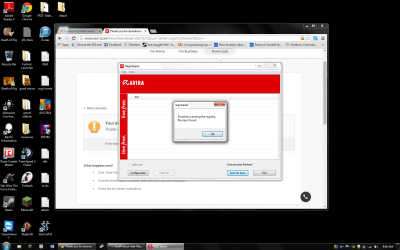
I downloaded the avira tool and it found nothing. I made sure to check all of the boxes for the areas to search as well. I attached a picture of this.

Also, I've noticed that when downloading things, I can't choose to save them. I can only open them.

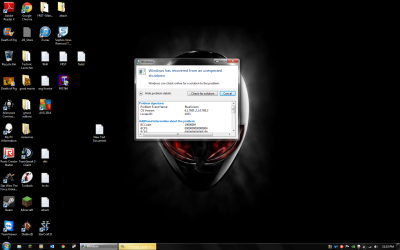
Here's something else possibly noteworthy. Twice my computer had freezed during shutdown in the past 5 days. The first time I pressed the power button and forced shutdown, the second time bluescreened during the shutdown. I documented the crash report once I got my pc started again.
 

Attachments

  • no avira keys.png
    no avira keys.png
    170.3 KB · Views: 2
  • Bluescreen during long shutdown.png
    Bluescreen during long shutdown.png
    140.1 KB · Views: 4
  • Crash.txt
    Crash.txt
    727 bytes · Views: 1

My Computer My Computer

At a glance

Windows 7 Home Premium 64bit8.00 GBNvidia GeForce GTX 555
Computer type
PC/Desktop
Computer Manufacturer/Model Number
Dell (Alienware)
OS
Windows 7 Home Premium 64bit
Memory
8.00 GB
Graphics Card(s)
Nvidia GeForce GTX 555
Here's what my options are with downloads:
 

Attachments

  • cant save downloads.png
    cant save downloads.png
    91.3 KB · Views: 1

My Computer My Computer

At a glance

Windows 7 Home Premium 64bit8.00 GBNvidia GeForce GTX 555
Computer type
PC/Desktop
Computer Manufacturer/Model Number
Dell (Alienware)
OS
Windows 7 Home Premium 64bit
Memory
8.00 GB
Graphics Card(s)
Nvidia GeForce GTX 555
Like just click the x and leave the checked items checked? Nothing will happen?

What are you referring to?

Also, I've noticed that when downloading things, I can't choose to save them. I can only open them.

Interesting. Go ahead and open the avast tool and run it. That will remove any traces of it.

Here's something else possibly noteworthy. Twice my computer had freezed during shutdown in the past 5 days. The first time I pressed the power button and forced shutdown, the second time bluescreened during the shutdown. I documented the crash report once I got my pc started again.

Thanks for the info. Have you run tfc like asked?
 

My Computer My Computer

At a glance

Windows 10 ProAMD Ryzen 5 2400G Processor with Radeon RX Ve...G.SKILL Ripjaws V Series 16GB (2 x 8GB) 288-P...2047MB NVIDIA GeForce GTX 1060 6GB (EVGA)
Computer type
PC/Desktop
Computer Manufacturer/Model Number
Custom Built
OS
Windows 10 Pro
CPU
AMD Ryzen 5 2400G Processor with Radeon RX Vega 11 Graphics
Motherboard
ASRock X470 Master SLI/AC AM4 AMD Promontory X470 SATA 6Gb/s
Memory
G.SKILL Ripjaws V Series 16GB (2 x 8GB) 288-Pin DDR4 SDRAM D
Graphics Card(s)
2047MB NVIDIA GeForce GTX 1060 6GB (EVGA)
Sound Card
Motherboard Built in
Monitor(s) Displays
Acer R240HY bidx 23.8-Inch IPS HDMI DVI VGA (1920 x 1080) Wi
Screen Resolution
1920 x 1080
Hard Drives
1TB Sandisk SSD PLUS (Main drive)
500 GB Seagate 7200 RPM (Games)
500 GB Western Digital 7200 RPM (Virtual Machines)
PSU
CORSAIR TX Series TX650M 650W 80+ Gold Modular Power Supply
Case
CORSAIR CARBIDE SPEC-02 Mid-Tower Gaming Case, Red LED Fan
Cooling
220mm, two 120mm, and four 60mm fans
Keyboard
Wired Dell keyboard
Mouse
Wireless Logitech mouse
Internet Speed
250mb down, 30mb up
Antivirus
Panda Cloud Antivirus
Browser
Chrome-ish x64
Other Info
Your awesome for reading this.
Not yet, I want to make sure that I am exiting herdprotector the correct way. Do you mean just exit the window by clicking that x ? Is it ok for me to do that even though there items checked?
 

Attachments

  • herdprotector exit.png
    herdprotector exit.png
    101.9 KB · Views: 2
Last edited:

My Computer My Computer

At a glance

Windows 7 Home Premium 64bit8.00 GBNvidia GeForce GTX 555
Computer type
PC/Desktop
Computer Manufacturer/Model Number
Dell (Alienware)
OS
Windows 7 Home Premium 64bit
Memory
8.00 GB
Graphics Card(s)
Nvidia GeForce GTX 555
Not yet, I want to make sure that I am exiting herdprotector the correct way. Do you mean just exit the window by clicking that x ? Is it ok for me to do that even though there items checked?

As I said before, you can just close out of it. yes. Make sure to answer and do steps as asked in post 15
 

My Computer My Computer

At a glance

Windows 10 ProAMD Ryzen 5 2400G Processor with Radeon RX Ve...G.SKILL Ripjaws V Series 16GB (2 x 8GB) 288-P...2047MB NVIDIA GeForce GTX 1060 6GB (EVGA)
Computer type
PC/Desktop
Computer Manufacturer/Model Number
Custom Built
OS
Windows 10 Pro
CPU
AMD Ryzen 5 2400G Processor with Radeon RX Vega 11 Graphics
Motherboard
ASRock X470 Master SLI/AC AM4 AMD Promontory X470 SATA 6Gb/s
Memory
G.SKILL Ripjaws V Series 16GB (2 x 8GB) 288-Pin DDR4 SDRAM D
Graphics Card(s)
2047MB NVIDIA GeForce GTX 1060 6GB (EVGA)
Sound Card
Motherboard Built in
Monitor(s) Displays
Acer R240HY bidx 23.8-Inch IPS HDMI DVI VGA (1920 x 1080) Wi
Screen Resolution
1920 x 1080
Hard Drives
1TB Sandisk SSD PLUS (Main drive)
500 GB Seagate 7200 RPM (Games)
500 GB Western Digital 7200 RPM (Virtual Machines)
PSU
CORSAIR TX Series TX650M 650W 80+ Gold Modular Power Supply
Case
CORSAIR CARBIDE SPEC-02 Mid-Tower Gaming Case, Red LED Fan
Cooling
220mm, two 120mm, and four 60mm fans
Keyboard
Wired Dell keyboard
Mouse
Wireless Logitech mouse
Internet Speed
250mb down, 30mb up
Antivirus
Panda Cloud Antivirus
Browser
Chrome-ish x64
Other Info
Your awesome for reading this.
Thanks for sticking with me so far, I just want to be cautious, do I need to have avastclear saved to my desktop or can I just run it from my downloads
 

My Computer My Computer

At a glance

Windows 7 Home Premium 64bit8.00 GBNvidia GeForce GTX 555
Computer type
PC/Desktop
Computer Manufacturer/Model Number
Dell (Alienware)
OS
Windows 7 Home Premium 64bit
Memory
8.00 GB
Graphics Card(s)
Nvidia GeForce GTX 555
Thanks for sticking with me so far, I just want to be cautious, do I need to have avastclear saved to my desktop or can I just run it from my downloads

No problems with being cautious :) I would follow the directions on the page:

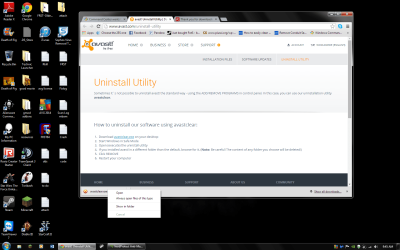
How to uninstall our software using avastclear:
Download avastclear.exe on your desktop
When you open the tool it may prompt you to restart in safe mode. That is fine. Do so.
If you installed avast! in a different folder than the default, browse for it. (Note: Be careful! The content of any folder you choose will be deleted!) If you cannot find the avast folder under c\program files that is fine, just do not select a folder then.
Click REMOVE
Restart your computer
 

My Computer My Computer

At a glance

Windows 10 ProAMD Ryzen 5 2400G Processor with Radeon RX Ve...G.SKILL Ripjaws V Series 16GB (2 x 8GB) 288-P...2047MB NVIDIA GeForce GTX 1060 6GB (EVGA)
Computer type
PC/Desktop
Computer Manufacturer/Model Number
Custom Built
OS
Windows 10 Pro
CPU
AMD Ryzen 5 2400G Processor with Radeon RX Vega 11 Graphics
Motherboard
ASRock X470 Master SLI/AC AM4 AMD Promontory X470 SATA 6Gb/s
Memory
G.SKILL Ripjaws V Series 16GB (2 x 8GB) 288-Pin DDR4 SDRAM D
Graphics Card(s)
2047MB NVIDIA GeForce GTX 1060 6GB (EVGA)
Sound Card
Motherboard Built in
Monitor(s) Displays
Acer R240HY bidx 23.8-Inch IPS HDMI DVI VGA (1920 x 1080) Wi
Screen Resolution
1920 x 1080
Hard Drives
1TB Sandisk SSD PLUS (Main drive)
500 GB Seagate 7200 RPM (Games)
500 GB Western Digital 7200 RPM (Virtual Machines)
PSU
CORSAIR TX Series TX650M 650W 80+ Gold Modular Power Supply
Case
CORSAIR CARBIDE SPEC-02 Mid-Tower Gaming Case, Red LED Fan
Cooling
220mm, two 120mm, and four 60mm fans
Keyboard
Wired Dell keyboard
Mouse
Wireless Logitech mouse
Internet Speed
250mb down, 30mb up
Antivirus
Panda Cloud Antivirus
Browser
Chrome-ish x64
Other Info
Your awesome for reading this.
Download avastclear.exe on your desktop

Should I move it from my downloads to my desktop? I can't save files when I download them.
 

My Computer My Computer

At a glance

Windows 7 Home Premium 64bit8.00 GBNvidia GeForce GTX 555
Computer type
PC/Desktop
Computer Manufacturer/Model Number
Dell (Alienware)
OS
Windows 7 Home Premium 64bit
Memory
8.00 GB
Graphics Card(s)
Nvidia GeForce GTX 555
Back
Top