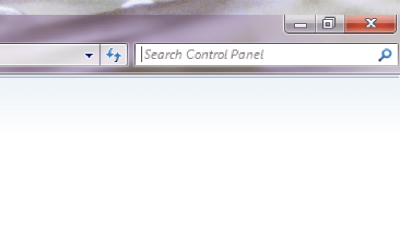
I just got my new computer, a Dell XPS 8300, and I noticed that it has a weird desktop glitch. When I try to maximize a window, it will not reach the very top of the screen. There is always a small piece of the desktop at the top of every window.
Then, I noticed that desktop icons cannot be moved onto the top part of the screen.
When I log off and log back on, the problem goes away. However, as soon as I do something that causes windows to open one of those pop ups asking whether I want to allow a program to make changes to the computer, the problem comes back. I know that I can disable the pop ups in user account control, but I would rather not if there is another way to fix this problem. If anyone has experience with this problem, I would appreciate advice as to how to fix it.
Then, I noticed that desktop icons cannot be moved onto the top part of the screen.
When I log off and log back on, the problem goes away. However, as soon as I do something that causes windows to open one of those pop ups asking whether I want to allow a program to make changes to the computer, the problem comes back. I know that I can disable the pop ups in user account control, but I would rather not if there is another way to fix this problem. If anyone has experience with this problem, I would appreciate advice as to how to fix it.
Last edited by a moderator:
My Computer
- OS
- Windows 7 Home Premium 64 Bit
- CPU
- Intel core i5 2310 @2.90GHz
- Memory
- 4 Gb
- Graphics Card(s)
- AMD Radeon 6770
- Monitor(s) Displays
- Hanns-G HW192D
- Screen Resolution
- 1440x900
- Hard Drives
- 1TB