- Local time
- 5:20 AM
- Messages
- 715
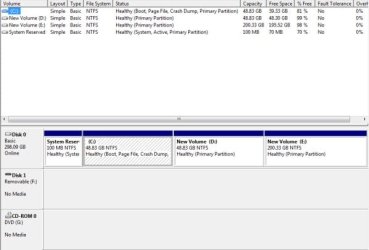
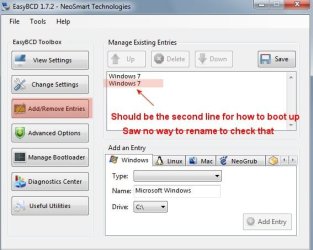
I am not sure that it is called boot.ini file in Win 7, but here goes. I had to clean install Win 7 again because I crashed it on the same HDD I was using before. When I did that, I deleted all the partitions and then created them again to try to eliminated problems such as the one I have.
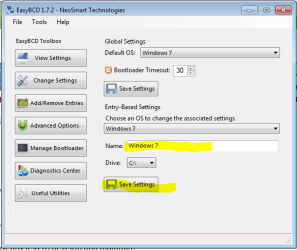
On startup I get a window with two Window 7's listed and it has me pick which one i want for startup. I always pick the top one, but I'm not even sure that matters.
I did a search on C drive (the OS drive) for boot.ini with show system files and folders turned on. Zip, nada absolutely nothing.
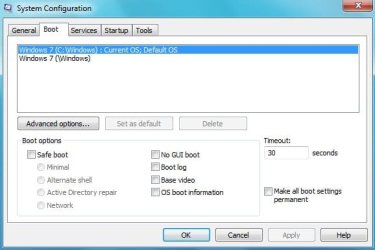
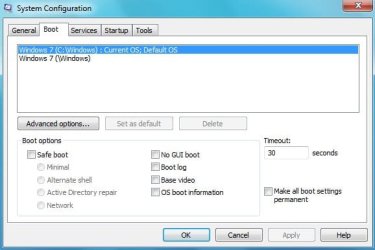
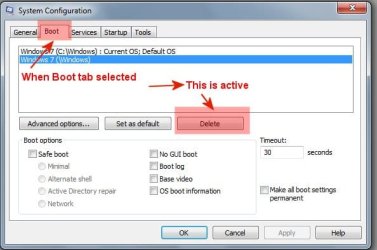
I ran "msconfig" then opened the Boot tab. There are two Windows 7 listed there. The top one says Default but other than that they are the same. Before I do anything I would like to make a copy of the "boot.ini before deleting anything.
How do I get rid of the one file that is causing this??
Thank you
On startup I get a window with two Window 7's listed and it has me pick which one i want for startup. I always pick the top one, but I'm not even sure that matters.
I did a search on C drive (the OS drive) for boot.ini with show system files and folders turned on. Zip, nada absolutely nothing.
I ran "msconfig" then opened the Boot tab. There are two Windows 7 listed there. The top one says Default but other than that they are the same. Before I do anything I would like to make a copy of the "boot.ini before deleting anything.
How do I get rid of the one file that is causing this??
Thank you
My Computer
- OS
- Windows 7 Pro
- CPU
- Intel(R) Pentium(R) Duel CPU E2200 2.20 Ghz
- Motherboard
- GA-G41M-ES2L
- Memory
- 4 gb 2.96 Usable
- Graphics Card(s)
- Onboard
- Sound Card
- Onboard
- Hard Drives
- 2 - 1TB WD Sata Drives