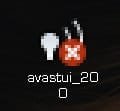
It's only shown up the once, long enough for it to catch my attention, see that there was no balloon which appeared when hovering the cursor over it describing it, no left- or right-click options, and hit PrintScrn for a screen capture. It vanished five seconds later. It never showed up in the Control Panel or Customization window for icons, so there's no listing.Try resetting the Notification area icons to Default to see if it goes away. If not see exactly what is listed for it and disable the listing. http://www.sevenforums.com/tutorials/13102-notification-area-icons-reset.html
Then we'll need to find the folder and/or reg key which contains these so it can be further traced and deleted.
At this point, I'm pretty satisfied that this is just yet another Windows hiccup, and now I need to find why SAS keeps crashing on me.
My Computer
At a glance
Win10 Pro 64-bitAMD Ryzen 7 3800X32 GB Kingston DDR4-2666MSI nVidia GT 710 (2GB)
- Computer type
- PC/Desktop
- Computer Manufacturer/Model Number
- Self-Built
- OS
- Win10 Pro 64-bit
- CPU
- AMD Ryzen 7 3800X
- Motherboard
- Gigabyte X570 UD
- Memory
- 32 GB Kingston DDR4-2666
- Graphics Card(s)
- MSI nVidia GT 710 (2GB)
- Sound Card
- Creative Audigy FX 5.1
- Monitor(s) Displays
- ViewSonic VG2439Smh 24"
- Screen Resolution
- 1920x1080
- Hard Drives
- 3xWD1TB; 1xSeagate 1TB... all spinning rust
- PSU
- EVGA 100-W1-0500-KR (500w)
- Case
- SilverStone PS10 (modified)
- Cooling
- CPU:AMD Wraith Prism. Case:3x Noctua 120mm
- Keyboard
- Compaq Professional PS/2
- Mouse
- Microsoft Basic Optical Mouse 2.0
- Internet Speed
- Fiber 1Gbit/sec down/up
- Antivirus
- Avast Free
- Browser
- FF, Chrome
- Other Info
- 2x LG GH24NSC0 DVD burners, Mackie CR3 monitor speakers