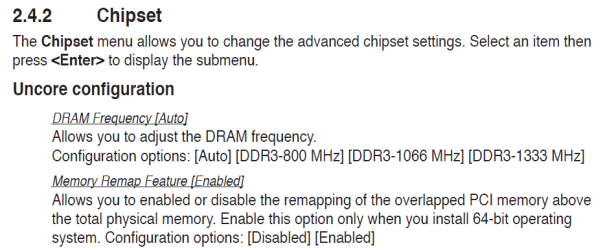
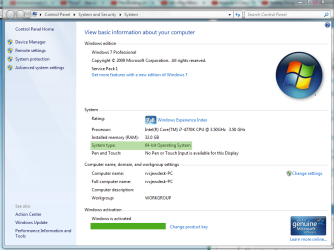
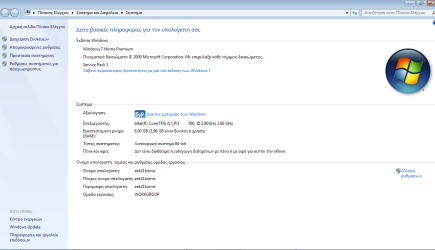
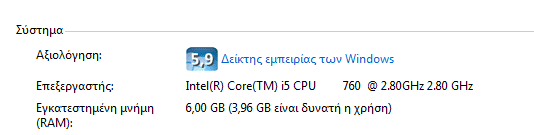
note: ram issue was before I updated my bios
so @rvsjew, you're telling me to load setup defaults and then save the changes?
yes and even if it was an issue before updating you should do this since it may just be why the ram is messed up to gin with. Also try it with one stick and try booting with it in each slot one at at a time to rule out bad slots (do this with the stick you know is good) also you have three sticks in place now yes, if so is the first pair staggered as in in bank 1,3 and 2 is by the odd one out?
My Computer
At a glance
10 Pro x64Ryzen 9 3900X64GB(4x16GB) DDR4EVGA 1080ti FTW3
- Computer type
- PC/Desktop
- Computer Manufacturer/Model Number
- Custom
- OS
- 10 Pro x64
- CPU
- Ryzen 9 3900X
- Motherboard
- Asrock x370 Tachi
- Memory
- 64GB(4x16GB) DDR4
- Graphics Card(s)
- EVGA 1080ti FTW3
- Sound Card
- ASUS Xonar Essence STX (V4 Bursons), ODAC rev B, NFB-11, O2
- Monitor(s) Displays
- 3xASUS PB278Q/R, Optoma HD142X
- Screen Resolution
- 3x1440p, 1080p
- Hard Drives
- 512GB 850 EVO(OS, Programs)
4TB (Movies)
3TB (Downloads)
3TB (Programs)
1TB HDD (Games)
2x6TB R1 (videos)
- PSU
- AX760
- Case
- Fractal Define R5
- Cooling
- NH-D15S
- Keyboard
- Massdrop Ctrl with Box Navy's
- Mouse
- G903, Alioth XXL Mat
- Internet Speed
- 280/40
- Antivirus
- MBAM, ESET
- Browser
- Canary 64 Bit
- Other Info
- I also own a Thinkpad P50 Xeon 4K, X220T, X1C5