How to move program folders to new location (default is My Documents)

stebobibo

New member
Local time
1:55 PM
Messages
22
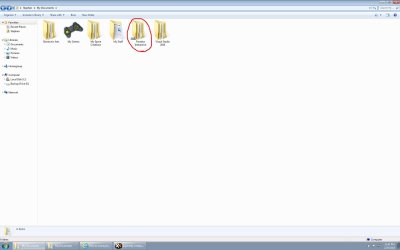
Programs that I have installed on my computer (mostly games) have automatically made their own folders, mainly in My Documents, but also in My Pictures and My Videos. When I move these folders regularly, the program just makes a new one in the previous location when I start it again. So, my question is: how do I move these folders permanently (without losing any information)? Below is a screenshot of the folders in My Documents that I would like to move.
Game Date Folders in My Documents.jpg
Also, here is a screenshot of what files are in the folder "Electronic Arts> The Sims 3" as an example.
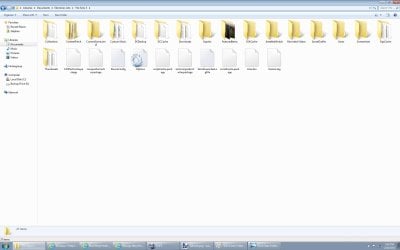
Electronic Arts contents.jpg
Thanks for your help!
 

My Computer My Computer

At a glance

Windows 7Intel Core i5-35708Gb (2x4GB)Nvidia GeForce GTX 660 Ti
Computer type
PC/Desktop
Computer Manufacturer/Model Number
N/A
OS
Windows 7
CPU
Intel Core i5-3570
Motherboard
Asus P8277-V
Memory
8Gb (2x4GB)
Graphics Card(s)
Nvidia GeForce GTX 660 Ti
Hard Drives
1 TB
Antivirus
N/A
Browser
Internet Explorer
Use regedit to find the key(s) that point to that location.
 

My Computer My Computer

At a glance

Microsoft Windows 7 Home Premium 64-bits 7601...Intel(R) Core(TM) i3 CPU M 370 @ 2.40GHz4,00 GBATI Mobility Radeon HD 5400 Series
Computer type
Laptop
Computer Manufacturer/Model Number
ACER ASPIRE 5742G
OS
Microsoft Windows 7 Home Premium 64-bits 7601 Multiprocessor Free Service Pack 1
CPU
Intel(R) Core(TM) i3 CPU M 370 @ 2.40GHz
Motherboard
Acer Aspire 5742G
Memory
4,00 GB
Graphics Card(s)
ATI Mobility Radeon HD 5400 Series
Sound Card
(1) AMD High Definition Audio Device (2) Realtek High Defi
Screen Resolution
1366 x 768 x 32 bits (4294967296 colors) @ 60 Hz
Hard Drives
WDC WD5000BEVT-22ZAT0
Check in Properties of the folders whether they have a Location tab. That would be the only other way to move them - other than the proposed regedit. Any other attempt to move them will break the path and the games will not find them.
 

My Computer My Computer

At a glance

Vista, Windows7, Mint Mate, Zorin, Windows 8from 1.6GHz Duo to i7
Computer Manufacturer/Model Number
HP, Dell, Gateway, Toshiba - 4 laptops and 2 desktops
OS
Vista, Windows7, Mint Mate, Zorin, Windows 8
CPU
from 1.6GHz Duo to i7
Monitor(s) Displays
2x HP w2207
Hard Drives
5x HDD, 7x SSD, 12x Externals
Keyboard
with trackball - no mices
Mouse
Trackball mice
Internet Speed
DSL 6000
Why are programs installing to Documents folder. I've never had a Program install anywhere except to the Program Files which is where WIn7 always directs them. Did you redirect them elsewhere? I would not do that.
 
Greg, those are not really the program folders per se. Those are folders that the games installed - kind of repositories.Many programs do that, just not so many.
 

My Computer My Computer

At a glance

Vista, Windows7, Mint Mate, Zorin, Windows 8from 1.6GHz Duo to i7
Computer Manufacturer/Model Number
HP, Dell, Gateway, Toshiba - 4 laptops and 2 desktops
OS
Vista, Windows7, Mint Mate, Zorin, Windows 8
CPU
from 1.6GHz Duo to i7
Monitor(s) Displays
2x HP w2207
Hard Drives
5x HDD, 7x SSD, 12x Externals
Keyboard
with trackball - no mices
Mouse
Trackball mice
Internet Speed
DSL 6000
Probably the same for Visual Studio. I have about 10 folders of that kind in my big system's Documents - ranging from the Macrium XMLs to the Format Factory output files.
 

My Computer My Computer

At a glance

Vista, Windows7, Mint Mate, Zorin, Windows 8from 1.6GHz Duo to i7
Computer Manufacturer/Model Number
HP, Dell, Gateway, Toshiba - 4 laptops and 2 desktops
OS
Vista, Windows7, Mint Mate, Zorin, Windows 8
CPU
from 1.6GHz Duo to i7
Monitor(s) Displays
2x HP w2207
Hard Drives
5x HDD, 7x SSD, 12x Externals
Keyboard
with trackball - no mices
Mouse
Trackball mice
Internet Speed
DSL 6000
It's a common flaw in many programs to store their internal data in "my documents" and similar paths, thus polluting them and making it difficult to use for its original purpose: to store user-generated work.

Many games store their saves there, as well as Visual Studio and some others too (interesting enough, showing us how MS breaks their own rules), and deleting or moving them will only mean that such programs will fail to find their settings/saves.
The worst of that is that they're almost never configurable, but hardcoded into each game.

One option would be to make a junction or symlink to take its place in "my documents" while moving the real content out of the way. This makes the data easily accessible where you most want it, but still leaves the clutter in the folder.

My personal choice due to these problems and a few others is to simply abandon "my documents" to be bloated by anyone and store my data in another place, out of any predefined system paths.
 

My Computer My Computer

At a glance

Windows 7 Ultimate x64Intel Core i7-740QM8 GB DDR3NVIDIA GeForce 330GT
Computer type
Laptop
Computer Manufacturer/Model Number
Toshiba Sattelite A665-S6092
OS
Windows 7 Ultimate x64
CPU
Intel Core i7-740QM
Memory
8 GB DDR3
Graphics Card(s)
NVIDIA GeForce 330GT
Screen Resolution
1366x768
Hard Drives
Samsung 840 SSD 500GB
1TB USB3 external HD
Cooling
Coolermaster Notepal U3 notebook cooling pad
Internet Speed
3mbps ASDL
Antivirus
ClamWin 0.98.7
Browser
Opera 12.17 x86 (main), Firefox 38 (sec), IE11 (last resort)
One reason to make separate data folders for the user data and place them into a separate partition or disk. Leave the default folders for the programs. And it is not only the Documents folder, some video programs use the Video folder too.
 

My Computer My Computer

At a glance

Vista, Windows7, Mint Mate, Zorin, Windows 8from 1.6GHz Duo to i7
Computer Manufacturer/Model Number
HP, Dell, Gateway, Toshiba - 4 laptops and 2 desktops
OS
Vista, Windows7, Mint Mate, Zorin, Windows 8
CPU
from 1.6GHz Duo to i7
Monitor(s) Displays
2x HP w2207
Hard Drives
5x HDD, 7x SSD, 12x Externals
Keyboard
with trackball - no mices
Mouse
Trackball mice
Internet Speed
DSL 6000
Check in Properties of the folders whether they have a Location tab. That would be the only other way to move them - other than the proposed regedit. Any other attempt to move them will break the path and the games will not find them.
None of the folders have a location tab. Thanks anyways for the advice.
 

My Computer My Computer

At a glance

Windows 7Intel Core i5-35708Gb (2x4GB)Nvidia GeForce GTX 660 Ti
Computer type
PC/Desktop
Computer Manufacturer/Model Number
N/A
OS
Windows 7
CPU
Intel Core i5-3570
Motherboard
Asus P8277-V
Memory
8Gb (2x4GB)
Graphics Card(s)
Nvidia GeForce GTX 660 Ti
Hard Drives
1 TB
Antivirus
N/A
Browser
Internet Explorer
Use regedit to find the key(s) that point to that location.
Thank you. I've figured out how to start up regedit, but I don't know how to use it. Could you please instruct me on how to find the keys and what to do next?
 

My Computer My Computer

At a glance

Windows 7Intel Core i5-35708Gb (2x4GB)Nvidia GeForce GTX 660 Ti
Computer type
PC/Desktop
Computer Manufacturer/Model Number
N/A
OS
Windows 7
CPU
Intel Core i5-3570
Motherboard
Asus P8277-V
Memory
8Gb (2x4GB)
Graphics Card(s)
Nvidia GeForce GTX 660 Ti
Hard Drives
1 TB
Antivirus
N/A
Browser
Internet Explorer
One option would be to make a junction or symlink to take its place in "my documents" while moving the real content out of the way. This makes the data easily accessible where you most want it, but still leaves the clutter in the folder.

My personal choice due to these problems and a few others is to simply abandon "my documents" to be bloated by anyone and store my data in another place, out of any predefined system paths.
Thanks, Alejandro. Could you please explain further how I could make a junction or symlink? I would rather not abandon "My Documents", but if I end up doing so, is it possible to rename "My Documents" and/or move it to a different location, without breaking the paths to the games?
 

My Computer My Computer

At a glance

Windows 7Intel Core i5-35708Gb (2x4GB)Nvidia GeForce GTX 660 Ti
Computer type
PC/Desktop
Computer Manufacturer/Model Number
N/A
OS
Windows 7
CPU
Intel Core i5-3570
Motherboard
Asus P8277-V
Memory
8Gb (2x4GB)
Graphics Card(s)
Nvidia GeForce GTX 660 Ti
Hard Drives
1 TB
Antivirus
N/A
Browser
Internet Explorer
Programs that I have installed on my computer (mostly games) have automatically made their own folders, mainly in My Documents, but also in My Pictures and My Videos. When I move these folders regularly, the program just makes a new one in the previous location when I start it again. So, my question is: how do I move these folders permanently (without losing any information)? Below is a screenshot of the folders in My Documents that I would like to move.
Thanks for your help!

Try to see if the game has a option of itself to move that folder.

Also check to see if that folder in the registry and try editing that path
Becareful though, Improper editing of the registry can cause your system to start misfunctioning.

If you can not find any of those, an alternative is to use Junctions:
https://en.wikipedia.org/wiki/NTFS_junction_point

A very nice program that will create a shell extension in your rightclick menu:
Link Shell Extension


Edit: *Ninjad :confused:*
 

My Computer My Computer

At a glance

Primary OS: Archlinux with Kde-Plasma5 x86-64...i5-4570 3.2GHz8GiBNvidia GeForce GTX 660 (Msi TwinFrozr III)
Computer type
PC/Desktop
Computer Manufacturer/Model Number
Custom build
OS
Primary OS: Archlinux with Kde-Plasma5 x86-64. Secondary OS: Windows 8.1 x64. UEFI Setup.
CPU
i5-4570 3.2GHz
Motherboard
Asus H87-PLUS
Memory
8GiB
Graphics Card(s)
Nvidia GeForce GTX 660 (Msi TwinFrozr III)
Screen Resolution
1920 * 1080
Hard Drives
Samsung SSD 840 PRO 128Gib (Linux) [Is technically not a HDD]
WD Red 1TB (Data+Windows)
PSU
Corsair Gaming GS600 (600W)
Case
Zalman Z9 Plus
Internet Speed
46Mbps (5,75MBps) Down. 5Mbps (0,625MBps) Up.
Antivirus
Avast, but never really needed any AV though...
Browser
Firefox only ^^.
Try to see if the game has a option of itself to move that folder.

Also check to see if that folder in the registry and try editing that path
Becareful though, Improper editing of the registry can cause your system to start misfunctioning.

If you can not find any of those, an alternative is to use Junctions:
https://en.wikipedia.org/wiki/NTFS_junction_point

A very nice program that will create a shell extension in your rightclick menu:
Link Shell Extension


Edit: *Ninjad :confused:*
Thanks for your response, Midori. Could you please explain how I would go about any of those solutions, as I don't know how.
 

My Computer My Computer

At a glance

Windows 7Intel Core i5-35708Gb (2x4GB)Nvidia GeForce GTX 660 Ti
Computer type
PC/Desktop
Computer Manufacturer/Model Number
N/A
OS
Windows 7
CPU
Intel Core i5-3570
Motherboard
Asus P8277-V
Memory
8Gb (2x4GB)
Graphics Card(s)
Nvidia GeForce GTX 660 Ti
Hard Drives
1 TB
Antivirus
N/A
Browser
Internet Explorer
Maybe leave things alone? Some fixes, some major changes, to Default lead to unintended consequences, especially if ReInstalls are called for, whether OS and/or programs running within said OS; OS restores of previous images, etc. There are blockbuster articles detailing features, benefits, possible consequences, etc. with major-league changing default settings [here and BleepingComputer].
 

My Computer My Computer

At a glance

Windows 7 Professional 64-bitDesktop i5; Acers i5 & i7desktop 16GB; 1 Acer 8GB & 1 Acer 16GB
Computer type
PC/Desktop
Computer Manufacturer/Model Number
Antec desktop; Acer Aspire laptops
OS
Windows 7 Professional 64-bit
CPU
Desktop i5; Acers i5 & i7
Memory
desktop 16GB; 1 Acer 8GB & 1 Acer 16GB
Hard Drives
1TB split into 2 equal partitions [OS and data] usable by RJS
Internet Speed
AT&T DSL
Browser
FF, GChrome, msIE
Other Info
Windows 7 Firewall, Emsisoft AM/AV, MSE [scan-only], SpywareBlaster, Ruiware/BillP combine
Maybe leave things alone? Some fixes, some major changes, to Default lead to unintended consequences, especially if ReInstalls are called for, whether OS and/or programs running within said OS; OS restores of previous images, etc. There are blockbuster articles detailing features, benefits, possible consequences, etc. with major-league changing default settings [here and BleepingComputer].

:thumbsup:
 
Thanks for your response, Midori. Could you please explain how I would go about any of those solutions, as I don't know how.
Go all the way down and download the 'Link Shell Extension' (x32 or x64 your windows system) and 'vcredist 2005' (x32 and/or x64 based on Link Shell Extension version).

Then move the game folder to your new Documents folder or wherever you put it, Right-click on it and select 'Pick Link Source'.
After that go to the original documents folder and rightclick on a empty spot, select 'Drop As' > 'Junction'.

This will create a special file which fools any program it is a folder, but instead links somewhere else.

Becareful though to not create a junction which links to a parent(higher) folder which contains the junction or you will create a endless loop.
https://superuser.com/questions/416351/how-to-remove-an-infinitely-recurring-directory-tree

Maybe leave things alone? Some fixes, some major changes, to Default lead to unintended consequences, especially if ReInstalls are called for, whether OS and/or programs running within said OS; OS restores of previous images, etc. There are blockbuster articles detailing features, benefits, possible consequences, etc. with major-league changing default settings [here and BleepingComputer].
Good point, best he could also just let it be and not do anything, nothing broken, nothing to fix.
But that is up to him ^^.
 

My Computer My Computer

At a glance

Primary OS: Archlinux with Kde-Plasma5 x86-64...i5-4570 3.2GHz8GiBNvidia GeForce GTX 660 (Msi TwinFrozr III)
Computer type
PC/Desktop
Computer Manufacturer/Model Number
Custom build
OS
Primary OS: Archlinux with Kde-Plasma5 x86-64. Secondary OS: Windows 8.1 x64. UEFI Setup.
CPU
i5-4570 3.2GHz
Motherboard
Asus H87-PLUS
Memory
8GiB
Graphics Card(s)
Nvidia GeForce GTX 660 (Msi TwinFrozr III)
Screen Resolution
1920 * 1080
Hard Drives
Samsung SSD 840 PRO 128Gib (Linux) [Is technically not a HDD]
WD Red 1TB (Data+Windows)
PSU
Corsair Gaming GS600 (600W)
Case
Zalman Z9 Plus
Internet Speed
46Mbps (5,75MBps) Down. 5Mbps (0,625MBps) Up.
Antivirus
Avast, but never really needed any AV though...
Browser
Firefox only ^^.
Maybe leave things alone? Some fixes, some major changes, to Default lead to unintended consequences, especially if ReInstalls are called for, whether OS and/or programs running within said OS; OS restores of previous images, etc. There are blockbuster articles detailing features, benefits, possible consequences, etc. with major-league changing default settings [here and BleepingComputer].


:thumbsup:
 

My Computer My Computer

At a glance

Windows 10 Pro. 64/ version 1709 Windows 7 Pr...Intel i7-6800K @ 4.3Corsair Platinum 16 gig @2400EVGA GTX 1070 OC
Computer type
PC/Desktop
Computer Manufacturer/Model Number
Home made Desktop
OS
Windows 10 Pro. 64/ version 1709 Windows 7 Pro/64
CPU
Intel i7-6800K @ 4.3
Motherboard
ASUS X-99 Deluxe II
Memory
Corsair Platinum 16 gig @2400
Graphics Card(s)
EVGA GTX 1070 OC
Monitor(s) Displays
Asus 27" LED LCD/VE278Q
Screen Resolution
1920-1080 or 1280-720 HDMI
Hard Drives
INTEL SSD 730-240 Gb Sata 3.0/
PSU
EVGA Platium 1200W
Case
Phanteks Luxe Tempered Glass 8 fans/ one radiator
Cooling
XSPC/ Water Cooled CPU
Keyboard
Das 4 Professional
Mouse
Logitech M705/MX Anywhere 2-S
Internet Speed
100 mbits
Antivirus
Microsoft Security Essentials/ Malwarebytes Premium 3.0/ SAS
Browser
I.E. 11 default/Firefox/ ISP Time Warner Cable/Spectrum
Other Info
LG BluRay Burner/
Sound system-KLipsch-THX/
Icy Dock ssd Hot Swap bays.

My Computer My Computer

At a glance

Windows 7Intel Core i5-35708Gb (2x4GB)Nvidia GeForce GTX 660 Ti
Computer type
PC/Desktop
Computer Manufacturer/Model Number
N/A
OS
Windows 7
CPU
Intel Core i5-3570
Motherboard
Asus P8277-V
Memory
8Gb (2x4GB)
Graphics Card(s)
Nvidia GeForce GTX 660 Ti
Hard Drives
1 TB
Antivirus
N/A
Browser
Internet Explorer
I tried made a junction, but it left a new "junction folder" in My Documents. The reason for the junction was so I wouldn't see the folder in My Documents anymore, but this defeats the purpose. Is there a way to make it invisible? In the screenshot the folder circled in red is what appeared after making the junction.
 

Attachments

  • Junction problem.jpg
    Junction problem.jpg
    65 KB · Views: 1

My Computer My Computer

At a glance

Windows 7Intel Core i5-35708Gb (2x4GB)Nvidia GeForce GTX 660 Ti
Computer type
PC/Desktop
Computer Manufacturer/Model Number
N/A
OS
Windows 7
CPU
Intel Core i5-3570
Motherboard
Asus P8277-V
Memory
8Gb (2x4GB)
Graphics Card(s)
Nvidia GeForce GTX 660 Ti
Hard Drives
1 TB
Antivirus
N/A
Browser
Internet Explorer
Back
Top