How can I set a new default location for new Pictures & Documents etc.
Hello All,
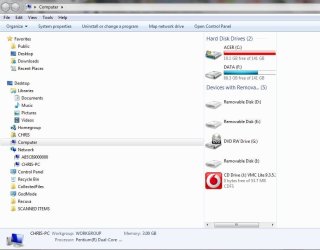
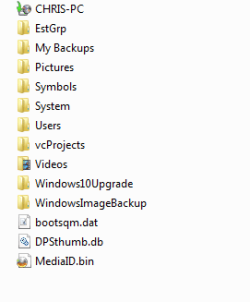
I have had to copy & paste the contents of my Computer`s Libraries `Pictures` and `Videos` Folders from the C Drive to the F Drive [there is no D Drive] to try and regain more Free space on the C Drive by then deleting those Folders in the C Drive [not done yet] so I need to find out how to set a new default location for Pictures, Documents, Videos etc. so that they go to the F Drive instead of the C Drive where they had been going for the last 11 years.
I was not able to MOVE the contents of those Folders using the `normal method` which would have enabled me to select a new / future default location as I described in a previous thread where I asked for instructions on how to do that because apparently somewhere within almost 30,000 Pictures / Files [32 GB`s] and a similar size in the Videos folder there are some Files with `Names` that are too long so I get an immediate onscreen error message preventing the Files being moved.
Rather than me having to try and type out the explanations again from multiple messages could Members who want to find out what happened about that please read through this thread:
Tried to move Folders from C Drive to F drive - Error re. File Name
I would welcome any advice about setting the new default location for Pictures, Documents, Videos, PDF`s etc. to go to the F Drive please.
Also whether I can reinstate the Libraries `Pictures` and `Videos` Folders on the C Drive after I delete them because I feel that it would be impossible to just delete the Contents of those Folders as they amount to approximately 32 GB`s of data / 30,000 Files in 1580 sub folders.
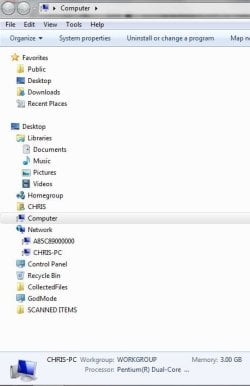
To try and make sure that Members know what Library `Pictures` and `Videos` Folders I am attaching a Screenshot of the Computer`s Library list[/B]
Because I have almost Zero experience in `Computing` I would need Step by Step instructions please so that I do not make a mistake and cause more problems on my Computer - and I will almost certainly need to ask some questions before carrying out those instructions to make sure that I fully understand.
Chris
Hello All,
I have had to copy & paste the contents of my Computer`s Libraries `Pictures` and `Videos` Folders from the C Drive to the F Drive [there is no D Drive] to try and regain more Free space on the C Drive by then deleting those Folders in the C Drive [not done yet] so I need to find out how to set a new default location for Pictures, Documents, Videos etc. so that they go to the F Drive instead of the C Drive where they had been going for the last 11 years.
I was not able to MOVE the contents of those Folders using the `normal method` which would have enabled me to select a new / future default location as I described in a previous thread where I asked for instructions on how to do that because apparently somewhere within almost 30,000 Pictures / Files [32 GB`s] and a similar size in the Videos folder there are some Files with `Names` that are too long so I get an immediate onscreen error message preventing the Files being moved.
Rather than me having to try and type out the explanations again from multiple messages could Members who want to find out what happened about that please read through this thread:
Tried to move Folders from C Drive to F drive - Error re. File Name
I would welcome any advice about setting the new default location for Pictures, Documents, Videos, PDF`s etc. to go to the F Drive please.
Also whether I can reinstate the Libraries `Pictures` and `Videos` Folders on the C Drive after I delete them because I feel that it would be impossible to just delete the Contents of those Folders as they amount to approximately 32 GB`s of data / 30,000 Files in 1580 sub folders.
To try and make sure that Members know what Library `Pictures` and `Videos` Folders I am attaching a Screenshot of the Computer`s Library list[/B]
Because I have almost Zero experience in `Computing` I would need Step by Step instructions please so that I do not make a mistake and cause more problems on my Computer - and I will almost certainly need to ask some questions before carrying out those instructions to make sure that I fully understand.
Chris
Attachments
My Computer
At a glance
WINDOWS 7 HOME PREMIUM
- Computer type
- PC/Desktop
- Computer Manufacturer/Model Number
- ACER 3800
- OS
- WINDOWS 7 HOME PREMIUM
- Keyboard
- LOGITECH WIRELESS
- Mouse
- LOGITECH WIRELESS
- Internet Speed
- 2.5Mbps
- Antivirus
- AVAST 2025 FREE VERSION
- Browser
- FIREFOX OR GOOGLE CHROME