I've gone through all the tutorials and links that Greg provided. I've also downloaded and installed EasyBCD and Partition Wizard.
So, before I do this, I just had a couple of additional questions (please, Brian, don't panic - these may not be as annoying as last time

)
1) Am I correct that the EasyBCD steps as outlined in the tutorial will also change the Boot order of my devices? Or do I have to go into the BIOS and change them myself?
(Right now my HDD (E) is ahead of my SSD (C) in the boot order.)
2) Does Partition Wizard use slightly different terminology than Disk Management?
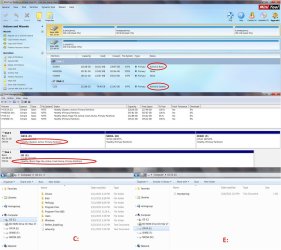
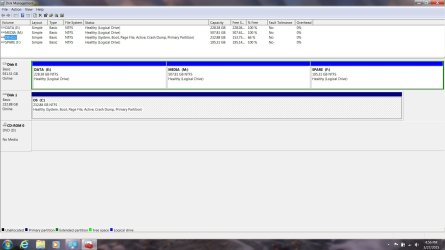
The reason I ask is that I took a look at my disks in Partition Wizard and in Disk Management, and the descriptions are different:
In Disk Management my C Drive is "Healthy (Boot, Page File, Active, Crash Dump, Primary Partition)"
In Partition Wizard my C Drive is "Active & System"
In Disk Management my E Partition on my HDD is "Healthy (System, Active, Primary Partition)"
In Partition Wizard my E Partition on my HDD is "Active & Boot"
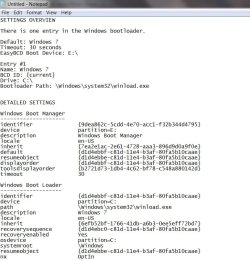
I also went into EasyBCD and pulled the View Settings information, which I have attached as a screen shot. It sees the Boot Manager on E and the Boot Loader on C
So - is this just a terminology difference between PW and DM? Or does this indicate an additional problem?
Either way, will the EasyBCD tutorial steps still be sufficient for this part of the process, or do I need to do something in addition before I move on to the other items on Greg's list?