PROBLEM: pc keeps rebooting
PC reboots, a while after start up. Rebooted when entering safe mode with networking, rebooted when entering window repair mode. Reboots in safe mode w networking
Managed to get into safe mode w networking, tried to attempt solution from this video: Windows 8.1 Event 41 Kernel-Power (Random Reboots) - YouTube
But "choose what power buttons do" only had the first 2 options.
Can't seem to find it within "advanced settings" in "power plan" either.
ERRORS:
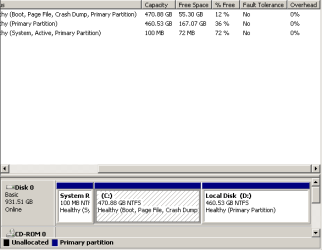
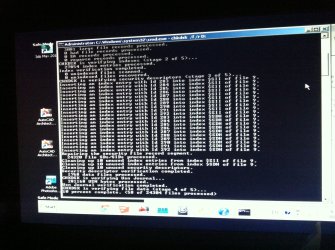
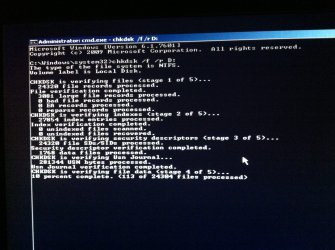
"The device, \device\hardisk0\dr0, has a bad block"
Level = critical, source = kernel-power, event ID = 41, task category = 63
Source = Service control manager, event ID = 7001
Source = service control manager, event ID = 7026
Source = distributedCOM, event ID = 10005
Source = Microsoft anti malware, event ID = 3002
PC PARTS:
i7-2600 3.4GHz
cooler master V6 (replaced fan)
MSI P67A-GD65 (B3) ATX LGA1155 Motherboard
Kingston 4GB DDR3-1333
WD 1TB 7200RPM HDD
MSI GTX560ti HAWK
(Arctic accelero twin turbo II)
SeaSonic X Series 760W 80+ gold fully-modular ATX power
Windows 7 home premium (64-bit)
____________________________________________________
GPU temp stayed at 37-40 C
Didn't check CPU temp in normal mode, couldn't check in safe mode.
Cover panel is off, high power external fan.
PC used for 10 hours
Scan took 6 hours, "limit CPU usage to 50%", I changed it to "20%" at the last 1/6 of the bar left.
I was scanning with Microsoft security essentials and doing work (multiple browser windows + PowerPoint) and had video running in the background for 7 hours.
Scanner detected "VirTool:Win32/obfuscator.XZ", I tried to remove it again (apparently I tried to remove it twice, 10 days before) it showed the error code 0x800700df. occured, saying that "the file exceeds the limit allowed and cannot be saved." again.
I permanently deleted the folder in D Drive (no shadow copy) afterwards and conduct a scan on the parent folder (limit CPU usage to 20%). It rebooted in the middle of it. Conducted quick scan, it rebooted in the middle of it again.
Went into programmes to remove the weird software(s) that installed itself somehow. (safe mode w networking)
OTHER INFORMATION: Was on a boot loop the week before until removing the RAM module from one of the slots fixed the problem. 3 faulty slots. I'm now left with 4GB RAM
(Before that) While looking for the problem, I cleaned up messy thermal compound and removed CPU chip several times (because compound went there), reapplied, and reattached.
Replugged:
-plug from the PSU to the mobo.
-plugs on the HDD
-plugs on the GPU
Dust blew the bottom of PSU with mesh filter plate removed, and the plug holes. (Thought it might be dusty and overheating or something due to that)
Everything has been dust blown.
Swapped out the stock cooler from MSI GTX560 Ti HAWK with ARCTIC ACCELERO TWIN TURBO II (250Watts)
Windows updates are up to 2014. Had not done most of the 2015 windows updates.
Would be great if any of you Technology-Gods could diagnose the problem. Thanks
PC reboots, a while after start up. Rebooted when entering safe mode with networking, rebooted when entering window repair mode. Reboots in safe mode w networking
Managed to get into safe mode w networking, tried to attempt solution from this video: Windows 8.1 Event 41 Kernel-Power (Random Reboots) - YouTube
But "choose what power buttons do" only had the first 2 options.
Can't seem to find it within "advanced settings" in "power plan" either.
ERRORS:
"The device, \device\hardisk0\dr0, has a bad block"
Level = critical, source = kernel-power, event ID = 41, task category = 63
Source = Service control manager, event ID = 7001
Source = service control manager, event ID = 7026
Source = distributedCOM, event ID = 10005
Source = Microsoft anti malware, event ID = 3002
PC PARTS:
i7-2600 3.4GHz
cooler master V6 (replaced fan)
MSI P67A-GD65 (B3) ATX LGA1155 Motherboard
Kingston 4GB DDR3-1333
WD 1TB 7200RPM HDD
MSI GTX560ti HAWK
(Arctic accelero twin turbo II)
SeaSonic X Series 760W 80+ gold fully-modular ATX power
Windows 7 home premium (64-bit)
____________________________________________________
GPU temp stayed at 37-40 C
Didn't check CPU temp in normal mode, couldn't check in safe mode.
Cover panel is off, high power external fan.
PC used for 10 hours
Scan took 6 hours, "limit CPU usage to 50%", I changed it to "20%" at the last 1/6 of the bar left.
I was scanning with Microsoft security essentials and doing work (multiple browser windows + PowerPoint) and had video running in the background for 7 hours.
Scanner detected "VirTool:Win32/obfuscator.XZ", I tried to remove it again (apparently I tried to remove it twice, 10 days before) it showed the error code 0x800700df. occured, saying that "the file exceeds the limit allowed and cannot be saved." again.
I permanently deleted the folder in D Drive (no shadow copy) afterwards and conduct a scan on the parent folder (limit CPU usage to 20%). It rebooted in the middle of it. Conducted quick scan, it rebooted in the middle of it again.
Went into programmes to remove the weird software(s) that installed itself somehow. (safe mode w networking)
OTHER INFORMATION: Was on a boot loop the week before until removing the RAM module from one of the slots fixed the problem. 3 faulty slots. I'm now left with 4GB RAM
(Before that) While looking for the problem, I cleaned up messy thermal compound and removed CPU chip several times (because compound went there), reapplied, and reattached.
Replugged:
-plug from the PSU to the mobo.
-plugs on the HDD
-plugs on the GPU
Dust blew the bottom of PSU with mesh filter plate removed, and the plug holes. (Thought it might be dusty and overheating or something due to that)
Everything has been dust blown.
Swapped out the stock cooler from MSI GTX560 Ti HAWK with ARCTIC ACCELERO TWIN TURBO II (250Watts)
Windows updates are up to 2014. Had not done most of the 2015 windows updates.
Would be great if any of you Technology-Gods could diagnose the problem. Thanks
Last edited:
My Computer
- Computer type
- PC/Desktop
- Computer Manufacturer/Model Number
- Custom build
- OS
- Windows 7 home premium 64bit
- CPU
- Intel core i5-4690 3.5GHz Quad core processor
- Motherboard
- MSI z97-GUARD PRO ATX LGA 1150 Motherboard
- Memory
- Kingston 8GB kit DDR3-1333
- Graphics Card(s)
- GTX 1050 Ti AERO ITX 4G OC
- Monitor(s) Displays
- HP x2301 LED Full HD 1080p
- Hard Drives
- Western digital cavier blue 1TB 3.5" 7200RPM 64MB cache
- PSU
- SeaSonic X Series 760W 80+ Gold Certified Fully-Modular ATX
- Cooling
- Cooler Master V6
- Antivirus
- malwarebytes & panda
- Browser
- Google chrome
- Other Info
- Swapped out GPU (MSI GTX560ti HAWK twin frozer III) stock cooler for ARCTIC accelero twin turbo II