SickOfTheBSOD
New member
- Local time
- 12:45 PM
- Messages
- 67
I'll try to clarify:
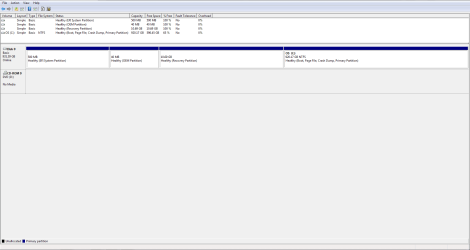
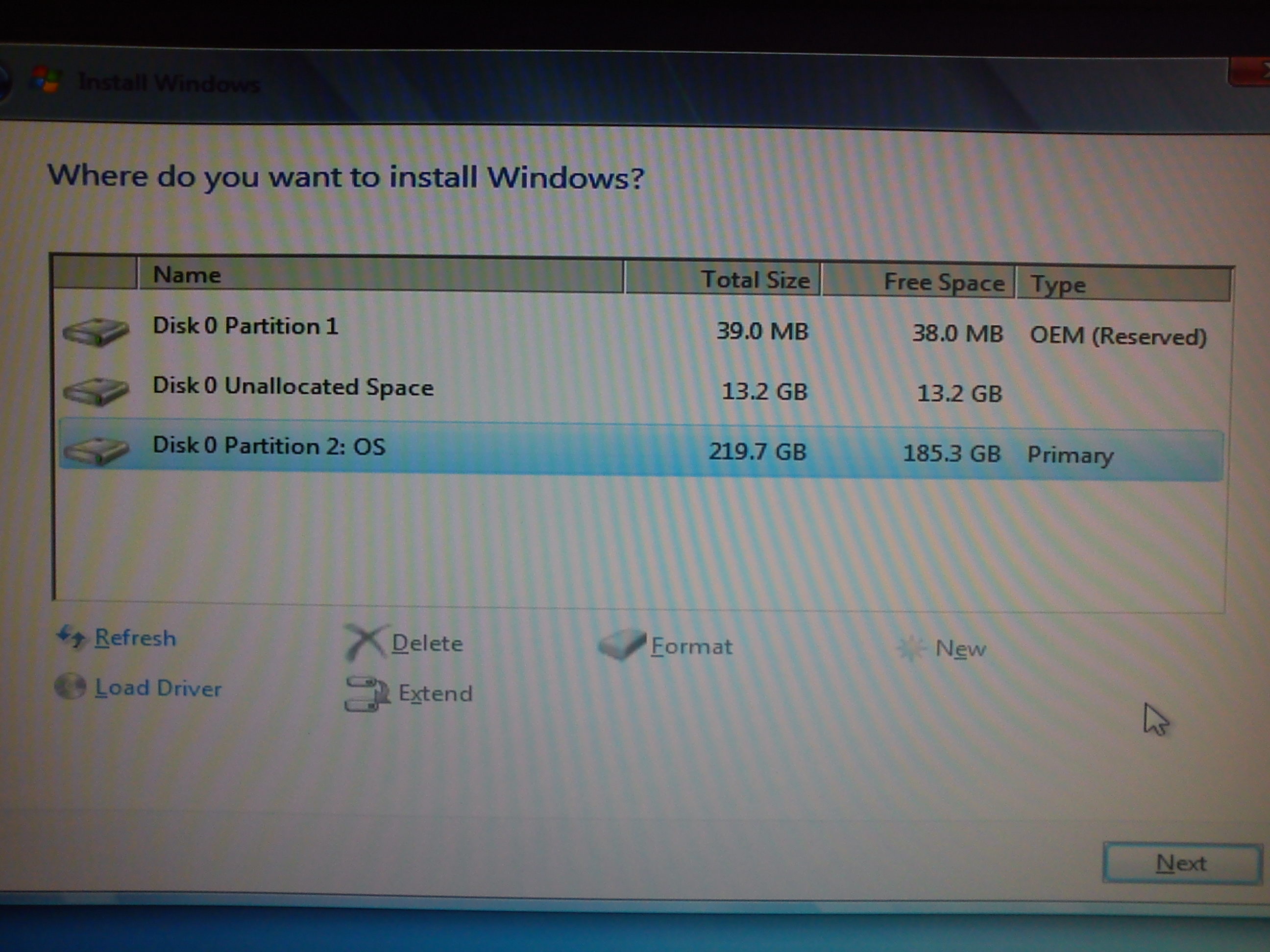
I had a BSOD-related problem but, thanks to a few on this forum, it's been fixed. Before this, however, I took the PC to a retail store and asked for a "clean installation". The result, I find out later, is I now have two OEM "files" (?) under the setup options when I view my PC from the "setup.exe" disc.
What I'd like help with:
1) Understanding what OEM stuff is about?
2) What should I do about this? Should I leave both of them or delete one? (I plan on doing another clean installation sometime soon)
3) What is the purpose of these OEM "files" and why do I need them on my PC? (It's a pre-built model from Alienware)
Any help would be greatly appreciated. I'm not sure what I should do about this and I don't want to cause further problems with my PC.
I had a BSOD-related problem but, thanks to a few on this forum, it's been fixed. Before this, however, I took the PC to a retail store and asked for a "clean installation". The result, I find out later, is I now have two OEM "files" (?) under the setup options when I view my PC from the "setup.exe" disc.
What I'd like help with:
1) Understanding what OEM stuff is about?
2) What should I do about this? Should I leave both of them or delete one? (I plan on doing another clean installation sometime soon)
3) What is the purpose of these OEM "files" and why do I need them on my PC? (It's a pre-built model from Alienware)
Any help would be greatly appreciated. I'm not sure what I should do about this and I don't want to cause further problems with my PC.
My Computer
At a glance
Windows 7 Home Premium x64Intel i7 4770 3.40Ghz16 GB DDR3Nvidia GeForce GTA 760 Ti OEM
- Computer type
- PC/Desktop
- Computer Manufacturer/Model Number
- Dell, Alienware
- OS
- Windows 7 Home Premium x64
- CPU
- Intel i7 4770 3.40Ghz
- Motherboard
- Micro ATX
- Memory
- 16 GB DDR3
- Graphics Card(s)
- Nvidia GeForce GTA 760 Ti OEM
- Monitor(s) Displays
- 1
- Screen Resolution
- 1920 x 1080
- Antivirus
- Microsoft Security Essentials
- Browser
- Google Chrome, Internet Explorer 11
- Other Info
- OS was recently reinstalled.




 , ignore my post #9.