I am having a problem with my Dell Inspiron 3541 laptop, OS win 7 Home 64 bits. I have had this laptop for about 6 months with no problems. About 2 days ago. I think it is due to a web site that I looked at. Now I am getting some strange unwanted pop ups. 1 was randomly popping up on the desktop, (called trailers, as in movie trailers) I deleted that via the regedit prog. I deleted every reference to the name "trailers" in the registry. That took care of that.
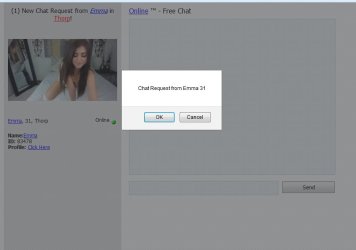
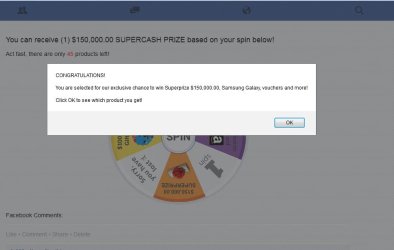
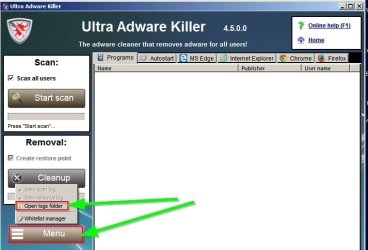
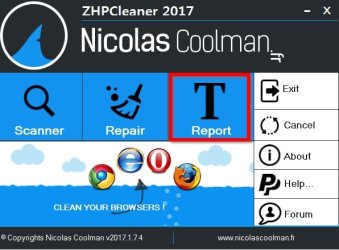
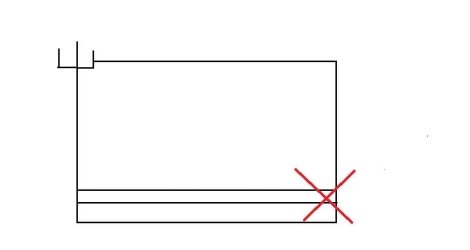
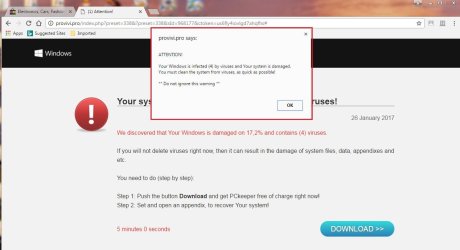
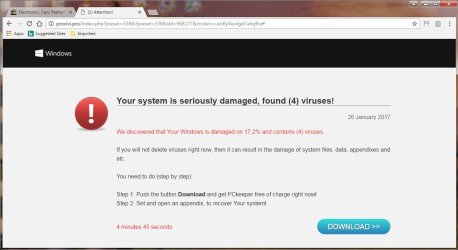
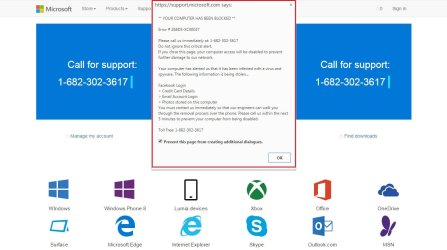
I am still randomly getting the following screen captures bellow in Google Chrome (I don't get the pop ups in Internet Explorer or Firefox, I don't use them). The 1st one says I have 4 virus's in my system. I can close the box marked with the red box around it. Then I have the 2nd screen capture. It says that they detected 4 virus's on my sys. And I have to download and run a prog called "PCKeeper" ASAP. Who any what is spying on my sys, and why? The 3rd screen capture is supposably from MicroSoft them self. Part of the message on that screen capture reads as "Ignore this alert and your computer will be disabled to stop anymore damage to our network" And the only way to shut down that web page is to use Ctrl + Alt + Del > start task manager and shut down Google Chrome from there. At that point Goggle Chrome is completely frozen (only Chrome is frozen, the rest of win is fine), nothing works. The #4 screen capture. I have no beep, beep idea what it is. Is all of this stuff a spam attack or is it the normal virus, trojan horse or some kind of a worm?
Steve
I am still randomly getting the following screen captures bellow in Google Chrome (I don't get the pop ups in Internet Explorer or Firefox, I don't use them). The 1st one says I have 4 virus's in my system. I can close the box marked with the red box around it. Then I have the 2nd screen capture. It says that they detected 4 virus's on my sys. And I have to download and run a prog called "PCKeeper" ASAP. Who any what is spying on my sys, and why? The 3rd screen capture is supposably from MicroSoft them self. Part of the message on that screen capture reads as "Ignore this alert and your computer will be disabled to stop anymore damage to our network" And the only way to shut down that web page is to use Ctrl + Alt + Del > start task manager and shut down Google Chrome from there. At that point Goggle Chrome is completely frozen (only Chrome is frozen, the rest of win is fine), nothing works. The #4 screen capture. I have no beep, beep idea what it is. Is all of this stuff a spam attack or is it the normal virus, trojan horse or some kind of a worm?
Steve
Attachments

My Computer
At a glance
windows 7 home 32 bit, I just changed back fr...amc a6-6310, radon r4 graphics 1800mhz with 4...6.8gbnot sure off hand
- Computer type
- Laptop
- Computer Manufacturer/Model Number
- Dell Inspiron 3541
- OS
- windows 7 home 32 bit, I just changed back from 64 to 32bit
- CPU
- amc a6-6310, radon r4 graphics 1800mhz with 4 cores
- Memory
- 6.8gb
- Graphics Card(s)
- not sure off hand
- Sound Card
- not shure off hand
- Monitor(s) Displays
- built in lcd
- Screen Resolution
- 1366 x 768
- Hard Drives
- 1 500gb sata internal HDD and 1 250 gb's sata HDD in a USB external USB case.
- Keyboard
- Wifi with attached wifi mouse
- Internet Speed
- don't know
- Antivirus
- Zone Alarm
- Browser
- Firefox
- Other Info
- The gateway laptop model MD2614U died because a voltage regulator on the motherboard went poof. The Gateway laptop has been scraped.