
Saving my data from dying 2.5" Laptop HDD. 'Parameter incorrect' etc.
A week or so ago a friend came to me with a dead laptop. The drive had seemingly died on them and startup recovery proved ineffective - The drive couldn't be found.
I've since relocated the drive to one of my 2.5" bays in my PC to find that windows refused to boot with the drive inserted, requiring some tinkering to get working. After reinserting the drive, I was greeted with this:
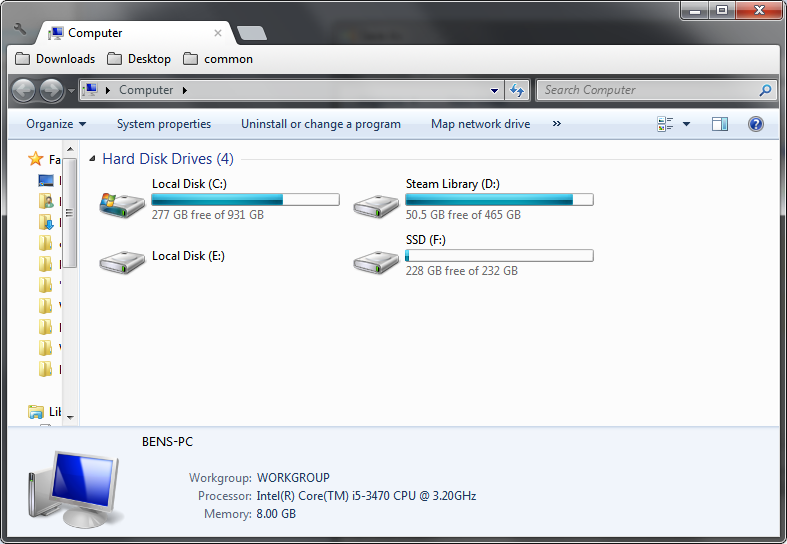
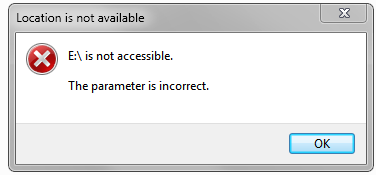
I've since tried numerous methods to recover the lost data with varying success. Partition magic shows the drive, partition, and a file preview:
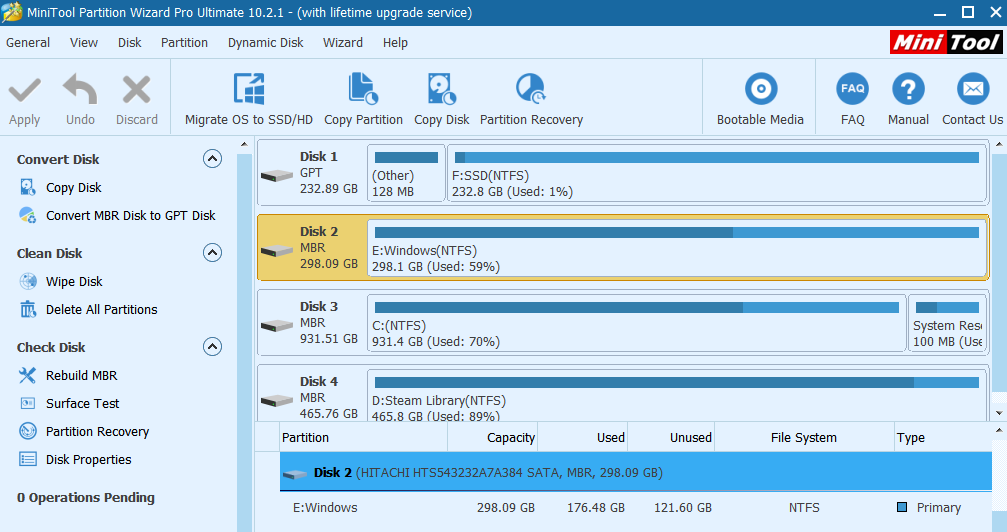
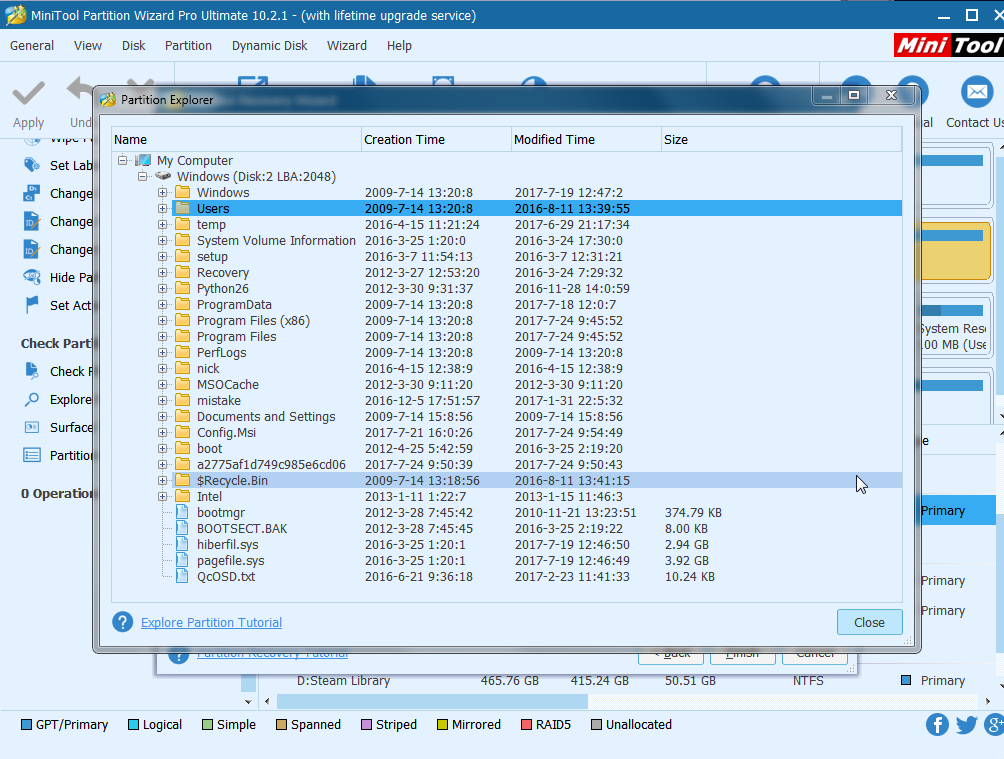
I've tried to use partition recovery with no results (the partition is already found), as well as rebuilt the MBR, which hasn't yielded any results either.
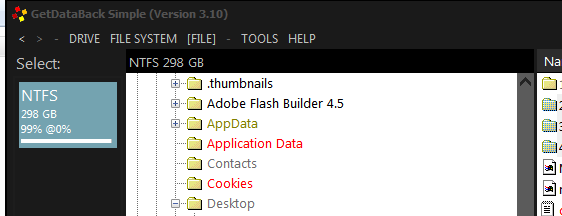
I've got GetDataBack simple, and I've been able to scan the whole drive with it over a couple of days:
Smaller files seem to copy off of the drive without a hitch, but on larger files the windows aren't responding for most of the time and I frequently run into I/O errors due to unreadable segments of the FS.
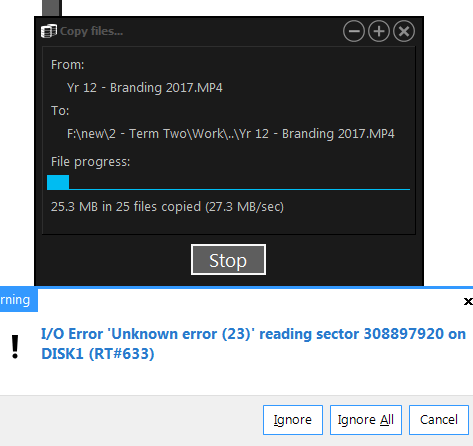
Some large files were recovered in this fashion, but ones stored on the drive most recently would get completely stuck.
I've tried running TestDisk's Boot Sector recovery according to instructions in other threads, which ran successfully but offered no improvement.
Chkdsk appears to work, but because of unreadable file record segments being retried many times, I'd estimate the full runtime to be a few months.

I wasn't able to use fsutil dirty set on the drive to schedule autocheck to run on boot, but managed to set it using Regedit and it fully completed in about ~48 hours (It ran through the unreadable segments significantly faster, so if this is possible in regular chkdsk I'd be able to run additional arguments). Afterwards my PC successfully booted through to windows, but the drive is still unusable, although I did get 'The request could not be performed due to a device i/o error' on trying to open the drive which was new, but nothing helpful. No notable improvements on GDB either.
After all that I'm honestly lost as to where to turn to next. If anybody can offer any advice or direction as to where to turn to next, I'd appreciate the input, even if it just gets me to the point where file recovery software will be able to recover the larger files.
Let me know if I can provide any more information, and Thanks in advance for any assistance.
A week or so ago a friend came to me with a dead laptop. The drive had seemingly died on them and startup recovery proved ineffective - The drive couldn't be found.
I've since relocated the drive to one of my 2.5" bays in my PC to find that windows refused to boot with the drive inserted, requiring some tinkering to get working. After reinserting the drive, I was greeted with this:
I've since tried numerous methods to recover the lost data with varying success. Partition magic shows the drive, partition, and a file preview:
I've tried to use partition recovery with no results (the partition is already found), as well as rebuilt the MBR, which hasn't yielded any results either.
I've got GetDataBack simple, and I've been able to scan the whole drive with it over a couple of days:
Smaller files seem to copy off of the drive without a hitch, but on larger files the windows aren't responding for most of the time and I frequently run into I/O errors due to unreadable segments of the FS.
Some large files were recovered in this fashion, but ones stored on the drive most recently would get completely stuck.
I've tried running TestDisk's Boot Sector recovery according to instructions in other threads, which ran successfully but offered no improvement.
Chkdsk appears to work, but because of unreadable file record segments being retried many times, I'd estimate the full runtime to be a few months.
I wasn't able to use fsutil dirty set on the drive to schedule autocheck to run on boot, but managed to set it using Regedit and it fully completed in about ~48 hours (It ran through the unreadable segments significantly faster, so if this is possible in regular chkdsk I'd be able to run additional arguments). Afterwards my PC successfully booted through to windows, but the drive is still unusable, although I did get 'The request could not be performed due to a device i/o error' on trying to open the drive which was new, but nothing helpful. No notable improvements on GDB either.
After all that I'm honestly lost as to where to turn to next. If anybody can offer any advice or direction as to where to turn to next, I'd appreciate the input, even if it just gets me to the point where file recovery software will be able to recover the larger files.
Let me know if I can provide any more information, and Thanks in advance for any assistance.
My Computer
At a glance
Windows 7 Ultimate x64i5 3470Patriot 2x4gb KitGigabyte R9 270
- Computer type
- PC/Desktop
- Computer Manufacturer/Model Number
- Custom Build
- OS
- Windows 7 Ultimate x64
- CPU
- i5 3470
- Motherboard
- Asrock H77 Pro4-MVP
- Memory
- Patriot 2x4gb Kit
- Graphics Card(s)
- Gigabyte R9 270
- Monitor(s) Displays
- Samsung SyncMaster P2350
- Screen Resolution
- 1920x1080
- Hard Drives
- Seagate Barracuda 1TB
WD Black 500GB
Samsung 850 Evo 250GB
- PSU
- EVGA Supernova G2 750W
- Cooling
- Noctua D15
- Keyboard
- Microsoft Sidewinder x6
- Mouse
- Logitech MX518
- Internet Speed
- ~4MB/s
- Antivirus
- Ablock and Malwarebytes
- Browser
- Chrome


