Hi,
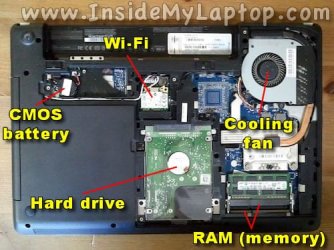
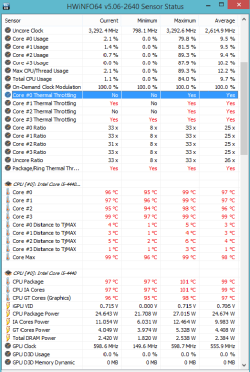
I have a laptop with Intel core i5-7500 which was working good but now it became sluggish. Every time i run application or browse using chrome it get slower. Last night i was watching movie on laptop when i noticed that it's fans are running constantly in unusual sound. I asked my friends about this problem but their opinions were different. One of my friend told me that my laptop is overheating but it is not clear to me what actually is
the cause.
Can you tell me what is happening to my laptop.
I have a laptop with Intel core i5-7500 which was working good but now it became sluggish. Every time i run application or browse using chrome it get slower. Last night i was watching movie on laptop when i noticed that it's fans are running constantly in unusual sound. I asked my friends about this problem but their opinions were different. One of my friend told me that my laptop is overheating but it is not clear to me what actually is
the cause.
Can you tell me what is happening to my laptop.
My Computer
At a glance
Windows 7 Home PremiumIntel Core i 34 GB
- Computer type
- PC/Desktop
- OS
- Windows 7 Home Premium
- CPU
- Intel Core i 3
- Memory
- 4 GB