PC constantly shuts off and attempts reboot

KingKarrit

New member
Local time
3:30 AM
Messages
7
I left my PC on overnight at the Desktop with no programs running. When I went to use my computer the next morning, the case and CPU fans were all running at max speed, and the monitor wouldn't display anything when turned on. Also, the LEDs for the CPU and RAM were flashing. The front power button on the case was not turning the PC off either, so I manually switched off the PSU. Upon trying to boot up the computer, the computer would sometimes get past the BIOS screen to the "Windows failed to start" menu and then shut off completely, rapidly repeating this cycle.

I left the computer off for about 10 minutes while I found my Windows 7 install disc, and upon returning I loaded the BIOS defaults, disabling all of my RAM and CPU over locking settings. Once reset, I proceeded to insert the disc and load up the Startup Repair tool after windows failed to start again.

Startup repair apparently recovered my windows 7 Home Premium OS, so I ran a Check Disc on my system drive. The check disc found no corrupted files. At this point, every time I try to start the computer, I get 2 OS options:

Windows 7
Windows 7 Home Premium (recovered)

As well as a "Memory Diagnostic Tool" option selectable by pressing "Tab"

Selecting the recovered OS loaded windows how it always has, and I could log in and use the computer as normal. I ran a malware and Virus scan with no problems found. A pop up window on the taskbar reminded me that there were windows updates that needed to be installed. So I clicked the window and began downloading the updates. At about 5/11 of the updates being installed, the computer shut off suddenly. I wasn't using the computer for anything other than the updates. Then, the cycle began again, about 5 seconds to a minute of Windows failing to start, and then completely shutting off and trying to start again. The CPU and RAM LEDs weren't blinking. I switched off the PSU again for about 5 minutes, and loaded up system restore off the disc again. The option to load from the "Windows 7 Home Premium (recovered)" option was there again, (which loads fine btw) and selecting simply the "Windows 7" option loads up startup repair.

When startup repair checks for problems, this time it can't fix them automatically. The problem details:

Problem Signature:
Problem Event Name: StartupRepairOffline
Problem Signature 01: 6.1.7600.16385
Problem Signature 02: 6.1.7600.16385
Problem Signature 03: unknown
Problem Signature 04: -1
Problem Signature 05: AutoFailover
Problem Signature 06: 1
Problem Signature 07: NoOsInstalled
OS Version: 6.1.7601.2.1.0.256.1
Locale ID: 1033

After seeing this and some Google searching I found that someone else who had these exact problem details was referred to a solution for an "Infinite Loop" problem. (Startup Repair Infinite Loop Recovery - Windows 7 Help Forums) That sounded like what was happening to me. I followed the steps in the tutorial and everything went without a hitch. After that, I rebooted to the familiar black menu screen with the options for either my recovered OS, the regular "Windows 7" OS that takes me to the startup repair, and a Memory Diagnostic Tool option. Upon running the memory diagnostic tool, the computer unfortunately shut off unexpectedly in the middle of the test, and then another automatically repeating loop of attempting to boot and shutting off.

I decided to leave the computer off for a while and come back to try the memory diagnostic tool again, as I feel that the RAM is the root cause of these problems. This time, the test ran fine, with no problems detected. Once the test was finished I was given the familiar OS selection screen, where I selected "Windows 7 Home Premium (recovered)" and windows loaded like normal. I logged in (which took WAY longer than usual to get past the "Welcome" screen) and after a very slow load of all my desktop Icons, I decided to check my temps after a benchmark. I noticed that everything was running very sluggishly, and even trying to load the network settings took about 2 minutes, although task manager said only 6% of my CPU and 3GB of memory was being used. I opened up Piriform Speccy to see that all of my hardware temps were fine, right around 30 degrees Celsius.

At this point I got another pop up from the task bar telling me to update windows, so I clicked it and began installing 15 important updates after creating a restore point. This time, the updates were successfully installed so I clicked "restart now" to finish installing the updates. The system logged off and got to 30% of configuring updates before shutting off. It restarted so I selected "Windows 7 Home Premium (recovered)" again and it began configuring updates to 81% before saying "Shutting Down". It restarted again and I selected the recovered OS. Again the Windows Update Configuration Screen showed up, this time with no percentage. After about 5 minutes the user select screen loaded and I logged in.

I figured the issue was resolved at this point, as I left it at the desktop for an hour without the computer crashing, but while I was browsing the Internet, the computer suddenly shut off again. This happens randomly now and I don't know the cause.

Does anybody have any ideas on how I can fix this?
 

My Computer My Computer

Computer type
PC/Desktop
Computer Manufacturer/Model Number
custom build
OS
Windows 7 Home Premium 64bit
CPU
Intel Core i7-4770k
Motherboard
Asus Sabertooth z87
Memory
Corsair Vengeance 1600Mhz
Graphics Card(s)
EVGA GeForce GTX Titan 6GB
Hard Drives
Wester Digital Black 1TB (x2)
Antivirus
AVG
Browser
Chrome
Hi KingKarrit, welcome to the Forum.

Your problem could be a failing PSU. Diagnosing problems in a PSU can be very difficult & the best procedure is to change it & see if the problem persists of disappears.
 

My Computer My Computer

Computer type
PC/Desktop
Computer Manufacturer/Model Number
Self built using existing case
OS
Windows 7 Home Premium 64 bit sp1
CPU
Intel i5 3570 3.4Ghz Ivy Bridge SKT 1155 quad core
Motherboard
Gigabyte Z77-HD3 SKT 1155 2xSata 3, 4x USB 3.0
Memory
G-Skill Rip Jaws 16Gb (8x2) DDR3 -1600 PC3 12800 CL 10 red
Graphics Card(s)
Gigabyte NVIDIA GT610 1Gb DDR3 810/1200 PCI-E 2.0 Silent
Sound Card
NVIDIA High Definition & Realtech High Definition Audio
Monitor(s) Displays
2 x Philips 226V4L 16:9 aspect ratio
Screen Resolution
1920 x 1080 HD
Hard Drives
Samsung 840 Pro 256gb SSD, SATA 3.
Hitachi Touro Portable 1tb, USB 3.0 HDD used for image b/ups.
PSU
Corsair VS450
Case
Codeng
Cooling
PSU fan & CPU fan
Keyboard
Logitech
Mouse
Logitech Wireless trackball M570
Internet Speed
Wireless 3G. 3mg down & 550kb up.
Antivirus
Bitdefender Internet Security 2020
Browser
Opera (Current Version) & Firefox
Other Info
MS Office 2013 Pro. Davis weather station software. MGE Nova 600 avr UPS.
Hi KingKarrit, welcome to the Forum.

Your problem could be a failing PSU. Diagnosing problems in a PSU can be very difficult & the best procedure is to change it & see if the problem persists of disappears.

Alright, so I swapped my 1000 watt PSU for another 750 watt PSU and the proplem persists. When the computer does these crashes there is no crash dump file.
 

My Computer My Computer

Computer type
PC/Desktop
Computer Manufacturer/Model Number
custom build
OS
Windows 7 Home Premium 64bit
CPU
Intel Core i7-4770k
Motherboard
Asus Sabertooth z87
Memory
Corsair Vengeance 1600Mhz
Graphics Card(s)
EVGA GeForce GTX Titan 6GB
Hard Drives
Wester Digital Black 1TB (x2)
Antivirus
AVG
Browser
Chrome
Hi KingKarrit,
What kind of temps are you getting on your CPU, etc. Have you noticed any excessive fan noise or speed after your machine is on for a period of time? If you have an overheating issue, your machine will most likely shut down to save itself.
Since you machine is not logging crash dumps, and I assume it is set to do so, just a suggestion, have a look see:
How to resolve automatic restarts problem when Windows 7 experiences an error (Easy Fix Article - Written by MVP)
When you have auto restart disabled and you manually restart your machine, you should be presented an error message at startup
 

My Computer My Computer

Computer type
PC/Desktop
Computer Manufacturer/Model Number
HP Desktop & Compaq Laptop
OS
Win 10 x64, Linux Lite, Win 7 x64, BlackArch, & Kali
Hard Drives
Samsung 850 Pro 256Gb,
Hitachi HDD 1Tb,
Crucial MX SSD 250Gb
Segate 3Tb USB 3.0 Ext. Backup HDD
Internet Speed
150Mbps dn, 20Mbps up
Antivirus
Avast Free, Malwarebytes Anti-Exploit & Anti-Ransomware
Browser
Firefox, Chrome, Opera, & VPN
Hi KingKarrit,
What kind of temps are you getting on your CPU, etc. Have you noticed any excessive fan noise or speed after your machine is on for a period of time? If you have an overheating issue, your machine will most likely shut down to save itself.
Since you machine is not logging crash dumps, and I assume it is set to do so, just a suggestion, have a look see:
How to resolve automatic restarts problem when Windows 7 experiences an error (Easy Fix Article - Written by MVP)
When you have auto restart disabled and you manually restart your machine, you should be presented an error message at startup

My temperatures are between 25-35 celcius. My fans don't ramp up after a while, my computer rarely stays on for 10 minutes before clicking off and starting up again. I already have my system set no not have auto restart enabled, and no error message has ever shown up. I've already tried a clean install of windows as well.
 

My Computer My Computer

Computer type
PC/Desktop
Computer Manufacturer/Model Number
custom build
OS
Windows 7 Home Premium 64bit
CPU
Intel Core i7-4770k
Motherboard
Asus Sabertooth z87
Memory
Corsair Vengeance 1600Mhz
Graphics Card(s)
EVGA GeForce GTX Titan 6GB
Hard Drives
Wester Digital Black 1TB (x2)
Antivirus
AVG
Browser
Chrome
I figured I will post a list of things I have already tried. (none of them solved my problem)

Chkdsk
Memory diagnostic tools
Malware/virus scans
Re-installing display drivers
Re-installing windows
disabling "automatic restart on system failure"
Swapping PSU for another working PSU from another PC
Swapping RAM into other slots as well as swapping RAM altogether from another PC
Swapping hard drives from another PC
Removing unnecessary hardware (GPU, sound card, flash drives etc)

I want to mention again that this all started to happen while installing Windows updates overnight, I hadn't installed any new hardware, cleaned it, moved it or anything else. I've had no problems with the computer since I built it in 2013. Sometimes the computer will run for a couple hours or a couple minutes before it *click* shuts off without reason. Sometimes I will be rendering in Maya and sometimes I will be watching youtube videos, it just happens.
 

My Computer My Computer

Computer type
PC/Desktop
Computer Manufacturer/Model Number
custom build
OS
Windows 7 Home Premium 64bit
CPU
Intel Core i7-4770k
Motherboard
Asus Sabertooth z87
Memory
Corsair Vengeance 1600Mhz
Graphics Card(s)
EVGA GeForce GTX Titan 6GB
Hard Drives
Wester Digital Black 1TB (x2)
Antivirus
AVG
Browser
Chrome
Humm...
Have you tested you RAM and run SMART and Short Test on HDD/SSD?
You appear to have tried most easily accomplished troubleshooting solutions so-far!
Another thought:
Have you tried stress testing your GPU/CPU
Prime95: The most popular free software for testing CPUs/GPUs. It will run indefinitely, and shut off if it finds a problem. It’s recommended to run Prime95 for at least 3 hours, and to make sure temperatures don’t get too dangerous while you’re testing. [Instructions for using Prime95]
Beyond above and what you've already tried, I'm out of ideas at present!
 

My Computer My Computer

Computer type
PC/Desktop
Computer Manufacturer/Model Number
HP Desktop & Compaq Laptop
OS
Win 10 x64, Linux Lite, Win 7 x64, BlackArch, & Kali
Hard Drives
Samsung 850 Pro 256Gb,
Hitachi HDD 1Tb,
Crucial MX SSD 250Gb
Segate 3Tb USB 3.0 Ext. Backup HDD
Internet Speed
150Mbps dn, 20Mbps up
Antivirus
Avast Free, Malwarebytes Anti-Exploit & Anti-Ransomware
Browser
Firefox, Chrome, Opera, & VPN
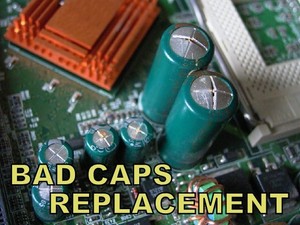
I'd start looking for bulging / bloated / swollen capacitors on the motherboard and graphics card since you have eliminated the power supply by replacing it.


s-l300.jpg
 

My Computer My Computer

OS
Linux
On your hardware specs I see a i7-4770k. Did you overclock?
 

My Computers My Computers

System One System Two

  • Computer type
    PC/Desktop
    Computer Manufacturer/Model Number
    custom build
    OS
    Windows 7 HP 64
    CPU
    i5 6600K - 800MHz to 4200MHz
    Motherboard
    GA-Z170-HD3P
    Memory
    4+4G GSkill DDR4 3000
    Graphics Card(s)
    IG - Intel 530
    Monitor(s) Displays
    Samsung 226BW
    Screen Resolution
    1680x1050
    Hard Drives
    (1) -1 SM951 – 128GB M.2 AHCI PCIe SSD drive for Windows 7 and Lubuntu
    (2) -1 WD SATA 3 - 1T for Data
    (3) -1 WD SATA 3 - 1T for backup
    PSU
    Thermaltake 450W TR2 gold
    Keyboard
    Old and good Chicony mechanical keyboard
    Mouse
    Logitech mX performance - 9 buttons (had to disable some)
    Internet Speed
    500Mb/s
    Browser
    Firefox 64
    Other Info
    TinyWall firewall
  • Computer type
    Laptop
    System Manufacturer/Model Number
    Asus Q550LF
    OS
    Windows 7 Pro
    CPU
    i7-4500U 800MHz to 3.0GHz
    Motherboard
    Asus Q550LF
    Memory
    (4+4)G DDR3 1600
    Graphics Card(s)
    IG intel 4400 + NVIDIA GeForce GT 745M
    Sound Card
    Realtek
    Monitor(s) Displays
    LG Display LP156WF4-SPH1
    Screen Resolution
    1920 x 1080
    Hard Drives
    BX500 120G SSD for Windows and programs +
    1T HDD for data
    Internet Speed
    500 Mb/s
    Browser
    Firefox
    Other Info
    TinyWall firewall
Its hard to tell what actually happened but it might be the motherboard that causing all this since, you already tested RAM and Hard Drive.
 

My Computer My Computer

Computer type
Laptop
Computer Manufacturer/Model Number
Lenovo
OS
Win 10 pro 64 bit
CPU
i5 6th gen
Memory
8 gb
At this point in your troubleshooting, I have to agree with poorguy. Don't know if you're savvy on schematics and test-meters.

A common cause of motherboard issues or failure is bulged or blown capacitors. Check the top of each capacitor to see if it is bulging, even slightly, or if the capacitor is leaking, which is an indication the capacitor is blown. If you find any bulging or blown capacitors, that is very likely the cause of any motherboard issues in your computer. A decent large magnifying glass works wonders here! I have a stand version with illumination I use for inspection, removal & replacing components.
 
Last edited:

My Computer My Computer

Computer type
PC/Desktop
Computer Manufacturer/Model Number
HP Desktop & Compaq Laptop
OS
Win 10 x64, Linux Lite, Win 7 x64, BlackArch, & Kali
Hard Drives
Samsung 850 Pro 256Gb,
Hitachi HDD 1Tb,
Crucial MX SSD 250Gb
Segate 3Tb USB 3.0 Ext. Backup HDD
Internet Speed
150Mbps dn, 20Mbps up
Antivirus
Avast Free, Malwarebytes Anti-Exploit & Anti-Ransomware
Browser
Firefox, Chrome, Opera, & VPN
Alright thanks, I'll inspect the capacitors but it's going to take some time as my CPU cooler has to be removed in order to take the plastic shield that covers most of the motherboard.
 

My Computer My Computer

Computer type
PC/Desktop
Computer Manufacturer/Model Number
custom build
OS
Windows 7 Home Premium 64bit
CPU
Intel Core i7-4770k
Motherboard
Asus Sabertooth z87
Memory
Corsair Vengeance 1600Mhz
Graphics Card(s)
EVGA GeForce GTX Titan 6GB
Hard Drives
Wester Digital Black 1TB (x2)
Antivirus
AVG
Browser
Chrome
Alright thanks, I'll inspect the capacitors but it's going to take some time as my CPU cooler has to be removed in order to take the plastic shield that covers most of the motherboard.

Can you explain what plastic shield you're referring?
 

My Computers My Computers

System One System Two

  • Computer type
    PC/Desktop
    Computer Manufacturer/Model Number
    custom build
    OS
    Windows 7 HP 64
    CPU
    i5 6600K - 800MHz to 4200MHz
    Motherboard
    GA-Z170-HD3P
    Memory
    4+4G GSkill DDR4 3000
    Graphics Card(s)
    IG - Intel 530
    Monitor(s) Displays
    Samsung 226BW
    Screen Resolution
    1680x1050
    Hard Drives
    (1) -1 SM951 – 128GB M.2 AHCI PCIe SSD drive for Windows 7 and Lubuntu
    (2) -1 WD SATA 3 - 1T for Data
    (3) -1 WD SATA 3 - 1T for backup
    PSU
    Thermaltake 450W TR2 gold
    Keyboard
    Old and good Chicony mechanical keyboard
    Mouse
    Logitech mX performance - 9 buttons (had to disable some)
    Internet Speed
    500Mb/s
    Browser
    Firefox 64
    Other Info
    TinyWall firewall
  • Computer type
    Laptop
    System Manufacturer/Model Number
    Asus Q550LF
    OS
    Windows 7 Pro
    CPU
    i7-4500U 800MHz to 3.0GHz
    Motherboard
    Asus Q550LF
    Memory
    (4+4)G DDR3 1600
    Graphics Card(s)
    IG intel 4400 + NVIDIA GeForce GT 745M
    Sound Card
    Realtek
    Monitor(s) Displays
    LG Display LP156WF4-SPH1
    Screen Resolution
    1920 x 1080
    Hard Drives
    BX500 120G SSD for Windows and programs +
    1T HDD for data
    Internet Speed
    500 Mb/s
    Browser
    Firefox
    Other Info
    TinyWall firewall
Can you explain what plastic shield you're referring?

On ASUS's TUF brand of motherboards there is a plastic shield covering most of the surface of the board. I can't see all of the capacitors unless I remove the plastic shield.
 

My Computer My Computer

Computer type
PC/Desktop
Computer Manufacturer/Model Number
custom build
OS
Windows 7 Home Premium 64bit
CPU
Intel Core i7-4770k
Motherboard
Asus Sabertooth z87
Memory
Corsair Vengeance 1600Mhz
Graphics Card(s)
EVGA GeForce GTX Titan 6GB
Hard Drives
Wester Digital Black 1TB (x2)
Antivirus
AVG
Browser
Chrome
Thanks.
As it's a quite new MB, don't think you have a bad capacitor.

You didn't answer: I see a i7-4770k. Did you overclock?
 

My Computers My Computers

System One System Two

  • Computer type
    PC/Desktop
    Computer Manufacturer/Model Number
    custom build
    OS
    Windows 7 HP 64
    CPU
    i5 6600K - 800MHz to 4200MHz
    Motherboard
    GA-Z170-HD3P
    Memory
    4+4G GSkill DDR4 3000
    Graphics Card(s)
    IG - Intel 530
    Monitor(s) Displays
    Samsung 226BW
    Screen Resolution
    1680x1050
    Hard Drives
    (1) -1 SM951 – 128GB M.2 AHCI PCIe SSD drive for Windows 7 and Lubuntu
    (2) -1 WD SATA 3 - 1T for Data
    (3) -1 WD SATA 3 - 1T for backup
    PSU
    Thermaltake 450W TR2 gold
    Keyboard
    Old and good Chicony mechanical keyboard
    Mouse
    Logitech mX performance - 9 buttons (had to disable some)
    Internet Speed
    500Mb/s
    Browser
    Firefox 64
    Other Info
    TinyWall firewall
  • Computer type
    Laptop
    System Manufacturer/Model Number
    Asus Q550LF
    OS
    Windows 7 Pro
    CPU
    i7-4500U 800MHz to 3.0GHz
    Motherboard
    Asus Q550LF
    Memory
    (4+4)G DDR3 1600
    Graphics Card(s)
    IG intel 4400 + NVIDIA GeForce GT 745M
    Sound Card
    Realtek
    Monitor(s) Displays
    LG Display LP156WF4-SPH1
    Screen Resolution
    1920 x 1080
    Hard Drives
    BX500 120G SSD for Windows and programs +
    1T HDD for data
    Internet Speed
    500 Mb/s
    Browser
    Firefox
    Other Info
    TinyWall firewall
Thanks.
As it's a quite new MB, don't think you have a bad capacitor.
Being new or quite new doesn't mean it couldn't have a failed capacitor or any other component.

We have brand new motherboards that come with capacitor kits because the manufacturer used cheap crappy capacitors.

Theoretically one would think being new or quite new that it wouldn't have bad capacitors or any failing component.

I see brand new motherboards and brand new power supplies right out of the box that don't work.
 

My Computer My Computer

OS
Linux
Being new or quite new doesn't mean it couldn't have a failed capacitor or any other component.

I see brand new motherboards and brand new power supplies right out of the box that don't work.

The MB is a fist line ASUS that has fist line components.
I have also seen brand new motherboards right out of the box that don't work. But as I wrote, don't think you have a bad capacitor, although it can (remotely) be possible.
 

My Computers My Computers

System One System Two

  • Computer type
    PC/Desktop
    Computer Manufacturer/Model Number
    custom build
    OS
    Windows 7 HP 64
    CPU
    i5 6600K - 800MHz to 4200MHz
    Motherboard
    GA-Z170-HD3P
    Memory
    4+4G GSkill DDR4 3000
    Graphics Card(s)
    IG - Intel 530
    Monitor(s) Displays
    Samsung 226BW
    Screen Resolution
    1680x1050
    Hard Drives
    (1) -1 SM951 – 128GB M.2 AHCI PCIe SSD drive for Windows 7 and Lubuntu
    (2) -1 WD SATA 3 - 1T for Data
    (3) -1 WD SATA 3 - 1T for backup
    PSU
    Thermaltake 450W TR2 gold
    Keyboard
    Old and good Chicony mechanical keyboard
    Mouse
    Logitech mX performance - 9 buttons (had to disable some)
    Internet Speed
    500Mb/s
    Browser
    Firefox 64
    Other Info
    TinyWall firewall
  • Computer type
    Laptop
    System Manufacturer/Model Number
    Asus Q550LF
    OS
    Windows 7 Pro
    CPU
    i7-4500U 800MHz to 3.0GHz
    Motherboard
    Asus Q550LF
    Memory
    (4+4)G DDR3 1600
    Graphics Card(s)
    IG intel 4400 + NVIDIA GeForce GT 745M
    Sound Card
    Realtek
    Monitor(s) Displays
    LG Display LP156WF4-SPH1
    Screen Resolution
    1920 x 1080
    Hard Drives
    BX500 120G SSD for Windows and programs +
    1T HDD for data
    Internet Speed
    500 Mb/s
    Browser
    Firefox
    Other Info
    TinyWall firewall
The MB is a fist line ASUS that has fist line components.
I have also seen brand new motherboards right out of the box that don't work. But as I wrote, don't think you have a bad capacitor, although it can (remotely) be possible.
Agreed. :thumbsup:
 

My Computer My Computer

OS
Linux
Back
Top