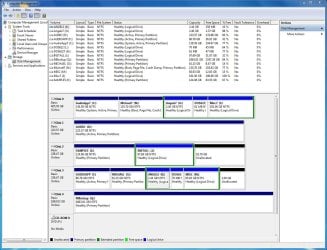
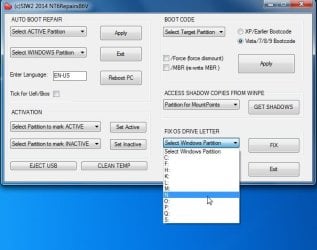
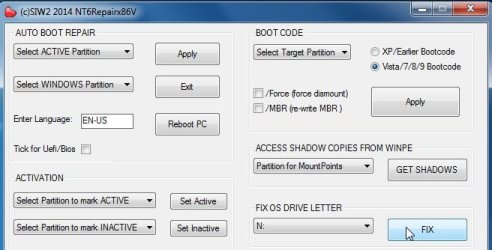
I installed Win7 Pro 64-bit on a partition named AudioApp7. After fully testing that this partition works and activating Windows on this partition, I then cloned this partition to another partition named Michael7 with the intention of dual booting between the two partitions. The AudioApp7 partition is assigned drive letter C: and the Michael7 partition is assigned drive letter N:. I installed EasyBCD 2.3 in the AudioApp7 partition to setup the dual booting.
I'm having a problem in that when I boot into Michael7, its drive letter remains as N: and does not change to C:. Because of this, when I download from a website, the downloaded file is saved in drive C: which is the AudioApp7 partition. And when I make any changes such as moving icons in the desktop, the changes affect the desktop in drive C: which is the AudioApp7 partition, not the Michael7 partition which is the intended target of the changes.
How do I fix this problem so that when I boot into Michael7 it will automatically change the drive letter of Michael7 to C: so that the problem is avoided?
Thank you so much in advance for your much appreciated help!
I'm having a problem in that when I boot into Michael7, its drive letter remains as N: and does not change to C:. Because of this, when I download from a website, the downloaded file is saved in drive C: which is the AudioApp7 partition. And when I make any changes such as moving icons in the desktop, the changes affect the desktop in drive C: which is the AudioApp7 partition, not the Michael7 partition which is the intended target of the changes.
How do I fix this problem so that when I boot into Michael7 it will automatically change the drive letter of Michael7 to C: so that the problem is avoided?
Thank you so much in advance for your much appreciated help!
My Computer
At a glance
Windows 7 Pro 64 BitAMD Phenom4 GBBuilt-in
- Computer type
- PC/Desktop
- Computer Manufacturer/Model Number
- Custom
- OS
- Windows 7 Pro 64 Bit
- CPU
- AMD Phenom
- Motherboard
- Asrock M3A790GXH128M
- Memory
- 4 GB
- Graphics Card(s)
- Built-in
- Hard Drives
- Samsung SSD
- Antivirus
- MalwareBytes
- Browser
- Firefox