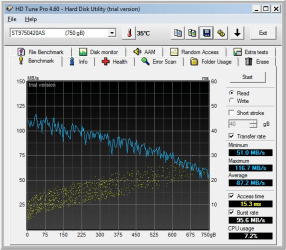
Hello everyone
Do you know of an easy-to-use utility (or a web site with good explanations) for moving specific files to or towards the end of the hard drive. In particular I'd like to move files from near the start of the drive towards the end of the drive, to fee up space near the start of the drive so that I can copy files onto the drive faster.
Some defrag utilities have this feature, but only for defragmented files, or only for "large" files or files of a certain file type, and not for specific files or files in a specific location (e.g. "near the start of the drive").
The drive in question is an external drive used for films. Sometimes I'm not in a hurry when copying films to the drive (or moving files around), but sometimes I want the films to copy as fast as possible, and for that I would like to create large gaps near the start of the drive.
Of course, a simple, manual way of doing this is to simply make copies of files on the drive itself, and then deleting the old versions, which will create gaps nearer to the start of the drive, but then I would need a utility that can tell me which files are closer to the start of the hard drive (so that I can make copies of those files). I know I can use Defraggler for that, but I can only view the files from one block at the time in Defraggler (you can't select multiple blocks to see what files are in those blocks).
Any ideas?
Thanks
Samuel
Do you know of an easy-to-use utility (or a web site with good explanations) for moving specific files to or towards the end of the hard drive. In particular I'd like to move files from near the start of the drive towards the end of the drive, to fee up space near the start of the drive so that I can copy files onto the drive faster.
Some defrag utilities have this feature, but only for defragmented files, or only for "large" files or files of a certain file type, and not for specific files or files in a specific location (e.g. "near the start of the drive").
The drive in question is an external drive used for films. Sometimes I'm not in a hurry when copying films to the drive (or moving files around), but sometimes I want the films to copy as fast as possible, and for that I would like to create large gaps near the start of the drive.
Of course, a simple, manual way of doing this is to simply make copies of files on the drive itself, and then deleting the old versions, which will create gaps nearer to the start of the drive, but then I would need a utility that can tell me which files are closer to the start of the hard drive (so that I can make copies of those files). I know I can use Defraggler for that, but I can only view the files from one block at the time in Defraggler (you can't select multiple blocks to see what files are in those blocks).
Any ideas?
Thanks
Samuel
My Computer
At a glance
Windows 7 Home Premium 64 bitAMD A6 36204 x 4 GBAMD Radeon HD 6530D
- Computer type
- PC/Desktop
- Computer Manufacturer/Model Number
- Acer Aspire X3470
- OS
- Windows 7 Home Premium 64 bit
- CPU
- AMD A6 3620
- Memory
- 4 x 4 GB
- Graphics Card(s)
- AMD Radeon HD 6530D
- Sound Card
- AMD, Realtek
- Monitor(s) Displays
- iiyama ProLite B2209HDS full HD in portrait mode
- Screen Resolution
- 1920x1080 or 1080x1920
- Hard Drives
- SSD 250 GB
WD Green 2 TB 5400 rpm
- Antivirus
- Avast
- Browser
- Opera (Blink)