Adobe Photoshop CS 4

ah i use win 7 x32.... :(
ok, thanks SG...
 

My Computer My Computer

OS
windows 7 ultimate x32
CPU
intel pentium dual core
Memory
3GB
Screen Resolution
1280x800
Mouse
logitech
Internet Speed
3.1mbps
Other Info
i used laptop toshiba satelite l310
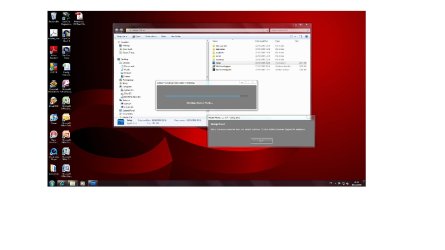
I got this message:
The application was unable to start correctlyl (0xc000007b). Click OK to close de application.

jipbuc.jpg

Photoshop 32bits work great, only got the message with photoshop 64bits

OS. windows 7 64bits OEM v.7600
Photoshop CS4 Master Collection

NO suggestion????
 
Last edited:

My Computer My Computer

OS
windows 7 Ultimate x64
CPU
AMD Athlon x64 3700+
Motherboard
Asus A8n-SLI
Memory
Siemens 2gb
Graphics Card(s)
Nvidia GeForce 7300 GT
Monitor(s) Displays
Samsung 753DF - Lg Flattro T730SH
Screen Resolution
1280*1024
Hard Drives
Samsung SP2504C 250gb SATAII
Seagate ST325041 25gb SATAII
I cannot locate the file on my eee :( I'm sorry i cant help you further :o
 
error trying to install CS4 Master on Windows 7 64bit

Installing from a disk I get this error (see attachment) can anyone help?
 

Attachments

My Computer My Computer

Computer Manufacturer/Model Number
Dell XPS 8000
OS
windows 7
Graphics Card(s)
GeForce 240
Hi,
I just upgraded to Windows 7 this weekend. I thought everything was great until I went into my photoshop CS4 last night and I try to use a brush and when I increase the size, it breaks apart (looks like an X almost) and then if I keep going bigger, it will turn into the circle again, but then if I make it smaller, it will turn into a horizontal line of 4 ovals!

It NEVER did that in Vista. It was working perfectly before I installed Windows 7.

I have an Intel g45/g43 chipset (is that the graphics card?) and all drivers up to date.
I did all updates for CS4 and it didn't help.

What else can I do? I hope someone can help me!!
 

My Computer My Computer

OS
Windows 7
Hello. I have Photoshop 7 and just upgraded my system to Windows 7. PS7 worked fine with Vista but does not work properly with W7. I do have CS4 but really don’t care for it so I wanted to go back to PS7. On both of the programs, I notice that instead of an arrow when I have my curser in the image, I get an image that I've never seen. I can't even begin to describe what it is, but it is not the standard arrow cursor.

With PS7 in Win 7, I am able to open an image and work with it, again with the indescribable type of cursor, not the arrow cursor I've seen, but the image will not "maximize" nor "minimize" nor "close". I must do control+W to close the image, and sometimes when I click the minimize, maximize or close button, it will activate the toolbar. Also, I am unable to move the image around on the photoshop desktop, by clicking and dragging the image around.

I'm at a loss

Thanks
Michael Dardenelle
[Email Removed]
 

My Computer My Computer

OS
windows 7
Well, I did some "unimportant" updates from Windows and it seems to be working now. I also put it in compatibility mode, but then I took it off and it is still working, so maybe that means it was the updates. Who knows... I was doing a bunch of things. I didn't know about compatibility mode, though, so if anyone else is as dumb as I am, just wanted to point out that you can right click on photoshop in your programs folder, and choose preferences and go to 'compatibility' and put it back to Vista. Worth a try anyway....
 

My Computer My Computer

OS
Windows 7
Adobe Photoshop CS 4 runs fine in Windows7 without using compatibility mode. Do you use registered version?

No, I have a software bought from a warez company. but it works fine on XP
 

My Computer My Computer

Computer Manufacturer/Model Number
Dell XPS 8000
OS
windows 7
Graphics Card(s)
GeForce 240
HI, I have installed PS CS4 and I have a problem with serial, it says: The license for this product is expired! I cant start the program. Any suggestions?
 

My Computer My Computer

OS
Windows 7
Hello all. I have one problem with Adobe Photoshop CS4 Extended. I saw tutorial for changing start button orb, so I installed photoshop, and it starts without problems. But when I tried to create new image(new orb for start button) instead of getting new image with black background I got this http://i45.tinypic.com/37zx2.jpg. Even when i try to create bigger image there is similar problem - http://i48.tinypic.com/qyzeye.jpg. Don't get confused about changed start button, I used explorer.exe provided by sergiogarcia9. I have tried to run it in compatibility mode for XP, Vista, also tried to run it as administrator, it's same... Anyone knows solution for this problem?

Thanks in advance,
Elmir

 

My Computer My Computer

OS
Windows 7 Ultimate x86
Hello all. I have one problem with Adobe Photoshop CS4 Extended. I saw tutorial for changing start button orb, so I installed photoshop, and it starts without problems. But when I tried to create new image(new orb for start button) instead of getting new image with black background I got this http://i45.tinypic.com/37zx2.jpg. Even when i try to create bigger image there is similar problem - http://i48.tinypic.com/qyzeye.jpg. Don't get confused about changed start button, I used explorer.exe provided by sergiogarcia9. I have tried to run it in compatibility mode for XP, Vista, also tried to run it as administrator, it's same... Anyone knows solution for this problem?

Thanks in advance,
Elmir
Hmm thats a tough one... You should try to reinstall, and see if that solves the problem ;)
 
I have tried that to, it's still same... When I installed it and saw that, first thing I have done is reinstalling, after that I tried compatibility modes, tried to run it as administrator, nothing worked... I think I'll have to find my Adobe Photoshop CS2 to try with it... but it will be pain in the *** getting used to it's interface lol :D
 

My Computer My Computer

OS
Windows 7 Ultimate x86
I have tried that to, it's still same... When I installed it and saw that, first thing I have done is reinstalling, after that I tried compatibility modes, tried to run it as administrator, nothing worked... I think I'll have to find my Adobe Photoshop CS2 to try with it... but it will be pain in the *** getting used to it's interface lol :D
Where is your Adobe installer from? Does it come directly from Adobe?
 
I know that installer is working becouse I have used it on Windows XP more than once without any problems. I have just remembered that I haven't tried to reextract the whole installer... Going to try that and let you know if that solved the problem :)

EDIT: Still the same problem :confused:
 
Last edited:

My Computer My Computer

OS
Windows 7 Ultimate x86
photoshop cs 4 crash in startup

hi,
i have this problem in windows 7. i have deactivate by renaming the Twain_32.8BA file in then \Adobe Photoshop CS4\Plug-Ins\Import-Export\ folder
this appear is caused by bad driver of scanner or printer
i hope this help for guys having the start photoshop problem
 

My Computer My Computer

OS
windows 7
CS4 Extended

Windows 7 Home Premium, downloaded CS4 Extended trail from Adobe, several attempts in compatability mode and running as admin, attached image is what I see. Any ideas? this is soooo frustrating it's untrue :mad:.

I'm not a total idiot nor am i a computer whiz, if anybody could give me a step by step guide as to what I need to do to install it on my pc I'd be eternally grateful.

Thanks in anticipation.

H
 

Attachments

  • Untitled.jpg
    Untitled.jpg
    91.8 KB · Views: 330

My Computer My Computer

OS
Windows 7 Home Premium
How do I get "Letter Head" templates for CS 4 ????
 

My Computer My Computer

Computer Manufacturer/Model Number
Dell Inspiron N5010
OS
Windows 7 Ultimate x64 SP1
CPU
Intel Core i3
Memory
4 GB DDR3
Screen Resolution
1366 X 768
Hard Drives
Seagate 500 GB
Internet Speed
4 MBPS
Back
Top