Thank you
Ivo,
I just wanted to say thankyou for making this. I've been using XP forever and jumping to Windows 7 has been extremely frustrating because it seems to have lost a lot of basic usability features. Classic Shell has restored a good amount of them.
I have a couple feature requests I'm sure many people would enjoy.
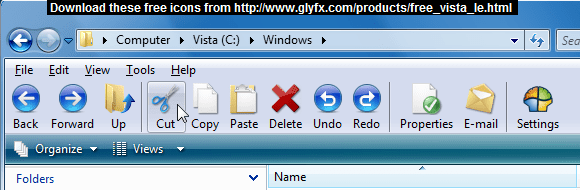
1. The new "folderband" bar with "Organize ... preview toggle" is a waste of valuable verticle space. I found a couple methods to get rid of it.
http://www.sevenforums.com/tutorials/65416-window-explorer-toolbar-remove.html
The forum discussion for the above method.
http://www.sevenforums.com/customization/20032-remove-explorer-toolbar-3.html
In the forum discussion is also a link to this which may do the same:
2shared - download Shellstyle Replacement.rar
(To get the file from the above link, look for:
Save file to your PC
click here near the bottom right side.)
The main button missing on that band is the old "explorer" button in windows xp which toggled the navigation pane on and off.
With the folderband, one must go to "organize / layout / navigation pane"
There are a lot of people who want that functionality as per these discussions:
How do you add a button to add/remove the Navigation Pane in Windows 7 Explorer?
Is there a way to add a button on folder to toggle navigation pane?
http://dumbwin.blogspot.com/2009/10/standard-toolbar-in-windows-explorer.html
It would be great if a simple "navigation pane" toggle (explorer) button could be incorporated into the Classic Shell Toolbar. And since the goal is to run explorer without the "folderband" ribbon thing, I would think that making the preview button toggle and a button to cycle through details/list etc would also be very valuable.
I read somewhere of the registry entries to turn on and off the navigation pane and preview but I lost the forum link.
I guess a "new folder" button and "sort by" cycle button would be nice on that toolbar as well.
Basically, this would finish replacing the new pathetic ribbon with a wonderful customizable toolbar which shares the same vertical space as the classic menu. Very classic like if its even possible!
2. In XP, there was a way to make the drop down box of the address bar just show all the file tree so one could select from a single list instead of individual breadcrumbs. Is this possible to implement when clicking the address bar drop down icon. It seems like its always just blank now which makes no sense to me.
3. There is one bug as well which I found a workaround for:
When I click the explorer button on the task bar, I set the default folder to go to my computer with this as the target for "windows explorer":
%windir%\explorer.exe /root,::{20d04fe0-3aea-1069-a2d8-08002b30309d}
The page describing this is:
Change What Windows Explorer Button on Taskbar Performs - Windows 7
With that setup, when I then use Classic shell to browse to any folder, it seems to open a that folder in a new window. The new window works correctly. I'm on win7 64 bit and I have "show all folders" and "automatically expand to current folder" checked.
But if I use this instead:
%windir%\explorer.exe ,/e
as the target for windows explorer, classic shell seems to work fine. I don't know if this bug matters or not - I'm just pointing it out.
Out of all the suggestions above, the most important would seem to be the "explorer button" (navigation pane toggle) which is unexplicably missing from Windows 7!! What was microsoft thinking getting rid of all these basic usability features??
As for the Classic Start Menu - Wow! - totally customizable and feels just like XP. I love it!
Thanks again for making the program.


 Thank you again.