Strange issue...
FYI
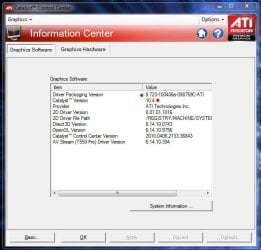
Tech info first… Single ATI 4890 (1gig), Catalyst 10.4 drivers running for two weeks before issue.
Here’s a strange issue that popped up on me today. So I’m getting ready to play Boarderlands - the game loads up and I hear my video card’s fan start rapidly cycling up and down. It’s really loud. So I exit the game, and the fan goes into a loud spin. WTH!

So I restart the computer and the card’s fan cycles down until I log into Windows, after a few seconds the card cycles up to 50 percent, as shown in GPU-Z and Catalyst Control Center, and stays. What????

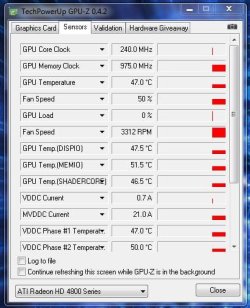
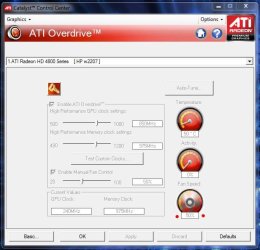
OK, obviously something’s wrong. And I know it’s a software issue because the card only does this when I log into Windows.
OK, uninstall the drivers and Catalyst Control Center and upon completion of uninstall the fan throttles back to normal (around 20%). So I reboot with no drivers or CCC installed, log into Windows and the card’s fan is still running normal. OK…. Now I know it’s a driver/software issue.
Reinstall driver and software, reboot, login, CCC loads…. And the fan starts running at 50%. Oh man! WTF!!! :shock:
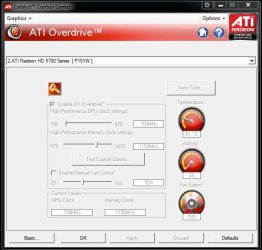
OK, let me try something…. Open up CCC, go into Overdrive section, click the Unlock button key, tick "
Enable Manual Fan Control" and manually set fan speed. This will let me know if CCC can control the fan.
So I set the fan speed to 20%, click apply, and the fan throttles back to the 20% setting I chose. Well, now I definitely know it’s a CCC issue because I’m able to manually choose any speed I want and CCC is setting them accordingly. Hmmmm……
OK, let's try this…. I untick
Enable Manual Fan Control, click Defaults tab and the fan sets to around 23% and appears to be working in "auto mode" again, and the rapid cycling is gone.
So I check to see if the fan is running in auto mode by running Half-Life 2 EP 2 in windowed mode, this also allows me to check CCC and GPU-Z at the same time, and did notice the fan cycle up as the card warmed up; so now I know the fan is working correctly.
Don’t know what that was about but if anyone else had/has this weird issue, try what I did and see if it works.
Just FYI
BTW Has anyone else had this issue with these drivers?