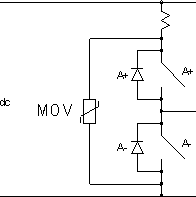
Learning technology would also expose that UPS recommendation as completely bogus. An example of what so many know only because they believe what they were ordered to believe. Never learned the underlying technology - the reasons 'why'. A typical UPS is no buffer. It connects a computer directly to AC mains when not in battery backup mode. It does not even claim effective protection in its numeric specs.
Well, I have to disagree with you there. A UPS is one of the best AC surge/ripple filters there is, in most cases. "Why?" you ask? Without getting into a long discussion on electrical theory and circuitry, it's because with most of the good ones, the AC is basically "strapped" across the battery. Normally, the incoming AC is converted (rectified) into DC, where it charges the battery. That voltage is then converted back to AC to run the computer and anything else plugged into it. Manufacturers do this to reduce the complexity of the UPS. Why have two filter systems, and two separate voltage paths? Using the already existing circuitry gives the added bonus of surge and ripple protection. Batteries are great levelers of ripple and surge current. Hardly "bogus", if you ask me.
And, btw, nothing relatively affordable can protect you from a close lightning strike. Particularly if it hits nearby power lines, or the AC wiring in the house. Even with a really good UPS or surge protector, you can probably kiss your electronic items goodbye. These things are not designed to protect against lightning. They are made to protect against occasional surges and spikes on the power grid.
You can learn far more with a meter than if buying anything else - even a cheap power supply. The number one reason for fixing something was never to save money. #1 reason - to learn.
Handing someone who has no practical electrical knowledge a meter is like handing the keys to a car to someone who has never driven one. No offense meant to the OP here, but he has already expressed concerns about getting a shock from his machine if he opens it. That suggests to me that he doesn't know a lot about electricity, and is nervous about it. There's nothing wrong with that, at all. I wish more people were more cautious with electricity. What is the OP really going to get from measuring his dead PSU? What if the lightning shorted something in the PSU, and put AC on the 12V rail? Someone untrained, or inexperienced could find themselves with a nasty shock, and your instructions earlier in the thread are incorrect. You forgot to tell him to ground the meter, rendering any measurements that are taken completely worthless.
Better advice has already been given by others, and myself. Try a different PSU, and if it still doesn't work, oh well. Maybe the data on the drives can be saved. If the OP wants to probe around inside his PC, then sure, but if he isn't comfortable, then asking a knowledgeable friend for some guidance and help would be better than the advice you've given him.