- Local time
- 8:14 AM
- Messages
- 215
Does the add-on, Groove GFS Browser Helper have anything to do with it not working? Mine is disabled.
My Computer
- Computer Manufacturer/Model Number
- HP
- OS
- Windows 7


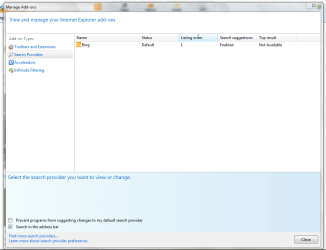
Is this what you see for settings?Yeah I have google as my default and then bing and youtube as the other two.
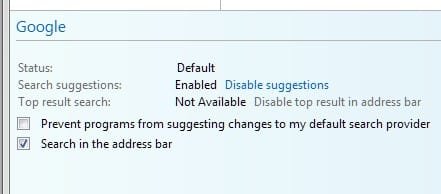
Disable Google, leave Bing on as the default.Yeah I have google as my default and then bing and youtube as the other two.
Got me stumped. Sorry. But, as you know, there's a lot of smart folks 'round these parts!Yeah that is what I see also. I don't know what it could be.

Try disabling other tool-bars and leave Bing as the only enabled one. Then restart the browser and try again.Yeah that is what I see also. I don't know what it could be.
Did you disable other toolbars in Internet Explorer 9 "Addons"? Select settings, then click "Manage Add-ons".I set bing as my default and it still did not work.


It took me about three minutes.I started installing this at 601PM EST. 30min later still not done. Just says downloading required updates. Doesn't look like anything is downloading.
How fast did it install for you guys and how much does it need to download?
Thx looks like mine is stuck at about 66%.
Made an image just in case...

Yeah I have no other toolbars. I can tell something is not right because when I type into the address bar the google or bing logo does not even show up next to where I am typing.


Go to "Manage Add-ons" then onto the screen that's in the attachment.Yeah I have no other toolbars. I can tell something is not right because when I type into the address bar the google or bing logo does not even show up next to where I am typing.
LOL! I hear ya! I've got 4 GB but I run AutoCad Archtectural Desktop 2011 x64 alongside my browser often with 6 or more tabs open. Toss in Outlook, Excel, Access (job tracking and billing database) and the occasional Word doc and knowing Win 7 takes 1.13 GB just at start up, well, memory can become an issue at times.*Sigh...* And memory usuage matters why?
*says the person with only 2GB on main and 1GB on netbook*

I'm stumped...It's checked.