For the first, with 512MB ReadyBoost would probably be a big help (because superfetch is pretty much limited, and might as well be off), but with 1.5GB it's debatable - it would depend on how you used your machine and how much disk access you do (remember, ReadyBoost memory isn't used as RAM, it's a disk cache - it helps with superfetch, but it is *not* additional RAM!).
Second, most (not all, but most) non-critical Windows 7 drivers and services are either configured for a manual or delayed start, meaning that for the most part, they will only use resources if you need them. If you are *sure* you won't need a service, you can set it to disabled, but you want to always keep track of the default states in case you have to go back and set them to enabled (or manual, depending on what the service was set to when you disabled it). Win7 is a far more efficient user of memory than even Vista was, and is light-years ahead of XP, so reducing potential functionality to save some resources at 512MB makes sense somewhat, but at 1.5GB or higher it really doesn't (and to be fair, I run Win7 on a few netbooks with 1GB of RAM, and have zero perf issues).
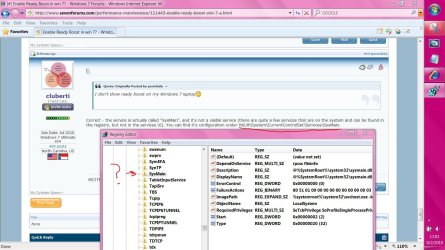
To configure and start SysMain again, run the following two commands from an elevated cmd prompt:
sc config SysMain start= auto
net start SysMain

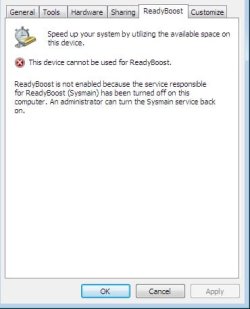


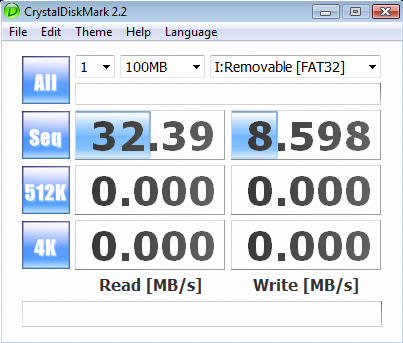


 . In all seriousness, the only time I would consider disabling superfetch was if I had 512MB of RAM, or if I was using an SSD for my main hard disk (Win7 already does the latter if it detects your SSD properly). Superfetch actually makes Win7 *faster* by attempting to cache in RAM your most frequently accessed things from the hard disk, to speed up application load times. There are very few scenarios where disabling superfetch would improve performance, and all of those would be applicable only if you had less than 1GB of RAM in your machine.