Solved computer stopped seeing my camera (USB issue?)

paulmars

New member
Local time
8:09 AM
Messages
10
I can no longer transfer pics from camera to computer. When I plug camera into computer nothing happens. it used to work fine and ive made no changes. Except for the latest win security update. Not sure if my issue started right after that, but maybe.

canon powershot a520. win7 sp1 with all security updates. Not using the canon picture software. Just plug in the usb cable, then see the camera in win explorer, drag the pic files to HDD, delete them from the camera then turn off the camera and unplug it. Been doing this for years. The last few times I had to turn the camera off and on a few times before I saw it in win explorer, now even that wont work anymore.

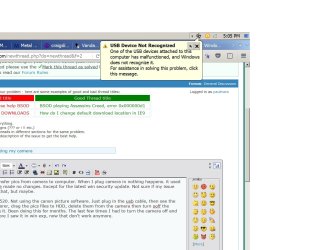
Last time I charged my cell from the usb cable a few days ago I got the attached notice, but it still charged, so I forgot about it. I just now plugged the cell into usb and got this again. I never saw this notice previously when charging my cell.

Please help me. I need my pics,
pa
 

Attachments
  • help win7.jpg
    help win7.jpg
    125.8 KB · Views: 0
Last edited:

My Computer

Computer type
PC/Desktop
Computer Manufacturer/Model Number
dell diy
OS
win 7 64 bit
Memory
3g
Hard Drives
250g and 500g
Antivirus
not yet
Check for a firmware update for the camera I had 2 that wouldnt work properly as update had changed things did a simple firmware update on cameras and all worked fine
 

My Computer

Computer type
PC/Desktop
OS
win 8 32 bit
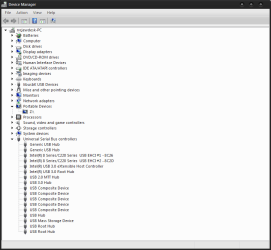
Hi Paulmars, can you post a screenshot of your device manger with the camera plugged in for us like below?
 

Attachments

  • device manger.PNG
    device manger.PNG
    14.6 KB · Views: 0

My Computer

Computer type
PC/Desktop
Computer Manufacturer/Model Number
Custom
OS
10 Pro x64
CPU
Ryzen 9 3900X
Motherboard
Asrock x370 Tachi
Memory
64GB(4x16GB) DDR4
Graphics Card(s)
EVGA 1080ti FTW3
Sound Card
ASUS Xonar Essence STX (V4 Bursons), ODAC rev B, NFB-11, O2
Monitor(s) Displays
3xASUS PB278Q/R, Optoma HD142X
Screen Resolution
3x1440p, 1080p
Hard Drives
512GB 850 EVO(OS, Programs)
4TB (Movies)
3TB (Downloads)
3TB (Programs)
1TB HDD (Games)
2x6TB R1 (videos)
PSU
AX760
Case
Fractal Define R5
Cooling
NH-D15S
Keyboard
Massdrop Ctrl with Box Navy's
Mouse
G903, Alioth XXL Mat
Internet Speed
280/40
Antivirus
MBAM, ESET
Browser
Canary 64 Bit
Other Info
I also own a Thinkpad P50 Xeon 4K, X220T, X1C5
I found the issue with the camera. Although the cell phone still gets that notice, which does not stop it from charging, which is all that I need.
 

My Computer

Computer type
PC/Desktop
Computer Manufacturer/Model Number
dell diy
OS
win 7 64 bit
Memory
3g
Hard Drives
250g and 500g
Antivirus
not yet
I found the issue with the camera. Although the cell phone still gets that notice, which does not stop it from charging, which is all that I need.

Good to hear you figured out the camera issue. Phone is probably either power draw or just driver corruption related. If it works the way you need it to you should be good to go though as it should always supply power. Don't forget to mark your thread as solved.
 

My Computer

Computer type
PC/Desktop
Computer Manufacturer/Model Number
Custom
OS
10 Pro x64
CPU
Ryzen 9 3900X
Motherboard
Asrock x370 Tachi
Memory
64GB(4x16GB) DDR4
Graphics Card(s)
EVGA 1080ti FTW3
Sound Card
ASUS Xonar Essence STX (V4 Bursons), ODAC rev B, NFB-11, O2
Monitor(s) Displays
3xASUS PB278Q/R, Optoma HD142X
Screen Resolution
3x1440p, 1080p
Hard Drives
512GB 850 EVO(OS, Programs)
4TB (Movies)
3TB (Downloads)
3TB (Programs)
1TB HDD (Games)
2x6TB R1 (videos)
PSU
AX760
Case
Fractal Define R5
Cooling
NH-D15S
Keyboard
Massdrop Ctrl with Box Navy's
Mouse
G903, Alioth XXL Mat
Internet Speed
280/40
Antivirus
MBAM, ESET
Browser
Canary 64 Bit
Other Info
I also own a Thinkpad P50 Xeon 4K, X220T, X1C5
Back
Top