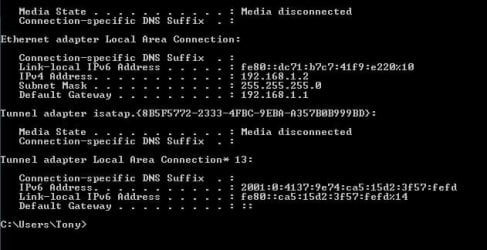
I have a Win7 (professional) PC and laptop (Home Premium) set on a home network and just traced a 0x80070035 error when trying to connect from the laptop to "Network Discovery" being turned off on the PC.
When I tick the box to enable it and save the changes, it doesn't take effect. As soon as I reopen Sharing Properties, it is un-ticked again.
What's up?
When I tick the box to enable it and save the changes, it doesn't take effect. As soon as I reopen Sharing Properties, it is un-ticked again.
What's up?
My Computer
- Computer type
- PC/Desktop
- Computer Manufacturer/Model Number
- Custom Build
- OS
- Windows 7 Professional 64-bit
- CPU
- i7 4820K
- Motherboard
- Asus Rampage IV Extreme
- Memory
- 16GB GSkill Ripjaws X 2400 (4x4)
- Graphics Card(s)
- EVGA GTX 780 Superclocked ACX Cooler
- Sound Card
- SoundBlaster Zx
- Monitor(s) Displays
- ASUS VS248H-P 24" LED x3
- Screen Resolution
- 1920 x 1080
- Hard Drives
- (2) Hitachi 320GB in RAID-0
1WD Caviar Blue 500GB
1WD Caviar Black 1TB
- PSU
- Ultra 1000W
- Case
- Coolermaster HAF 932
- Cooling
- Liquid
- Internet Speed
- 20+mbps
- Antivirus
- Avast