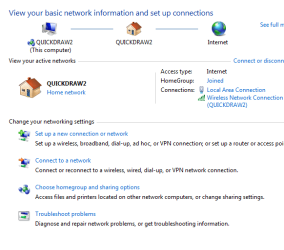
Marvell Yukon 88E8040 LAN Connection states "Cable Unplugged"

nasimnasri

New member
Local time
12:42 AM
Messages
5
Marvell Yukon 88E8040 LAN Connection states "Cable Unplugged"

Dear Experts,

I have the same issue as mentioned in the following thread, but none of the solutions working for me.

http://www.sevenforums.com/network-sharing/143603-plugged-ethernet-cable-not-detected.html

I had this problem before in windows xp long back and the dry reboot worked

This driver was working in Windows xp but it is not working in Windows 7, it just worked for 1 min then it disconnected. I tried dry reboot, i updated the driver but it is not working.

Looking forward for the help.

Marvell Yukon 88E8040

Laptop = Dell Inspiron 1545
windows 7 64 bit


thanks
Nasim
 

My Computer My Computer

At a glance

windows 7 ultimate 64 bit
OS
windows 7 ultimate 64 bit
What does ipconfig/all show? Are all the addresses the same as usual?
 

My Computer My Computer

At a glance

Windows 7 Ultimate x64
OS
Windows 7 Ultimate x64
Below is as requested and please note currently I am using wireless adapater to connect to the internet

C:\Users\mnasri>ipconfig/all

Windows IP Configuration

Host Name . . . . . . . . . . . . : mnasri-PC
Primary Dns Suffix . . . . . . . :
Node Type . . . . . . . . . . . . : Hybrid
IP Routing Enabled. . . . . . . . : No
WINS Proxy Enabled. . . . . . . . : No

Ethernet adapter Local Area Connection:

Media State . . . . . . . . . . . : Media disconnected
Connection-specific DNS Suffix . :
Description . . . . . . . . . . . : Marvell Yukon 88E8040 PCI-E Fast Ethernet
Controller
Physical Address. . . . . . . . . : 00-25-64-43-9E-33
DHCP Enabled. . . . . . . . . . . : Yes
Autoconfiguration Enabled . . . . : Yes

Wireless LAN adapter Wireless Network Connection:

Connection-specific DNS Suffix . :
Description . . . . . . . . . . . : Dell Wireless 1397 WLAN Mini-Card
Physical Address. . . . . . . . . : 00-26-5E-06-96-D0
DHCP Enabled. . . . . . . . . . . : Yes
Autoconfiguration Enabled . . . . : Yes
Link-local IPv6 Address . . . . . : fe80::259f:a3d7:736f:42d9%11(Preferred)
IPv4 Address. . . . . . . . . . . : 172.16.3.197(Preferred)
Subnet Mask . . . . . . . . . . . : 255.255.248.0
Lease Obtained. . . . . . . . . . : Saturday, April 07, 2012 1:12:07 PM
Lease Expires . . . . . . . . . . : Sunday, April 08, 2012 3:27:18 AM
Default Gateway . . . . . . . . . : 172.16.0.245
DHCP Server . . . . . . . . . . . : 172.16.0.9
DHCPv6 IAID . . . . . . . . . . . : 218113630
DHCPv6 Client DUID. . . . . . . . : 00-01-00-01-17-0F-B7-57-00-25-64-43-9E-33

DNS Servers . . . . . . . . . . . : 172.16.0.244
NetBIOS over Tcpip. . . . . . . . : Enabled

Tunnel adapter isatap.{973BCA6D-3BEA-4E9F-A29F-772AB1C7E17F}:

Media State . . . . . . . . . . . : Media disconnected
Connection-specific DNS Suffix . :
Description . . . . . . . . . . . : Microsoft ISATAP Adapter
Physical Address. . . . . . . . . : 00-00-00-00-00-00-00-E0
DHCP Enabled. . . . . . . . . . . : No
Autoconfiguration Enabled . . . . : Yes
 

My Computer My Computer

At a glance

windows 7 ultimate 64 bit
OS
windows 7 ultimate 64 bit
First what were you doing when you first noticed the issue?

Check the Ethernet cable at both ends for a bad connection. There should be a link/activity light when plugged into the computer's Ethernet port.

Does this computer have an onboard ethernet or an add on card?

Have you checked Device Manager for any yellow Exclaimation marks?

Do you have the oem driver disks for this PC?

Try going to search, type Ethernet. Select, "find and fix networking and connection problems." Click, Next. Click, "troubleshoot my connection to the Internet."

Sub Zero

Ok, I see you posted you have a wireless router. Still go in and run the troubleshooter.

Try unplugging the modem/router for 30 seconds them plug it back it. See it it starts working.

you can also go into the control panel and check to see if the device is working?
 

My Computer My Computer

At a glance

windows Home Premium 64 bit
Computer Manufacturer/Model Number
Custom Build
OS
windows Home Premium 64 bit
Check the Ethernet cable at both ends for a bad connection. There should be a link/activity light when plugged into the computer's Ethernet port.

Nasim: Connection is fine, if I connect the same cable to another laptop it is working fine

Does this computer have an onboard ethernet or an add on card?
Nasim: Onboard

Have you checked Device Manager for any yellow Exclaimation marks?
Nasim: Yes, no yellow exlamination mark , dirver is installed and I installed it many times for the troubleshooting

Do you have the oem driver disks for this PC?

Nasim: Not any more

Try going to search, type Ethernet. Select, "find and fix networking and connection problems." Click, Next. Click, "troubleshoot my connection to the Internet."

Sub Zero

Ok, I see you posted you have a wireless router. Still go in and run the troubleshooter.

Try unplugging the modem/router for 30 seconds them plug it back it. See it it starts working.

you can also go into the control panel and check to see if the device is working?

Nasim: The wireless router is for wireless adapter and I dont have any problem with the wirless adpater or wireless netowork, the problem is with lan card.
 

My Computer My Computer

At a glance

windows 7 ultimate 64 bit
OS
windows 7 ultimate 64 bit
If the troubleshooter does'nt fix it. You will have to go into the control panel and manually try to reset it.

Wish I had that sucker in front of me. Very frustrating playing the guessing game. I usually, just go at it, click click click.

Then Bob's your Uncle!
 

My Computer My Computer

At a glance

windows Home Premium 64 bit
Computer Manufacturer/Model Number
Custom Build
OS
windows Home Premium 64 bit
I tried nothing worked, any other suggestions

I am fine with Uncle : )

Please help me it is a wired issue.

Thanks
 

My Computer My Computer

At a glance

windows 7 ultimate 64 bit
OS
windows 7 ultimate 64 bit
Hello,

In addition...it seems that you have tried a few things, perhaps the integrated network adapter is faulty. NICs are very reasonable.
 

My Computer My Computer

At a glance

Win7 & Win8 64bitIntel i5
Computer Manufacturer/Model Number
Lenovo Desktop/Samsung Laptop
OS
Win7 & Win8 64bit
CPU
Intel i5
Internet Speed
Charter-20 Mbps
Antivirus
Avast
Browser
FF, IE9 and Chrome
Do the link/act LED's show any activity? I know it was asked, but I didn't see an answer.
 

My Computer My Computer

At a glance

Windows 7 Ultimate x64
OS
Windows 7 Ultimate x64

My Computer My Computer

At a glance

windows 7 home premium 64 bitAMD Phenom(tm) II X4 830 Processor, 2800 Mhz,...12.00 GBATI Radeon 4200
Computer Manufacturer/Model Number
HP/ Pavilion P6751C
OS
windows 7 home premium 64 bit
CPU
AMD Phenom(tm) II X4 830 Processor, 2800 Mhz, 4 core
Motherboard
N-Alvorix-RS880-uATX (Alvorix) motherboard
Memory
12.00 GB
Graphics Card(s)
ATI Radeon 4200
Sound Card
Creative Labs Sound Blaster Recon3D
Monitor(s) Displays
46" Sony TV KDL-46NX810
Screen Resolution
1920x1090P
Hard Drives
1 TB
PSU
Internal 250W
Case
Mid-size ATX
Cooling
1 rear case fan
Keyboard
Logitech USB Wireless K800
Mouse
Logitech USB Wireless M305
Internet Speed
22mb-28mb
The ipconfig looks a bit strange to me. In general the Default Gateway and the DHCP server should be using the same IP address but they aren't.

Also the DNS doesn't look correct either. It should be showing a viable DNS server or it should show the default gateway of the router where it's getting it's information from.

It looks to me like somebody went into the IPv4 settings window and made some changes that aren't helping.

You should delete or remove any changes made to your IPv4 settings window and let the router handle everything else including which DNS sever is being used. You will need to go into your routers set up page to do this.

As for the cable being unplugged problem, try shutting down and removing the power from the machine, unplug or remove the battery.
 

My Computer My Computer

At a glance

Windows 7 Ult, Windows 8.1 Pro,Q9650-4.275GHz, E8600 4.5GHz, E6750-3.8GHzG.Skill PC2 9600 1200Mhz 5 5 5 15 2TGTX480
Computer type
PC/Desktop
Computer Manufacturer/Model Number
Home built
OS
Windows 7 Ult, Windows 8.1 Pro,
CPU
Q9650-4.275GHz, E8600 4.5GHz, E6750-3.8GHz
Motherboard
Evga 780i FTW
Memory
G.Skill PC2 9600 1200Mhz 5 5 5 15 2T
Graphics Card(s)
GTX480
Sound Card
Asus Xonar D2
Monitor(s) Displays
HannsG
Screen Resolution
1680X1050
Hard Drives
GSkill Phoenix Pro 120GB SSD
PSU
ThermalTake Toughpower 1000Watt modular
Case
ThermalTake XaserV
Cooling
Xigmatek S1283
Keyboard
Logitech G15
Mouse
Logitech G9
Internet Speed
T1
Dear Experts,

I have the same issue as mentioned in the following thread, but none of the solutions working for me.

http://www.sevenforums.com/network-sharing/143603-plugged-ethernet-cable-not-detected.html

I had this problem before in windows xp long back and the dry reboot worked

This driver was working in Windows xp but it is not working in Windows 7, it just worked for 1 min then it disconnected. I tried dry reboot, i updated the driver but it is not working.

Looking forward for the help.

Marvell Yukon 88E8040

Laptop = Dell Inspiron 1545
windows 7 64 bit


thanks
Nasim

This is you computer.
Amazon.com: Dell Inspiron 1545 15.6-Inch Jet Black Laptop - Up to 4 Hours 34 Minutes of Battery Life (Windows 7 Home Premium): Computers & Accessories

First, try system restore.
http://www.sevenforums.com/tutorials/700-system-restore.html?ltr=S

Next, try sfc /scannow
http://www.sevenforums.com/tutorials/1538-sfc-scannow-command-system-file-checker.html

Still not working?

Try Repair Install
http://www.sevenforums.com/tutorials/3413-repair-install.html?ltr=R
 

My Computer My Computer

At a glance

windows 7 home premium 64 bitAMD Phenom(tm) II X4 830 Processor, 2800 Mhz,...12.00 GBATI Radeon 4200
Computer Manufacturer/Model Number
HP/ Pavilion P6751C
OS
windows 7 home premium 64 bit
CPU
AMD Phenom(tm) II X4 830 Processor, 2800 Mhz, 4 core
Motherboard
N-Alvorix-RS880-uATX (Alvorix) motherboard
Memory
12.00 GB
Graphics Card(s)
ATI Radeon 4200
Sound Card
Creative Labs Sound Blaster Recon3D
Monitor(s) Displays
46" Sony TV KDL-46NX810
Screen Resolution
1920x1090P
Hard Drives
1 TB
PSU
Internal 250W
Case
Mid-size ATX
Cooling
1 rear case fan
Keyboard
Logitech USB Wireless K800
Mouse
Logitech USB Wireless M305
Internet Speed
22mb-28mb
Back
Top