- Local time
- 3:59 PM
- Messages
- 204
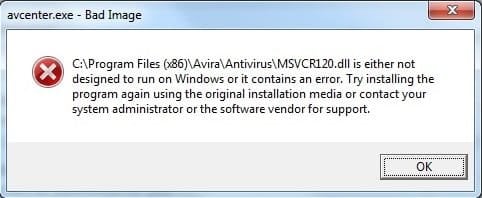
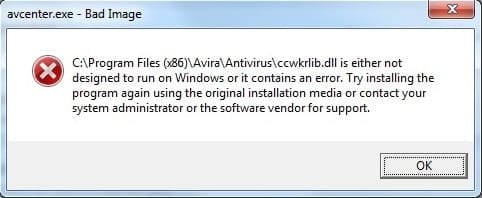
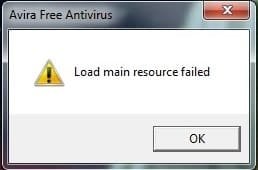
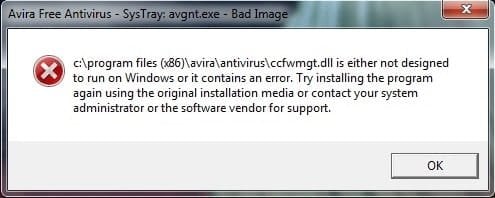
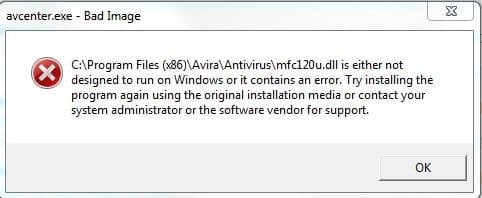
At about 4:45 AM today, my Avira antivirus updated from 15.0.29.32 to 15.0.30.29. I switched my computer off afterwards, then switched it back on at about 6:00 AM. I received a "load main resource failed" message (see first attachment), followed by a "avgnt.exe bad image" message (see second attachment) that repeated itself about fifteen times. When I tried to open Avira antivirus, I received an " avcenter.exe bad image" message (see third attachment).
My first attempt to fix the problem was to uninstall Avira antivirus, restart my computer, then reinstall it. Unfortunately, that didn't help. I tried uninstalling both that and Avira Connect, restarting, then reinstalling both of them. That didn't help either. I decided to try using System Restore to go back to the previous version of both programs, but that only resulted in them getting corrupted, so I undid the restoration and reinstalled them.
Right now, I have Avira Antivirus 15.0.3.29 and Avira Connect (now listed simply as "Avira" in my programs list) 1.2.95.14694 installed. I've looked for download links to the previous versions of both programs, but could only find the latest version. I'm still receiving these message when I start my computer and try to open Avira Antivirus, and I haven't yet found anyone online who's having this problem, so I don't know if the problem is on my end or Avira's. I'll see if Avira Antivirus is able to download and install any update files in six hours like it normally does. I'll also keep checking to see if anyone else has encountered this problem, and perhaps either make a post on Avira's forum or contact Avira themselves later. In the meantime, any help you can provide would be greatly appreciated.
Update: I tried opening Avira Antivirus once more before switching off my computer, and noticed the the file mention in the "bad image" message was different. It changed again when I tried to open it a second time, then nothing happened. I neglected to take screenshots, but I'll see if I can get them to appear again when I get back.
My first attempt to fix the problem was to uninstall Avira antivirus, restart my computer, then reinstall it. Unfortunately, that didn't help. I tried uninstalling both that and Avira Connect, restarting, then reinstalling both of them. That didn't help either. I decided to try using System Restore to go back to the previous version of both programs, but that only resulted in them getting corrupted, so I undid the restoration and reinstalled them.
Right now, I have Avira Antivirus 15.0.3.29 and Avira Connect (now listed simply as "Avira" in my programs list) 1.2.95.14694 installed. I've looked for download links to the previous versions of both programs, but could only find the latest version. I'm still receiving these message when I start my computer and try to open Avira Antivirus, and I haven't yet found anyone online who's having this problem, so I don't know if the problem is on my end or Avira's. I'll see if Avira Antivirus is able to download and install any update files in six hours like it normally does. I'll also keep checking to see if anyone else has encountered this problem, and perhaps either make a post on Avira's forum or contact Avira themselves later. In the meantime, any help you can provide would be greatly appreciated.
Update: I tried opening Avira Antivirus once more before switching off my computer, and noticed the the file mention in the "bad image" message was different. It changed again when I tried to open it a second time, then nothing happened. I neglected to take screenshots, but I'll see if I can get them to appear again when I get back.
Attachments
Last edited:
My Computer
- Computer type
- PC/Desktop
- Computer Manufacturer/Model Number
- Packard Bell ipower G5800
- OS
- Windows 7 Home Premium 64bit (Service Pack 1)
- CPU
- Intel Core i7
- Memory
- 6.00 GB
- Graphics Card(s)
- NVIDIA GeForce GTX 550 Ti
- Antivirus
- Avira Free Antivirus
- Browser
- Firefox