

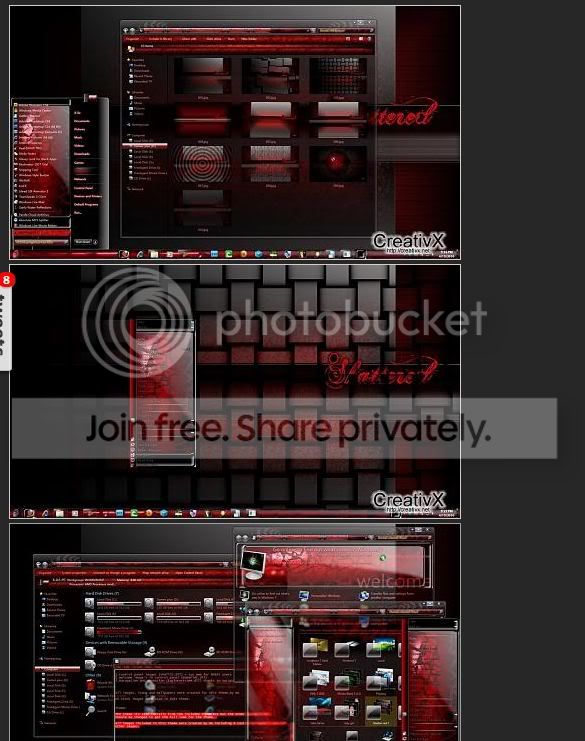
Okay, now we can get a bit sence out of thisHere's one example. This is what the theme is suppose to look like.
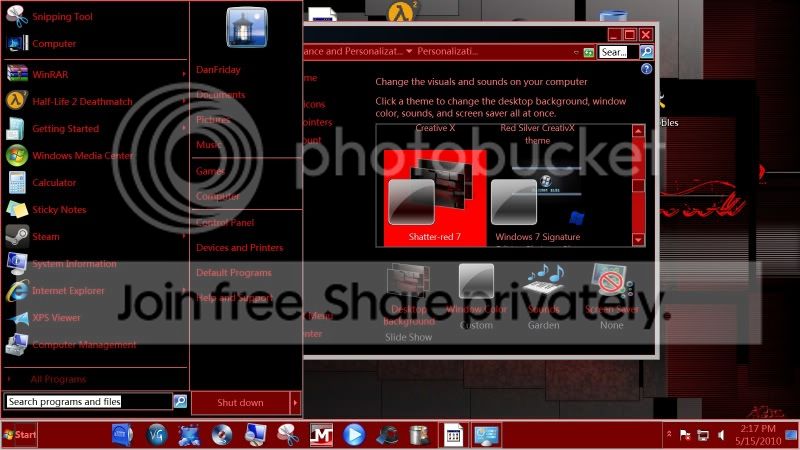
This is what I get when I install it:
Downloaded from here:
Shatter-red 7 theme for windows 7 - CreativX
What i think has happened here, is that your computer has applied a basic theme instead of the aero one.
Do you have Aero activated? and do you have the latest drivers for your graphics card?
I'm not sure where to check if Aero is activated. I do have transparency enabled. Not sure if thats the same thing. I do have the newest driver installed from ATI.
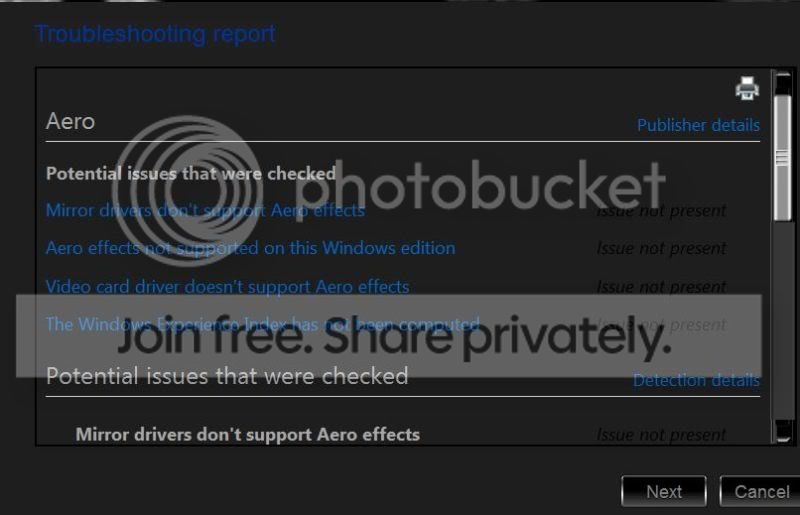
I ran the troubleshooter and no problems were detected:
My Computer
At a glance
Windows 7 (64bit)AMD Athlon II X4 630 2.8 GHz8.00GB DDR3-SDRAM (1333 MHz) ( Max allowed-16GB)ATI Radeon HD 4200
- Computer Manufacturer/Model Number
- HP Pavillion- p6331-p
- OS
- Windows 7 (64bit)
- CPU
- AMD Athlon II X4 630 2.8 GHz
- Motherboard
- Foxconn: H-Rs780-uATX
- Memory
- 8.00GB DDR3-SDRAM (1333 MHz) ( Max allowed-16GB)
- Graphics Card(s)
- ATI Radeon HD 4200
- Sound Card
- Realtek High Def Audio
- Monitor(s) Displays
- HP 20" high Def Widescreen
- Screen Resolution
- 1600x 900
- Hard Drives
- Seagate ST3750528AS- 700 GB
- Keyboard
- Logitech EX110 Cordless
- Mouse
- Logitech LX Laser Cordless
- Internet Speed
- 25/25
