64 bit version CD ROM Emulator???

zapp22

New member
Power User
VIP
Local time
2:50 PM
Messages
730
Location
Tejas, northern Mexico
I'd nominate this for download/giveaway of the month: a CD ROM Emulator that can mount/run iso etc images SUCCESSFULLY under x64 Win7 :cry:

many out there including one from good 'ole Redmond but they fail. all sorts of install issues. Ordinarily I'd look to Paragon to solve such madness but their's is a big FAIL. I like their choice of error message: "SEVERE Error".....
 

My Computer

Computer Manufacturer/Model Number
HP DC7600, HP DC7600[2], HP DC7100, Samsung NC10
OS
Windows XP Pro SP3, Windows 7 Pro 32-bit, Windows 7 Ultimate 64bit, Windows XP Home SP3
CPU
Pentium 4 3.2GHz, Pentium 4 3.4GHz 64bit, Atom,
Motherboard
Dunno
Memory
4GB matched, 1GB, 2.5GB, 4.0 GB
Graphics Card(s)
Geforce 8400 GS and others
Sound Card
RealteK ALC260 and others
Monitor(s) Displays
Asus HD
Screen Resolution
1920x1080
Hard Drives
WD Caviar 640gb SATA
Cooling
We Be Cool
daemon tools lite works fine with my 64bit windows.

there used to a problem with it and stdp a while ago, but it's been fixed and has run for months.
 

My Computer

Computer Manufacturer/Model Number
mickey megabyte 1234
OS
ultimate 64 sp1
CPU
i5 2500K [email protected]
Motherboard
MSI P67A-GD53
Memory
8 gigs GSkill Ripjaws 1600
Graphics Card(s)
amd hd6950
Sound Card
creative x-fi gamer
Monitor(s) Displays
samsung 24"
Screen Resolution
1920x1080
Hard Drives
ocz vertex 2e 60 gig, samsung f3 1tb, buffalo 2tb ext
PSU
antec 550
Case
antec three hundred
Cooling
i'm a cooling fan
Keyboard
saitek eclipse ii
Mouse
logitech g3
Internet Speed
about 4 Mbps
Other Info
i love win7
VC

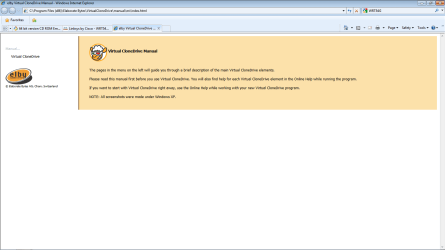
I'd recommend virtual Clone Drive as the easiest way to mount a virtual drive.
Its simple to use, works for 64/32 bit, easy to mount, easy to eject and is light weight.:geek:
 

Attachments

  • VC.png
    VC.png
    66.5 KB · Views: 169

My Computer

Computer Manufacturer/Model Number
Custom Build
OS
Windows 7 7600 1 X64
CPU
AMD PHENOM II X 550 PROCESSOR 3.1 ghz
Motherboard
ASUS M4A78-TE
Memory
Corsair 4 gig ddr 3
Graphics Card(s)
ati radeon 3300
Sound Card
ati hd
Monitor(s) Displays
syncmaster 2033sw
Screen Resolution
1600X900 60 hz refresh
Hard Drives
twin_seagates SATA's 1 TB & 500 Gig, hitachi_slimline 160 gig
PSU
antec_550 watt
Case
cooler master GLite
Cooling
stock_heat sink
Internet Speed
20mbs up/ 1.5mbs down
Other Info
favorite child "stewie"
favorite dog "brian"
I use "Alcohol 52" without any problem...
 

My Computer

Computer Manufacturer/Model Number
Home Made 00x
OS
7Home64
CPU
AMD Phenom II x4 965 - 3,4GHz
Motherboard
Gigabyte GA-880GMA-UD2H
Memory
DDR3 1333Mhz, 8Gb (Corsair xms3 : 9, 9, 9, 24)
Graphics Card(s)
GeForce GTX550Ti 1024mb GDDR5 (Gainward)
Sound Card
Creative X-Fi ExtremeGamer
Monitor(s) Displays
Acer 27", led, full hd
Screen Resolution
1920x1080
Hard Drives
G-Skill SSD 80Gb + Kingston SSD 64Gb + WD sata 500Mb + Hitachi sata 1Tb
PSU
CombatPower 750W, 12cm fan
Case
Antec "Three Hundred", 12 + 14 cm fans
Cooling
Noctua NH-U12P (CPU) + 2xNF-B9 (HDD's) + NF-P12 (case side)
Keyboard
Logitech + Saitek "Cyborg Command Unit"
Mouse
Logitech LS1 laser
Internet Speed
4Mb/s
Other Info
6-fan-&-temp controller Scythe Kase Master Pro 5.25

My Computer

Computer type
PC/Desktop
Computer Manufacturer/Model Number
Me
OS
Win 7 Ultimate x64
CPU
FX-8350 @ 4.6 GHz so far
Motherboard
Asus M5A97 EVO
Memory
ADATA XPG V1 Series Black 8GB DDR3 1600
Graphics Card(s)
Sapphire R9 270x Dual-X
Sound Card
Xonar DGX w/ Corsair Vengence 1300
Monitor(s) Displays
Acer S232HL Abid
Screen Resolution
1920x1080
Hard Drives
120 GB OCZ Vertex 3
500 GB Seagate 7200.12
PSU
Antec Earthwatts 650W Green
Case
Antec Three Hundred
Cooling
Cooler Master 212 EVO
Keyboard
Logitech G510
Mouse
Logitech G500s
Internet Speed
35000/3000
I'd recommend virtual Clone Drive as the easiest way to mount a virtual drive.
Its simple to use, works for 64/32 bit, easy to mount, easy to eject and is light weight.:geek:

Another vote for Virtual Clone Drive. Slysoft had a Win7 version way back when Win7 was still in beta, it works perfectly on a 64bit OS and you can add as many virtual drives as you like (well up to 8 anyway :D ).
 

My Computer

Computer Manufacturer/Model Number
Custom Hack job
OS
Windows 7 Ultimate 64 bit
CPU
Intel(R) Core(TM)2 Quad CPU Q8200 @ 2.33GHz
Motherboard
GigaByte EP45-UD3
Memory
8 GB Kingston
Graphics Card(s)
Nvidia GeForce 9600GT
Sound Card
Soundblaster Audigy
Monitor(s) Displays
AOC x2 22"
Hard Drives
2 x Samsung 500GB (RAID)
2 x Samsung 2TB
1 x WD Green 2TB
1 x Seagate 1TB
1 x Samsung 500GB
PSU
Thermaltake QFan 750W
Case
CM Scout Gaming
Cooling
Coolermaster V10
Keyboard
Microsoft Wireless Keyboard 1000
Mouse
Microsoft Wireless Optical 2000
Internet Speed
320
Other Info
Winfast PVR2000CP
LG DVD-RAM DVD/RW/DL Super Multi
Linksys WMP300Nx2 Wireless Adapter
I use "Alcohol 52" without any problem...

i have not succeeded with alcohol. it knows what files its for, but then how to execute???? it just sits there like it only knows "burn"
 

My Computer

Computer Manufacturer/Model Number
HP DC7600, HP DC7600[2], HP DC7100, Samsung NC10
OS
Windows XP Pro SP3, Windows 7 Pro 32-bit, Windows 7 Ultimate 64bit, Windows XP Home SP3
CPU
Pentium 4 3.2GHz, Pentium 4 3.4GHz 64bit, Atom,
Motherboard
Dunno
Memory
4GB matched, 1GB, 2.5GB, 4.0 GB
Graphics Card(s)
Geforce 8400 GS and others
Sound Card
RealteK ALC260 and others
Monitor(s) Displays
Asus HD
Screen Resolution
1920x1080
Hard Drives
WD Caviar 640gb SATA
Cooling
We Be Cool
ok i feel lucky.
i'll d/l and give it a spin :)

I'd recommend virtual Clone Drive as the easiest way to mount a virtual drive.
Its simple to use, works for 64/32 bit, easy to mount, easy to eject and is light weight.:geek:

Another vote for Virtual Clone Drive. Slysoft had a Win7 version way back when Win7 was still in beta, it works perfectly on a 64bit OS and you can add as many virtual drives as you like (well up to 8 anyway :D ).
 

My Computer

Computer Manufacturer/Model Number
HP DC7600, HP DC7600[2], HP DC7100, Samsung NC10
OS
Windows XP Pro SP3, Windows 7 Pro 32-bit, Windows 7 Ultimate 64bit, Windows XP Home SP3
CPU
Pentium 4 3.2GHz, Pentium 4 3.4GHz 64bit, Atom,
Motherboard
Dunno
Memory
4GB matched, 1GB, 2.5GB, 4.0 GB
Graphics Card(s)
Geforce 8400 GS and others
Sound Card
RealteK ALC260 and others
Monitor(s) Displays
Asus HD
Screen Resolution
1920x1080
Hard Drives
WD Caviar 640gb SATA
Cooling
We Be Cool

My Computer

Computer Manufacturer/Model Number
Asus K60IJ
OS
Windows 7 Ultimate x64
CPU
Intel Pentium Dual Core T4200
Motherboard
HP Laptop
Memory
4gb PC-6400
Graphics Card(s)
Integrated Intel GMA 4500
Sound Card
onboard(laptop)
Monitor(s) Displays
16"
Screen Resolution
1300 X 766 with true 720p HD support
Hard Drives
320GB 5400RPM
Mouse
Microsoft 3000 laptop mouse
Internet Speed
15mbit+ down and 768kbit up
Other Info
1TB external Western Digital Essentials HDD
My Wish: Portable as well!
 

My Computer

Computer type
PC/Desktop
Computer Manufacturer/Model Number
Dell OP7010
OS
Windows 7 Enterprise (x64); Windows Server 2008 R2 (x64)
Memory
16GB
Monitor(s) Displays
4 Dell 24" LCD
Screen Resolution
1280x1024
Keyboard
Dell
Mouse
Dell Optical
Internet Speed
40meg
Daemon Lite?

what is this tool supposed to do? I don't see a way to simply make it show up as an emulated drive, mount and execute an image....
 

My Computer

Computer Manufacturer/Model Number
HP DC7600, HP DC7600[2], HP DC7100, Samsung NC10
OS
Windows XP Pro SP3, Windows 7 Pro 32-bit, Windows 7 Ultimate 64bit, Windows XP Home SP3
CPU
Pentium 4 3.2GHz, Pentium 4 3.4GHz 64bit, Atom,
Motherboard
Dunno
Memory
4GB matched, 1GB, 2.5GB, 4.0 GB
Graphics Card(s)
Geforce 8400 GS and others
Sound Card
RealteK ALC260 and others
Monitor(s) Displays
Asus HD
Screen Resolution
1920x1080
Hard Drives
WD Caviar 640gb SATA
Cooling
We Be Cool
what is this tool supposed to do? I don't see a way to simply make it show up as an emulated drive, mount and execute an image....

double click an iso, and it will mount automatically.

when you actually run the program, you get an icon in the notification area (system tray), that is probably hidden by default. you'll need to click on the little arrow by your clock at lower right.

post again if you need further help.
 

My Computer

Computer Manufacturer/Model Number
mickey megabyte 1234
OS
ultimate 64 sp1
CPU
i5 2500K [email protected]
Motherboard
MSI P67A-GD53
Memory
8 gigs GSkill Ripjaws 1600
Graphics Card(s)
amd hd6950
Sound Card
creative x-fi gamer
Monitor(s) Displays
samsung 24"
Screen Resolution
1920x1080
Hard Drives
ocz vertex 2e 60 gig, samsung f3 1tb, buffalo 2tb ext
PSU
antec 550
Case
antec three hundred
Cooling
i'm a cooling fan
Keyboard
saitek eclipse ii
Mouse
logitech g3
Internet Speed
about 4 Mbps
Other Info
i love win7
I use "Alcohol 52" without any problem...

i have not succeeded with alcohol. it knows what files its for, but then how to execute???? it just sits there like it only knows "burn"


Normally after instalation you have the virtual drive in your computer section,
then "right-clic > mount an image > open > your ISO"
 

My Computer

Computer Manufacturer/Model Number
Home Made 00x
OS
7Home64
CPU
AMD Phenom II x4 965 - 3,4GHz
Motherboard
Gigabyte GA-880GMA-UD2H
Memory
DDR3 1333Mhz, 8Gb (Corsair xms3 : 9, 9, 9, 24)
Graphics Card(s)
GeForce GTX550Ti 1024mb GDDR5 (Gainward)
Sound Card
Creative X-Fi ExtremeGamer
Monitor(s) Displays
Acer 27", led, full hd
Screen Resolution
1920x1080
Hard Drives
G-Skill SSD 80Gb + Kingston SSD 64Gb + WD sata 500Mb + Hitachi sata 1Tb
PSU
CombatPower 750W, 12cm fan
Case
Antec "Three Hundred", 12 + 14 cm fans
Cooling
Noctua NH-U12P (CPU) + 2xNF-B9 (HDD's) + NF-P12 (case side)
Keyboard
Logitech + Saitek "Cyborg Command Unit"
Mouse
Logitech LS1 laser
Internet Speed
4Mb/s
Other Info
6-fan-&-temp controller Scythe Kase Master Pro 5.25
is there anything in Win7 itself that would [probably wisely] intervene and stop you from running the *.iso file?

also, i think i had too many virtual cd drivers & such... orphans galore so I cleaned it all up. just imgburn now for the moment.

what's the diff, aside from obvious, alcohol lite and full strength?
 

My Computer

Computer Manufacturer/Model Number
HP DC7600, HP DC7600[2], HP DC7100, Samsung NC10
OS
Windows XP Pro SP3, Windows 7 Pro 32-bit, Windows 7 Ultimate 64bit, Windows XP Home SP3
CPU
Pentium 4 3.2GHz, Pentium 4 3.4GHz 64bit, Atom,
Motherboard
Dunno
Memory
4GB matched, 1GB, 2.5GB, 4.0 GB
Graphics Card(s)
Geforce 8400 GS and others
Sound Card
RealteK ALC260 and others
Monitor(s) Displays
Asus HD
Screen Resolution
1920x1080
Hard Drives
WD Caviar 640gb SATA
Cooling
We Be Cool
Back
Top