Solved 70 second startup on Aunt's Clean Reinstall

gregrocker

New member
Guru
Local time
1:36 AM
Messages
50,634
Is it apparent to any analysts from the collection tool output (without BSOD) what is causing this?

She's coming to pick it up soon so I'd like to fix it if possible. Resume is only 12 secs.

Am updating Display driver now to latest from HP site.
 

Attachments

Something's wrong with the file link -

Error.jpg
 

My Computer My Computer

Computer type
Laptop
It works in IE11, but not Firefox 25.1 :confused:
 

My Computer My Computer

Computer type
Laptop
Now 63 seconds after Intel GPU driver updated to 8.15.10.2476. You want another collection?

Had already resolved eeobe.etl and Error 10 repeat errors. Display was delaying in Perf log which showed 90 sec delay.
 
There seems to be a couple of Application errors with Malwarebytes.

Code:
Event[1066]:
  Log Name: Application
  Source: Application Error
  Date: 2013-12-02T00:14:27.000
  Event ID: 1000
  Task: Application Crashing Events
  Level: Error
  Opcode: Info
  Keyword: Classic
  User: N/A
  User Name: N/A
  Computer: Rosey-HP
  Description: 
Faulting application name: mbamscheduler.exe, version: 1.70.0.0, time stamp: 0x512fc058
Faulting module name: unknown, version: 0.0.0.0, time stamp: 0x00000000
Exception code: 0xc0000005
Fault offset: 0x73986cdc
Faulting process id: 0x598
Faulting application start time: 0x01ceef207d335c29
Faulting application path: C:\Program Files (x86)\Malwarebytes' Anti-Malware\mbamscheduler.exe
Faulting module path: unknown
Report Id: fec01c80-5b18-11e3-8b35-8f24bca1bffe


It appears to have caused a access violation for some reason, could you please download and then run Process Monitor when loading MBAM. Save the output as a .PML file, and then upload the file as a zipped folder.
 

My Computer My Computer

Computer type
Laptop
She has the MBAM Real Time Protection so how would you want me to collect ProcMon output since it starts with Windows?
 
53 seconds with MBAM Real Time disabled. Uninstalling it now.

46 seconds after MBAM uninstalled.

She gets infected by malware a lot so should I try reinstalling it since she bought a license for life.
 
I've got a little over an hour before she picks it up and it goes back to the farm with the dial-up. So I wouldn't have a way to follow up - and Carl isn't on messenger now to ask about reading trace which is above my pay grade. You do that?

Do you think MBAM RT Protection module is scanning startups in real time? After re-enabling Real Time protection it goes back up to 73 sec startup.
 
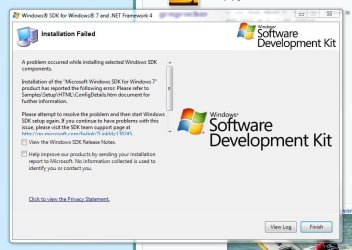
I've always had issues with installing WPT :(.
Capture.JPG

But it gives you duration graphs along with a lot more information divided by process
which is useful for this case.

I do think that MBAM has a footprint on the system much like any other real-time protection
software, but removing it didn't cure the system completely so there are other things involved.

EDIT:
Process Monitor can help us as well.
http://www.msigeek.com/6231
 

My Computer My Computer

Computer type
PC/Desktop
OS
Windows 10
CPU
Intel Core i5 3570K
Motherboard
Asus P8Z77V-PRO
Memory
16GB 1600Mhz G.Skill
Graphics Card(s)
Gigabyte GTX 970 G1-Gaming
PSU
Seasonic 1000W Platinum
Case
Fractal Design Define R4
Cooling
Noctua NH-D14
Just a thought Greg.
Could this laptop be looking for the dial-up and that is the reason for the slower boot.
Another thought; when the laptop is used connected to the dial-up the boot time won't be noticed because of the time it takes to get the dial-up connection to the ISP.
To find the cause of few seconds in boot time can take a very long time.
When you reboot you are not rebooting the complete computer like on a cold boot. Basically you are rebooting Windows.
I'm not sure what resume is but it sound like things like drivers,bios and the basics are kept in some stage of active so it only takes 12 seconds.

You could also take a peak in msconfig Services (Non Microsoft Services) and see if any thing is set to check for auto updates on boot.
 

My Computer My Computer

Computer type
PC/Desktop
Computer Manufacturer/Model Number
Home made Desktop
OS
Windows 10 Pro. 64/ version 1709 Windows 7 Pro/64
CPU
Intel i7-6800K @ 4.3
Motherboard
ASUS X-99 Deluxe II
Memory
Corsair Platinum 16 gig @2400
Graphics Card(s)
EVGA GTX 1070 OC
Monitor(s) Displays
Asus 27" LED LCD/VE278Q
Screen Resolution
1920-1080 or 1280-720 HDMI
Hard Drives
INTEL SSD 730-240 Gb Sata 3.0/
PSU
EVGA Platium 1200W
Case
Phanteks Luxe Tempered Glass 8 fans/ one radiator
Cooling
XSPC/ Water Cooled CPU
Keyboard
Das 4 Professional
Mouse
Logitech M705/MX Anywhere 2-S
Internet Speed
100 mbits
Antivirus
Microsoft Security Essentials/ Malwarebytes Premium 3.0/ SAS
Browser
I.E. 11 default/Firefox/ ISP Time Warner Cable/Spectrum
Other Info
LG BluRay Burner/
Sound system-KLipsch-THX/
Icy Dock ssd Hot Swap bays.
Thanks Jack, that is a real relief to know since she will be re-establishing Dial Up as soon as she gets home. She thinks she'll have to call her ISP to connect, but I looked at Network and Sharing>Create New Connection and it seems like the Dial Up wizard there should walk her through it.

There's no way I can replicate Dial Up setting now since if I open that Wizard it just doesn't detect a DIal Up modem.

I've put a Hibernate link on Desktop, set it to Hibernate with lid close and power button, so she'll be steered toward the 12 second Resuming instead of the longer Starting Windows.

I reinstalled this three times overnight - first testing HP Minimal Recovery, then Clean 64-bit and once in 32 bit to see if there was any difference and I could isolate the cause, but it isn't traceable by diagnostic install.
 
Last edited:
I'm sure your Aunt will be very happy her laptop is working and working great.
 

My Computer My Computer

Computer type
PC/Desktop
Computer Manufacturer/Model Number
Home made Desktop
OS
Windows 10 Pro. 64/ version 1709 Windows 7 Pro/64
CPU
Intel i7-6800K @ 4.3
Motherboard
ASUS X-99 Deluxe II
Memory
Corsair Platinum 16 gig @2400
Graphics Card(s)
EVGA GTX 1070 OC
Monitor(s) Displays
Asus 27" LED LCD/VE278Q
Screen Resolution
1920-1080 or 1280-720 HDMI
Hard Drives
INTEL SSD 730-240 Gb Sata 3.0/
PSU
EVGA Platium 1200W
Case
Phanteks Luxe Tempered Glass 8 fans/ one radiator
Cooling
XSPC/ Water Cooled CPU
Keyboard
Das 4 Professional
Mouse
Logitech M705/MX Anywhere 2-S
Internet Speed
100 mbits
Antivirus
Microsoft Security Essentials/ Malwarebytes Premium 3.0/ SAS
Browser
I.E. 11 default/Firefox/ ISP Time Warner Cable/Spectrum
Other Info
LG BluRay Burner/
Sound system-KLipsch-THX/
Icy Dock ssd Hot Swap bays.
I regret only that I didn't have time to run the Boot Trace, since it was indicated with a 60 second boot time that wasn't traceable through 3 separate diagnostic installs. I should have asked her for another day to do just that, to do the job right. I could also have gotten more experience with the trace, including its install hurdles that I was suddenly tripping over when trying to rush it. We could have used it as a workshop to read the trace, too.

Thanks, all. She's very happy without the HP bloatware slowing everything, and is dazzled by the 12 second Resume time which puzzles me.
 
The boot trace would have a good idea, unfortunate you didn't have the time to use the tool properly.
 

My Computer My Computer

Computer type
Laptop
Back
Top