A fresh new Firefox redesign is here

Brink

Administrator
Staff member
Local time
4:13 AM
Messages
74,846
Location
Oklahoma
Even though we’re in the web browser business, we know you don’t go online to look at Firefox, it’s more that you look through Firefox to get to everything on the open web. In today’s major release, Firefox sports a fresh new design that gets you where you’re going online, fast and distraction-free. And since we’re all about privacy, we’re also expanding integrated privacy protections in Firefox, so you feel safe and free to be yourself online thanks to fewer eyes following you across the web.


It’s all happening starting today in Firefox.

A sleek, clean Firefox design backed by research

Going into the Firefox redesign, our team studied how people interact with the browser, observing their patterns and behaviors. We listened to feedback and gathered ideas from regular people who just want to have an easier experience on the web. We obsessed over distractions, extra clicks and wasted time. The resulting new design is simple, modern and fast and delivers a beautiful experience to support what people do most in Firefox.

Bright and buoyant throughout

The fresh new Firefox is easy on the eyes, bright and buoyant on screens of all sizes — computers, phones and tablets. A new icon set, crisp typography and thoughtful spacing throughout all reflect a modern aesthetic for 2021.

Streamlined toolbar and menus

The toolbar is naturally where you start every web visit. It’s the place where you type a URL to go somewhere online. After web page content, it’s what you look at most in Firefox. The new toolbar is simplified and clutter-free so you get to the good stuff effortlessly.

Menus are where key Firefox actions and commands live. We’ve consolidated extra menus to reduce clutter and be more intuitive through the three bars menu in the upper right or by right-clicking to activate it on your computer screen. The new look reorganized and streamlined our menus to put the best actions quickly at your fingertips.

When privacy protections are engaged in Firefox, the shield icon in the toolbar glows subtly indicating that we’re working behind the scenes to protect you from nosy trackers. Fun fact: Firefox has blocked more than 6 trillion — that’s trillion with a T — trackers since we rolled out enhanced tracking protection, stopping thousands of companies from viewing your online activity.. We’re talking about tracking cookies, social media trackers, fingerprinters, cryptominers and more. Go ahead and click on the shield to see who and what Firefox is blocking… you might be surprised by what you find out.

A new look for tabs

Based on our research, we found out that more than half of you have 4+ tabs open all the time, and some of you have more, a lot more. And we feel that! Tab as much as you like, friends. Tabs got a makeover so they are now gently curved and float above the toolbar. It’s an exciting change that also serves as a reminder that tabs aren’t stationary. So grab those tabs, move them around and organize them as you like. Tabs also got a glow-up to be a touch brighter when active.

🤫 Shhhhhh…. notifications

No one likes to be interrupted when they’re in the flow, but if you must be alerted to something, at least it can look good. We’ve updated notifications and alerts of all kinds in Firefox to take up less space for less jarring interruptions. Plus, non-essential alerts and messages have been removed altogether. Media autoplay is turned off by default, so you won’t be interrupted by a random video blasting unexpectedly. Spotting a noisy tab is easy, and unmuting/muting takes just a quick click on the tab itself.

Expanded privacy protections

Mozilla makes it our mission to put your privacy and security first in the technology we develop. Our goal is for you to worry less every time you go online. The latest Firefox release comes to you with next-level security and privacy that you’ve come to expect from us.

The best private browsing mode out there

All browsers have a private browsing mode, but none match Firefox. The popular Total Cookie Protection moves from the optional strict setting to always-on in private browsing. This feature maintains a separate “cookie jar” for each website you visit while browsing privately. Any time a site deposits a cookie, Firefox locks it up in its own cookie jar so that it can’t be shared with any other website.

An even better Firefox for iOS and Android

The fresh new look covers Firefox everywhere, from desktop browsers to Android and iOS mobile devices. The iOS experience is optimized for iPhone and iPad, with key actions now taking fewer steps for quicker searches, navigation and tab viewing. With refinements in iconography and menu names, the whole browsing experience is more cohesive and harmonious across every platform.

“What inspires us the most are the people that love and use Firefox.”
Firefox design team​

Backed by Mozilla, the non-profit that puts people first

Firefox was created by Mozilla as a faster, more private alternative to browsers like Internet Explorer, and now Chrome. Today, our mission-driven company and volunteer community continue to put your privacy above all else. Even as the internet grows and changes, Firefox continues to focus on your right to privacy — we call it the Personal Data Promise: Take less. Keep it safe. No secrets. Your data, your web activity, your life online is protected with Firefox, on your computer, your phone and anywhere you use it.

Things are looking different in 2021

We’re always excited when a new Firefox launches, and when it comes to this major redesign, we’re even more stoked for you to experience it. If you left Firefox behind at some point, this modern approach — inside and out — is designed to win you back and make it your go-to browser.

Keep an eye out for the new look in Firefox for desktop and mobile, rolling out starting today. Download and install for desktop, Androidand iOSso you have all the best of Firefox everywhere you browse.


Read more:

See also: Latest Firefox released for Windows
 

My Computer My Computer

Computer type
PC/Desktop
Computer Manufacturer/Model Number
Self built custom
OS
64-bit Windows 11 Pro for Workstations
CPU
Intel i7-8700K OC'd to 5 GHz
Motherboard
ASUS ROG Maximus XI Formula Z390
Memory
64 GB (4x16GB) G.SKILL TridentZ RGB DDR4 3600 MHz
Graphics Card(s)
ASUS ROG-STRIX-GTX1080TI-O11G-GAMING
Sound Card
Integrated
Monitor(s) Displays
2 x Samsung Odyssey G7 27"
Screen Resolution
2560x1440
Hard Drives
1TB Samsung 990 PRO M.2,
4TB Samsung 990 PRO PRO M.2,
TerraMaster F8 SSD Plus NAS
PSU
Seasonic Prime Titanium 850W
Case
Thermaltake Core P3
Cooling
Corsair Hydro H115i
Keyboard
Logitech wireless K800
Mouse
Logitech MX Master 4
Internet Speed
2 Gb/s Download and 100 Mb/s Upload
Antivirus
Malwarebyte Anti-Malware Premium
Browser
Google Chrome
Other Info
Logitech Z625 speaker system,
Logitech BRIO 4K Pro webcam,
HP Color LaserJet Pro MFP M477fdn,
APC SMART-UPS RT 1000 XL - SURT1000XLI,
Galaxy S23 Plus phone
Pathetic Chrome copying piece of crap is what that is. Damn shame. I used Phoenix and the Mozilla suite and then Firefox and that was my browser of choice for years. Then they changed the UI and I dropped that crap like a rock and their browser has been down hill ever since. The vulnerable code of Web Extension code for add-ons is a real laugh riot when they say they focus on "privacy & security." That's just like Brave. It's not as secure and private as one would think. One would be better off with UnGoogled Chromium and if they want to install and extension (I don't recommend it) use this.


My Computer My Computer

Computer type
PC/Desktop
OS
Windows 7 Ultimate x64
I updated to the newest version two days ago and it completely destroyed my Firefox setup. So I went back to my older version. I've used Firefox since Version 4. I hate what they've done to it. I know everyone is interested in the security aspects of any browser. I do enough on line that I could be vulnerable, but I am also a small fish in a big ocean. I've never had any major virus or malware problems in all these years, even with Windows Me. Of course I want to be reasonably safe online but why can't I also have a theme that is as comfortable to me as an old pair of slippers and perform basic functions like "switch to new tab immediately" without going through all kinds of hoops to get there?

My needs are modest, imho. I'd like a theme that is close to Window 7 with icons that don't look like Teletubbies. I definitely want the tabs to go directly under the bookmarks toolbar. And I'd like to be able to go to my bank without having to find a user-agent to fool them.

P.S. I tried Pale Moon again but it has gotten almost as bad as Firefox now too.
 
Last edited:

My Computer My Computer

Computer type
Laptop
Computer Manufacturer/Model Number
HP
OS
Windows 7 Home Premium 64bit
I've used Firefox for a long time now as the default browser. I've kept a copy of the current profile folder for reverting on every update as I learned that updates are subject to unintended chaos such as complete loss of profile (including tab memory) as Mozilla feels its' way.

This latest update - version 89 - is absolutely awful in visual terms. Cinderella on fake steroids. I reverted to version 88 almost immediately when I found the available new "memes" (to wipe out those awful visuals) were each successively worse than the default. A really annoying issue with Firefox is that there is no option for closing off update nags. That is also my annoyance with Brave - updates to Brave are done without reference to the user, with no option to close this off.

It does seem that the issue of updates in all applications that are widely used is not now to be controlled by the user. Win10 led the way here.
 

My Computer My Computer

Computer type
Laptop
Computer Manufacturer/Model Number
HP 250 G7
OS
Windows 7 Pro x64
CPU
Intel i5-8265U
Motherboard
Intel Coffee Lake
Memory
8gb
Graphics Card(s)
Intel Iris Plus 655
Sound Card
Realtek HDA
Monitor(s) Displays
Generic
Screen Resolution
1366 x 768
Hard Drives
Crucial P5 NVMe 1Tb internal
WD's 4Tb, 3Tb, 2 x 2Tb external
Mouse
Logi wireless
Internet Speed
45 Mbps
Antivirus
AVG
Browser
Firefox 88, Pale Moon 29, Brave 129
Other Info
Combination of i5-8265U with Crucial P5 achieves Crystal Bench scores > 5000

Iris Plus GPU (Whiskey Lake) driver from BioStar

HP 250 G7 is a budget machine
I've used Firefox for a long time now as the default browser. I've kept a copy of the current profile folder for reverting on every update as I learned that updates are subject to unintended chaos such as complete loss of profile (including tab memory) as Mozilla feels its' way.

This latest update - version 89 - is absolutely awful in visual terms. Cinderella on fake steroids. I reverted to version 88 almost immediately when I found the available new "memes" (to wipe out those awful visuals) were each successively worse than the default. A really annoying issue with Firefox is that there is no option for closing off update nags. That is also my annoyance with Brave - updates to Brave are done without reference to the user, with no option to close this off.

It does seem that the issue of updates in all applications that are widely used is not now to be controlled by the user. Win10 led the way here.

I found this tweak a long time ago at the mozilline forum and it works for disabling updating Firefox. TBH, I think some said one or the other worked, but I just checked my computer and I have both.
To disable Updates in Firefox 63 and above, do the following.

Close Firefox.
Open the Registry Editor app.
Go to the following Registry key.

HKEY_LOCAL_MACHINE\Software\Policies

See how to go to a Registry key with one click.
Create a new subkey here named Mozilla. You will get the path HKEY_LOCAL_MACHINE\Software\Policies\Mozilla.
Under the Mozilla key, create a new subkey Firefox. You will get the path HKEY_LOCAL_MACHINE\Software\Policies\Mozilla\Firefox.
On the right, create a new 32-Bit DWORD value DisableAppUpdate.
Note: Even if you are running 64-bit Windows you must still create a 32-bit DWORD value.
Set its value to 1.

To undo the change, remove the DisableAppUpdate 32-bit DWORD value you have created, then restart Firefox.

------------------------

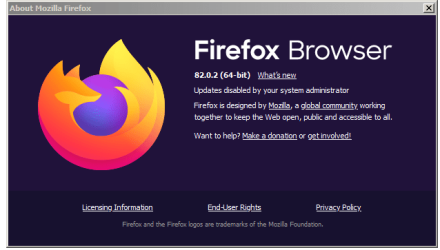
a better solution is to create a policies.json file and store that file into the ‘C:\Program Files\Mozilla Firefox\distribution’ folder. Create a ‘distribution’ folder in \Program Files\Mozilla Firefox\ folder and place that policies.json file into that folder that has the following code:

{
“policies”: {
“DisableAppUpdate”: true
}
}
Capture.PNG
 

My Computer My Computer

Computer type
Laptop
Computer Manufacturer/Model Number
HP
OS
Windows 7 Home Premium 64bit

My Computer My Computer

Computer type
Laptop
Computer Manufacturer/Model Number
HP 250 G7
OS
Windows 7 Pro x64
CPU
Intel i5-8265U
Motherboard
Intel Coffee Lake
Memory
8gb
Graphics Card(s)
Intel Iris Plus 655
Sound Card
Realtek HDA
Monitor(s) Displays
Generic
Screen Resolution
1366 x 768
Hard Drives
Crucial P5 NVMe 1Tb internal
WD's 4Tb, 3Tb, 2 x 2Tb external
Mouse
Logi wireless
Internet Speed
45 Mbps
Antivirus
AVG
Browser
Firefox 88, Pale Moon 29, Brave 129
Other Info
Combination of i5-8265U with Crucial P5 achieves Crystal Bench scores > 5000

Iris Plus GPU (Whiskey Lake) driver from BioStar

HP 250 G7 is a budget machine
I updated to the newest version two days ago and it completely destroyed my Firefox setup. So I went back to my older version. .


My tabs are gone! I was doing all right with Aris' Chrome.css file script. I've been geek since 1980, but that is mainly hardware, when they change code like that, it drives me up the wall. What do I have to do? Learn a new .css script all over again? Might have to fully migrate to K-Meleon now. Going over to Mozillazine to cry over there.

What I don't understand is, my saved tabs from the previous version 'flash' at the bottom of the window/tab and then disappear.

I'm old now and hate change.
EDIT: Sort of got my tabs back but they're on the window and I have to use the old Ctrl-Tab trick to access them.
 
Last edited:

My Computer My Computer

Computer type
PC/Desktop
Computer Manufacturer/Model Number
Custom Build
OS
W7 Ultimate 32-bit
Motherboard
ASUS M4N68T-M V2
PSU
Seasonic G-series 650W, can't afford the X,still Top/Line.
Case
Cooler Master Storm Scout 2, Ghost White version.
Cooling
5 fans....no liquid needed, everything under 100F
Keyboard
veteran PS2
Mouse
veteran PS2
Internet Speed
50Mps
Antivirus
AVG 2016 + TinyWall-to enhance Windows 7 firewall.
Browser
several
I have found now-a-days that it's a giant PITA to have a great browser anymore. One does this great, but not this great, the other is a massive telemetry pile of crap, etc. If I knew JS, CSS and the like I'd fork a browser (maybe Pale Moon) and code the damn thing like it should be coded. The thing about Pale Moon is that it's a niche browser, and as such many websites give you crap about it because you're not part of the big four! No.... you need to use Chrome, Firefox, Edge or Safari or we'll give you hell. Was NEVER like that. And to add insult to injury, Google is getting their mitts in website code called Web Components. So if your browser doesn't support it, well, you're going to have a hard time navigating or even using that website. This website its self had to be updated to a newer version of vBulletin due to Google's crap. These massive conglomerates like, Google, Apple, Amazon, Twitter, Facebook can all kiss my monkey's backside as far as I'm concerned. Don't EVEN get me started in the blanket censorship, media misinformation and Nazi party like rule. These pathetic sorry a$$ losers do this then have the testicular fortitude to use their soy boy BS to pull telemetry from your computer/device. But, but, the NSA, the NSA! PEOPLE! you need to understand that big time companies are you're real enemy if it involves capital (money) and that profit is the number one goal. The number one goal should be a good product. Number 2, customer support and number 3 profit. Not profit above all else. It makes for a crappy company and a crappy product. Crap all around these days let me tell you. MADE IN CHINA. (Would you like some corona dipping sauce)?

The NSA? Sure, they've got a massive amount of infrastructure, but they have so much damn intelligence that it's overwhelming. They're not interested in how you Googled about midget porn or some stupid crap. But Facebook et al? Oh yeah, they care. They want to know how you live, what you search for and everything in between to help further increase their bottom line. Anyway, and on this long, drawn out rant (LOL), you can read my - rant on Edward Snowden here. I like his intellect, and he thinks just like me, but the tl:dr part of it is he went AWOL so to speak and that's not cool. (Read the book The Secret Sentry).

On the subject of telemetry. I just found out I had to install the fakespot.com add-on in Firefox. I used to be able to go to their website, enter an Amazon link and get a review grade on the quality of reviews. Nope! Now I needed to install an add-on. Well, knowing full well that an add-on can now interact with my browser and see all the websites I visit and then some, I wanted to do a quick check on this add-on. So I fired up my network packet sniffer and then launched Firefox. Sure enough the fakespot add-on was making a connection to their server via a secure connection. And that's just on browser launch. Since it's an encrypted connection I don't know what the traffic is. But I know of a way to see what's going on and I need to do that. Once complete I may post my findings to my website. Anyway, the add-on is installed in a plain vanilla version of Firefox portable because I'm not stupid. The moral of the story here is that damn near everything you do is all about telemetry. Browsers, their add-ons, scanning a product QR code (Quick Response code). Entering some number on a receipt into a website, your phone or tablet hearing an ultra sound ping from the TV and sending that data to some server via your phone or tablet, you freaking name it. Your own WIFI rats you out. I'm not getting into specifics, but look into Li-Fi... may or may not be well suited for you and can be expensive. Anyway... LOL

I wrote about how to stop updates in FireMoron here.

And just a little bit on why Web Extension code sucks.


To disable Brave updates, I found this Looks 25 days old (as of this post) so may still be relevant.

The problem with staying with on old browser or even an App or program is that if there are any vulnerabilities (CVEs), the new version will likely patch that. While you could run Firefox 88 now and for the foreseeable future, the longer it remains unpatched the better chance it is that some rouge JS in some website will own your browser session. 88 is probably totally fine to use now any way. I use it. I'm in no hurry to update and I'm thinking of yanking it out and just install Brave as my second browser instead of Firefox. I have Pale Moon (my main browser), Firefox, and UnGoogled Chrome and many portable versions of Chrome, Firefox and Pale Moon. All for certain things and testing my website. Believe me when I tell you that a browser has its very own fingerprint. So there's that. Your OS is another matter...

About constant updates. Yes, it's as persistent as a jack russell terrier. My own cable TV box updates once a day at ~ 3AM. The hell is it updating!? I asked at the Comcast forums and got BS answers like I figured. And I know damn well that the more you update the greater the chance for a mess up. Well, it happens software, OS and hardware side all-the-damn-time! My TV cable box has borked a few times already thanks to excessive updates. Fine one day, borked the next. The remedy is to - and this is stupid and funny at the same time, unplug and plug back in the damn power cable. Unreal! :rolleyes: My Blu-ray player? Well, Blu-rays weren't playing right. The solution? You guessed it! Firmware update! Computer optical drives are the same way. My "police" scanners ( they're receivers!), they too have firmware updates. I guess it serves its purpose, but sometimes it can be mighty excessive and I bet, just bet companies roll out these products all the time being half baked only to have the consumer install a damn update. And sometimes "updates" need updates. I find myself saying that all the time. We call this lack of QC (Quality Control). Maybe the fine folks in Geneva need to create an ISO standard called "couric."

NSFW

Randy's World Record Crap - South Park - YouTube
 

My Computer My Computer

Computer type
PC/Desktop
OS
Windows 7 Ultimate x64
P.S. To my earlier post. After a few hours I realized that just going back to an older version with the matching profile didn't work. The more I used the old version, the more I began to find things that were messed up with it. The more I tried to "fix" it myself, the worse it got. I ended up having to restore my system image from June 1.
 

My Computer My Computer

Computer type
Laptop
Computer Manufacturer/Model Number
HP
OS
Windows 7 Home Premium 64bit
Mozilla needs a phone number------so people can curse and swear at them!
Someone here said it first--if it ain't broke, don't fix it.
 

My Computer My Computer

Computer type
PC/Desktop
Computer Manufacturer/Model Number
Custom Build
OS
W7 Ultimate 32-bit
Motherboard
ASUS M4N68T-M V2
PSU
Seasonic G-series 650W, can't afford the X,still Top/Line.
Case
Cooler Master Storm Scout 2, Ghost White version.
Cooling
5 fans....no liquid needed, everything under 100F
Keyboard
veteran PS2
Mouse
veteran PS2
Internet Speed
50Mps
Antivirus
AVG 2016 + TinyWall-to enhance Windows 7 firewall.
Browser
several
Mozilla needs a phone number------so people can curse and swear at them!
Someone here said it first--if it ain't broke, don't fix it.

Here you go. LOL!

They know they'll get calls so it's probably all automated with absolute crap that has a mass greater than depleted uranium. So getting in contact with someone will be like trying to push a horse. Even if you do, they won't care. So write them a letter, send them a fax, create a petition on change.org (for what it's worth).


https://www.dnb.com/business-direct...ndation.657754f58c7892a32786aa6467752ec3.html

Contacts, Spaces and Communities — Contact us — Mozilla

The full scope of their agenda and operations. Mozilla Foundation - Homepage
 

My Computer My Computer

Computer type
PC/Desktop
OS
Windows 7 Ultimate x64
My main issue with it is that my computer is having to work harder since this update. With the old, built-in graphics this Gateway desktop came with, Firefox is a good browser choice, since it automatically detects the best settings, which for this machine means disabling acceleration. But since this update, it is struggling a bit. I'm hearing the CPU ramp up when it wasn't doing that before. Ah, progress. Meaning, keep spending money or your stuff won't work anymore. Also known as planned obsolescence. Most of the alleged progress is fake, contrived. Anything to keep the economy booming. While we continue trashing the planet.
 

My Computer My Computer

Computer type
PC/Desktop
Computer Manufacturer/Model Number
Gateway GT5656
OS
Windows 7 x64 SP1
CPU
AMD Athlon 64 X2 6000+ / 3.0 GHz
Motherboard
NVIDIA GeForce 6150 SE
Memory
6 GB
Monitor(s) Displays
Lenovo LED
Screen Resolution
1920 X 1080
Hard Drives
Windows on 500 GB spinner; Ubuntu 16 on Sandisk 250GB SSD; Bodhi5 on Samsung 250GB SSD; another old spinner for fooling around.
PSU
Original that came with computer
Keyboard
Logitech wireless
Mouse
Logitech wireless
Antivirus
Microsoft Sec Essentials
Browser
Vivaldi
Well, my personal quote is: I want to see common sense, not progressive nonsense.

There is a time to upgrade however. Technology does evolve, and whether some moron thinks Moore's law doesn't apply it does. I've seen it since I began looking for Carmen Sandiego, and riding in a virtual wagon westward on an Apple IIe green screen computer.

To put it into perspective. Back then I thought my personal organizer was just awesome. To be around the same age of 12 or 13 and have a smartphone or tablet would be ungodly to say the least. When I was a kid and wanted to call a school friend I pulled out the phone book. Today you just go to the Internet which is practically everywhere and free in some cases.

The next evolution of the Internet will be via an implant thanks in part to Elon Musk and the medical industry which will move into the electronics consumer market. You think viruses are bad now. Wait till a hacker or state actor initiates a mass of cardiac arrests... Did George Orwell ever address this in his book 1984? I don't know. I never read the book. Been meaning to do so because I keep hearing about it.

Off topic, but with the way things are going now, aliens will be part of the UN general assembly. "It's a cookbook!" LOL!
 

My Computer My Computer

Computer type
PC/Desktop
OS
Windows 7 Ultimate x64
I'm trying out Pale Moon. Definitely lighter on the resources; my machine is straining much less now than it did with the recent Firefox update. Thank God there are people willing to preserve good, working apps, for those of us who choose not to jump like monkeys every time something new, and supposedly improved, hits the web.
 

My Computer My Computer

Computer type
PC/Desktop
Computer Manufacturer/Model Number
Gateway GT5656
OS
Windows 7 x64 SP1
CPU
AMD Athlon 64 X2 6000+ / 3.0 GHz
Motherboard
NVIDIA GeForce 6150 SE
Memory
6 GB
Monitor(s) Displays
Lenovo LED
Screen Resolution
1920 X 1080
Hard Drives
Windows on 500 GB spinner; Ubuntu 16 on Sandisk 250GB SSD; Bodhi5 on Samsung 250GB SSD; another old spinner for fooling around.
PSU
Original that came with computer
Keyboard
Logitech wireless
Mouse
Logitech wireless
Antivirus
Microsoft Sec Essentials
Browser
Vivaldi
Windows 11??? I haven't moved to W10 yet, this is news to me, but my former co-workers want to create another pool to purchase the VL Enterprise LTSB/LTSC, after I just paid my share for W10. Is there such a beast? I haven't researched yet, still dealing with the cock-up that Mozilla's Firefox v89 is. By having to re-learn Aris' userChome.css and all the new bits, I'm having daily headaches. Muggleing by on the ESR, but its box stock, tabs on top, where I don't want them.
Getting help/code/fixes over at Mozillazine but my main FF is still a mess.
 

My Computer My Computer

Computer type
PC/Desktop
Computer Manufacturer/Model Number
Custom Build
OS
W7 Ultimate 32-bit
Motherboard
ASUS M4N68T-M V2
PSU
Seasonic G-series 650W, can't afford the X,still Top/Line.
Case
Cooler Master Storm Scout 2, Ghost White version.
Cooling
5 fans....no liquid needed, everything under 100F
Keyboard
veteran PS2
Mouse
veteran PS2
Internet Speed
50Mps
Antivirus
AVG 2016 + TinyWall-to enhance Windows 7 firewall.
Browser
several
Back
Top