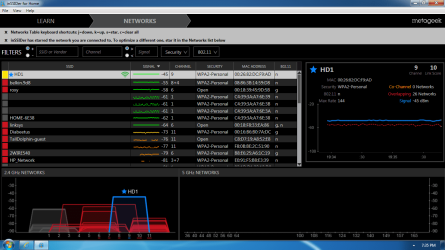
I've recently been having issues where my laptop would not be connected to a network. I connect manually and it's fine. Checked the router logs and it shows a lot of interference errors where it had to switch from channel 1 to channel 6, then to channel 11 and then back again.
Is there a way to see where this interference might be coming from? The routers been in the same place for ever (did move it about two feet to the right from where it used to be). I've never had this issue.
Could my router be on it's way out?
Is there a way to see where this interference might be coming from? The routers been in the same place for ever (did move it about two feet to the right from where it used to be). I've never had this issue.
Could my router be on it's way out?
Last edited:
My Computer
At a glance
Windows 7 Professional 64bitIntel i7-5960X64GB Corsair Dominator 2400MHz3 EVGA GTX980's
- Computer type
- PC/Desktop
- Computer Manufacturer/Model Number
- custom build
- OS
- Windows 7 Professional 64bit
- CPU
- Intel i7-5960X
- Motherboard
- EVGA X99 Classified
- Memory
- 64GB Corsair Dominator 2400MHz
- Graphics Card(s)
- 3 EVGA GTX980's
- Sound Card
- on board
- Monitor(s) Displays
- 3 Dell E2715H 27"
- Screen Resolution
- 1920x1080 (5760x1080)
- Hard Drives
- Samsung 950 Pro 1TB M.2 SSD,
Western Digital Black 2TB HDD's x5
Western Digital Black 1TB HDD's x3
- PSU
- Corsair AX1200i
- Case
- Corsair 750D
- Cooling
- Corsair H110i GT
- Keyboard
- Corsair K70
- Mouse
- Corsair M45
- Internet Speed
- 250 down/10 up
- Antivirus
- Microsoft Security Essentials
- Browser
- IE 11, Google Chrome