
Solved A problem that is taking me months to find a way to fix....

Yes that's the way the recovery system works

Is it surely guaranteed that there will the an original windows Operating System and not have a blank laptop?? Cuz i cant take a risk on it since we dont have the installation disk of the dell
 

My Computer My Computer

At a glance

Windows 7 Home Premium x64I dont know sorry...4GB RAM (3.80 GB Usable) ?Intel HD Graphics Card
Computer type
Laptop
Computer Manufacturer/Model Number
Dell Inspiron 15 1564
OS
Windows 7 Home Premium x64
CPU
I dont know sorry...
Motherboard
I dont know sorry...
Memory
4GB RAM (3.80 GB Usable) ?
Graphics Card(s)
Intel HD Graphics Card
Sound Card
Realtek HD Audio
Monitor(s) Displays
Generic PnP Monitor
Screen Resolution
1366x768
Hard Drives
Toshiba External HDD (500 GB)
PSU
I dont know sorry...
Case
I dont know sorry...
Cooling
I dont know sorry...
Keyboard
Standard PS/2 Keyboard
Mouse
Logitech M90
Internet Speed
3 MBPS
Antivirus
PC Matic Super Shield
Browser
Google Chrome
Other Info
I use my laptop for gaming and more!
Unfortunately there is no guarantee that this will work that I can give you as there is no way to confirm that everything is ok. It' Should work, and the software may give you the option to save your data or even make recovery media but this depends on what was loaded by Dell at the factory

You may try to contact your nearest Dell office and see if they have a set of recovery disks for that model laptop, but even if they do they will be likely to charge for the service, although this is normally just the cost of the disks and postage
 

My Computers My Computers

  • At a glance

    Windows 11 Pro x64 [Latest Release and Releas...Ryzen 9 5950X, 3.8 - 5.2 MHz64GB [2 x 32GB] DDR4 3200MHz4GB NVIDIA GEFORCE GTX 1650 Ti
    Computer type
    PC/Desktop
    Computer Manufacturer/Model Number
    ChillBlast - Custom to my design
    OS
    Windows 11 Pro x64 [Latest Release and Release Preview]
    CPU
    Ryzen 9 5950X, 3.8 - 5.2 MHz
    Motherboard
    Asus Prime X570-Pro
    Memory
    64GB [2 x 32GB] DDR4 3200MHz
    Graphics Card(s)
    4GB NVIDIA GEFORCE GTX 1650 Ti
    Sound Card
    On-board SPDIF to 5.1 System + HDMI [5.1 system]
    Monitor(s) Displays
    32" UHD 32 Bit HDR Monitor + 43" UHD 4K 32Bit HDR TV
    Screen Resolution
    2 x 3840 x 2160 @60Hz
    Hard Drives
    1TB M2 SSD OS, 500GB Fast Access SSD, 2 x 8TB Data + Various Externals from 1TB to 4TB, 10TB NAS
    PSU
    NZXT C750 80 PLUS Gold 750W Modular PSU
    Case
    Workstation Case [Matt Black]
    Cooling
    NZXT Kraken X63 280mm CPU Cooler +2x Quiet Case fans
    Keyboard
    Logitech Wireless MX Keys & K400 + others
    Mouse
    Logitech Wireless MX Master 3S
    Internet Speed
    920 MB Down 50 MB Up
    Antivirus
    BitDefender Total Security Pro
    Browser
    Chrome (always run latest Non-Beta)
    Other Info
    Also run ...
    Laptop - Quad 8GB - Windows 10 Pro x64
    Nexus 7 Android tablet x2
    Samsung 10.2" tablet
    Blackview TAB 8 4G Android Tablet c/w Keyboard
    Wacom Intuos Pro Medium Pen Pad
    Wacom Intuos Pro Small Pen Pad
    Wacom Expresskeys Remote
    Loopdeck+ Graphics Controller
    Shuttle Pro v2 Control
  • At a glance

    Windows 11 Pro x64 Latest RPIntel I7 10750H 5.0GHz32GB [2x16GB] DDR4 2933 MHznVidia GTX1650Ti 4 GB GDDR6
    Computer type
    Laptop
    System Manufacturer/Model Number
    Dell XPS 17 10750H
    OS
    Windows 11 Pro x64 Latest RP
    CPU
    Intel I7 10750H 5.0GHz
    Motherboard
    Dell XPS
    Memory
    32GB [2x16GB] DDR4 2933 MHz
    Graphics Card(s)
    nVidia GTX1650Ti 4 GB GDDR6
    Sound Card
    Stock [Realtek] 4 Speaker
    Monitor(s) Displays
    17" IPS UHD+ Infinity Edge Touchscreen
    Screen Resolution
    3840 x 2400
    Hard Drives
    2TB M2 NVMe, 4TB External + various 500GB & 1TB External NVMe (also have access to spinner HDD from
    PSU
    Stock
    Case
    Stock XPS Aluminium & Carbon Fibre
    Cooling
    Stock - Active Fan Control
    Keyboard
    Backlit + Various Logitech
    Mouse
    Stock Track Pad + Logitech MX Trackball
    Internet Speed
    72 MB Down 18MB Up
    Browser
    Chrome
    Other Info
    Also run ...
    Laptop - Quad 8GB - Windows 10 Pro x64
    Nexus 7 Android tablet x2
    10.2" tablet
    Sony Z3 Android Smartphone
    Wacom Intuos Pro Medium Pen Pad
    Wacom Intuos Pro Small Pen Pad
    Wacom Expresskeys Remote
    Loopdeck+ Graphics Controller
    Shuttle Pro v2 Control Pad
    10TB NAS

My Computer My Computer

At a glance

Windows 7 Ultimate x64 SP1AMD Phenom 2 1090T2x8GB Kingston HyperX Fury Black 1600Mhz Unga...MSI GTX 970 Gaming 4G
Computer type
PC/Desktop
Computer Manufacturer/Model Number
Custom Build
OS
Windows 7 Ultimate x64 SP1
CPU
AMD Phenom 2 1090T
Motherboard
Gigabyte GA-890FXA-UD5
Memory
2x8GB Kingston HyperX Fury Black 1600Mhz Unganged
Graphics Card(s)
MSI GTX 970 Gaming 4G
Sound Card
Realtek On-Board HD 7.1 Audio / Logitech G35
Monitor(s) Displays
3xAcer GD245HQ
Screen Resolution
1920x1080
Hard Drives
Samsung 850 Pro 512GB SSD - OS /
WD Caviar Black SATA 3 - 1 TBx2 - Dynamic RAID 0 /
WD Caviar Green SATA 2 - 640GBx2 - Dynamic RAID 0 /
WD Caviar Green SATA 2 - 640GB - Internal Backup /
Seagate Barracude SATA 3 - 3TB - External Backup/ Sync
PSU
HighPower 1000W
Case
Cooler Master HAF 932
Cooling
Noctua NH-D14
Keyboard
Logitech G19
Mouse
Logitech G500
Internet Speed
100/4 Mbit Cable (100GB quota)
Antivirus
ZoneAlarm Extreme Security / MBAM Pro / MBAE Free / SAS Free
Browser
IE 11 - Firefox - Chrome
Other Info
Logitech F710/ G27/ G940/ Z5500 // TrackIR 5 // Nvidia 3D Surround Vision
Seems above board so OK to link, although from reading through some of the chat there I don't think it's something for a regular user yet, (or to be honest ever) ;)
 

My Computers My Computers

  • At a glance

    Windows 11 Pro x64 [Latest Release and Releas...Ryzen 9 5950X, 3.8 - 5.2 MHz64GB [2 x 32GB] DDR4 3200MHz4GB NVIDIA GEFORCE GTX 1650 Ti
    Computer type
    PC/Desktop
    Computer Manufacturer/Model Number
    ChillBlast - Custom to my design
    OS
    Windows 11 Pro x64 [Latest Release and Release Preview]
    CPU
    Ryzen 9 5950X, 3.8 - 5.2 MHz
    Motherboard
    Asus Prime X570-Pro
    Memory
    64GB [2 x 32GB] DDR4 3200MHz
    Graphics Card(s)
    4GB NVIDIA GEFORCE GTX 1650 Ti
    Sound Card
    On-board SPDIF to 5.1 System + HDMI [5.1 system]
    Monitor(s) Displays
    32" UHD 32 Bit HDR Monitor + 43" UHD 4K 32Bit HDR TV
    Screen Resolution
    2 x 3840 x 2160 @60Hz
    Hard Drives
    1TB M2 SSD OS, 500GB Fast Access SSD, 2 x 8TB Data + Various Externals from 1TB to 4TB, 10TB NAS
    PSU
    NZXT C750 80 PLUS Gold 750W Modular PSU
    Case
    Workstation Case [Matt Black]
    Cooling
    NZXT Kraken X63 280mm CPU Cooler +2x Quiet Case fans
    Keyboard
    Logitech Wireless MX Keys & K400 + others
    Mouse
    Logitech Wireless MX Master 3S
    Internet Speed
    920 MB Down 50 MB Up
    Antivirus
    BitDefender Total Security Pro
    Browser
    Chrome (always run latest Non-Beta)
    Other Info
    Also run ...
    Laptop - Quad 8GB - Windows 10 Pro x64
    Nexus 7 Android tablet x2
    Samsung 10.2" tablet
    Blackview TAB 8 4G Android Tablet c/w Keyboard
    Wacom Intuos Pro Medium Pen Pad
    Wacom Intuos Pro Small Pen Pad
    Wacom Expresskeys Remote
    Loopdeck+ Graphics Controller
    Shuttle Pro v2 Control
  • At a glance

    Windows 11 Pro x64 Latest RPIntel I7 10750H 5.0GHz32GB [2x16GB] DDR4 2933 MHznVidia GTX1650Ti 4 GB GDDR6
    Computer type
    Laptop
    System Manufacturer/Model Number
    Dell XPS 17 10750H
    OS
    Windows 11 Pro x64 Latest RP
    CPU
    Intel I7 10750H 5.0GHz
    Motherboard
    Dell XPS
    Memory
    32GB [2x16GB] DDR4 2933 MHz
    Graphics Card(s)
    nVidia GTX1650Ti 4 GB GDDR6
    Sound Card
    Stock [Realtek] 4 Speaker
    Monitor(s) Displays
    17" IPS UHD+ Infinity Edge Touchscreen
    Screen Resolution
    3840 x 2400
    Hard Drives
    2TB M2 NVMe, 4TB External + various 500GB & 1TB External NVMe (also have access to spinner HDD from
    PSU
    Stock
    Case
    Stock XPS Aluminium & Carbon Fibre
    Cooling
    Stock - Active Fan Control
    Keyboard
    Backlit + Various Logitech
    Mouse
    Stock Track Pad + Logitech MX Trackball
    Internet Speed
    72 MB Down 18MB Up
    Browser
    Chrome
    Other Info
    Also run ...
    Laptop - Quad 8GB - Windows 10 Pro x64
    Nexus 7 Android tablet x2
    10.2" tablet
    Sony Z3 Android Smartphone
    Wacom Intuos Pro Medium Pen Pad
    Wacom Intuos Pro Small Pen Pad
    Wacom Expresskeys Remote
    Loopdeck+ Graphics Controller
    Shuttle Pro v2 Control Pad
    10TB NAS
If you have found an option to use recovery settings I would go with that. Factory install means your original copy of windows is on the laptop and will be reinstalled via the recovery process - it will be as it was when the computer was new. Which can be nice - but as Barman said there might be quite a few out of date trial programs and so on that need removing. And you'll need to do all the Windows updates which could take a day or more, but quicker than things have been until now.

It will set up as a new installation, just as if you had installed from a disc, but with manufacture software in addition. Do you have files on there you want to keep? If so it might be an idea to try and recover those before resetting to factory settings.
 

My Computer My Computer

At a glance

W7 HP 64 bitCore i3 1st gen8gbNvidia 330M
Computer type
Laptop
Computer Manufacturer/Model Number
Sony Vaio VPCCW2S1E
OS
W7 HP 64 bit
CPU
Core i3 1st gen
Memory
8gb
Graphics Card(s)
Nvidia 330M
Internet Speed
8 mbps
Browser
Firefox
If you have found an option to use recovery settings I would go with that. Factory install means your original copy of windows is on the laptop and will be reinstalled via the recovery process - it will be as it was when the computer was new. Which can be nice - but as Barman said there might be quite a few out of date trial programs and so on that need removing. And you'll need to do all the Windows updates which could take a day or more, but quicker than things have been until now.

It will set up as a new installation, just as if you had installed from a disc, but with manufacture software in addition. Do you have files on there you want to keep? If so it might be an idea to try and recover those before resetting to factory settings.

Updating windows that will take a day will relieve me more of feeling safe from BSODs rather than wasting months to find one right solution out of many fixes out there :D

Also i cannot recover those softwares so i still have them when i reset to factory settings since i cant boot to my desktop and i last booted from my laptop was back December 2015 :(
 

My Computer My Computer

At a glance

Windows 7 Home Premium x64I dont know sorry...4GB RAM (3.80 GB Usable) ?Intel HD Graphics Card
Computer type
Laptop
Computer Manufacturer/Model Number
Dell Inspiron 15 1564
OS
Windows 7 Home Premium x64
CPU
I dont know sorry...
Motherboard
I dont know sorry...
Memory
4GB RAM (3.80 GB Usable) ?
Graphics Card(s)
Intel HD Graphics Card
Sound Card
Realtek HD Audio
Monitor(s) Displays
Generic PnP Monitor
Screen Resolution
1366x768
Hard Drives
Toshiba External HDD (500 GB)
PSU
I dont know sorry...
Case
I dont know sorry...
Cooling
I dont know sorry...
Keyboard
Standard PS/2 Keyboard
Mouse
Logitech M90
Internet Speed
3 MBPS
Antivirus
PC Matic Super Shield
Browser
Google Chrome
Other Info
I use my laptop for gaming and more!
Thank you guys for helping me!!! Specially to AddRAM hazel123 and Barman58 !!! :)

Now i have my laptop back and its weird looking for now since its in the factory image but i'll edit annd personalize it :P

JBmH2vy.png
 

My Computer My Computer

At a glance

Windows 7 Home Premium x64I dont know sorry...4GB RAM (3.80 GB Usable) ?Intel HD Graphics Card
Computer type
Laptop
Computer Manufacturer/Model Number
Dell Inspiron 15 1564
OS
Windows 7 Home Premium x64
CPU
I dont know sorry...
Motherboard
I dont know sorry...
Memory
4GB RAM (3.80 GB Usable) ?
Graphics Card(s)
Intel HD Graphics Card
Sound Card
Realtek HD Audio
Monitor(s) Displays
Generic PnP Monitor
Screen Resolution
1366x768
Hard Drives
Toshiba External HDD (500 GB)
PSU
I dont know sorry...
Case
I dont know sorry...
Cooling
I dont know sorry...
Keyboard
Standard PS/2 Keyboard
Mouse
Logitech M90
Internet Speed
3 MBPS
Antivirus
PC Matic Super Shield
Browser
Google Chrome
Other Info
I use my laptop for gaming and more!
Yay! I'm glad you found the recovery drive option. If you look in programs (Windows button, control button 'uninstall programs' you will see a list of the pre-installed somewhere. I'm not sure how much 'extra' stuff Dell put on but there are likely to be some 'trial' softwares that will be out of date (and will also pester you to pay for them when they expire). You'll need antivirus on it before you do anything. But if you've already started doing something without antivirus on it, you can restore to factory settings again and start again (you should be able to do it easier next time as there will probably be a Dell recovery program/option in the list of programs).

Anyway you can either activate the trial antivirus that'll be installed and then replace it before the trial runs out. Or you can uninstall the trial antivirus and put your own antivirus on (if you have one) or if you start Windows updates, Windows will automatically down MSE so that will give you antivirus for doing the Windows updates, although I would replace that later with something 'stronger'.

Usually any Microsoft Office, antivirus and so on are 'trials' and will keep nagging you to pay for a full version - they can be safely uninstalled via the Control program/uninstall programs.

As for the look, you can change that in 'Appearances' and choose wallpapers or aero or whatever.

I've just reset mine to factory settings recently and there are a lot of Windows updates, so be patient until they are all done. After that it will be safe to use. Don't connect to the internet until antivirus is on and all Windows updates done (if you have already, then say and we can suggest a virus check before going any futher).

I would go to Windows Updates in the program list, open Windows updates and on the left select 'change settings' and opt for the second one 'download updates but let me choose whether to install them'.
 

My Computer My Computer

At a glance

W7 HP 64 bitCore i3 1st gen8gbNvidia 330M
Computer type
Laptop
Computer Manufacturer/Model Number
Sony Vaio VPCCW2S1E
OS
W7 HP 64 bit
CPU
Core i3 1st gen
Memory
8gb
Graphics Card(s)
Nvidia 330M
Internet Speed
8 mbps
Browser
Firefox
What you may wish to do at this point, is check for a Dell folder in the start menu all programs list, which contains an option to create a set of recovery disks, this will take a few minutes and a DVD or two, but could save you in the future if you ever get into problems again.
 

My Computers My Computers

  • At a glance

    Windows 11 Pro x64 [Latest Release and Releas...Ryzen 9 5950X, 3.8 - 5.2 MHz64GB [2 x 32GB] DDR4 3200MHz4GB NVIDIA GEFORCE GTX 1650 Ti
    Computer type
    PC/Desktop
    Computer Manufacturer/Model Number
    ChillBlast - Custom to my design
    OS
    Windows 11 Pro x64 [Latest Release and Release Preview]
    CPU
    Ryzen 9 5950X, 3.8 - 5.2 MHz
    Motherboard
    Asus Prime X570-Pro
    Memory
    64GB [2 x 32GB] DDR4 3200MHz
    Graphics Card(s)
    4GB NVIDIA GEFORCE GTX 1650 Ti
    Sound Card
    On-board SPDIF to 5.1 System + HDMI [5.1 system]
    Monitor(s) Displays
    32" UHD 32 Bit HDR Monitor + 43" UHD 4K 32Bit HDR TV
    Screen Resolution
    2 x 3840 x 2160 @60Hz
    Hard Drives
    1TB M2 SSD OS, 500GB Fast Access SSD, 2 x 8TB Data + Various Externals from 1TB to 4TB, 10TB NAS
    PSU
    NZXT C750 80 PLUS Gold 750W Modular PSU
    Case
    Workstation Case [Matt Black]
    Cooling
    NZXT Kraken X63 280mm CPU Cooler +2x Quiet Case fans
    Keyboard
    Logitech Wireless MX Keys & K400 + others
    Mouse
    Logitech Wireless MX Master 3S
    Internet Speed
    920 MB Down 50 MB Up
    Antivirus
    BitDefender Total Security Pro
    Browser
    Chrome (always run latest Non-Beta)
    Other Info
    Also run ...
    Laptop - Quad 8GB - Windows 10 Pro x64
    Nexus 7 Android tablet x2
    Samsung 10.2" tablet
    Blackview TAB 8 4G Android Tablet c/w Keyboard
    Wacom Intuos Pro Medium Pen Pad
    Wacom Intuos Pro Small Pen Pad
    Wacom Expresskeys Remote
    Loopdeck+ Graphics Controller
    Shuttle Pro v2 Control
  • At a glance

    Windows 11 Pro x64 Latest RPIntel I7 10750H 5.0GHz32GB [2x16GB] DDR4 2933 MHznVidia GTX1650Ti 4 GB GDDR6
    Computer type
    Laptop
    System Manufacturer/Model Number
    Dell XPS 17 10750H
    OS
    Windows 11 Pro x64 Latest RP
    CPU
    Intel I7 10750H 5.0GHz
    Motherboard
    Dell XPS
    Memory
    32GB [2x16GB] DDR4 2933 MHz
    Graphics Card(s)
    nVidia GTX1650Ti 4 GB GDDR6
    Sound Card
    Stock [Realtek] 4 Speaker
    Monitor(s) Displays
    17" IPS UHD+ Infinity Edge Touchscreen
    Screen Resolution
    3840 x 2400
    Hard Drives
    2TB M2 NVMe, 4TB External + various 500GB & 1TB External NVMe (also have access to spinner HDD from
    PSU
    Stock
    Case
    Stock XPS Aluminium & Carbon Fibre
    Cooling
    Stock - Active Fan Control
    Keyboard
    Backlit + Various Logitech
    Mouse
    Stock Track Pad + Logitech MX Trackball
    Internet Speed
    72 MB Down 18MB Up
    Browser
    Chrome
    Other Info
    Also run ...
    Laptop - Quad 8GB - Windows 10 Pro x64
    Nexus 7 Android tablet x2
    10.2" tablet
    Sony Z3 Android Smartphone
    Wacom Intuos Pro Medium Pen Pad
    Wacom Intuos Pro Small Pen Pad
    Wacom Expresskeys Remote
    Loopdeck+ Graphics Controller
    Shuttle Pro v2 Control Pad
    10TB NAS
What im doing at this point is actually updating my windows since 10:30 AM to present 8:30 PM and there are 12 more updates xD so it will be a long updating day :D

Totally,i updated 19 windows updates yet and 12 more to go :)
 

My Computer My Computer

At a glance

Windows 7 Home Premium x64I dont know sorry...4GB RAM (3.80 GB Usable) ?Intel HD Graphics Card
Computer type
Laptop
Computer Manufacturer/Model Number
Dell Inspiron 15 1564
OS
Windows 7 Home Premium x64
CPU
I dont know sorry...
Motherboard
I dont know sorry...
Memory
4GB RAM (3.80 GB Usable) ?
Graphics Card(s)
Intel HD Graphics Card
Sound Card
Realtek HD Audio
Monitor(s) Displays
Generic PnP Monitor
Screen Resolution
1366x768
Hard Drives
Toshiba External HDD (500 GB)
PSU
I dont know sorry...
Case
I dont know sorry...
Cooling
I dont know sorry...
Keyboard
Standard PS/2 Keyboard
Mouse
Logitech M90
Internet Speed
3 MBPS
Antivirus
PC Matic Super Shield
Browser
Google Chrome
Other Info
I use my laptop for gaming and more!
It's worth it when it's done :-) It probably won't do any harm leaving all the bloatware programs on - if there are any - but if there is Java I would remove it. Control panel - uninstall programs.

When it's all finished you might have the Windows 10 upgrade icon appear. If you don't want it there's a thread on here which shows which updates to remove to get rid of it.
 

My Computer My Computer

At a glance

W7 HP 64 bitCore i3 1st gen8gbNvidia 330M
Computer type
Laptop
Computer Manufacturer/Model Number
Sony Vaio VPCCW2S1E
OS
W7 HP 64 bit
CPU
Core i3 1st gen
Memory
8gb
Graphics Card(s)
Nvidia 330M
Internet Speed
8 mbps
Browser
Firefox
It's worth it when it's done :-) It probably won't do any harm leaving all the bloatware programs on - if there are any - but if there is Java I would remove it. Control panel - uninstall programs.

When it's all finished you might have the Windows 10 upgrade icon appear. If you don't want it there's a thread on here which shows which updates to remove to get rid of it.

Btw i've been running the laptop for 12 hours now, will it still not overheat or something bad happens? Sorry i just use my laptop from 3-6 hours and its the first time it took this long :)
 

My Computer My Computer

At a glance

Windows 7 Home Premium x64I dont know sorry...4GB RAM (3.80 GB Usable) ?Intel HD Graphics Card
Computer type
Laptop
Computer Manufacturer/Model Number
Dell Inspiron 15 1564
OS
Windows 7 Home Premium x64
CPU
I dont know sorry...
Motherboard
I dont know sorry...
Memory
4GB RAM (3.80 GB Usable) ?
Graphics Card(s)
Intel HD Graphics Card
Sound Card
Realtek HD Audio
Monitor(s) Displays
Generic PnP Monitor
Screen Resolution
1366x768
Hard Drives
Toshiba External HDD (500 GB)
PSU
I dont know sorry...
Case
I dont know sorry...
Cooling
I dont know sorry...
Keyboard
Standard PS/2 Keyboard
Mouse
Logitech M90
Internet Speed
3 MBPS
Antivirus
PC Matic Super Shield
Browser
Google Chrome
Other Info
I use my laptop for gaming and more!
It should be fine. Some people leave their laptops switched on permanently. They can run a bit warmer when working hard doing a lot of updates, but it if it overheated it would just shut down probably.
 

My Computer My Computer

At a glance

W7 HP 64 bitCore i3 1st gen8gbNvidia 330M
Computer type
Laptop
Computer Manufacturer/Model Number
Sony Vaio VPCCW2S1E
OS
W7 HP 64 bit
CPU
Core i3 1st gen
Memory
8gb
Graphics Card(s)
Nvidia 330M
Internet Speed
8 mbps
Browser
Firefox
It should be fine. Some people leave their laptops switched on permanently. They can run a bit warmer when working hard doing a lot of updates, but it if it overheated it would just shut down probably.

The update took 14 hours :D and there are some updates left to do :)


BTW I've found something really odd, i did resetted it to factory settings but its sooo slow that when i move my mouse,it stops responding for 5 minutes then when i click/type something there,it stops responding too long then it will say windows explorer has stopped responding then it takes me almost 45 minutes to boot to my desktop and 1 hour to reboot. It was slower than the old self of that laptop :( Any help???
 
Last edited:

My Computer My Computer

At a glance

Windows 7 Home Premium x64I dont know sorry...4GB RAM (3.80 GB Usable) ?Intel HD Graphics Card
Computer type
Laptop
Computer Manufacturer/Model Number
Dell Inspiron 15 1564
OS
Windows 7 Home Premium x64
CPU
I dont know sorry...
Motherboard
I dont know sorry...
Memory
4GB RAM (3.80 GB Usable) ?
Graphics Card(s)
Intel HD Graphics Card
Sound Card
Realtek HD Audio
Monitor(s) Displays
Generic PnP Monitor
Screen Resolution
1366x768
Hard Drives
Toshiba External HDD (500 GB)
PSU
I dont know sorry...
Case
I dont know sorry...
Cooling
I dont know sorry...
Keyboard
Standard PS/2 Keyboard
Mouse
Logitech M90
Internet Speed
3 MBPS
Antivirus
PC Matic Super Shield
Browser
Google Chrome
Other Info
I use my laptop for gaming and more!
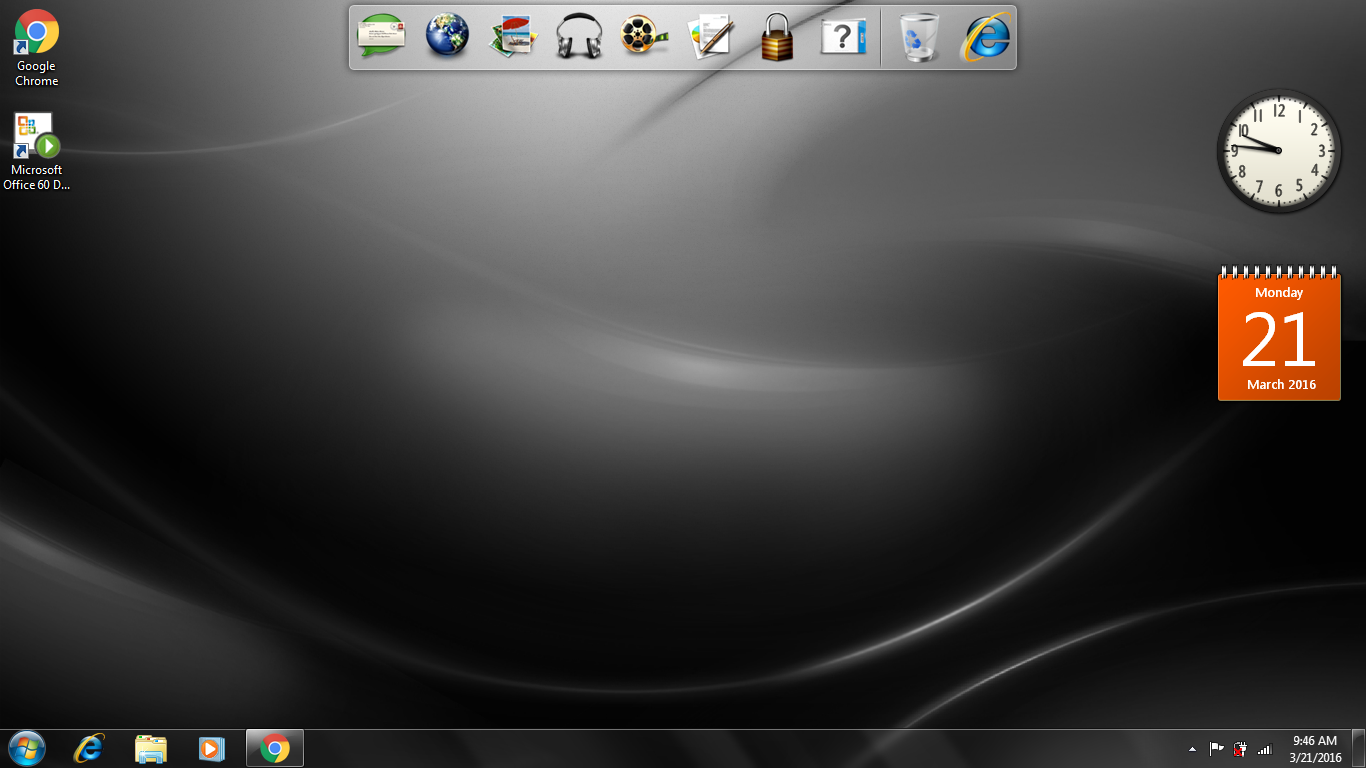
It takes that long because you were in the middle of updating, after all your updates are done, windows should not take but a minute to reboot.
 

My Computer My Computer

At a glance

Windows 10 Pro x64Intel Core i7 6700KGSkill TridentZ RGB 16GB 3600 16-16-16-36EVGA GTX 980 Ti SC x2
Computer type
PC/Desktop
Computer Manufacturer/Model Number
Skylake Special #666
OS
Windows 10 Pro x64
CPU
Intel Core i7 6700K
Motherboard
Asus Sabertooth Z170 Mark 1
Memory
GSkill TridentZ RGB 16GB 3600 16-16-16-36
Graphics Card(s)
EVGA GTX 980 Ti SC x2
Sound Card
Realtek High Definition
Monitor(s) Displays
AOC G2460PG
Screen Resolution
1920 x 1080 144Hz
Hard Drives
Samsung 860 Pro 256GB, Seagate Barracuda 4TB x2
PSU
EVGA 1000 P2, EVGA White Custom Braided Cables
Case
Corsair Vengeance C70 Gunmetal Black
Cooling
Corsair H100i v2, Corsair ML120 x2, Thermal Grizzly Kryonaut
Keyboard
Logitech G910 Orion Spectrum
Mouse
Logitech G700s
Internet Speed
Verizon Fios Quantum Gateway 75/75
Antivirus
Windows Defender, Malwarebytes Free 3.8.3
Browser
Chrome
Other Info
Corsair SP120 x4, LG Blu-ray Drive, Durabrand HT-395 100 Watt Dolby Digital Amp, Corsair H2100 Wireless 7.1 Headset
How's it going? Are you up and running now?
 

My Computer My Computer

At a glance

W7 HP 64 bitCore i3 1st gen8gbNvidia 330M
Computer type
Laptop
Computer Manufacturer/Model Number
Sony Vaio VPCCW2S1E
OS
W7 HP 64 bit
CPU
Core i3 1st gen
Memory
8gb
Graphics Card(s)
Nvidia 330M
Internet Speed
8 mbps
Browser
Firefox
How's it going? Are you up and running now?

Btw i did accidentally factory restored my laptop again and it became successful but when it tried to reboot,the dell logo appeared then next is the windows logo then it will just turn to black forever then will reboot after a long time saying i need to launch startup repair but when i try to go to the recovery options, it just shows the backround and the cursor and not any option for recovery :(
 
Last edited:

My Computer My Computer

At a glance

Windows 7 Home Premium x64I dont know sorry...4GB RAM (3.80 GB Usable) ?Intel HD Graphics Card
Computer type
Laptop
Computer Manufacturer/Model Number
Dell Inspiron 15 1564
OS
Windows 7 Home Premium x64
CPU
I dont know sorry...
Motherboard
I dont know sorry...
Memory
4GB RAM (3.80 GB Usable) ?
Graphics Card(s)
Intel HD Graphics Card
Sound Card
Realtek HD Audio
Monitor(s) Displays
Generic PnP Monitor
Screen Resolution
1366x768
Hard Drives
Toshiba External HDD (500 GB)
PSU
I dont know sorry...
Case
I dont know sorry...
Cooling
I dont know sorry...
Keyboard
Standard PS/2 Keyboard
Mouse
Logitech M90
Internet Speed
3 MBPS
Antivirus
PC Matic Super Shield
Browser
Google Chrome
Other Info
I use my laptop for gaming and more!
I think you said you had Dell discs with drivers on? There may be a repair option on there. That's a shame when you were nearly updated.

How did you actually lose your Windows install in the first place? Just wondering if there is a hardware issue.
 

My Computer My Computer

At a glance

W7 HP 64 bitCore i3 1st gen8gbNvidia 330M
Computer type
Laptop
Computer Manufacturer/Model Number
Sony Vaio VPCCW2S1E
OS
W7 HP 64 bit
CPU
Core i3 1st gen
Memory
8gb
Graphics Card(s)
Nvidia 330M
Internet Speed
8 mbps
Browser
Firefox
I think you said you had Dell discs with drivers on? There may be a repair option on there. That's a shame when you were nearly updated.

How did you actually lose your Windows install in the first place? Just wondering if there is a hardware issue.

I have my dell drivers and utilities cd which only does is a diagnostics

Btw is there a way i can do a system restore over there? I think that can be the only solution since i made a restore point of the laptop before it happened
 

My Computer My Computer

At a glance

Windows 7 Home Premium x64I dont know sorry...4GB RAM (3.80 GB Usable) ?Intel HD Graphics Card
Computer type
Laptop
Computer Manufacturer/Model Number
Dell Inspiron 15 1564
OS
Windows 7 Home Premium x64
CPU
I dont know sorry...
Motherboard
I dont know sorry...
Memory
4GB RAM (3.80 GB Usable) ?
Graphics Card(s)
Intel HD Graphics Card
Sound Card
Realtek HD Audio
Monitor(s) Displays
Generic PnP Monitor
Screen Resolution
1366x768
Hard Drives
Toshiba External HDD (500 GB)
PSU
I dont know sorry...
Case
I dont know sorry...
Cooling
I dont know sorry...
Keyboard
Standard PS/2 Keyboard
Mouse
Logitech M90
Internet Speed
3 MBPS
Antivirus
PC Matic Super Shield
Browser
Google Chrome
Other Info
I use my laptop for gaming and more!
I don't understand what you mean there, sorry. You could try the drivers and utilities disc and see if it has a repair option or even a recovery option to reinstall. When you say you made a restore point, I don't think that will help if Windows is not booting and loading - unless you mean you made a system image?

Once Windows was installed you would have had the option to burn a dvd as a repair disc, or make a system image and there might also have been a Dell option to make recovery discs of the Full windows install.
 

My Computer My Computer

At a glance

W7 HP 64 bitCore i3 1st gen8gbNvidia 330M
Computer type
Laptop
Computer Manufacturer/Model Number
Sony Vaio VPCCW2S1E
OS
W7 HP 64 bit
CPU
Core i3 1st gen
Memory
8gb
Graphics Card(s)
Nvidia 330M
Internet Speed
8 mbps
Browser
Firefox
Back
Top