
about cpu temperature...

scoopeeedoo

Always into somethin'
Guru
Local time
1:43 AM
Messages
336
Location
Belgium
Hi everyone!

Certainly the question was asked yet, but let me please tell you about my problem :

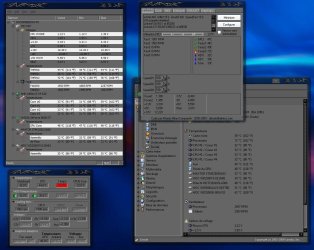
I had a new mother-board last week. After installing it, and also my CPU (recuperated on my old board), everything runs well but when i use Speedfan there is a "temp3" very high... With my old board, that value was "-129" or "-179°C" so i never worried, but here this is between 70 and 80°C.
So i thought i had put too much thermal paste or maybe crashed my processor and decided to buy a new one (for my pleasure too, of course:D).
Operation done, i turn on the pc, everything runs well,... and Speedfan : Temp3 72°C!
I tried all logs : HWMonitor, HMonitor, Everest... : idem, pareil, same

Could someone please have a look at those values and tell me if i have to worry or not cause i don't even dare to play a game...

Temperatures in BIOS are : System 44°C, CPU 41°C.

Thanks for reading and, maybe, answering...
 

Attachments
  • temperatures.jpg
    temperatures.jpg
    159.8 KB · Views: 185

My Computer

Computer Manufacturer/Model Number
Home Made 00x
OS
7Home64
CPU
AMD Phenom II x4 965 - 3,4GHz
Motherboard
Gigabyte GA-880GMA-UD2H
Memory
DDR3 1333Mhz, 8Gb (Corsair xms3 : 9, 9, 9, 24)
Graphics Card(s)
GeForce GTX550Ti 1024mb GDDR5 (Gainward)
Sound Card
Creative X-Fi ExtremeGamer
Monitor(s) Displays
Acer 27", led, full hd
Screen Resolution
1920x1080
Hard Drives
G-Skill SSD 80Gb + Kingston SSD 64Gb + WD sata 500Mb + Hitachi sata 1Tb
PSU
CombatPower 750W, 12cm fan
Case
Antec "Three Hundred", 12 + 14 cm fans
Cooling
Noctua NH-U12P (CPU) + 2xNF-B9 (HDD's) + NF-P12 (case side)
Keyboard
Logitech + Saitek "Cyborg Command Unit"
Mouse
Logitech LS1 laser
Internet Speed
4Mb/s
Other Info
6-fan-&-temp controller Scythe Kase Master Pro 5.25
What is the temp program you are using ? I would like to try it. Thanks


" Doc "
 

My Computer

Computer type
PC/Desktop
Computer Manufacturer/Model Number
Built them myself, Science Experiments !
OS
Win7 Enterprise, Win7 x86 (Ult 7600), Win7 x64 Ult 7600, TechNet RTM on AMD x64 (2.8Ghz)
CPU
AMD fx8350 4ghz, AMD-32 2400mhz, AMD-64 3200mhz, AMDx64 2.8G
Motherboard
SIS 755, ECS-K8M890M-M (Ult 7600), GigaByte & others
Memory
2gb, 4gb on the Ult 7600, 4gb on Technet RTM, 32gb on FX8350
Graphics Card(s)
Draw my own Graphics, several nVidia cards
Sound Card
on motherboard
Monitor(s) Displays
19" flat scr, 28" I-Inc widescr,22" Emprex Widescr, 23" Acer
Screen Resolution
1280 x 1024, 1440 x 900, 1920 x 1080
Hard Drives
6 pata Ide HD's & 2 Sata HD's
added 80gb external on Ult 7600 computer,
numerous extra 1tb, 2TB, 3Tb SATA HD's
A collection of ext HD Docks w/ HDs
PSU
430w, 550w, 600w, 700, 800, etc
Case
All Generic Full Towers
Cooling
Open Air & a few fans, some w/ colored LEDs
Keyboard
Compaq & Dell recycled from GoodWill
Mouse
Made in China Optical Wired Mouse
Internet Speed
Fast Cable InterNet
Antivirus
AVG Free on 24 different Desktops, NO Problems!
Browser
IE 8 is preferred, but use FireFox sometimes
Other Info
Linksys Routers, switches, & Hubs
Too Many USB Flash Drives to count, Biggest is 64GB !
Eight computers in my home network.
Sixteen computers at my business network.
Linked via TeamViewer !
Lots of old used spare computer parts everywhere!

My Computer

Computer Manufacturer/Model Number
Home Made 00x
OS
7Home64
CPU
AMD Phenom II x4 965 - 3,4GHz
Motherboard
Gigabyte GA-880GMA-UD2H
Memory
DDR3 1333Mhz, 8Gb (Corsair xms3 : 9, 9, 9, 24)
Graphics Card(s)
GeForce GTX550Ti 1024mb GDDR5 (Gainward)
Sound Card
Creative X-Fi ExtremeGamer
Monitor(s) Displays
Acer 27", led, full hd
Screen Resolution
1920x1080
Hard Drives
G-Skill SSD 80Gb + Kingston SSD 64Gb + WD sata 500Mb + Hitachi sata 1Tb
PSU
CombatPower 750W, 12cm fan
Case
Antec "Three Hundred", 12 + 14 cm fans
Cooling
Noctua NH-U12P (CPU) + 2xNF-B9 (HDD's) + NF-P12 (case side)
Keyboard
Logitech + Saitek "Cyborg Command Unit"
Mouse
Logitech LS1 laser
Internet Speed
4Mb/s
Other Info
6-fan-&-temp controller Scythe Kase Master Pro 5.25
Hi everyone!

Certainly the question was asked yet, but let me please tell you about my problem :

I had a new mother-board last week. After installing it, and also my CPU (recuperated on my old board), everything runs well but when i use Speedfan there is a "temp3" very high... With my old board, that value was "-129" or "-179°C" so i never worried, but here this is between 70 and 80°C.
So i thought i had put too much thermal paste or maybe crashed my processor and decided to buy a new one (for my pleasure too, of course:D).
Operation done, i turn on the pc, everything runs well,... and Speedfan : Temp3 72°C!
I tried all logs : HWMonitor, HMonitor, Everest... : idem, pareil, same

Could someone please have a look at those values and tell me if i have to worry or not cause i don't even dare to play a game...

Temperatures in BIOS are : System 44°C, CPU 41°C.

Thanks for reading and, maybe, answering...

Doc will get back to you on the question. But regardless of the answer, if you are concerned, a cooling pad would reduce your anxiety and the temp of the puter. Something to think about.
 

My Computer

Computer type
PC/Desktop
Computer Manufacturer/Model Number
Dell XPS 420
OS
Windows 10, Home Clean Install
CPU
Intel Core2 processsor Q8200(2.33Ghz 1333FSB) Quad Core Tech
Motherboard
Dell
Memory
6 gb
Graphics Card(s)
ATI Radeon 256MB HD3650
Sound Card
Intergrated 7.1 Channel Audio
Monitor(s) Displays
Dell SP2009W 20"
Hard Drives
640 GB Serial ATA Hard drive
Cooling
Fan
Keyboard
Dell USB Keyboard
Mouse
Dell Premium Optical USB
Internet Speed
DSL 2.85
Hi everyone!

Certainly the question was asked yet, but let me please tell you about my problem :

I had a new mother-board last week. After installing it, and also my CPU (recuperated on my old board), everything runs well but when i use Speedfan there is a "temp3" very high... With my old board, that value was "-129" or "-179°C" so i never worried, but here this is between 70 and 80°C.
So i thought i had put too much thermal paste or maybe crashed my processor and decided to buy a new one (for my pleasure too, of course:D).
Operation done, i turn on the pc, everything runs well,... and Speedfan : Temp3 72°C!
I tried all logs : HWMonitor, HMonitor, Everest... : idem, pareil, same

Could someone please have a look at those values and tell me if i have to worry or not cause i don't even dare to play a game...

Temperatures in BIOS are : System 44°C, CPU 41°C.

Thanks for reading and, maybe, answering...

Doc will get back to you on the question. But regardless of the answer, if you are concerned, a cooling pad would reduce your anxiety and the temp of the puter. Something to think about.

Do you mean a thermal material between CPU and heat sink/fan? Or do you talk of something else...? Because, of course, there was material on the sink/fan...
 

My Computer

Computer Manufacturer/Model Number
Home Made 00x
OS
7Home64
CPU
AMD Phenom II x4 965 - 3,4GHz
Motherboard
Gigabyte GA-880GMA-UD2H
Memory
DDR3 1333Mhz, 8Gb (Corsair xms3 : 9, 9, 9, 24)
Graphics Card(s)
GeForce GTX550Ti 1024mb GDDR5 (Gainward)
Sound Card
Creative X-Fi ExtremeGamer
Monitor(s) Displays
Acer 27", led, full hd
Screen Resolution
1920x1080
Hard Drives
G-Skill SSD 80Gb + Kingston SSD 64Gb + WD sata 500Mb + Hitachi sata 1Tb
PSU
CombatPower 750W, 12cm fan
Case
Antec "Three Hundred", 12 + 14 cm fans
Cooling
Noctua NH-U12P (CPU) + 2xNF-B9 (HDD's) + NF-P12 (case side)
Keyboard
Logitech + Saitek "Cyborg Command Unit"
Mouse
Logitech LS1 laser
Internet Speed
4Mb/s
Other Info
6-fan-&-temp controller Scythe Kase Master Pro 5.25
Hi everyone!

Certainly the question was asked yet, but let me please tell you about my problem :

I had a new mother-board last week. After installing it, and also my CPU (recuperated on my old board), everything runs well but when i use Speedfan there is a "temp3" very high... With my old board, that value was "-129" or "-179°C" so i never worried, but here this is between 70 and 80°C.
So i thought i had put too much thermal paste or maybe crashed my processor and decided to buy a new one (for my pleasure too, of course:D).
Operation done, i turn on the pc, everything runs well,... and Speedfan : Temp3 72°C!
I tried all logs : HWMonitor, HMonitor, Everest... : idem, pareil, same

Could someone please have a look at those values and tell me if i have to worry or not cause i don't even dare to play a game...

Temperatures in BIOS are : System 44°C, CPU 41°C.

Thanks for reading and, maybe, answering...

Doc will get back to you on the question. But regardless of the answer, if you are concerned, a cooling pad would reduce your anxiety and the temp of the puter. Something to think about.

Do you mean a thermal material between CPU and heat sink/fan? Or do you talk of something else...?

That choice would be yours. I was just suggesting that there are products out threre to protect your valuable investment. What you actually buy is a personal choice. As far as I am concerned they are all equally valuable.
 

My Computer

Computer type
PC/Desktop
Computer Manufacturer/Model Number
Dell XPS 420
OS
Windows 10, Home Clean Install
CPU
Intel Core2 processsor Q8200(2.33Ghz 1333FSB) Quad Core Tech
Motherboard
Dell
Memory
6 gb
Graphics Card(s)
ATI Radeon 256MB HD3650
Sound Card
Intergrated 7.1 Channel Audio
Monitor(s) Displays
Dell SP2009W 20"
Hard Drives
640 GB Serial ATA Hard drive
Cooling
Fan
Keyboard
Dell USB Keyboard
Mouse
Dell Premium Optical USB
Internet Speed
DSL 2.85
Doc will get back to you on the question. But regardless of the answer, if you are concerned, a cooling pad would reduce your anxiety and the temp of the puter. Something to think about.

Do you mean a thermal material between CPU and heat sink/fan? Or do you talk of something else...?

That choice would be yours. I was just suggesting that there are products out threre to protect your valuable investment. What you actually buy is a personal choice. As far as I am concerned they are all equally valuable.

Sorry but i'm not sure to understand... What could i do more than the original thermal material... I did it last year, exactly the same way, and without any problem... What is the choice that you are talking about...?
Anyway, thanks for your interest!
 

My Computer

Computer Manufacturer/Model Number
Home Made 00x
OS
7Home64
CPU
AMD Phenom II x4 965 - 3,4GHz
Motherboard
Gigabyte GA-880GMA-UD2H
Memory
DDR3 1333Mhz, 8Gb (Corsair xms3 : 9, 9, 9, 24)
Graphics Card(s)
GeForce GTX550Ti 1024mb GDDR5 (Gainward)
Sound Card
Creative X-Fi ExtremeGamer
Monitor(s) Displays
Acer 27", led, full hd
Screen Resolution
1920x1080
Hard Drives
G-Skill SSD 80Gb + Kingston SSD 64Gb + WD sata 500Mb + Hitachi sata 1Tb
PSU
CombatPower 750W, 12cm fan
Case
Antec "Three Hundred", 12 + 14 cm fans
Cooling
Noctua NH-U12P (CPU) + 2xNF-B9 (HDD's) + NF-P12 (case side)
Keyboard
Logitech + Saitek "Cyborg Command Unit"
Mouse
Logitech LS1 laser
Internet Speed
4Mb/s
Other Info
6-fan-&-temp controller Scythe Kase Master Pro 5.25
Do you mean a thermal material between CPU and heat sink/fan? Or do you talk of something else...?

That choice would be yours. I was just suggesting that there are products out threre to protect your valuable investment. What you actually buy is a personal choice. As far as I am concerned they are all equally valuable.

Sorry but i'm not sure to understand... What could i do more than the original thermal material... I did it last year, exactly the same way, and without any problem... What is the choice that you are talking about...?
Anyway, thanks for your interest!

I have seen, just once actually, a pad that serves as a cushion under the lap top, that is suppose to keep it cool. But the thermal material would be better, now that I am making a choice.
 

My Computer

Computer type
PC/Desktop
Computer Manufacturer/Model Number
Dell XPS 420
OS
Windows 10, Home Clean Install
CPU
Intel Core2 processsor Q8200(2.33Ghz 1333FSB) Quad Core Tech
Motherboard
Dell
Memory
6 gb
Graphics Card(s)
ATI Radeon 256MB HD3650
Sound Card
Intergrated 7.1 Channel Audio
Monitor(s) Displays
Dell SP2009W 20"
Hard Drives
640 GB Serial ATA Hard drive
Cooling
Fan
Keyboard
Dell USB Keyboard
Mouse
Dell Premium Optical USB
Internet Speed
DSL 2.85
That choice would be yours. I was just suggesting that there are products out threre to protect your valuable investment. What you actually buy is a personal choice. As far as I am concerned they are all equally valuable.

Sorry but i'm not sure to understand... What could i do more than the original thermal material... I did it last year, exactly the same way, and without any problem... What is the choice that you are talking about...?
Anyway, thanks for your interest!

I have seen, just once actually, a pad that serves as a cushion under the lap top, that is suppose to keep it cool. But the thermal material would be better, now that I am making a choice.

Well, i see what you mean now, but i don't have a laptop, so i couldn't use that kind of pad... But effectively, i read recently something about that on the web.
 

My Computer

Computer Manufacturer/Model Number
Home Made 00x
OS
7Home64
CPU
AMD Phenom II x4 965 - 3,4GHz
Motherboard
Gigabyte GA-880GMA-UD2H
Memory
DDR3 1333Mhz, 8Gb (Corsair xms3 : 9, 9, 9, 24)
Graphics Card(s)
GeForce GTX550Ti 1024mb GDDR5 (Gainward)
Sound Card
Creative X-Fi ExtremeGamer
Monitor(s) Displays
Acer 27", led, full hd
Screen Resolution
1920x1080
Hard Drives
G-Skill SSD 80Gb + Kingston SSD 64Gb + WD sata 500Mb + Hitachi sata 1Tb
PSU
CombatPower 750W, 12cm fan
Case
Antec "Three Hundred", 12 + 14 cm fans
Cooling
Noctua NH-U12P (CPU) + 2xNF-B9 (HDD's) + NF-P12 (case side)
Keyboard
Logitech + Saitek "Cyborg Command Unit"
Mouse
Logitech LS1 laser
Internet Speed
4Mb/s
Other Info
6-fan-&-temp controller Scythe Kase Master Pro 5.25
I no longer need a lappy I have a DELL xps 20 desktop. Great machine.
 

My Computer

Computer type
PC/Desktop
Computer Manufacturer/Model Number
Dell XPS 420
OS
Windows 10, Home Clean Install
CPU
Intel Core2 processsor Q8200(2.33Ghz 1333FSB) Quad Core Tech
Motherboard
Dell
Memory
6 gb
Graphics Card(s)
ATI Radeon 256MB HD3650
Sound Card
Intergrated 7.1 Channel Audio
Monitor(s) Displays
Dell SP2009W 20"
Hard Drives
640 GB Serial ATA Hard drive
Cooling
Fan
Keyboard
Dell USB Keyboard
Mouse
Dell Premium Optical USB
Internet Speed
DSL 2.85
Hi!

Today i played half an hour "NFS Undercover", the "temp3" rised, nearly immediatly, to 82°C and then stand by...
The PC turns very well, and also the game...

Has anyone an opinion about all this, please ???

Thanks !!!
 

My Computer

Computer Manufacturer/Model Number
Home Made 00x
OS
7Home64
CPU
AMD Phenom II x4 965 - 3,4GHz
Motherboard
Gigabyte GA-880GMA-UD2H
Memory
DDR3 1333Mhz, 8Gb (Corsair xms3 : 9, 9, 9, 24)
Graphics Card(s)
GeForce GTX550Ti 1024mb GDDR5 (Gainward)
Sound Card
Creative X-Fi ExtremeGamer
Monitor(s) Displays
Acer 27", led, full hd
Screen Resolution
1920x1080
Hard Drives
G-Skill SSD 80Gb + Kingston SSD 64Gb + WD sata 500Mb + Hitachi sata 1Tb
PSU
CombatPower 750W, 12cm fan
Case
Antec "Three Hundred", 12 + 14 cm fans
Cooling
Noctua NH-U12P (CPU) + 2xNF-B9 (HDD's) + NF-P12 (case side)
Keyboard
Logitech + Saitek "Cyborg Command Unit"
Mouse
Logitech LS1 laser
Internet Speed
4Mb/s
Other Info
6-fan-&-temp controller Scythe Kase Master Pro 5.25
Temp 3 is reported from a sensor within one of the CPU cores on the die. Most recent Intel CPUs will go to 100c on that sensor before the BIOS invokes thermal overload procedures. Still, the temps you report are higher than desirable and it certainly sounds like the CPU heatsink/fan unit is barely adequate.

Which CPU do you have, and are you using the heatsink/fan unit that came with the CPU? What does SpeedFan report for the RPM of the CPU fan?
 

My Computer

Computer Manufacturer/Model Number
Self-built
OS
Ubuntu Lunix and Windows 7
CPU
Intel Core2Quad QX9700
Motherboard
Gigabyte GA-EP45-UD3P
Memory
8 GB Corsair Twin-X
Graphics Card(s)
Sapphire/ATI Radeon HD5850
Sound Card
Embedded or Bose Companion System V
Monitor(s) Displays
Apple 23 Inch Cinema Display
Screen Resolution
1920 X 1200
Hard Drives
1 X 120GB Intel Series 320 SSD
2 X 1TB Western Digital WD1002 FAEX internal hard drives
1 X 1Tb Seagate 7200.11 SATA (external, for backup)
PSU
Corsair 750TX
Case
Lian-Li V2120B
Cooling
Zalman CNPS ZX10C
Keyboard
CVT Avant Prime
Mouse
Logitech wireless trackman
Internet Speed
Comcast 8M/sec
Other Info
Also use MacBookPro (1st gen Intel w/ OS X 10.6) and a second desktop built upon an Intel D975XBX with Intel E6600 multi-booting Ubuntu, SuSE and Fedora Linux and 32-bit Windows 7 Home Premium..
I don't know what temp 3 is, because like your's was, the reading is very high, but not operative, so I keep it hidden, which is quite common. Since you have a new motherboard, that temp may be now active, but if it is, it should vary some over time. If not, I would disregard/hide it. As for your CPU temp, it is not that high, considering the system temp that you are operating at. Depending on your circumstances, it could be cooled by lowering the room temperature where it stays, or improving the case temperature by adding fans, cleaning up the routing of cables, adding water cooling, or as I did, change the case itself. The case that I now have for my primary rig only has 3 fans, but they are 200mm, where as the old case, which I use for my secondary rig has 5 fans, but are only 80mm. The new case runs at least 7-8 degrees cooler than the old rig. Yet, the temp that your CPU is running is not all that hot, unless it spikes too much under a load.
 

My Computer

Computer Manufacturer/Model Number
DIY
OS
W7x64 Pro, SuSe 12.1/** W7 x64 Pro, XP MCE
CPU
Phenom II 1090T w/Noctua NH-D14 /**4400+ X2 w/CM Hyper TX 3
Motherboard
ASRock 890FX Deluxe 4/**A8N-SLI
Memory
2 x 2GB Patriot PGS34g1600LLKA/**4x1GB Corsair VS
Graphics Card(s)
EVGA GTX460 SC/**EVGA 8800GTS
Sound Card
Asus Xonar D2X/**Xonar D1
Monitor(s) Displays
Acer X233H, Dell E152FPc /**LG M237-WD
Screen Resolution
1920x1080 & 1024x768/**1980x1080
Hard Drives
WDC 2TB, 1.5TB, 1TB, 500GB,Seagate 500GB , Maxtor 80GB /**500GB Seagate & WDC 1TB Black
PSU
CM RS600 w/ APC BX1000G/**Antec 500 TP w/ APC BX1000
Case
HAF922/**Antec 1040IIB
Cooling
3x200mm, 1x140 and 1x120mm/**5x80mm fans
Keyboard
Logitech Media USB/**Saitek Eclipse
Mouse
Cordless Trackman Wheel/**Ditto
Internet Speed
3.3Mbps
Other Info
SB 560 5.1 w/ Sennheiser RS140/**Creative T20 speakers, Dvico FusionHDTV7 Gold RT, Cisco E3000, HP 5510V AIO, Linksys E3000, Belkin F5U237 hub and **F5D8055 adapter
(** = 2nd rig)
HWInfo32 reports my CPU at around 51 degrees Celsius, motherboard at around 44 degrees celsius and GPU no more than around 65-70 degrees celsius after 4 or 5 hours after playing games with a couple of breaks. Standard Antec Two Hundred case - going to buy a fan for the side.
 

My Computer

Computer Manufacturer/Model Number
Sony Vaio Z46GDU
OS
Windows 7 Ultimate x86-64
CPU
[email protected] 1066MHz FSB
Motherboard
Sony branded
Memory
6GB DDR3 1066MHz
Graphics Card(s)
9300M GS 256MB Dedicated (Speed) + Intel4500MHD (Stamina)
Sound Card
Realtek HD Audio
Monitor(s) Displays
13.1' WXGA
Screen Resolution
1600x900
Hard Drives
320GB 7200RPM w/ 16MB cache
Internet Speed
1MB/s
First of all, many thanks to each interest about my question! Thank you, Guys!

@rbmorse :
My CPU is an AMD Athlon II 4x 620 (2,6GHz) and i use the heat sink/fan provided, with original thermal material. I have "Spire" thermal paste here, would you advise me to change?
Fan speed is +/- 1850RPM for now and rised to 2600RPM when i played half an hour "NFS"...
Nothing anormal, according to me...

@seekermeister :
My case is equipped with two fans yet, 90mm front for air in, 80 back for air out...
This case + PSU + CPU + M-B are all brand new >>> no dust...

@Frostmourne :
Thanks for this unknown (and very complete) log, i ran it and the values are the same than the others...
Nothing alarming but this "temp3"... I hope for an absurd value!
 
Last edited:

My Computer

Computer Manufacturer/Model Number
Home Made 00x
OS
7Home64
CPU
AMD Phenom II x4 965 - 3,4GHz
Motherboard
Gigabyte GA-880GMA-UD2H
Memory
DDR3 1333Mhz, 8Gb (Corsair xms3 : 9, 9, 9, 24)
Graphics Card(s)
GeForce GTX550Ti 1024mb GDDR5 (Gainward)
Sound Card
Creative X-Fi ExtremeGamer
Monitor(s) Displays
Acer 27", led, full hd
Screen Resolution
1920x1080
Hard Drives
G-Skill SSD 80Gb + Kingston SSD 64Gb + WD sata 500Mb + Hitachi sata 1Tb
PSU
CombatPower 750W, 12cm fan
Case
Antec "Three Hundred", 12 + 14 cm fans
Cooling
Noctua NH-U12P (CPU) + 2xNF-B9 (HDD's) + NF-P12 (case side)
Keyboard
Logitech + Saitek "Cyborg Command Unit"
Mouse
Logitech LS1 laser
Internet Speed
4Mb/s
Other Info
6-fan-&-temp controller Scythe Kase Master Pro 5.25
Hi again!

I just did a new test with NFS Undercover :

"temp3" before playing : 71°C,
after 7 and 15 minutes : 84°C
after 35 minutes : 85°C (other values are : GPU = 64°C, M-B = 46°C,
CPU fan = 2500RPM...):huh:

I'm almost sure that it won't change anything but i'm tempted to change the paste, for the sake of my conscience...

EDIT : when i put my hand near elements, nothing seems so hot, and the heat sink is definitely "touchable"...

RE-EDIT : After 35 minutes non-stop playing, temperatures in BIOS are :
system = 48°C, CPU = 48°C.
 
Last edited:

My Computer

Computer Manufacturer/Model Number
Home Made 00x
OS
7Home64
CPU
AMD Phenom II x4 965 - 3,4GHz
Motherboard
Gigabyte GA-880GMA-UD2H
Memory
DDR3 1333Mhz, 8Gb (Corsair xms3 : 9, 9, 9, 24)
Graphics Card(s)
GeForce GTX550Ti 1024mb GDDR5 (Gainward)
Sound Card
Creative X-Fi ExtremeGamer
Monitor(s) Displays
Acer 27", led, full hd
Screen Resolution
1920x1080
Hard Drives
G-Skill SSD 80Gb + Kingston SSD 64Gb + WD sata 500Mb + Hitachi sata 1Tb
PSU
CombatPower 750W, 12cm fan
Case
Antec "Three Hundred", 12 + 14 cm fans
Cooling
Noctua NH-U12P (CPU) + 2xNF-B9 (HDD's) + NF-P12 (case side)
Keyboard
Logitech + Saitek "Cyborg Command Unit"
Mouse
Logitech LS1 laser
Internet Speed
4Mb/s
Other Info
6-fan-&-temp controller Scythe Kase Master Pro 5.25
I disabled "smart fan" in BIOS, so CPU fan runs at its maximum speed : 2900RPM, case fans = 1925RPM.
I won 5°C on temp3... but it's not a solution because of the noise...
 

My Computer

Computer Manufacturer/Model Number
Home Made 00x
OS
7Home64
CPU
AMD Phenom II x4 965 - 3,4GHz
Motherboard
Gigabyte GA-880GMA-UD2H
Memory
DDR3 1333Mhz, 8Gb (Corsair xms3 : 9, 9, 9, 24)
Graphics Card(s)
GeForce GTX550Ti 1024mb GDDR5 (Gainward)
Sound Card
Creative X-Fi ExtremeGamer
Monitor(s) Displays
Acer 27", led, full hd
Screen Resolution
1920x1080
Hard Drives
G-Skill SSD 80Gb + Kingston SSD 64Gb + WD sata 500Mb + Hitachi sata 1Tb
PSU
CombatPower 750W, 12cm fan
Case
Antec "Three Hundred", 12 + 14 cm fans
Cooling
Noctua NH-U12P (CPU) + 2xNF-B9 (HDD's) + NF-P12 (case side)
Keyboard
Logitech + Saitek "Cyborg Command Unit"
Mouse
Logitech LS1 laser
Internet Speed
4Mb/s
Other Info
6-fan-&-temp controller Scythe Kase Master Pro 5.25
Sensors

I would not worry to much about that temp motherboard temp sensors are known to be incorrect a lot of time and it seems like the rest of your temps are not to bad and you say the machines is working nice so I would just try to improve air flow in your case.
 

My Computer

Computer Manufacturer/Model Number
Custom Built
OS
Windows 7 Ultimate 32 bit
CPU
AMD Athlon 64 X2 4200+ Overclocked to 3.0Ghz
Motherboard
Biostar TF560 A2+
Memory
2 Gigs of G.Skill DDR2 800
Graphics Card(s)
HIS ATI Radeon HD 2600 Pro With IceQ cooler
Sound Card
6.1 Channel Sound Blaster Live 24 Bit
Monitor(s) Displays
Dual 20.5 " LG Flatrons W2052TO
Screen Resolution
1152x864
Hard Drives
Dual 36 Gig 10,000 RPM Raptors
PSU
430 watt Seasonic 80%+ Dual 12v Rails 2x80mm fans
Case
CHIEFMAX YA-5X
Cooling
4-80mm case fans 1-140mm case fan freezer 64 Pro CPU cooler
Keyboard
Saitek Eclipse II
Mouse
A4Tech wireless battery free optical scroll mouse
Internet Speed
1.5 meg down 384 up
Other Info
Logisys LED fan/light controller and dual 16" LED sticks mounted inside top of case all fans are LED all lighting is blue
DVD RW and CD RW both and Memory card reader
I would not worry to much about that temp motherboard temp sensors are known to be incorrect a lot of time and it seems like the rest of your temps are not to bad and you say the machines is working nice so I would just try to improve air flow in your case.

Thanks for your opinion, maybe i'm too parano :confused:... I keep an eye on it, for now, and i cool my mind...
 

My Computer

Computer Manufacturer/Model Number
Home Made 00x
OS
7Home64
CPU
AMD Phenom II x4 965 - 3,4GHz
Motherboard
Gigabyte GA-880GMA-UD2H
Memory
DDR3 1333Mhz, 8Gb (Corsair xms3 : 9, 9, 9, 24)
Graphics Card(s)
GeForce GTX550Ti 1024mb GDDR5 (Gainward)
Sound Card
Creative X-Fi ExtremeGamer
Monitor(s) Displays
Acer 27", led, full hd
Screen Resolution
1920x1080
Hard Drives
G-Skill SSD 80Gb + Kingston SSD 64Gb + WD sata 500Mb + Hitachi sata 1Tb
PSU
CombatPower 750W, 12cm fan
Case
Antec "Three Hundred", 12 + 14 cm fans
Cooling
Noctua NH-U12P (CPU) + 2xNF-B9 (HDD's) + NF-P12 (case side)
Keyboard
Logitech + Saitek "Cyborg Command Unit"
Mouse
Logitech LS1 laser
Internet Speed
4Mb/s
Other Info
6-fan-&-temp controller Scythe Kase Master Pro 5.25
Hi!

Today i played half an hour "NFS Undercover", the "temp3" rised, nearly immediatly, to 82°C and then stand by...
The PC turns very well, and also the game...

Has anyone an opinion about all this, please ???

Thanks !!!
I think you are confused between celsius and fahrenheit!
If you are running 82 c you have cooked and destroyed your processor and mobo.
Your MOBO should run between 39-42c or 102 deg F and your processor should run from 37-42 c or 100-108 deg f anything higher than that is dangerous and the bios will shut down to protect the system.
 

My Computer

Computer Manufacturer/Model Number
Custom Build
OS
Windows 7 7600 1 X64
CPU
AMD PHENOM II X 550 PROCESSOR 3.1 ghz
Motherboard
ASUS M4A78-TE
Memory
Corsair 4 gig ddr 3
Graphics Card(s)
ati radeon 3300
Sound Card
ati hd
Monitor(s) Displays
syncmaster 2033sw
Screen Resolution
1600X900 60 hz refresh
Hard Drives
twin_seagates SATA's 1 TB & 500 Gig, hitachi_slimline 160 gig
PSU
antec_550 watt
Case
cooler master GLite
Cooling
stock_heat sink
Internet Speed
20mbs up/ 1.5mbs down
Other Info
favorite child "stewie"
favorite dog "brian"
Back
Top